


Harvard Resume Template: Free Download, Format Rules, and Examples
Here's what's in a Harvard resume template and how to build the same structure in Enhancv without the risks of Word formatting.


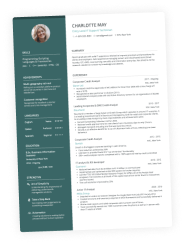
Ivy League Harvard Resume Template
Amara is a sophomore with one campus job and a club role that's more impressive than the job. This version keeps the High School entry, which earns its place in your first two years and should come off after that, and it moves Leadership & Activities above Experience, which Harvard explicitly allows when the activity is the better story.

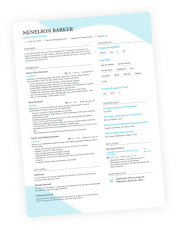
Classic Harvard Resume Template
Daniel graduated in May with two internships behind him. High school is gone, study abroad is in, and Experience has moved to the top now that there's enough of it to lead with. This is the Harvard template at the point it works best.

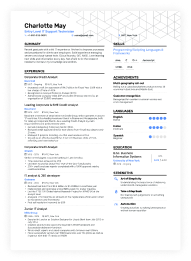
Timeline Harvard Resume Template
Wei is a master's student applying to research and industry roles. This version uses the two lines most guides skip entirely: the thesis title under Education, and the Laboratory line in Skills & Interests. If you're in a lab, this is the version to follow.
Harvard's Center for Career Success publishes an actual resume template, free to download as a Word file or a Google Doc. In this academic-focused document, the Education section takes precedence over the Experience one. The Harvard resume skips the summary entirely and gives you four ground rules for writing bullet points.
Many career tools online try to reproduce the Harvard template, but not all get it right. They’ll add a career objective, a photo, or a references line, and they tell you to set the whole thing in Times New Roman when Harvard doesn’t recommend a specific font.
Here's what's actually in the Harvard-style resume template, the format specs that make it parse cleanly, and how to write each section.
If you'd rather not rebuild the tab stops by hand, Enhancv's Traditional Ivy League Templates follow the same structure.

Key takeaways
- Harvard's Mignone Center for Career Success publishes its template free, in Word and Google Docs, in a bullet point and a paragraph version.
- The Harvard template includes five sections: contact header, Education, Experience, Leadership & Activities, Skills & Interests. Education comes first and there's no summary.
- Harvard states four bullet rules: action verb first, quantify where you can, no personal pronouns, and phrases rather than full sentences.
- The file defaults to Calibri at 11 pt, not the Times New Roman most guides prescribe. Harvard specifies no font at all, so any sans-serif can work.
- Delete the bracketed placeholders before you export. They're instructions to you, and leaving them will make your resume look sloppy to the hiring manager.
- Enhancv's Traditional Ivy League templates follow the same structure, and the builder is flexible enough to tailor a version per application.
Download the Harvard resume template example
The resumes below follow the Harvard template structure: еducation above еxperience, no summary, activities in their own section. Each one was built in Enhancv's AI Resume Builder, which handles the formatting so you can spend the time on what the bullets actually say.
Keep in mind Harvard's own files come as Word and Google Docs only—a single static document. Enhancv’s Builder lets you keep one base resume and tailor a version per application without saving 20 near-identical Word files.


The Harvard template, section by section
Harvard's file gives you the skeleton and a set of bracketed notes. Here's what goes in each section.
Header
Your header carries five things:
- Full name: First line, bold, a size or two larger than the body text.
- Location: City and state. Harvard's template asks for a full street address, which made sense when resumes went out by mail. City and state cover it now.
- Email: Built from your name, at a plain provider. Harvard's placeholder uses a college address, and a personal one works just as well once you graduate.
- Phone number: With the area code.
- LinkedIn: Harvard leaves this out, but it's worth adding when your profile is current and matches your resume.
Example
Jordan Reyes
Somerville, MA • jordan.reyes@gmail.com • (617) XXX-0148 • linkedin.com/in/jordanreyes
Education
Each education entry carries:
- School name, with city and state on the same line.
- Degree and concentration. Spell out the degree, then the field. Add a minor if you have one.
- Graduation date. Month and year, right-aligned. A date, not a range.
- GPA. Optional in Harvard's file. Include it when it’s beneficial, meaning >3.5.
- Thesis title. Optional, and worth the line for research and academic roles.
- Relevant coursework. Optional. Harvard notes that awards and honors can sit here too.
Example
Boston University | Boston, MA
B.A. in Economics, minor in Statistics | May 2026
Relevant coursework: Econometrics, Public Finance, Data Analysis in R
Honors: Dean's List, six semesters
Experience
Each experience entry carries:
Example
Cortland Media | Boston, MA
Marketing Intern | June 2025 – August 2025
- Wrote and scheduled 74 social posts across LinkedIn and Instagram, lifting engagement 23% over the summer
- Rebuilt the weekly performance report in Looker Studio, cutting prep time from three hours to 20 minutes
- Ran competitor research on 12 regional agencies, informing the fall content calendar
Leadership & activities
Entries here can be formatted similarly to the experience ones and if the activity is more relevant to the opportunity you’re applying for, you can add it as an experience entry instead. Descriptions can be omitted entirely.
Include:
- Organization, with city and state.
- Your role, rather than "member" where you can help it.
- Dates.
- Bullets, optional here. Harvard lets you skip descriptions for activities.
Example
Boston University Investment Club | Boston, MA
Portfolio Analyst | September 2024 – present
- Pitched three equity positions to a 40-member vote, two of which entered the $85,000 student-managed fund
- Led weekly valuation workshops for 15 first-year members
Skills & interests
Optional in Harvard's file and split four ways:
- Technical. Software and programming languages, with your level of fluency.
- Language. Foreign languages, with your proficiency.
- Laboratory. Research and lab techniques or tools. Skip the line unless you work in a lab.
- Interests. Activities you enjoy. Harvard's note says the job of this line is to spark interview conversation.
Example
Technical: Python (pandas, scikit-learn), SQL, R, Tableau, Excel including PivotTables and VLOOKUP
Language: Spanish (fluent), Portuguese (conversational)
Interests: Long-distance cycling, competitive chess, Ethiopian cooking
Should you use the bullet point or paragraph template?
On Harvard’s Career Services website, you’ve got both options: the bullet point resume template and the paragraph resume template.
Both have merits, but if we had to choose, we’d pick the bullet one. That’s a win for almost everyone: bullets scan faster, they force one accomplishment per line, and they suit the way recruiters actually read.
When the Harvard paragraph resume template is a good choice
The paragraph format earns its place in three situations.
- Fellowship and grant applications sometimes ask for prose.
- Academic and research contexts where the work needs connective explanation rather than discrete wins.
- Roles where you're describing one continuous project instead of a list of separate achievements.

PRO TIP
It’s also more difficult to drop the personal-pronoun narrative in a paragraph version. Prose invites full sentences, and full sentences invite “I was responsible for…”.
How is the Harvard format different from a standard resume?
It isn't a different format, strictly. Harvard's template is a reverse-chronological resume, the same as the standard US format. What differs is which sections come first and what's missing.

5 mistakes people make with the Harvard template
The Harvard template does a lot of the work for you, which is exactly why the mistakes are so consistent. Run through these five before you export.
Leaving the bracketed notes in
Harvard's file is full of instructions: [Note: GPA is Optional], [Note: If Applicable], [Note: May include GPA, SAT/ACT scores, or academic honors an employer may want to know].
They're guidance, not content, and they get shipped more often than you'd expect. A parser reads them as text, and a recruiter reads them as carelessness.
To avoid this mistake, search the document for [ to remove any leftovers before you export.
Adding a summary
Harvard's template opens on Education, with no summary or objective anywhere in the file. People add one because every other resume guide tells them to or simply out of habit. But on a student resume, a resume profile simply restates the next two sections anyway, so it’s redundant.
Skip the summary while your resume is one page of coursework and two internships. Add one once you have a few years of work that needs framing before a recruiter starts reading roles, but keep in mind that your resume will no longer follow the Harvard template.
Keeping high school on the page too long
The template includes a High School entry, which makes sense for a first-year undergraduate with nothing else to put there. It should come off around sophomore year, and it should definitely be gone by graduation.
Same for SAT and ACT scores. Include them only when an employer specifically asks, which a few finance and consulting firms still do.
Writing full sentences in the bullets
Harvard states: "Do not use personal pronouns; each line should be a phrase rather than a full sentence." A phrase fits on one line, starts with a verb, and says what changed rather than what you were assigned.
Rebuilding the date alignment with a table
Harvard right-aligns dates using tab stops. People recreating the layout from a screenshot usually reach for a two-column table instead or drop the whole header into a text box.
Most modern systems parse table layouts fine, so the problem isn’t rejection. In a Word or Google Docs resume, tables behave unpredictably—they often shift when you edit them. Additionally, older parsers skip text boxes
You can skip the alignment problem entirely by usingEnhancv's Ivy League template, which holds the Harvard structure without tab stops to maintain. Edit a line and the dates stay put.
Optimize your resume summary and objective for ATS
Drop your resume here or choose a file.
PDF & DOCX only. Max 2MB file size.
Should you include your GPA on a Harvard resume?
Harvard marks GPA as optional, so include it when it's strong and leave it off when it isn't. If the space isn't earning its keep, coursework, a project, or an honor does more with it. Some finance and consulting firms ask for GPA outright, so give it when they do.
Should a Harvard resume be one page or two?
One page. Harvard's template is built for a single page, and it stays there through your first few jobs. Two pages become normal around 10 years of experience, though by then you've outgrown a student template anyway.
The takeaway
Harvard's template hands you a clean skeleton and four bullet rules that beat most resume advice you'll find. What it can't tell you is whether the resume you built inside it holds up: whether your bullets say what changed, whether the coursework line is earning its space, whether a bracketed note survived the export.
Run the finished file through Enhancv's Resume Checker before you send it. It's 27 checks across content, layout, formatting, and style, and it gives you specific fixes rather than just a grade.
Then send it. The template was never the hard part.
Is your resume good enough?
Drop your resume here or choose a file. PDF & DOCX only. Max 2MB file size.