Job Application Tracker
Some days job hunting feels like the applications just disappear. Enhancv's Job Application Tracker puts you back in control of your search.
- Every application in one place
- Never miss a follow-up
- Always know which resume you sent
job application tracker · noun
What is a job application tracker?
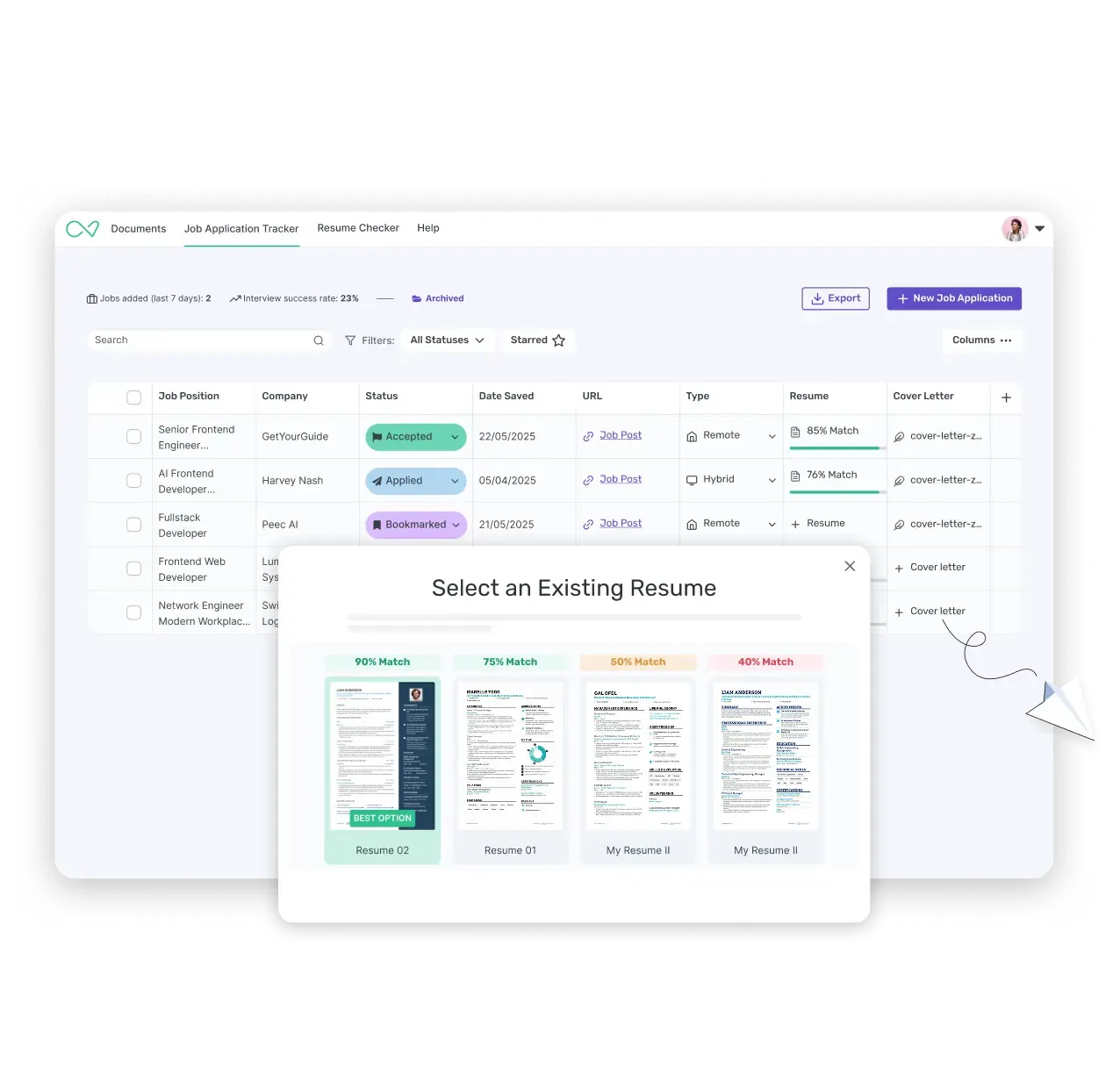
A job application tracker is a tool that organizes every job you're pursuing, from the first application to the final offer, in one place. Instead of juggling spreadsheets, browser tabs, and email threads, you see every job's status, the resume version you sent, and what to do next, all on one dashboard.
Applying to five jobs is easy to keep in your head. Applying to thirty is a different problem entirely. Company names start to blur, application dates get buried in your inbox, and the resume you tailored last week ends up in a folder you can't find. Our tracker is built around the actual shape of a job search: statuses that match your pipeline and reminders timed to when you actually applied.
Save jobs in one click
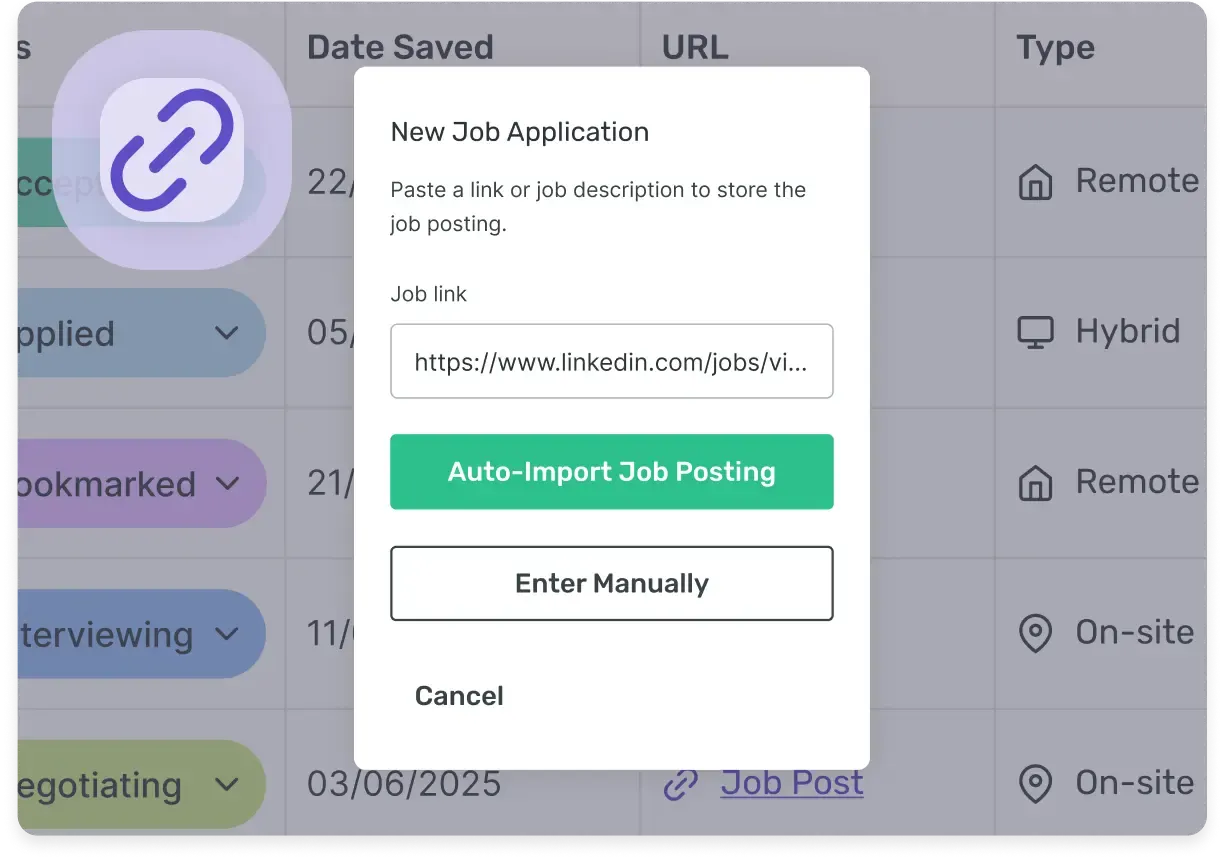
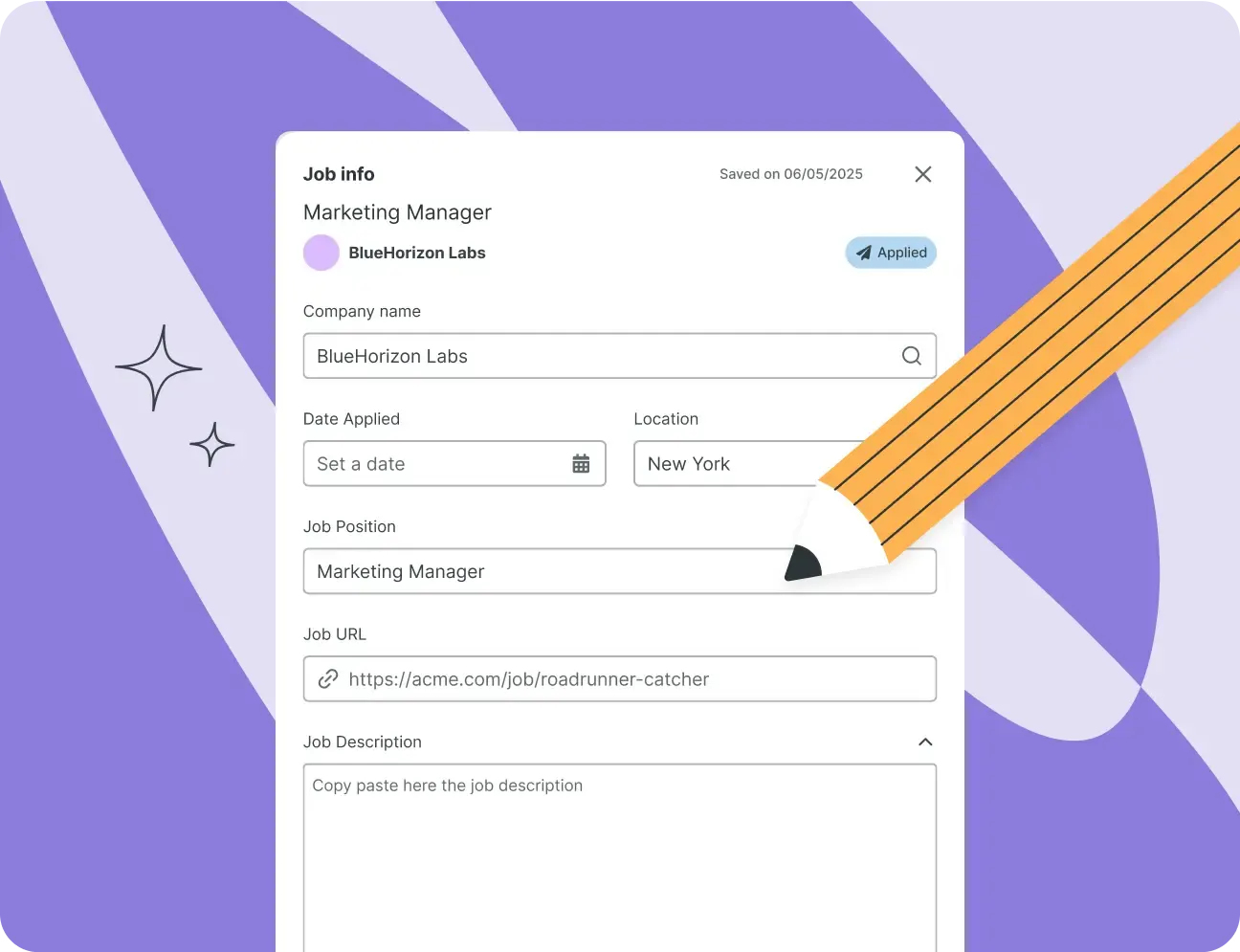
Install the Enhancv Chrome extension, and any job you find on LinkedIn, Indeed, Glassdoor or the internet lands in your job app tracker fully filled in: title, company, location, and description included. Updating a spreadsheet by hand starts to feel like a second job. This doesn't.
You don't have to copy the job title or retype the company name into a separate tab. Click the extension icon on the posting you're viewing, and the job saves to your board with everything already in place.
For jobs you find outside LinkedIn, Indeed, or Glassdoor, like a company careers page, paste the link in its place. Enhancv pulls in what it can and leaves the rest for you to fill in.
Always know which resume you sent
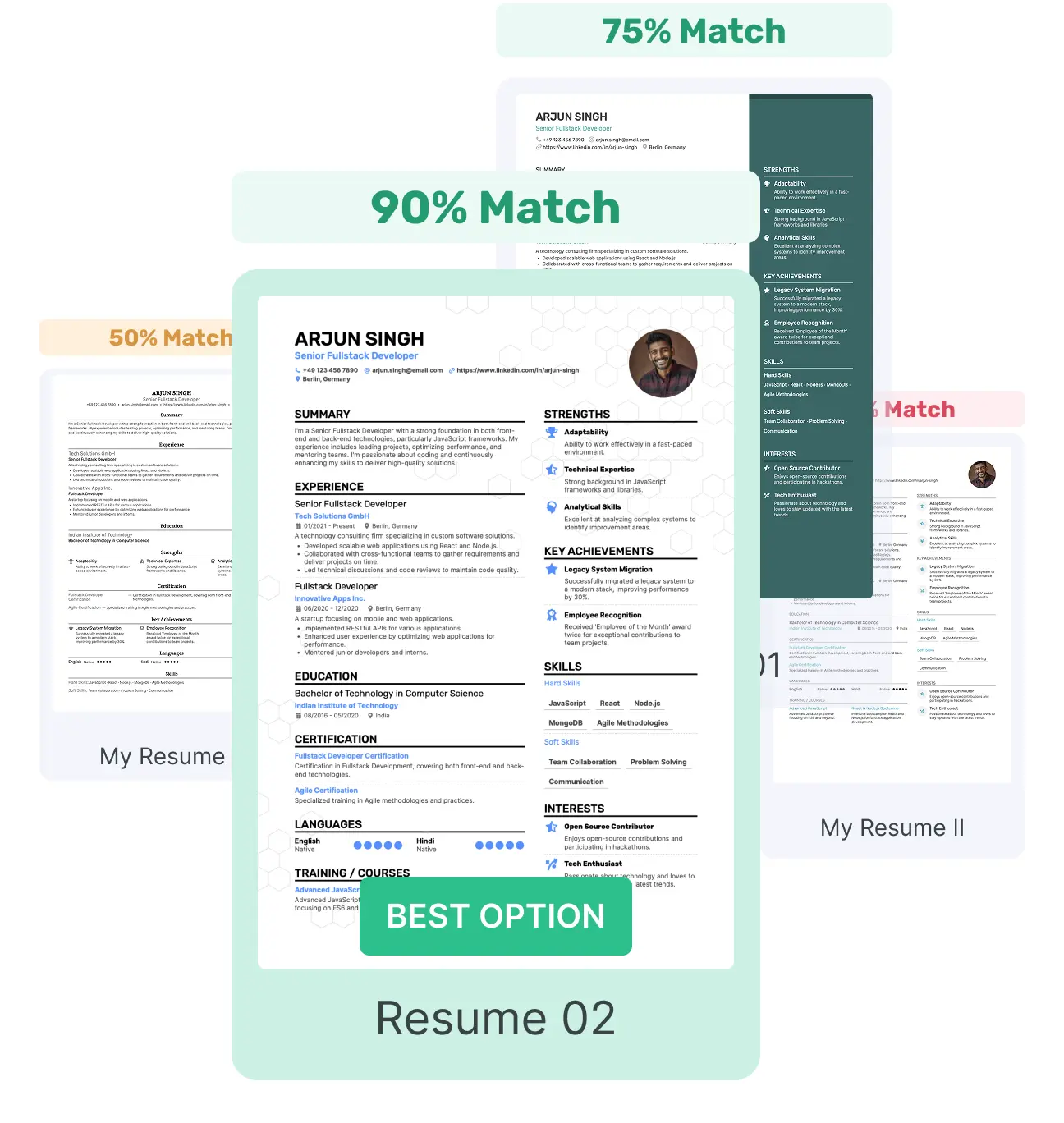
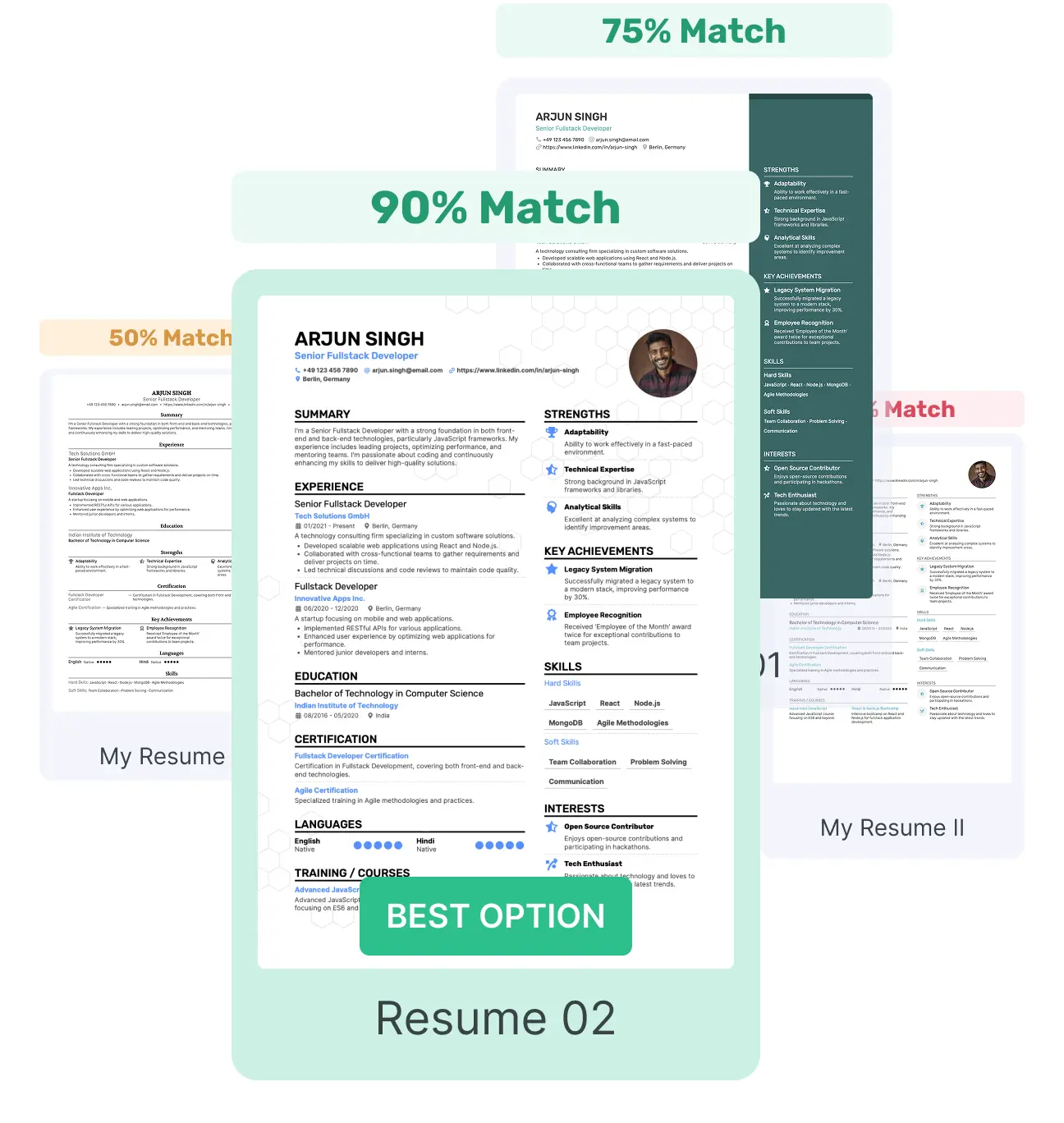
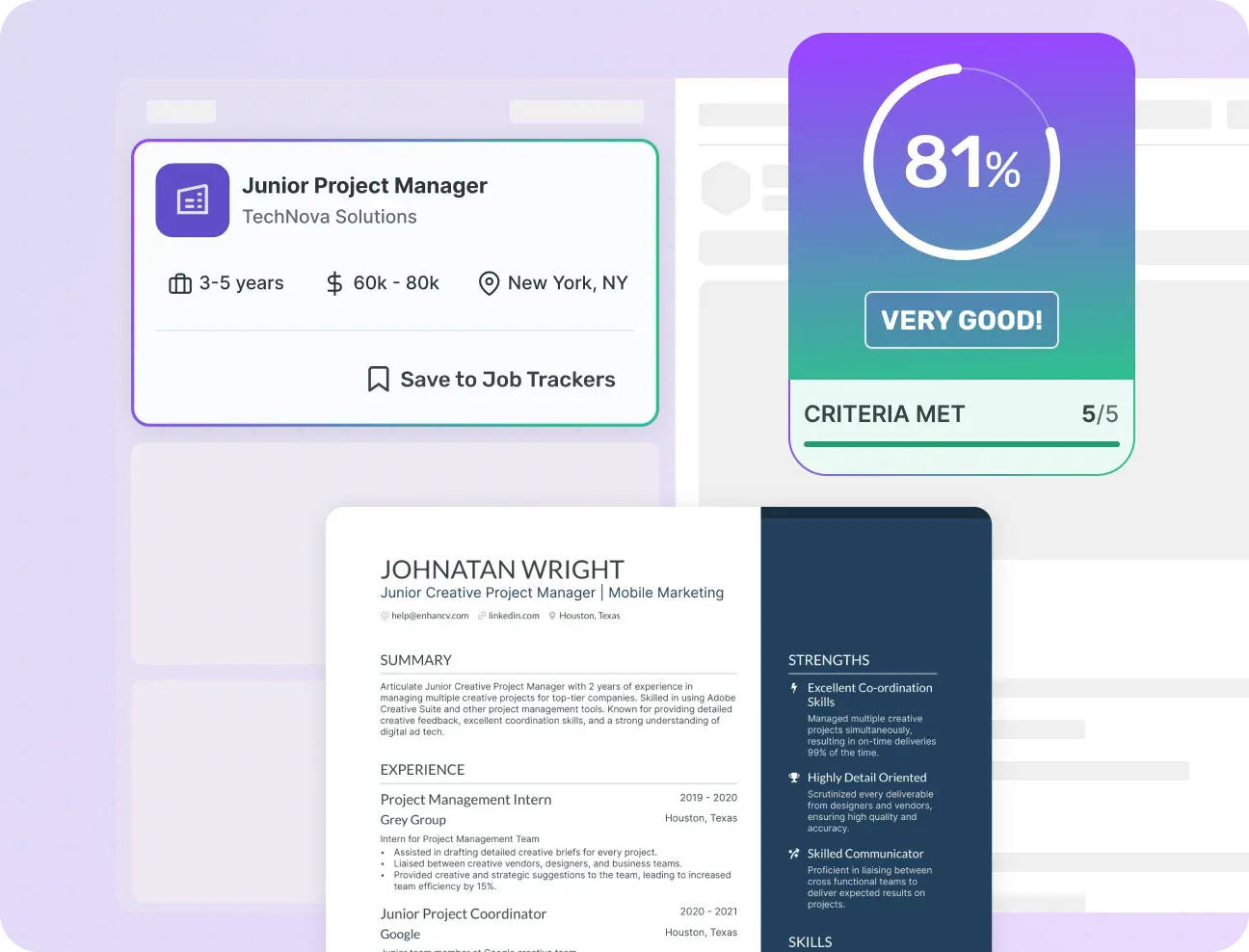
Every job card carries a match score between that posting and the resume you attached, so you never have to guess which version you sent. If the score is low, you'll know before you apply. It's built for sending the right resume to the right job, not blasting the same one out fifty times.
Most job seekers end up with more than one resume version: one for individual contributor roles and another for management, maybe more if you're changing careers entirely. Once you're applying across different types of roles, remembering which version went where gets complicated fast.
Enhancv solves this by attaching the actual resume file to the job card, so opening any application later shows you what the employer ultimately received.
Never miss a follow-up
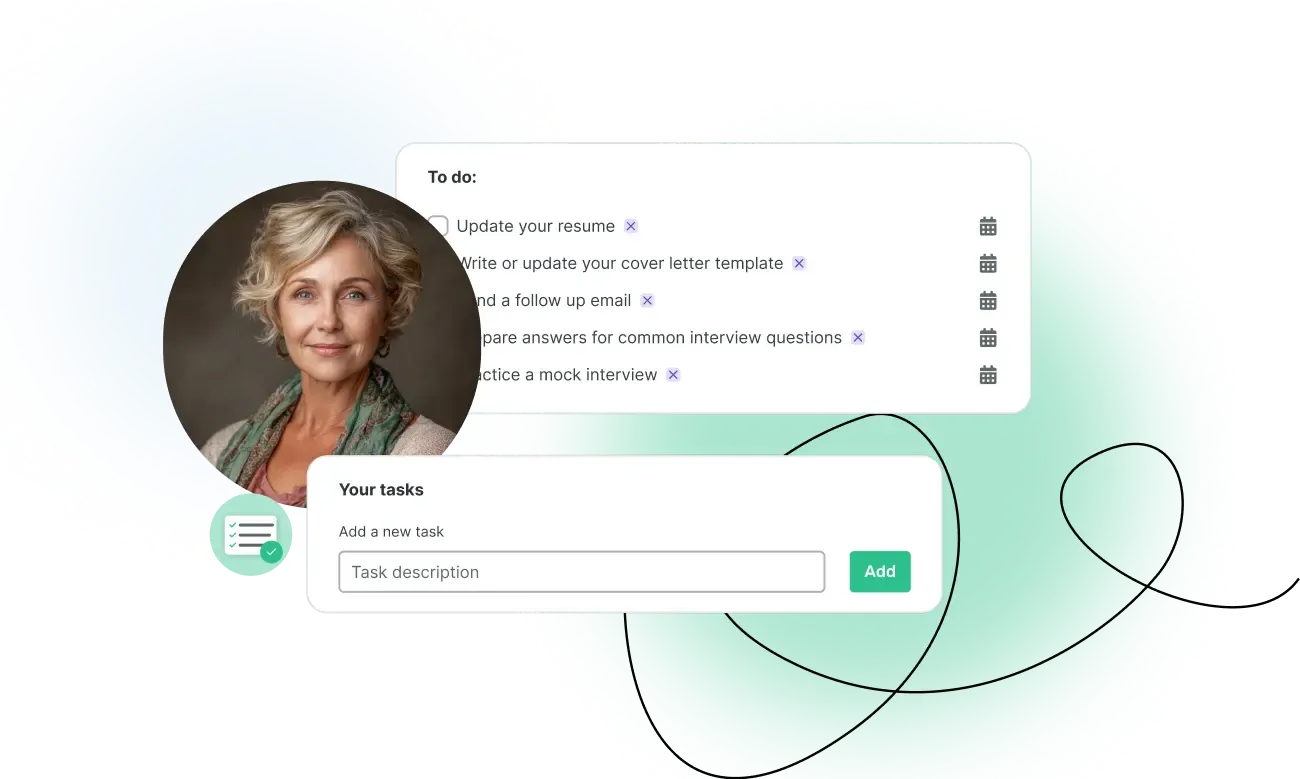
Set a thank-you reminder for the day after your interview and a follow-up nudge five days after you apply. Add contacts for each company so you always know who you last spoke with, and keep interview notes right on the job card — no separate document required.
A follow-up email is one of the simplest ways to stay on a recruiter's radar and one of the easiest things to forget once you're deep into several applications at once. Enhancv sets the reminders for you, so the follow-up happens on schedule instead of whenever you happen to remember.
Add a contact for each company you're in touch with, whether that's a recruiter or a hiring manager, along with a quick note on what you last discussed.
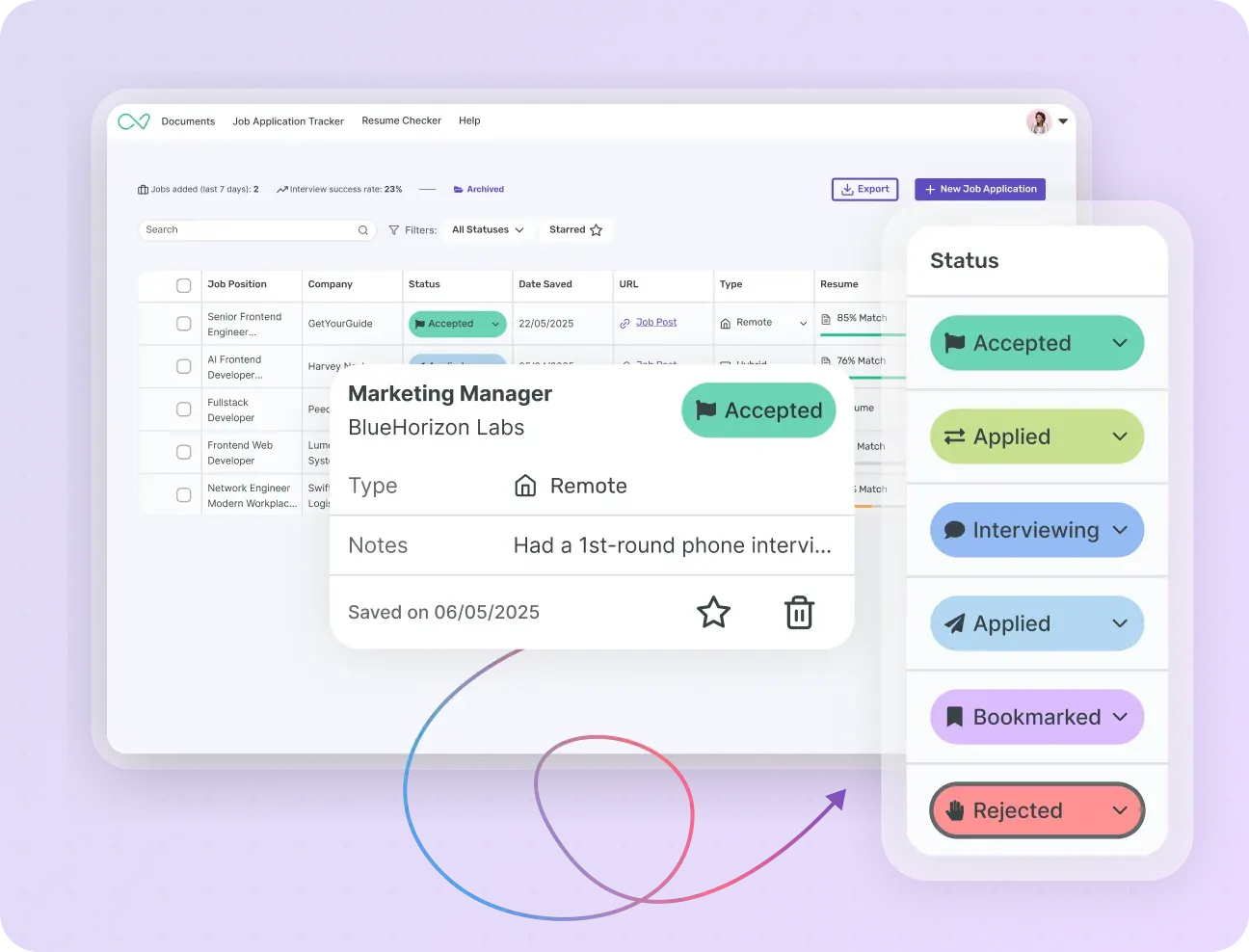
Archive rejections. Stay organized and sane.
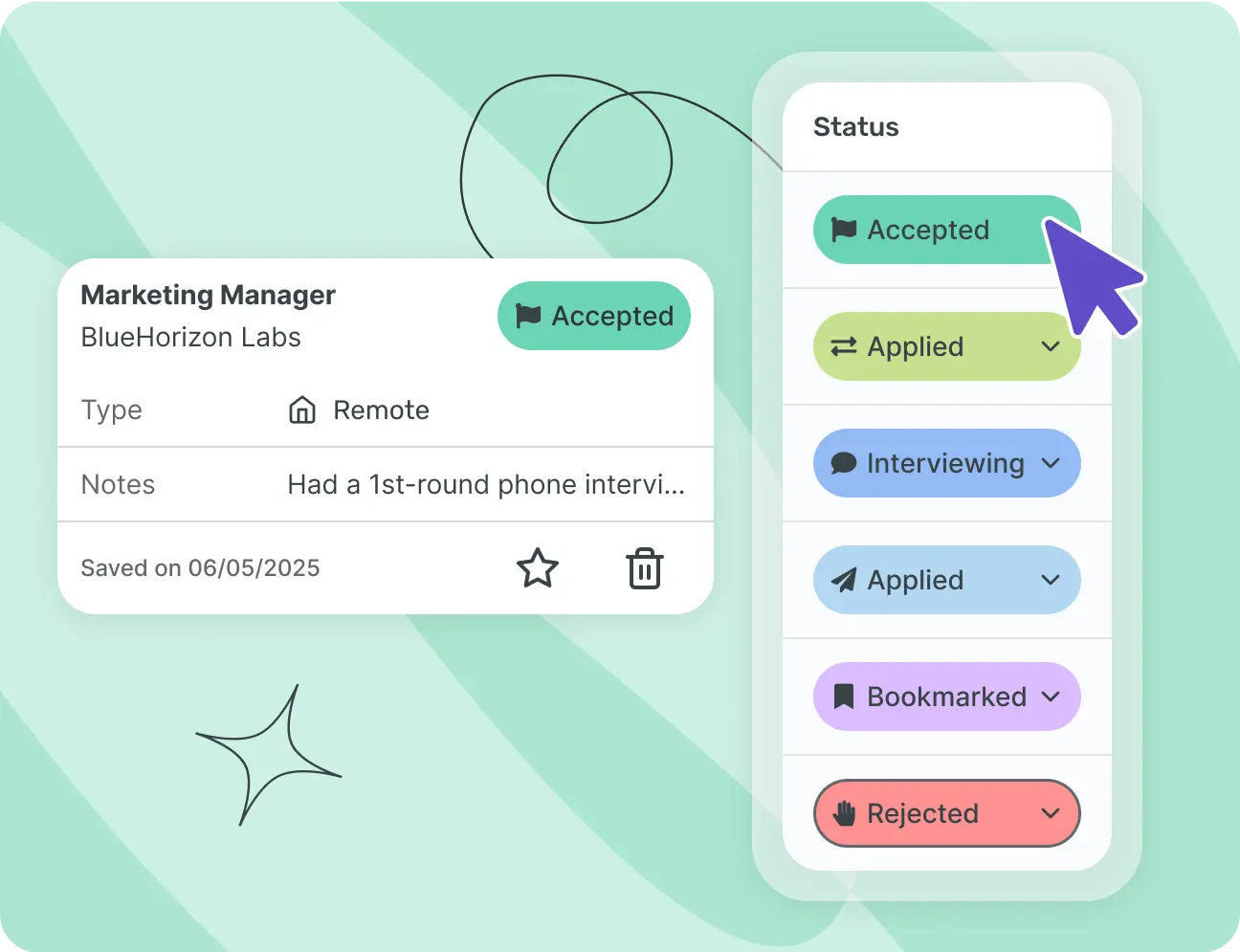
Rejections are part of the process. Staring at a red “Rejected” label all day isn't. Archive a job in one click and it leaves your main board without leaving your records. You stay organized. You don't have to stay reminded.
Every rejection is still information worth keeping. Enhancv holds archived jobs in a separate view, so you can look back at what you applied for, what you sent, and how far the process went, without any of it cluttering the board you check every day.
If a role reopens later, or the same company reaches out about a different position, your history is still there, resume and all.
Far better than a spreadsheet
Every tracker in this category says it's better than a spreadsheet. Here's exactly where, so you can judge for yourself.
Swipe to compare →
| Spreadsheet | Enhancv's tracker | |
|---|---|---|
| Adding a job | Manual entry every time | One-click capture from LinkedIn, Indeed, or Glassdoor |
| Follow-ups | Up to you to remember | Automatic reminders on real timelines |
| Resume tracking | No link between job and resume | Match score tied to the resume you actually sent |
| Keeping it current | Falls behind fast | Auto-fills and stays current |
| Archiving rejections | Delete the row and lose the record | Archive in one click, history stays intact |
| Finding new roles | Search job boards separately | Matched roles feed straight into your board |
A spreadsheet works, right up until it doesn't. It does what you tell it to and nothing else, so every reminder and every resume link depends on you not forgetting to enter it.
Free job application tracker templates
Prefer a spreadsheet? Start with ours — a solid starting point if you're not ready to create an account yet. Switch to the tracker when updating starts feeling like a second job.
- Google Sheets
Google Sheets template
A ready-made spreadsheet with columns for company, role, status, resume version, and follow-up date. Make a copy and it's yours.
- Excel
Excel template
The same structure, built for Excel. Works offline, no account required.
Useful if you're applying from a work laptop that blocks browser extensions, or you just prefer working in a spreadsheet you can open without an internet connection.
How to keep track of job applications in 4 steps
A tracker earns its keep once you're running more than one process at a time. Four habits keep the details straight — and Enhancv automates most of them, so the habit actually sticks.
Save every job before you apply
Capture it with the Chrome extension, or add the link yourself. Do this before you hit submit, not after, so the original posting and its exact wording are still there if it gets taken down later.
Log the resume version you sent
Attach it to the job card so you're never guessing later. If you tailored your resume for this specific role, save that version, not your master resume. That's the one the recruiter actually saw.
Set a follow-up date
Five days after applying is a reliable default. Adjust it based on the role: a small, fast-moving company might warrant a follow-up in three days, while a large enterprise process can take longer to respond even when everything is moving normally.
Review your pipeline weekly
A five-minute check-in catches stalled applications before they go cold. Look for anything that hasn't moved in two weeks and decide whether to follow up again or let it go. Either is fine, as long as it's a decision and not something that happened by accident.
Your job tracker, powered by Enhancv
Your tracker doesn't live on its own. It sits right next to your resume, so every job you save gets scored against the resume you'd most likely send, not a generic average.
Your whole pipeline at a glance
Drag jobs between Bookmarked, Applied, Interviewing, and Offer. Color-coded and sortable, so you can see your whole pipeline at a glance.
Move a card the moment something changes, whether that's booking an interview or hearing back with an offer, and the board reflects your search as it stands today, not last week.
One-click save from LinkedIn, Indeed, or Glassdoor
Click the extension on the posting you're viewing and it lands on your board fully filled in.
Turn it off anytime from your browser's extension menu. It won't affect jobs you've already saved.
Know which applications need work
Every saved job shows how well your resume matches it, so you know at a glance which applications need work before you send them.
The score breaks down which keywords and requirements from the posting already show up in your resume and which ones don't, so you know what to add before you apply.
Who you spoke with, and what's next
Track who you spoke with at each company, plus interview notes and tasks with due dates, all on the same job card.
Set a due date on any task, from “send thank-you email” to “prep for the technical round,” and it stays visible on the job card until it's done.
Matched roles feed straight into your board
Enhancv's job board surfaces roles matched to your resume, score first. Save one you like and it feeds straight into your tracker.
Roles you haven't applied to yet show up alongside the ones already on your board, so your search and your pipeline live in the same view instead of two separate tabs.
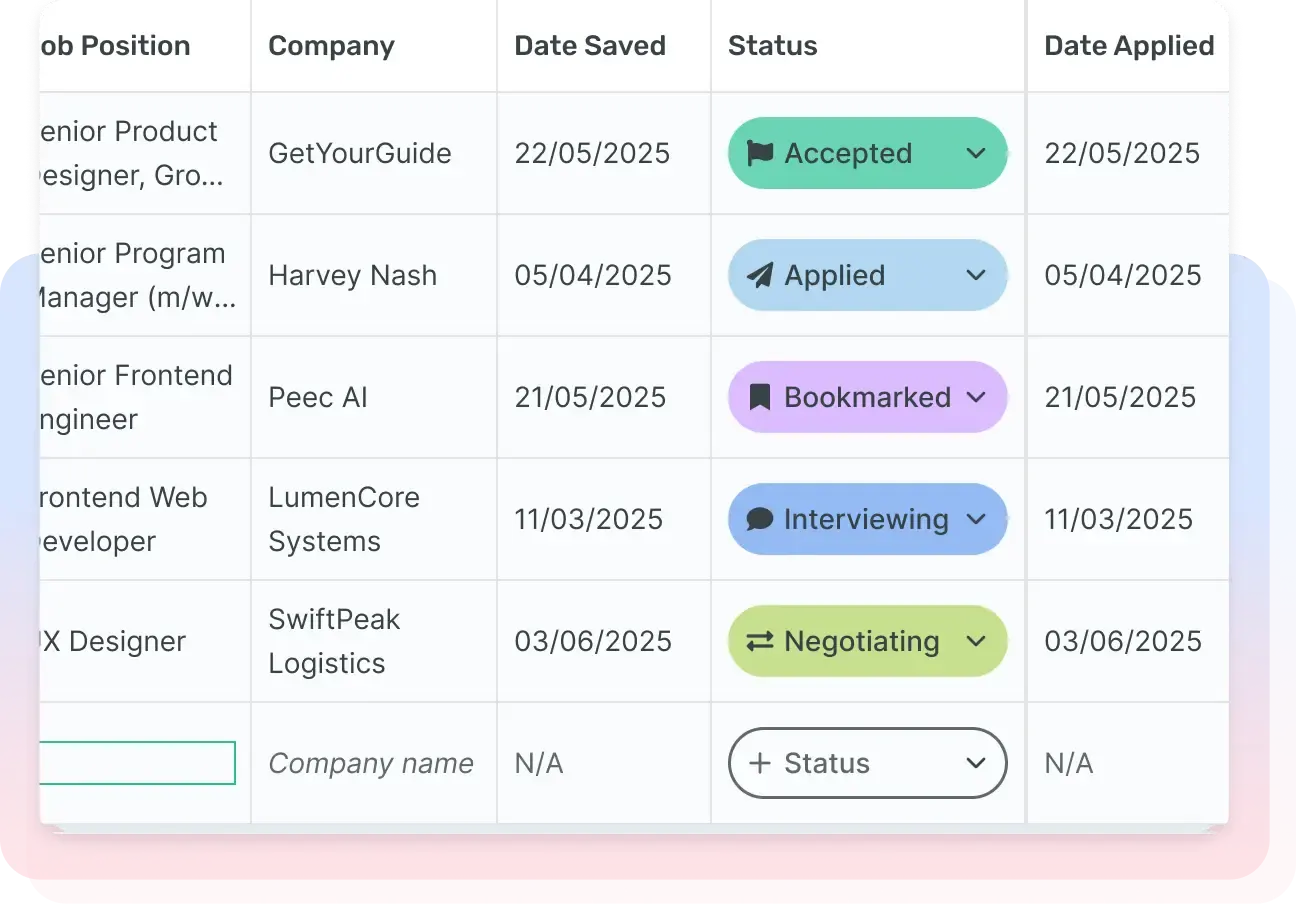
 Board view
Free means free
- Unlimited applications on the free plan
- Cancel anything in two clicks
- Real human support
- We don't read your browsing or sell your data
- Works with any resume, not just one built on Enhancv
No hidden caps, no surprise renewals, and no “free trial” that conveniently becomes a subscription.
Job tracking is table stakes for a job search tool. Charging for it, or capping how many applications you can log, defeats the point of something meant to remove friction, not add a new bill. So the tracker stays free, no matter how many jobs are on your board.
If you upgrade to a paid plan later, it's for premium resume templates or deeper ATS reports, not for the tracker itself. You can run your entire job search on the Job Application Tracker without ever entering a credit card number.
Features and tools that help you create a
resume that lands interviews

Online AI resume builder and assistant
Enhancv's AI features are integrated throughout the resume builder, including an inline assistant, a resume tailoring AI tool, and a cover letter generator.

Free and premium resume templates
ATS-tested templates with sections that cover your experience, skills, and measurable accomplishments.

Share your resume for real-time feedback
If you feel stuck or need a second pair of eyes, you can share your resume and get comments on specific sections of your resume from family and friends.

Multi format resume export
Export your resume in the most widely recognized resume format - PDF, as well as in a simple TXT version.

Mobile resume builder
On the move? You can edit your resume using our mobile editor - just log in with your phone.

Translate your resume with AI
Applying for a job abroad? You can use the AI translation feature to localize your resume into multiple languages quickly.

One click resume tailoring
Paste a job description and Enhancv's AI resume builder will automatically tailor it to include the skills, create a tailored summary, add action verbs, or even generate a cover letter.

AI resume checker
A free and fast AI resume checker doing 27 crucial checks to ensure your resume is ready to perform and get you interview callbacks.

AI resume review
Our AI Resume Review tool provides instant, tailored feedback to help you enhance your resume.

Free summary generator
Our AI resume summary generator will write your personal profile completely for free.

Free cover letter generator
Enhancv's free cover letter generator will create a custom cover letter for you, based on your resume and job description.

Cover letter templates
Choose from 12 cover letter templates designed to get your application shortlisted, not filtered out. Pick one, edit, and download.


Enhancv Executive has changed my life: One week & four interviews later, I will be making 150% more doing the job I chose.

Your resume is an extension of yourself – make one that’s truly you
Frequently asked questions about tracking job applications
What is the best way to track job applications?
Save every job before you apply, log the resume version you sent, set a follow-up date, and review your pipeline weekly. A job application tracker like Enhancv's automates most of this, so the habit actually sticks.
The method matters less than the consistency behind it. A spreadsheet you update daily beats a polished tool you abandon after a week, but a dedicated tracker removes the friction that usually breaks the habit in the first place.
What is the best free job application tracker?
Enhancv's Job Application Tracker is free with no application cap, which is rare in this category. Teal and Simplify also offer solid free tiers, and a well-maintained spreadsheet works too if you're willing to update it by hand.
The real differences show up in the details: how much manual entry each tool needs and whether the free tier caps how many jobs you can log. Enhancv's tracker has no cap, which is exactly where most competitors start charging.
How do I keep track of the status of my job applications?
Give each application a status: “Bookmarked,” “Applied,” “Interviewing,” or “Offer,” and update it as things change. Pair that with a reminder for every follow-up so status changes don't slip past you.
Update the status the moment something happens rather than at the end of the week, when the details are already fuzzy. If it's been longer than the timeline the employer gave you, treat that as your cue to follow up.
What is a job tracker?
A job tracker is a tool for organizing every job you're pursuing in one place, instead of across spreadsheets, browser tabs, and email. It shows each job's status, the resume you sent, and what to do next.
Think of it as one record per opportunity that updates as your search moves forward, so nothing depends on memory alone.
Is Enhancv's job application tracker really free?
Yes. You can track unlimited applications without entering a credit card. The tracker itself is free; other Enhancv tools, like premium resume templates, are part of paid plans.
That distinction matters because a lot of free trackers cap you at ten or twenty saved jobs before asking for a card to keep going. The Job Application Tracker specifically doesn't do that.
Do I need the Chrome extension, and what can it see?
No, you can add jobs manually with just a link. If you do install the extension, it only reads the job posting you're actively viewing. It doesn't track your browsing elsewhere or sell your data.
In practice, most people install it after manually adding a handful of jobs and getting tired of retyping the same five fields each time. There's no penalty for waiting and no benefit to installing it before you're ready to use it.
Can I use my own resume, or do I have to build one with Enhancv?
You can upload any resume, built with Enhancv or not. The tracker's match score works with whatever file you attach.
Upload a PDF or Word file the same way you'd attach one to an email. The match score reads the content, not the formatting, so a resume built somewhere else scores exactly the way an Enhancv resume would.
How do I make a job application tracker in Excel or Google Sheets?
Start with a sheet with columns for company, role, status, resume version, and follow-up date, then fill it in as you apply. Or skip the setup: download our free Google Sheets or Excel template and start with the columns already built.
Add a status column with a fixed set of options, like Bookmarked, Applied, Interviewing, Offer, and Rejected, rather than typing a slightly different word every time. Consistent statuses make the sheet easier to filter and sort later, which is most of what a spreadsheet-based tracker depends on.
Is a job tracker better than a spreadsheet?
A spreadsheet can do the job if you keep up with it by hand. A tracker like Enhancv's adds one-click capture, automatic follow-up reminders, and a resume match score, the three things people most often let slide in a spreadsheet.
The honest answer depends on how disciplined you already are. If you've kept a spreadsheet current through a full job search without missing a follow-up, a tracker mostly saves you time. If you haven't, the automation is doing real work for you.
How many applications do I need before a tracker is worth it?
Most people are fine tracking five or so applications by memory. Past fifteen, a spreadsheet starts to strain, and somewhere around thirty, most job seekers lose track of something, a follow-up, a resume version, an interview time. That's the point where a tracker comes in.
If you're only applying to two or three roles you're genuinely excited about, a tracker is overkill. It earns its keep once you're running more than one process at a time and need to keep the details straight across all of them.
Does the tracker work outside the US?
Yes. The tracker isn't limited to US job boards or US-style applications. It works wherever you're applying.
The Chrome extension captures postings from major international job boards the same way it does from US ones, and you can always add a job manually regardless of where it's posted.
Can I track interviews and offers too?
Yes. “Interviewing” and “Offer” are both stages on your board, and you can add interview notes and offer details directly on the job card.
That includes salary numbers and any deadline you're given to respond, so if you're weighing two offers at once, everything you need sits side by side on two job cards instead of scattered across separate emails.
What should I track for every job application?
At minimum, five things: the company and role, the date you applied, the resume version you sent, the current status, and your next action. Add a contact name and the posting's original link when you have them.
How do I follow up on a job application without sounding pushy?
Keep it short and specific. Reference the role and the date you applied, then ask directly where things stand.
One follow-up per stage reads as organized. Two or three in the same week reads as something else.
What does a good weekly job search review look like?
A five-minute weekly review catches most of what falls through the cracks in a job search:
- Check every “Applied” card. If it's been more than two weeks with no response, decide whether to follow up again or archive it.
- Confirm upcoming interviews have notes and prep tasks attached.
- Update any status that's changed but hasn't been moved on the board yet.
- Compare how many new jobs you saved this week against how many you actually applied to, and adjust your pace if the gap is growing.