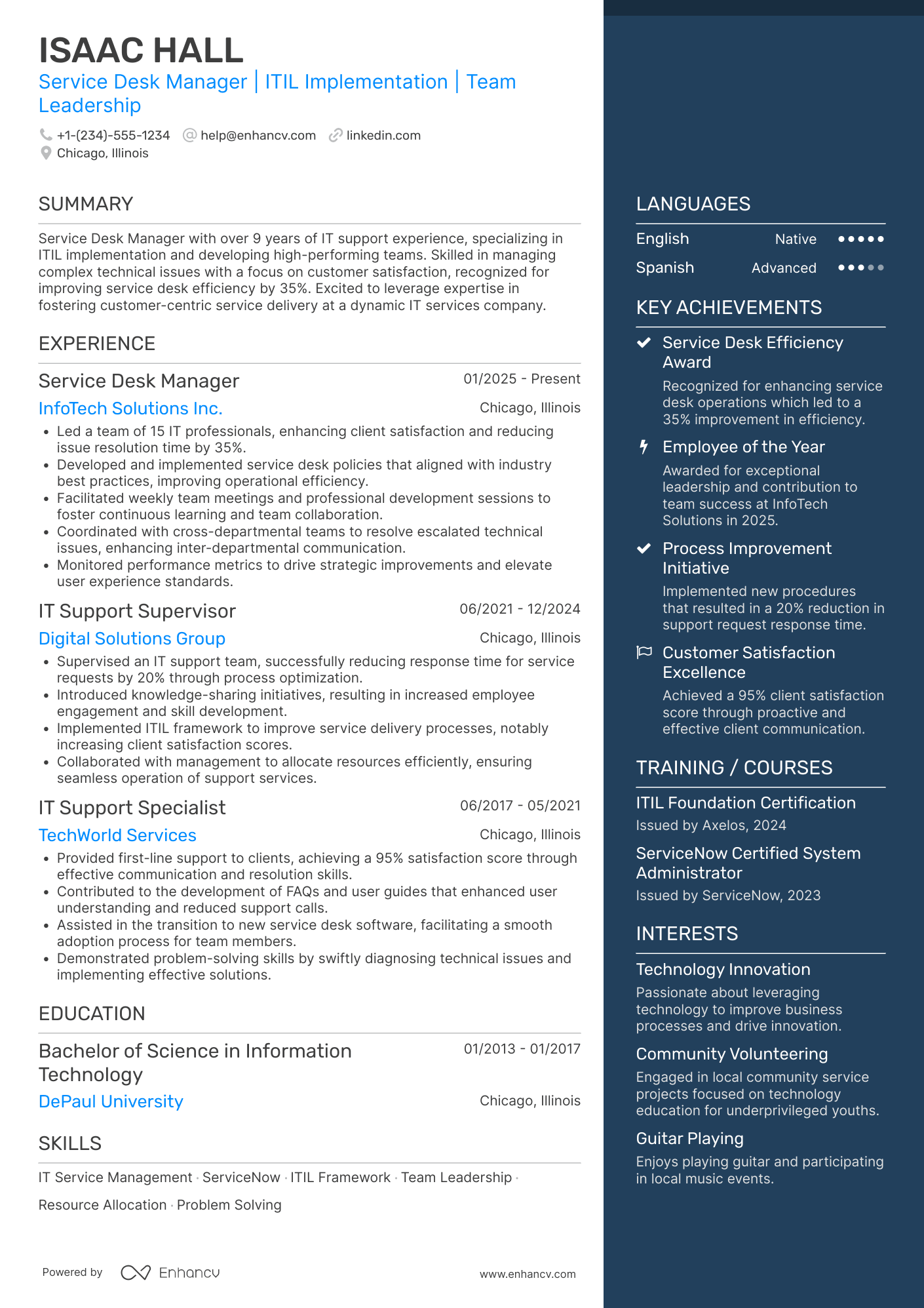
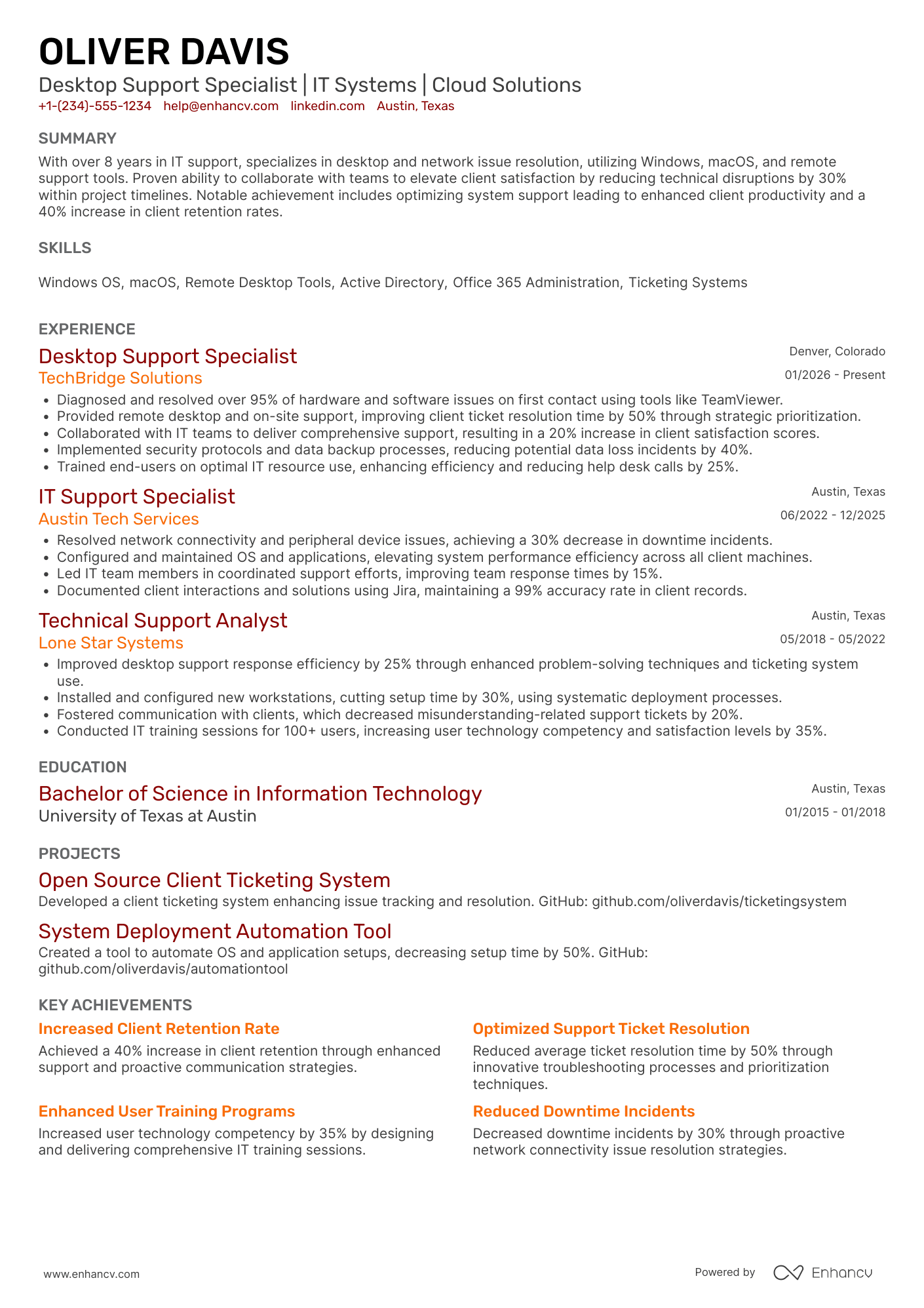
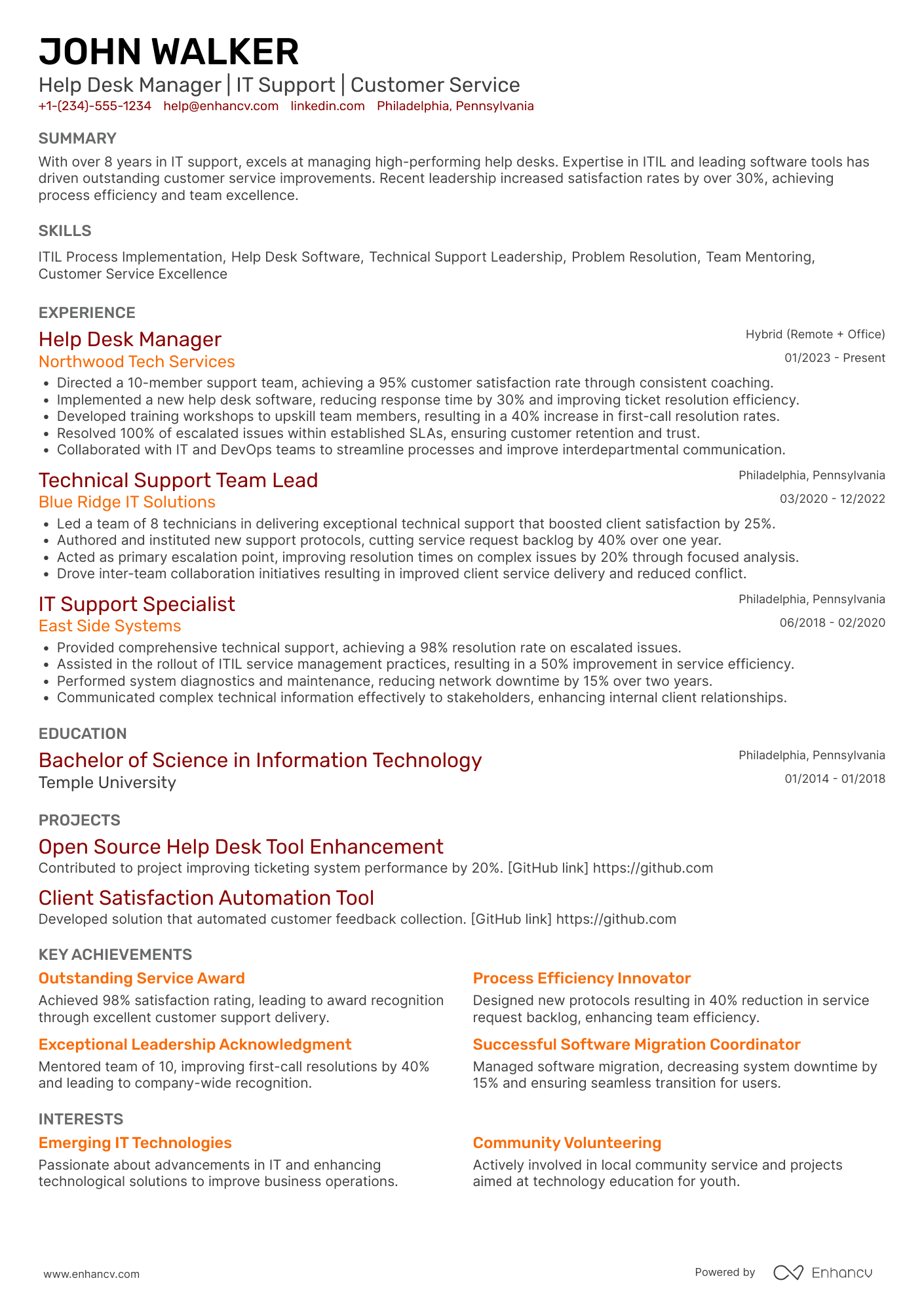
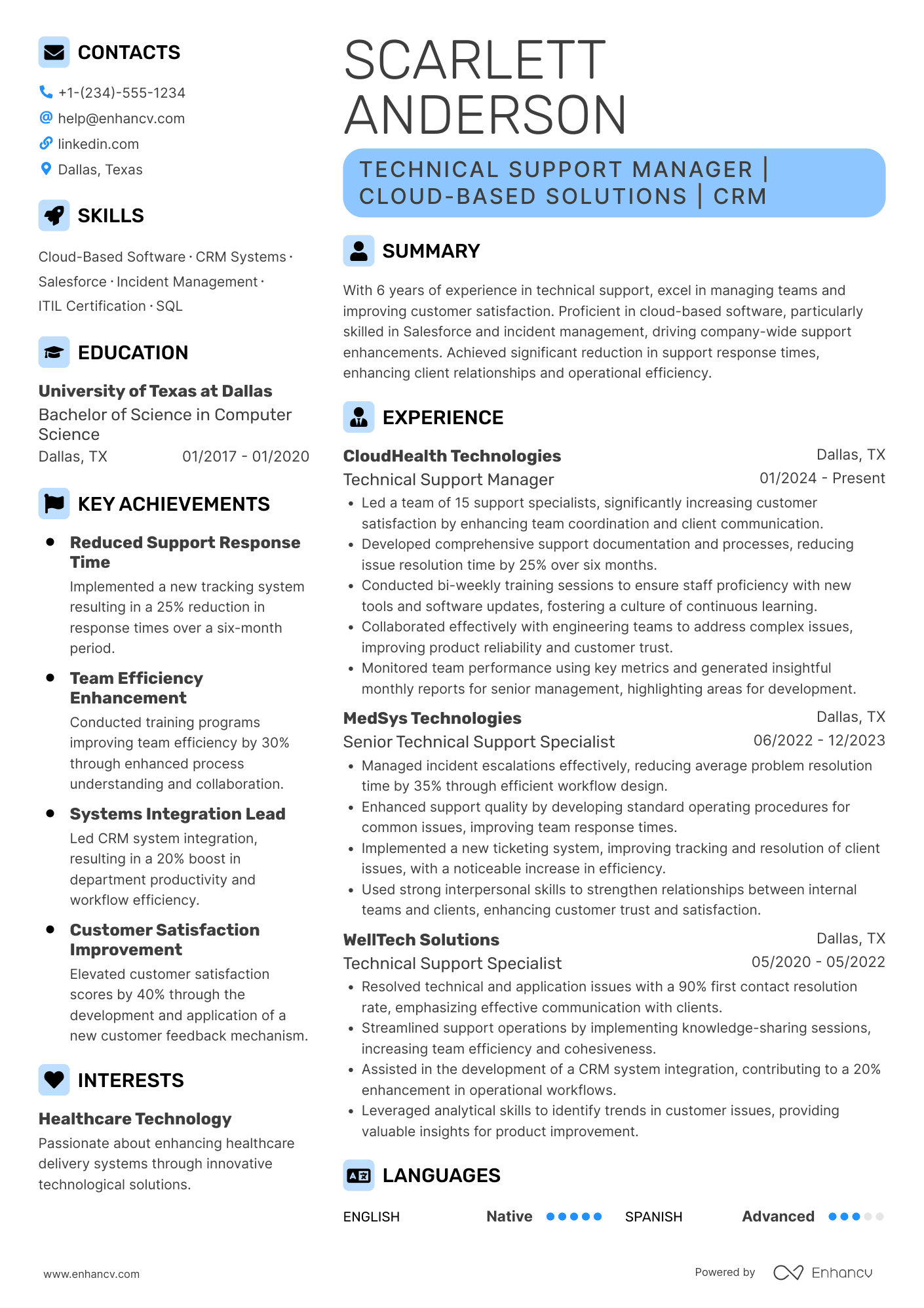
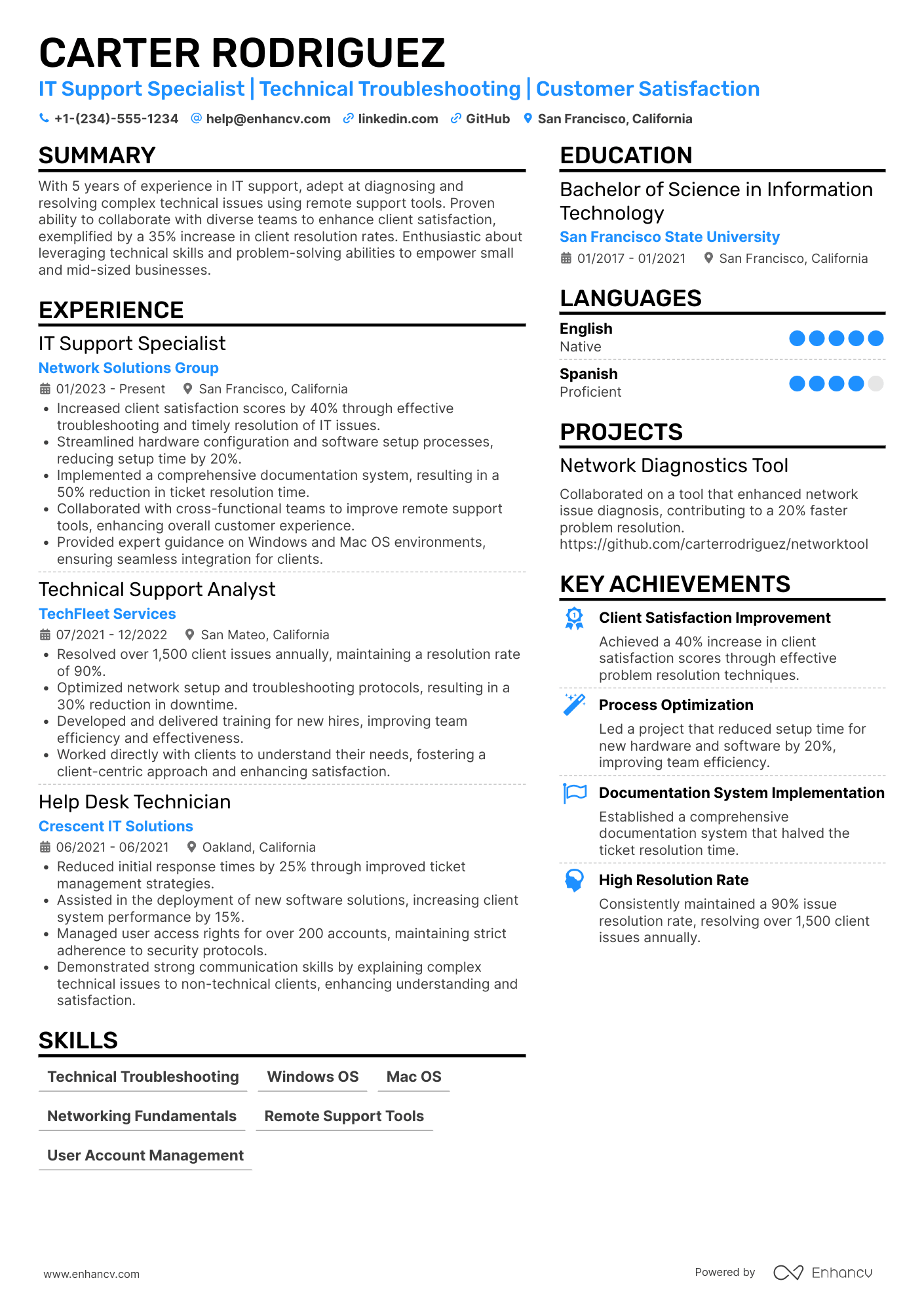
The help desk is the first place where problems like VPN outages, password resets, and frozen screens land. The whole office is working because of you. And the tickets just keep piling up.
Hiring managers are well-aware of just what the job entails. That’s why they're looking for proof in your resume that makes them think, “This person can handle it.” It all comes down to your ability to turn tickets into results.
But that’s just one of the key components in a successful application. Here we’ll take a look at every facet of a help desk resume that makes it notable.

Key takeaways
- Start with your most recent support role and ticketing tools to present your experience in reverse chronology.
- Write experience bullets around ticket volume, resolution time, first contact resolution, and satisfaction scores.
- Mirror the tools and support tier named in each job posting if you truly have that experience.
- Convey patience and clear communication with non-technical people through real examples of interactions.
- List CompTIA A+, ITIL 4 Foundation, or similar certifications in their own section to reinforce your credibility.
The best help desk resume format
It’s best to use a reverse-chronological resume format for help desk roles. This is because it shows your most recent support role first and makes your progression from Tier 1 to Tier 2 (or into desktop support) easy to follow.
What sections should go on a help desk resume?
These are the main resume sections you should focus on:
- Header
- Summary
- Experience
- Skills
- Certifications
- Education
- Projects or home lab (optional, but useful for career changers)

PRO TIP
Stick to a summary even if you’re new to the field. An objective type of opening statement is widely considered ineffective.
Is your resume good enough?
Drop your resume here or choose a file. PDF & DOCX only. Max 2MB file size.
How to write your help desk resume experience
First, let’s go over how to structure and format your experience section.
Every entry should have:
- Job title and company name: Use the precise job titles you held. They signal the scope of your roles.
- Dates of employment: Keep one format (MM/YYYY) across every role.
- Location: City and state are enough, or "Remote" if you supported users from home.
- Bullet points: Three to six per role, each describing a quantified outcome.
When a hiring manager checks your experience, they want to understand what systems you worked on, the size of the environment, and how you impacted it. You can write about the scope of the users you supported, the tools and systems you used, and the channels you covered.
PRO TIP
Start each bullet with a strong resume action verb such as "resolved," "deployed," or "automated."
Here's how that looks in a real help desk resume example:
Good example of a help desk experience section
IT Help Desk Technician
Brightline Health Partners | Columbus, OH
03/2022-Present
- Resolved an average of 48 Tier 1 tickets per day by phone, email, and chat for 1,400 users across 6 clinic locations.
- Raised first contact resolution from 66% to 82% by writing 35 knowledge base articles for recurring printer, VPN, and EHR login issues.
- Managed user accounts, group policies, and password resets in Active Directory and Microsoft 365, keeping average reset time under 10 minutes.
- Imaged and deployed 220 Windows 11 laptops with Microsoft Intune during a hardware refresh, finishing 2 weeks ahead of schedule.
- Maintained a 4.8/5 customer satisfaction score across 3,100 surveyed tickets in ServiceNow.
As you can see, the narrative revolves around numbers. This is how you make your bullet points impactful.
How to quantify your experience on a help desk resume
Essentially, figures on your resume show the size of your queue and how well you handled it.
Here are five ways to quantify your experience as a help desk technician, with an example for each:
Examples of how to quantify help desk achievements on your resume
| How to quantify | Example bullet point |
|---|---|
| "Show your ticket volume and the size of the user base you supported." | "Closed an average of 52 tickets per day for a 1,200-user hybrid workforce." |
| "Highlight improvements in first contact resolution." | "Raised first contact resolution from 68% to 81% by building 40 knowledge base articles for recurring issues." |
| "Point out faster response or resolution times." | "Cut average Tier 1 resolution time from 6.5 hours to 3.2 hours by introducing ticket categories and auto-routing." |
| "Mention customer satisfaction scores." | "Maintained a 4.8/5 CSAT score across 3,400 surveyed tickets over two years." |
| "State how you reduced escalations or repeat issues." | "Lowered Tier 2 escalations by 27% after writing troubleshooting scripts for VPN and printer issues." |
If you know your numbers but struggle to phrase them, Enhancv's Resume Bullet Point Generator turns rough notes like "fixed a lot of VPN tickets" into specific, results-focused bullets you can edit.
Honestly, for help desk roles, quantifying your work is baseline. You can make your experience even more impactful if you tailor it to the employer.
How to tailor your help desk resume experience
Surprisingly, help desk postings vary a lot. One is focused on Zendesk and phone support for a SaaS product, while another wants Active Directory and walk-up support for a hospital. This is where tailoring comes in. When your bullets match the posting, recruiters and ATS software see the fit right away.
Here are a few ways to tailor your help desk resume experience:
- Name the exact ticketing system in the posting.
- Match the support tier and channels the role covers (phone, chat, remote, on-site).
- Mirror the environment (like Windows or macOS, Microsoft 365 or Google Workspace).
- Reflect the industry (some have their own systems and compliance rules).
- Use the metrics the posting mentions if they match your real experience.
Tailoring your resume often decides whether you hear back at all, so don’t underestimate this step.
Here are examples of vague bullets rewritten into tailored ones:
Resume tailoring examples for help desk technicians
| Job description excerpt | Untailored bullet | Tailored bullet |
|---|---|---|
| Provide Tier 1 support via phone, email, and chat using ServiceNow while meeting SLA targets. | Answered user calls and emails. | Resolved 45+ Tier 1 tickets daily across phone, email, and chat in ServiceNow, meeting 97% of SLA response targets. |
| Manage user accounts, password resets, and permissions in Active Directory and Microsoft 365. | Helped users with login problems. | Handled 300+ monthly Active Directory and Microsoft 365 account requests, cutting password-reset wait time from 2 hours to 15 minutes after rolling out self-service MFA. |
| Support new-hire onboarding by imaging, configuring, and deploying Windows laptops. | Set up computers for new employees. | Imaged and deployed 180 Windows 11 laptops with Intune Autopilot during a 6-month hiring push, reducing day-one setup from 4 hours to 45 minutes. |
Instead of rewriting bullets for every application, you can use Enhancv's One-Click Tailoring Tool. Just paste the job description, and it’ll automatically update your bullet points, skills, achievements, summary, and title to match the posting.
How to list your skills on your help desk resume
Hard skills (your technical abilities) and soft skills (how you work with people) are equally important for help desk professionals. It’s best to list your hard skills in a dedicated skills section.

Best hard skills for your help desk resume
- Ticketing systems (ServiceNow, Jira Service Management, Zendesk)
- Windows 10/11 and macOS troubleshooting
- Active Directory and user account management
- Microsoft 365 administration (Outlook, Teams, SharePoint)
- Remote support tools (TeamViewer, Microsoft Remote Desktop)
- Networking fundamentals (TCP/IP, DNS, DHCP, VPN)
- Hardware setup, imaging, and deployment
- Mobile device management (Microsoft Intune)
- Multi-factor authentication and password management
- ITIL incident and request management
- Knowledge base documentation
Obviously, if you’re working a help desk, you need to be patient and collaborative.
Best soft skills for your help desk resume
- Customer service
- Communication
- Problem-solving
- Active listening
- Time management
- Conflict resolution
- Attention to detail
- Adaptability
- Teamwork
However, having a dedicated soft skills section on your resume isn’t ideal. It’s far more effective to show (be it in writing) than to tell. Use your summary, experience, and your cover letter (if you’re writing one) to give real examples of how you positively interacted with users.
Experience
IT Service Desk Analyst
Northgate Logistics | Indianapolis, IN
06/2021-08/2024
- Walked non-technical warehouse staff through 1,100+ scanner and VPN fixes by phone, keeping a 4.7/5 satisfaction score.
- Kept senior leadership informed during a 6-hour email outage with status updates every 30 minutes until service was restored.
- Trained 9 new analysts on ticket triage and call etiquette, shortening ramp-up time from 6 weeks to 4.
How to list your education and certification on your help desk resume
Many help desk roles don't require a degree, but an education section still tells employers about your technical foundation. So if you hold a relevant degree like an associate's in IT., a bachelor's in computer science, list it.
Each education entry should include:
- Degree name and major
- School name
- Graduation year (or expected graduation year)
- Location (optional)
- Relevant coursework
- GPA (if 3.5 or higher), or honors, mainly for recent graduates
Here's what a clean help desk education entry looks like:
Education entry sample
Associate of Applied Science in Information Technology
Columbus State Community College
2021 | Columbus, OH
- Relevant coursework: Network Fundamentals, Windows Server Administration, IT Security Essentials
Relevant certifications on your resume aren’t required but they’re helpful. They show you know industry-standard troubleshooting and service processes, and many job postings list them by name.
List each certification with its full name, the issuing organization, and the year you earned it.
For example: CompTIA A+ | CompTIA | 2023.
If you're still working toward one, add "(in progress)" with your expected completion date.
Best certifications for your help desk resume
How to write your help desk resume summary
A resume summary is usually the only paragraph on the document. It’s just three or four sentences, but you need to write them strategically.
A strong help desk resume summary should:
- State your job title and years of experience.
- Mention your support tier and the environments you've worked in.
- Name two or three core tools, such as ServiceNow, Active Directory, or Microsoft 365.
- Include one or two quantified results, like ticket volume, resolution time, or CSAT.
- Close with what you'll bring to the employer's team.
Example summary
Help desk technician with 4 years of Tier 1 and Tier 2 support experience in healthcare and SaaS environments. Resolve 50+ tickets daily in ServiceNow with a 4.8/5 CSAT score, and cut average resolution time by 38% after rebuilding the team's knowledge base. CompTIA A+ and ITIL 4 Foundation certified, ready to keep a growing hybrid workforce productive and secure.
This summary works because it gives the hiring manager the essentials in just a few lines. If you really want to stand out, finish with a playful personal branding statement.
Here are some examples to inspire you:
- I often calm down even the angriest of users.
- In my previous role, I was the backstop preventing a total disaster.
- When somebody messes up, you can count on me to negotiate a resolution.
Want to see how your own summary measures up? Run it through the checker below.
Get a help desk resume summary that shows you can fix problems fast
Drop your resume here or choose a file.
PDF & DOCX only. Max 2MB file size.
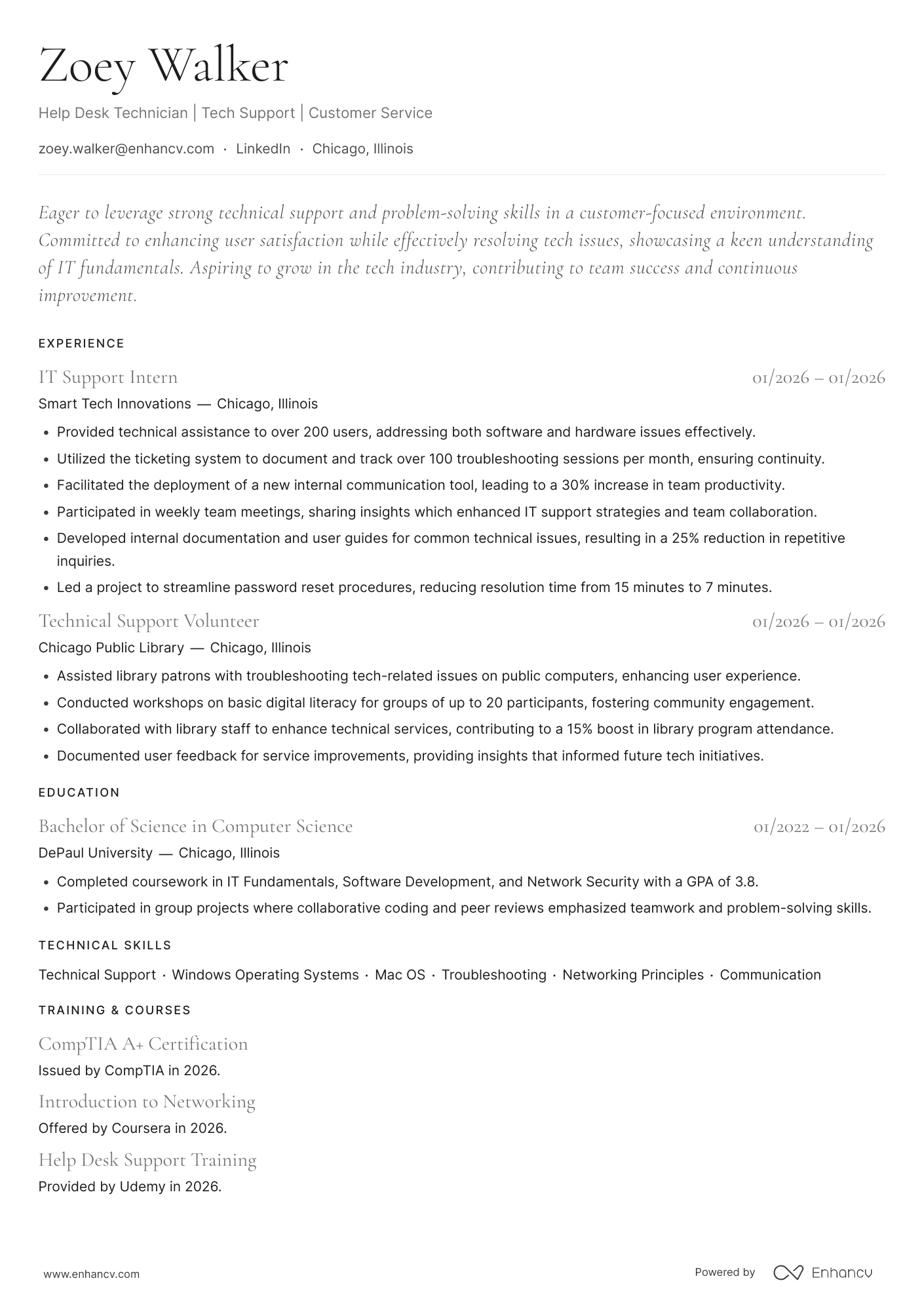
How do I write a help desk resume with no experience?
Even without direct work experience, you can show you're ready to troubleshoot, document, and help users. That’s because the help desk is one of the most common entry points into IT, so plenty of hiring managers expect candidates without a support job on their record.
Here’s what you can focus on:
- Informal IT work, like being the go-to tech person at a previous job, a school computer lab, or a family business.
- Customer-facing jobs in retail, food service, or call centers, written to highlight problem-solving and patience with frustrated customers.
- Certifications such as CompTIA A+ or the Google IT Support Professional Certificate.
- A home lab or other projects on your resume, such as setting up a Windows Server domain, a home network, or a ticketing system in a test environment.
- Relevant coursework, internships, or volunteer tech support.

Resume format tip for entry-level help desk technicians
A hybrid resume suits career changers who have customer service experience plus new IT skills. However, even a functional resume that focuses entirely on transferable skills can work.
Here’s an example:
Frequently asked questions about help desk resumes
Let’s go over some common follow-up concerns applicants usually have.
What should a help desk resume header include?
Your resume header should include your name, a job title that matches the posting, phone number, professional email, city and state, and a LinkedIn URL. Add a short headline under your name, like "Tier 2 Help Desk Technician | CompTIA A+ | ServiceNow," so recruiters see your level and key tools right away.
Should you mention Tier 1 or Tier 2 support on your resume?
As shown in the previous answer—that's good practice. Support tiers tell hiring managers how complex your work was and where you'd fit in their team. Add the tier to your bullets ("Resolved 40+ Tier 1 tickets daily") or to your title if your employer used it ("Help Desk Technician, Tier 2").
How long should a help desk resume be?
Keep it to one page if you have less than 10 years of experience, which covers most help desk candidates. Senior technicians or team leads with a long support history can stretch to two pages, as long as every line adds meaningful information.
Is CompTIA A+ worth it for help desk jobs?
For most entry-level candidates, yes. CompTIA A+ appears in many help desk job postings as a required or preferred credential, and it helps your resume pass keyword filters when you don't have support experience yet. Once you have a few years on the job, Network+, Security+, or ITIL 4 Foundation will move your resume further.
Should you include a home lab on your help desk resume?
Yes, especially if you're entry-level or switching careers. A short projects section describing a home lab gives hiring managers concrete proof of skills you can't yet show through paid work. For example, "Built a Windows Server 2022 domain with Active Directory, Group Policy, and DHCP in VirtualBox."
Should I write a cover letter when applying for a help desk role?
It won’t hurt to write one, even if the job posting doesn’t mention anything about sending a cover letter. Besides, it’s a perfect opportunity to give more examples of situations where you shined, showcasing your soft skills. Enhancv’s Cover Letter Generator can quickly draft a document you can freely edit.
In conclusion
You’ve already solved harder problems than writing a one-page resume. Now all you need to do is put all that experience into writing and apply with confidence. Meanwhile, give Enhancv’s career tools a try. Our AI Resume Builder will drastically speed up the time you spend drafting and tailoring your content.