

A recruiter's eyes land on your template before they read a single word of your experience. And for 98% of Fortune 500 companies, an applicant tracking system (ATS) has to parse the template correctly just to get your information in front of that recruiter at all.
As a Certified Professional Résumé Writer, I've reviewed thousands of resumes and quite a few resume builders. In my experience, a good template does two jobs. One, it helps the ATS pull your contact information, work history, and skills into the right fields. Two, it gives the human on the other side a reason to keep reading once it lands.
What we mostly see online, however, is an either/or situation. Template marketplaces sell PDF packs with no idea what an ATS does with the file once it's uploaded. Generic roundups call everything "ATS-friendly" without ever testing the claim.
How do you know who to trust when every "resume templates" search turns up builders calling themselves the best? And how do you find a layout that's structured for the ATS but still earns a closer look from the recruiter reading it after?
My advice: trust the research.

Key takeaways
- A template has two jobs: get parsed correctly by the ATS, then earn a second look from the HR. Most templates are only built for one.
- Across five separate studies, testers preferred Enhancv's templates over every competitor tested. For reasons tied to fit and function, not just looks.
- "Conservative" and "dated" aren't the same thing. Several builders default to plain designs that testers still flagged as behind the times.
- The right template depends on your field. A bold layout that works in tech can cost you in law or finance, and vice versa.
- Every template in Enhancv's library is tested against major ATS vendors before it ships, so a bolder design doesn't have to mean a parsing risk.
What makes a resume template actually good
As a CPRW, I look for six things when I judge a template.
1. Does it parse cleanly?
In most cases, the template's job starts with the software. A few legacy systems read single-column layouts more reliably, but Enhancv’s research shows modern ATS handles two columns without a problem. A builder that only offers single-column templates isn't playing it safe but falling behind.
2. Does it give an obvious hierarchy?
Once a resume clears the parser, a human has to actually want to keep reading it. Your template should present your qualifications thoughtfully. Meaning, the recruiter should immediately be able to tell if you’re a good fit. That happens when the eye lands on what matters first, without hunting for it.
3. Does it match what the field expects?
A bold two-column layout that wins in tech or marketing can read as too casual to a hiring manager at a law firm or a government agency. That's a matter of industry convention and taste, not how any ATS actually parses the file. A genuinely good template family accounts for that instead of pretending one style fits every industry.
4. Does it hold up once real content fills it in?
Plenty of templates look sharp with three placeholder bullet points and fall apart the moment someone adds 15 years of real experience. A template only earns its keep once it's been stress-tested with an actual career.
5. Does it scale with experience level?
One page usually serves someone early in their career. Two pages make more sense for a longer track record. A strong template family offers both instead of forcing every resume into the same length.
6. Does it stay consistent?
A resume and cover letter that look like part of a package signal a real kind of care. Recruiters notice when an application feels put together instead of thrown together at the last minute.
Drop your resume here or choose a file.
PDF & DOCX only. Max 2MB file size.
With that standard in mind, here's where some of the most popular builders land.

How did we get the data?
The builder-to-builder comparisons presented in this article come from five studies Enhancv ran in 2026, one against each competitor. In each, 30 professionals tested Enhancv and a single competitor head-to-head, using the same resume in both tools during one session, moderated and recorded by a third-party interviewer not affiliated with either company.
Scores like "18 to 7" count the testers who stated a preference on templates specifically, not on the builder overall. Testers who gave no verdict on templates are excluded from the score, which is why most scores don't add up to 30.
A tester can still pick a competitor's builder while preferring Enhancv's layout, and a few of the quotes below attest to exactly that.
Enhancv’s templates
We’ll start with Enhancv because it’s our product, and we know it best.
Enhancv's template library is built around one idea: a resume shouldn't have to choose between passing the ATS and holding a recruiter's attention. Every template is tested against major ATS vendors before it ships, so the design choices, columns, icons, and sidebars don't come at the cost of getting parsed correctly.
The wide range of options is deliberate:
- Minimalist and single-column options serve conservative fields like law and finance.
- Bolder, modern layouts, like “Contemporary” serve tech, marketing, and creative roles where standing out is the point.
- Executive-leaning templates like “Crest” and “Imprint” exist because testers in earlier research specifically asked for something more restrained. We listen to our users.
- Academic and “Ivy League” templates exist for academic settings and traditional institutions.

PRO TIP
The template is only half the picture, though. Once your content is in, Enhancv's AI Resume Tailoring rewrites parts of your resume to match a specific job ad, pulling in the keywords and skills the posting actually asks for.
The ATS Resume Checker runs 27 checks across content, layout, and formatting, and lets you see both what the recruiter sees and what the ATS actually parses, side by side, so nothing gets lost.
If you're stuck on a bullet point, the AI Bullet Generator gives you somewhere to start instead of a blank line.
Is your resume good enough?
Drop your resume here or choose a file. PDF & DOCX only. Max 2MB file size.
Enhancv’s dedicated resume templates page provides a smooth experience designed to help you throughout. The sections “How to choose” and “How to use a resume template” guide you through the decision-making step-by-step.
If you need help deciding which template is right for you, try the quiz at the top of the page (the “Help Me Pick a Template” button).
And if you want to explore on your own, that's totally fine. Play around with the filtering options at the top of the page to get a sense of what the builder options are and narrow down your choice of templates. You can toggle the photo/no photo option, pick different color combinations, and opt for a single or a double-column resume. You can also skip typing anything at all: paste your LinkedIn profile URL, and Enhancv pulls your experience, skills, and education straight into whatever template you've picked, dates and bullets intact.
Then, when you open the editor, you'll see everything else Enhancv’s AI Resume Builder has to offer:
- A full color wheel rather than a fixed palette, with separate primary and secondary color choices.
- Document size—US Letter or A4
- 12 custom fonts and 21 background themes
- Control over font size, line height, margins, and column width
- Freedom in rearranging resume sections
- 27 traditional and custom sections to fit every career path
- Custom icons and logos, all ATS-compatible
- A square and round photo style
- The option to add a signature (useful for international resumes)
- Built-in ATS Check and Tailoring
- Built-in AI Assistant to help you with your writing
All changes appear live on the resume itself, not in a separate preview you have to check against.
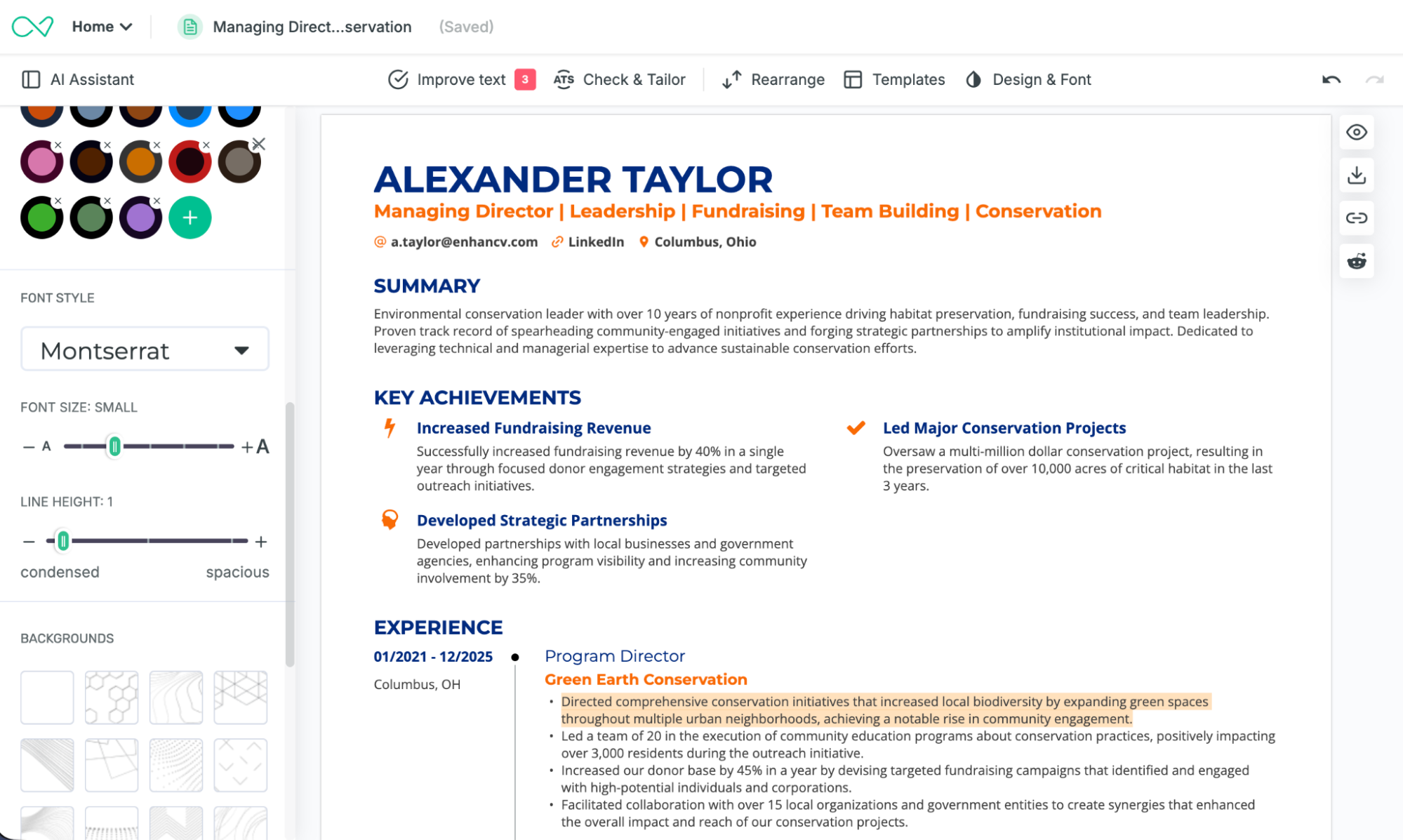
Author's take: The range is the actual differentiator here, not any single template. Most builders make you commit to one house style. Enhancv's library, plus the quiz and filters to help you land on the right one, treats "which template" as a real decision worth getting right. It’s not an afterthought before you start typing.
The tradeoff: The color wheel, font pairing, and section options that make Enhancv flexible also mean a first-time user spends more time getting oriented than they would on a builder that hands them a fixed template and says "start typing." And if template count or free access is your main filter, a couple of competitors have Enhancv beat on raw numbers.
The best resume templates, reviewed
Enhancv is one option among many. Here's how the five other major resume builders measure up on design specifically.
Note that the below isn't a full builder-by-builder feature comparison. If you want to check our deeper dives on each tool as well as how it compares to Enhancv, we’ve linked them thoroughly.
Our focus here is narrower and, for that reason, more useful if design is specifically what you're trying to judge: five builders, one lens, real testers reacting to real templates.
Before we really get into it, take a look at the recap.
A recap of Enhancv vs. other builders
| Builder | Design Score (Enhancv vs.) | Confidence | Best for |
|---|---|---|---|
| Zety | 18-7 | 99% | Fast, field-organized templates if you already know your industry's norms. |
| MyPerfectResume | 16-3 | 99.6% | A no-friction option, functional over distinctive. |
| Resume.io | 22-2 | 99.99% | Conservative fields wanting a plainer, more traditional look. |
| ResumeGenius | 22-5 | 99.95% | First-time resume builders who want a step-by-step wizard. |
| Teal | 24-3 | 99.93% | Granular, per-bullet keyword control over visual presentation. |
“Confidence” is the probability that Enhancv is genuinely preferred by a majority, not that this sample got lucky. Calculated from a neutral starting assumption and capped at 99.99%.
Zety
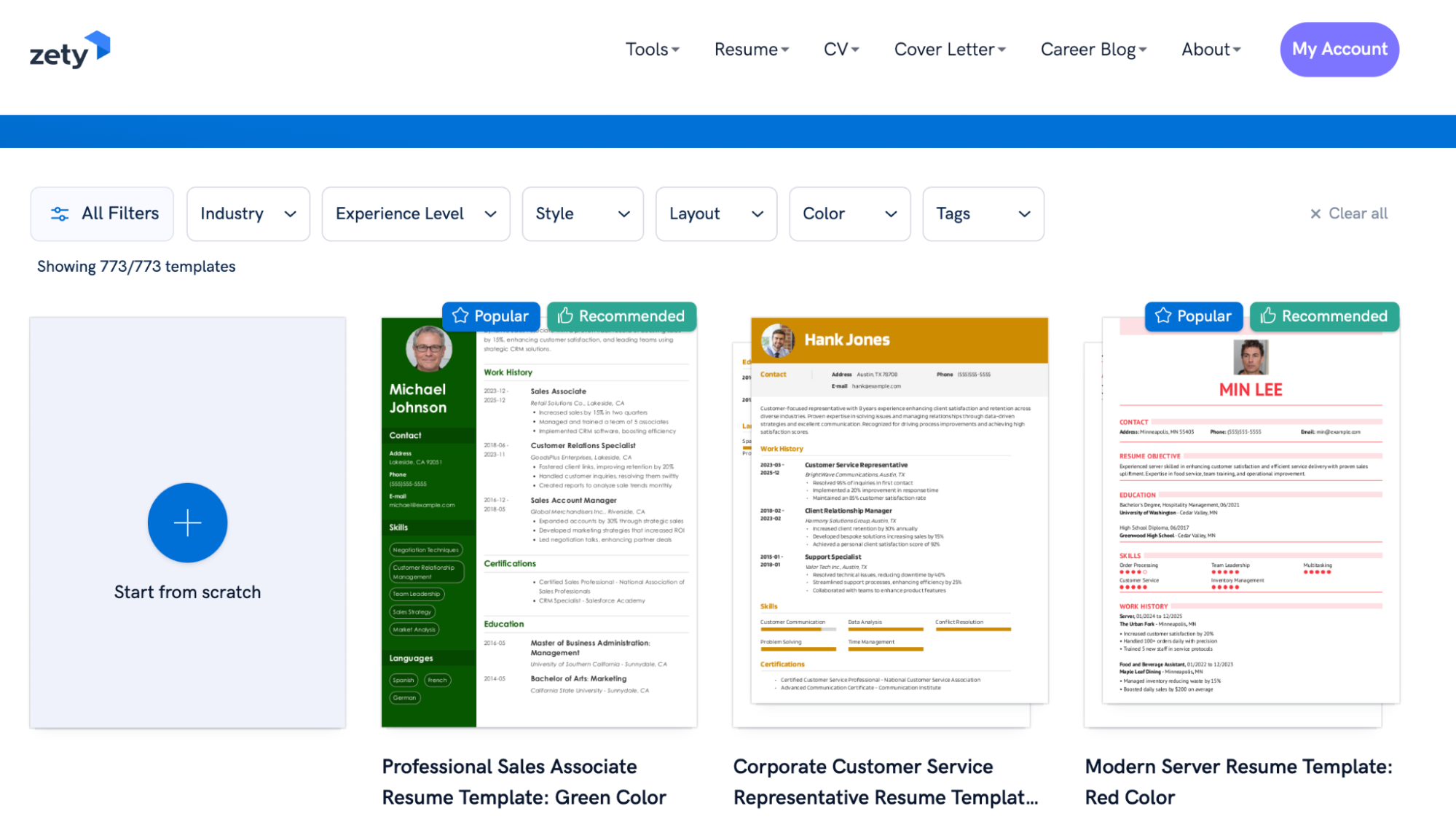
Zety organizes its templates by field rather than by style, a functional approach that makes sense if you already know your industry's conventions and just want to move fast. Its template page lets you filter by color, columns, industry, experience level, and style to help you land on the right one before you commit.
That field-first structure carries through to how much you can actually change once you've picked one, though. Customization is fixed rather than flexible: no hex picker or color wheel, no dragging sections into a different order, no control over columns, line height, margins, or spacing.
That's a real limitation if fine-tuning matters to you, but it also cuts down on decision fatigue. Filter your way to a template that fits, fill it in, and you're not stuck second-guessing spacing or color choices along the way.
What users say
Enhancv's templates won the design category 18 to 7 in the comparison, a 99% confidence result—the widest margin in that particular study. No one in the study offered a specific critique of Zety's own designs.
However, the gap shows up in the score and in comments such as this one:
I love the look of Enhancv. I love this design so much more.
Natasha D., tester who chose Zety overall
Author's take: Zety's field-first organization is a reasonable system, and it'll serve you fine if you already know exactly what your industry expects. But when even Zety's own testers keep bringing up Enhancv's design unprompted, that's worth paying attention to.
MyPerfectResume
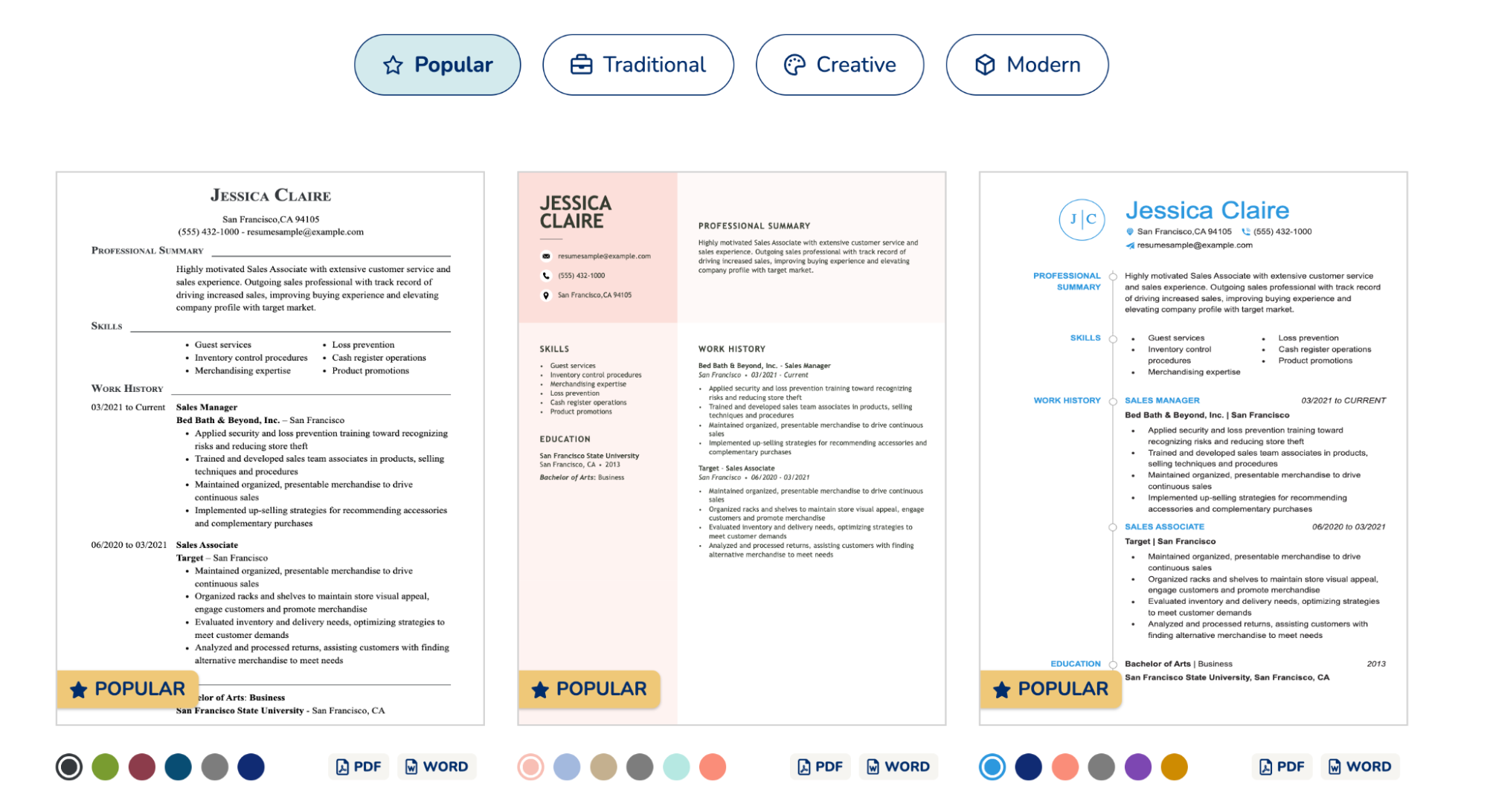
MyPerfectResume's templates are reliable and functional, built to get a resume out the door without much friction. Its template page lets you filter by photo, color, and columns.
Customization is limited in the same way Zety's is: a fixed set of templates, a narrow color range with no hex picker, no dragging sections around, and no control over columns, line height, margins, or spacing. The upside is the same, too: fewer decisions to second-guess once you've filtered down to the right fit.
What users say
In the Enhancv vs. MyPerfectResume comparison, testers picked Enhancv's templates over MyPerfectResume's 16 times out of 19, a result with 99.6% confidence, the most lopsided margin of the five studies.
Like Word and Canva kind of came together in a way, but still easier than both.
Bill S., tester who chose MyPerfectResume overall, describing Enhancv’s templates
Author's take: MyPerfectResume's templates play it safe, and that's a legitimate choice if you want something that won't raise questions. Keep in mind that even testers who picked MyPerfectResume overall still noticed and called out Enhancv's design unprompted, which says something about how far "safe" actually gets you.
Resume.io
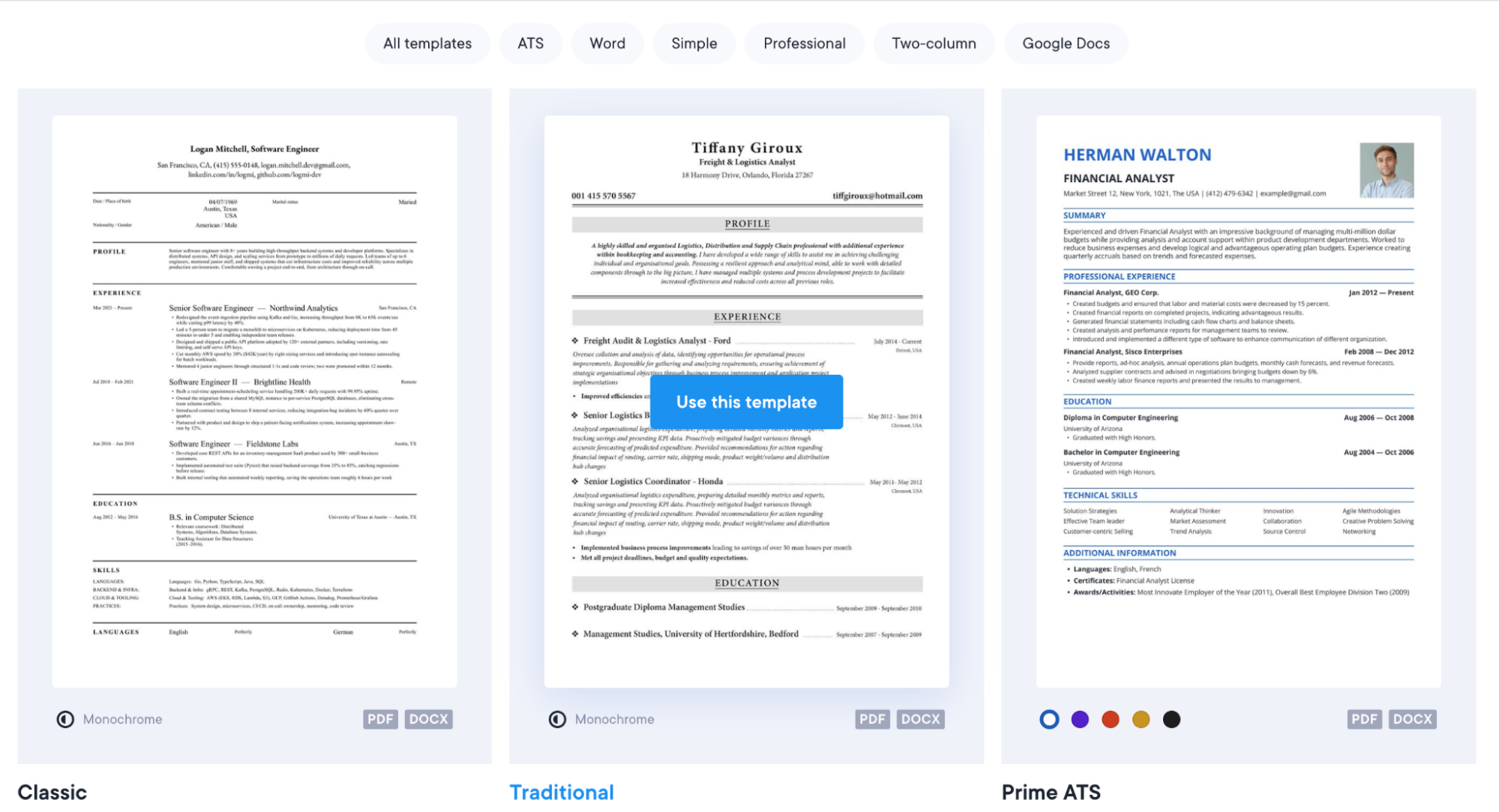
Resume.io's templates are clean and modern. Customization is rich here—you can adjust primary and secondary fonts, font size, and weight independently across different sections. You can also play around with line height, margins, and alignment. You have a full color wheel rather than a fixed palette.
But the way you actually work with these templates lacks interactivity. You fill in boxes inside a separate panel and watch the template populate elsewhere on the page, rather than editing the document itself.
What users say
In the Enhancv vs. Resume.io comparison, testers picked Enhancv's templates over Resume.io's 22 times out of 24, a result with 99.99% confidence. Six testers stayed undecided, more than in any of the other four studies.
In the other one, you could type directly onto the resume and see how things are going to spill over or change fonts. This was a little bit more rigid.
Brian R., marketing, comparing Resume.io's editor to Enhancv's
Author's take: A template is only as good as how easily you can actually shape it. Resume.io's designs are perfectly organized, but editing them at a remove—panel on one side, template on the other—adds a layer between you and the page. Enhancv skips that layer entirely.
If you're in a conservative field and want a plainer look, Resume.io's templates are still a fair pick. Just know you'll be building them once removed, rather than directly on the document. One tester in a conservative field made the case better than I can. Jessica R., who recruits in big law, picked Enhancv overall but told us "the more flashy and cool-looking your resume looks, the worse it is" for her field.
ResumeGenius
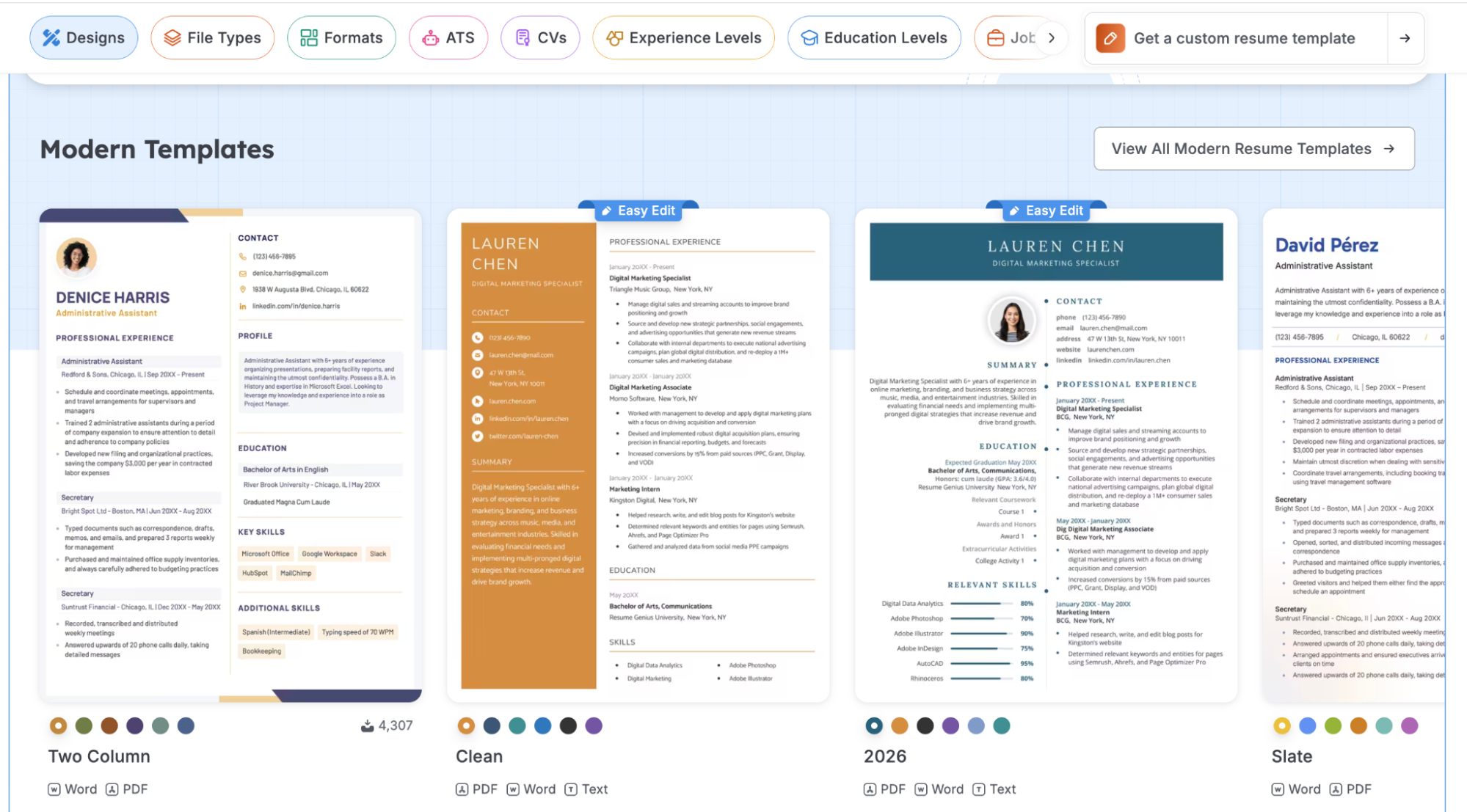
ResumeGenius keeps its templates simple and gets you through the builder quickly, with a step-by-step wizard that's genuinely well-suited to a first resume.
Customization offers adjustable font size, font choice, section spacing, paragraph and line spacing, plus a set of basic colors with a few tonal variations on each.
ResumeGenius is typically deemed a conservative builder: no icons or decorative graphics, and a limited color palette rather than an open range of choices. While some fields welcome this approach to design, the risk here is your application looking outdated.
What users say
By comparison, testers called Enhancv's templates "premium" and "100% more modern than Word." In the study, Enhancv's templates won the design category 22 to 5, a 99.95% confidence result.
[ResumeGenius] feels like a 2016-2021 product.
Aaron M., comparing ResumeGenius's templates to Enhancv's
Author's take: ResumeGenius earns real credit for its onboarding, walking a first-time resume writer through the process step by step. If restrained and traditional is the look you're going for, that's a fair trade. But calling something "modern" only counts if it's actually kept up, and testers comparing it side by side with something more current didn't see much of a contest.
TealHQ
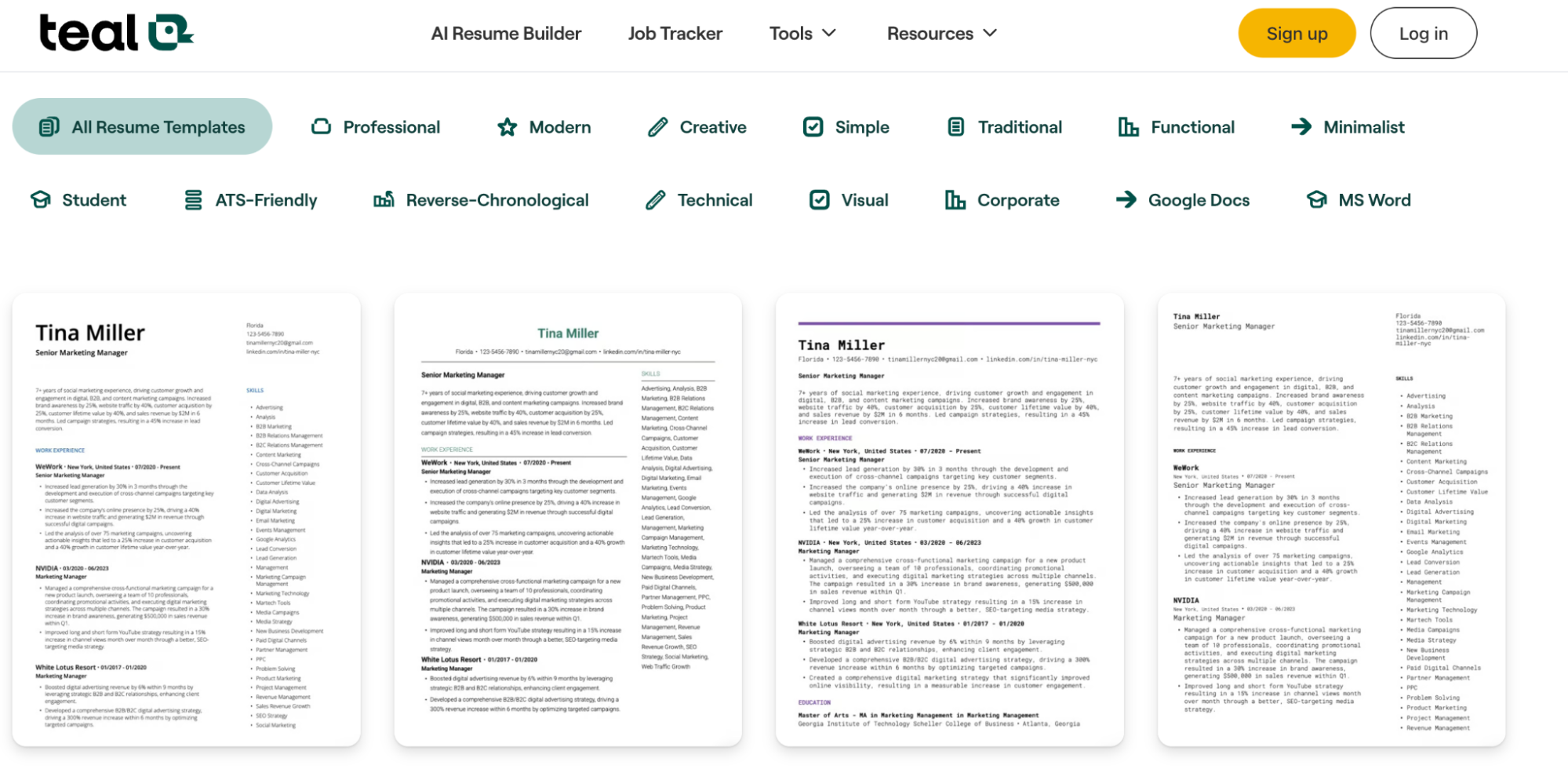
Teal's templates are functional and easy to navigate, built around a check-the-box editing style rather than a resume-first canvas. The templates are ATS-compatible by default, but not visually distinctive.
Customization covers font, line height, list line height, date format, alignment, margins, and paper size, plus a single accent color chosen from a color wheel.
That's a real range of control, just concentrated on structure and spacing rather than on visual variety. It’s a single accent color, for example, rather than the primary-and-secondary system Enhancv or Resume.io offer.
What users say
In the comparison, Enhancv's templates won the design category 24 to 3, a 99.93% confidence result.
Looks like a developer or software engineer made this. It needs more visual.
Laura R., graphic designer, on Teal's templates
Author's take: Teal's strength is its editing model, not its design library. If you want granular, per-bullet control and don't weigh the visual side heavily, that trade-off might not bother you. But testers who cared about a template that looked considered, not just functional, consistently picked Enhancv instead.
What about Word or Google Docs templates?
Plenty of people skip builders entirely and just grab a Word or Google Docs template. It feels like the familiar choice, no new tool to learn, no risk of anything looking overdesigned.
The catch is that Word and Docs templates are harder to keep intact than they look. Small edits break formatting more often than either program lets on: a resized text box, a shifted column, a font substitution on someone else's computer. The layout that looked clean on your screen doesn't always survive getting opened on someone else's.
Laura R., a graphic designer who tested Enhancv against Teal, put the comparison plainly: Enhancv offered “way more options than Word would offer.”
That doesn't make Word or Docs a bad choice. If you want that route, Enhancv has free, pre-built Word and Google Docs templates that skip the formatting risk of building one from scratch. But it's worth knowing the data before assuming "plain and familiar" doesn’t automatically land in the “Yes” pile.
Frequently asked questions about templates
Still got a few questions left? Take a look at the section below.
Do two-column resumes actually fail the ATS?
No, not on modern systems. A few legacy ATS platforms read single-column layouts more reliably, but most current ATS parse two columns as well as more complex design elements without a problem. Column count is an editorial choice, not a safety one.
Should I use a resume template with a photo?
In the US, UK, and most English-speaking markets, photos aren't recommended. They can introduce bias into the screening process. In some European and Asian markets, they're standard practice. A headshot may also make sense for acting or on-camera roles. Check the norms for your target location before deciding.
How long should my resume be?
Most resumes should fit on one page. Two pages make sense once you have extensive, relevant experience to include. Three or more pages are typically reserved for academic CVs or federal resumes, where the format expects more depth.
Should I send my resume as a PDF or a Word doc?
PDF is the optimal choice—it preserves your formatting across devices and applicant tracking systems. Only send a Word doc if the employer specifically asks for one.
Does a bolder, more visual template actually hurt my chances?
Not on its own. What matters is whether the template still parses cleanly and whether it fits what your field expects. A bold, modern layout can help in tech, marketing, or design, but can read as out of place in law or government. The design isn't the risk—the mismatch is.
The verdict: Don't compromise on your first impression
As a CPRW, I’ve seen too many qualified candidates passed over because of a poorly structured layout. Your template is the bridge between your experience and your next job—it has to pull its weight.
The 2026 data proves you no longer have to choose between beating the software and impressing the human.
Before you apply, ensure your layout:
- Fits your industry: Use modern flair for creative roles and a traditional structure for finance or law.
- Holds up under pressure: It must stay clean when packed with 10+ years of actual experience, not just placeholder text.
- Passes modern ATS: It should handle two columns and visual hierarchy without parsing errors.
Across five user studies, testers picked Enhancv because it does two things at once: it catches a hiring manager's eye and it's built so ATS software can read it without errors.
Browse the resume templates library and find a design recruiters notice and ATS software can still parse.
Make one that's truly you.