
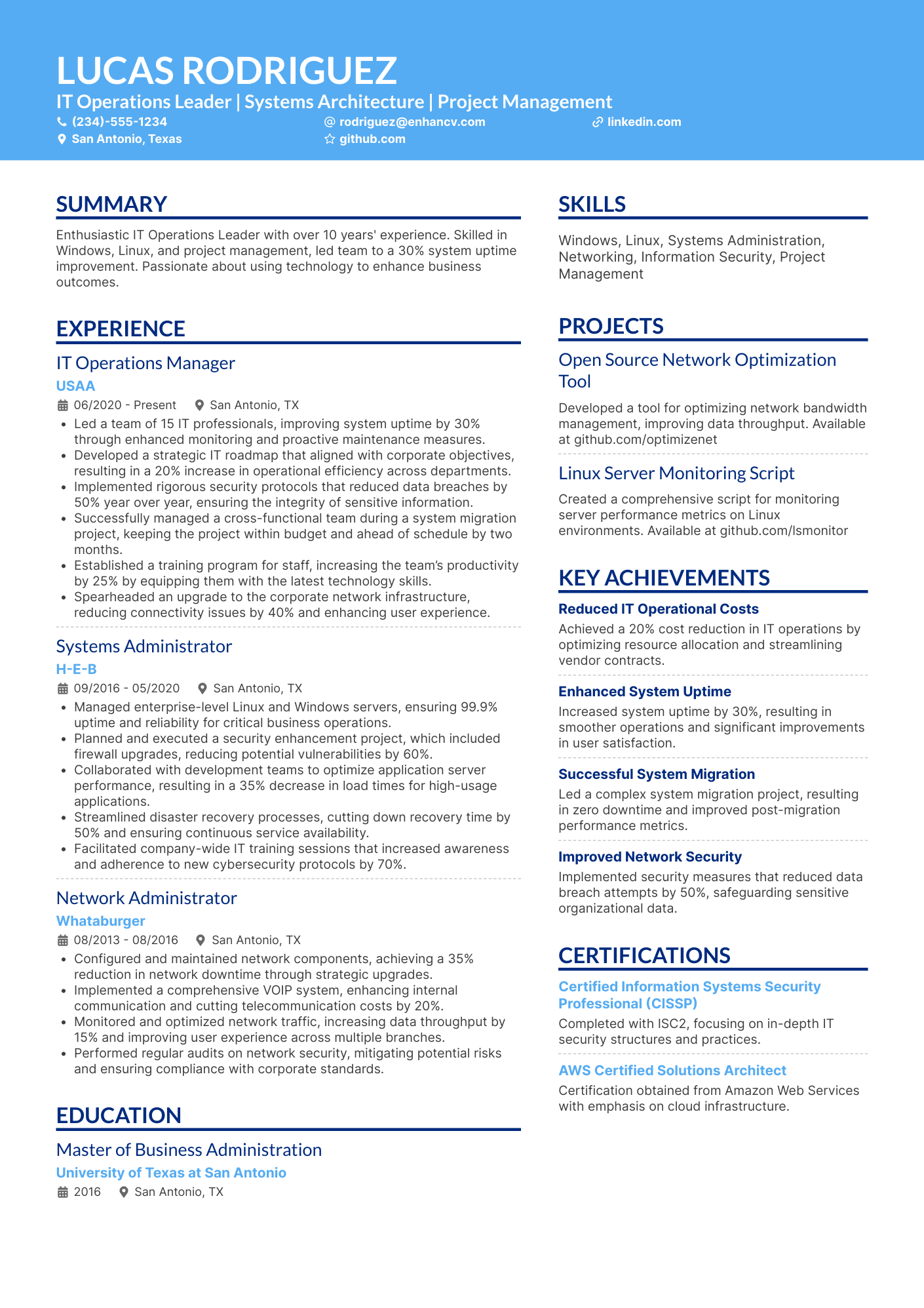
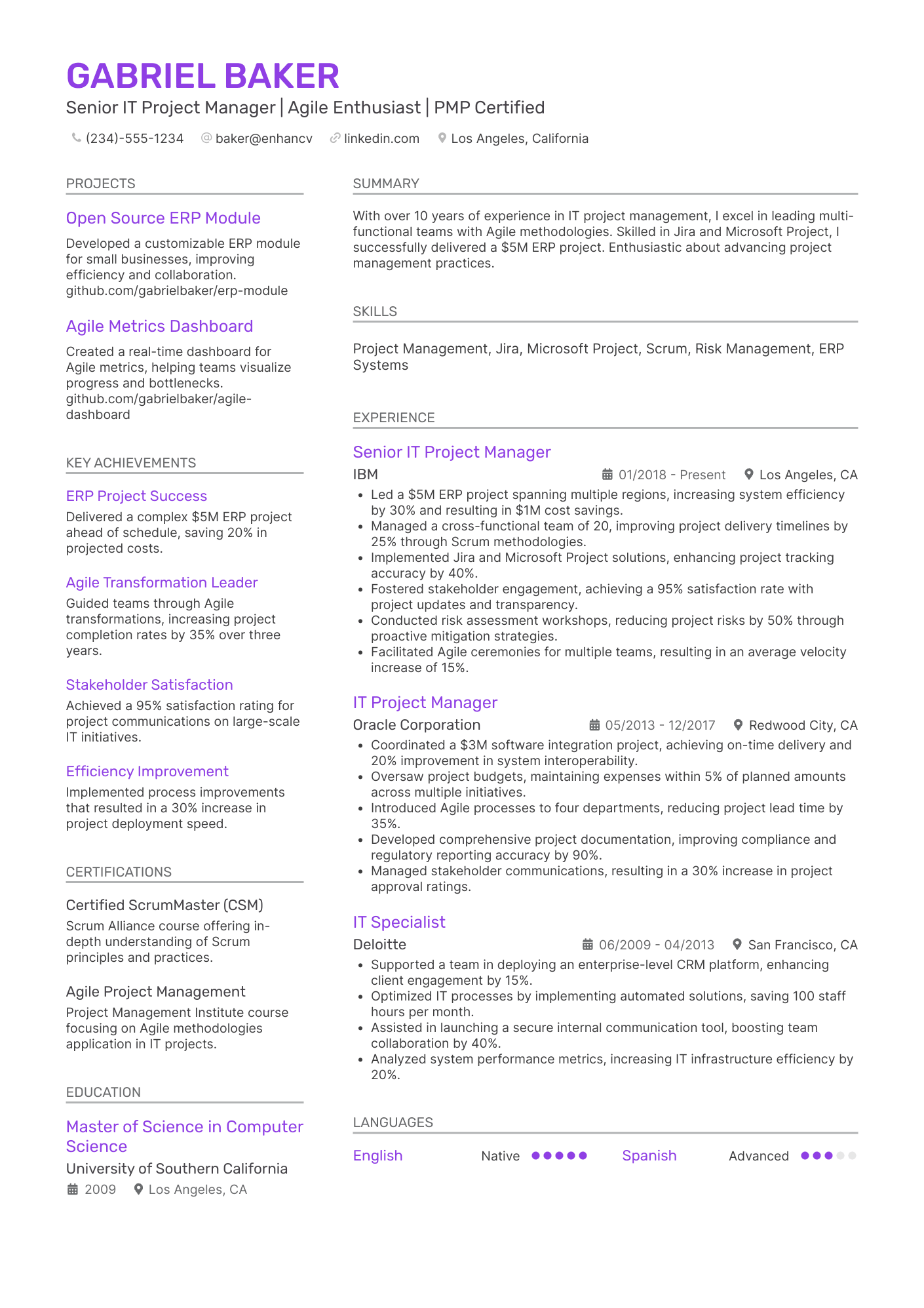
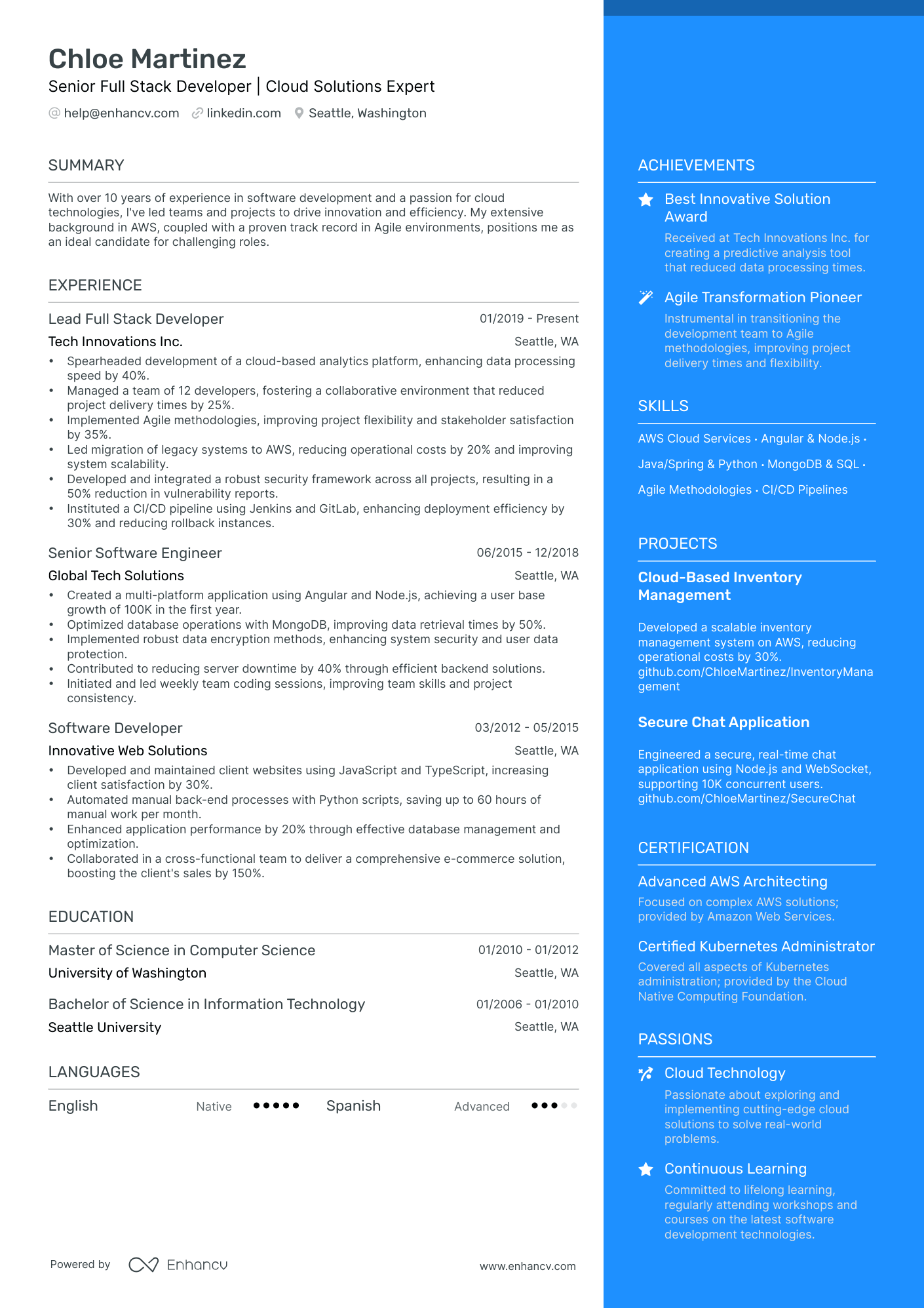
IT is the central nervous system of modern enterprise, yet "IT Professional" is a dangerously vague label. This ambiguity is a liability, as the market currently faces a brutal paradox, as reported by TechТarget,
While 90% of organizations predict critical skills shortages by 2026, they are simultaneously cutting entry-level and generalist roles.
This creates a high-stakes environment where companies are desperate for talent but extremely selective about who they hire.
Once the resume defines your niche, the application still needs a narrative — our IT cover letter examples show how to explain the architectural decisions, on-call wins, and stack trade-offs the bullets only hint at.
A generic IT resume fails here because it lists tools without defining your specific operational domain. You must narrow your scope and prove you possess the specific tech stack the employer lacks.
This guide provides the framework to define your niche and quantify your impact. Use Enhancv’s IT resume examples to translate complex skills into clear, measurable business value.

Key takeaways
- Define your niche immediately: Your resume must clearly define your specific operational domain and tech stack to survive the first glance.
- Adopt the hybrid format: Structure your resume with a robust technical skills section at the very top, supported by a reverse-chronological work history.
- Quantify your impact: Move beyond listing duties by anchoring every bullet point to business outcomes.
- Treat AI as a baseline: Explicitly listing skills like LLMs, prompt engineering, or automation tools is now non-negotiable.
- Tailor for every application: Customize your terminology to mirror the job description, ensuring your resume clears ATS filters that often reject generic applications.
- Fail-proof your optimization: Use Enhancv’s Resume Checker to scan your document against industry standards, ensuring you hit the critical match score before you press send.
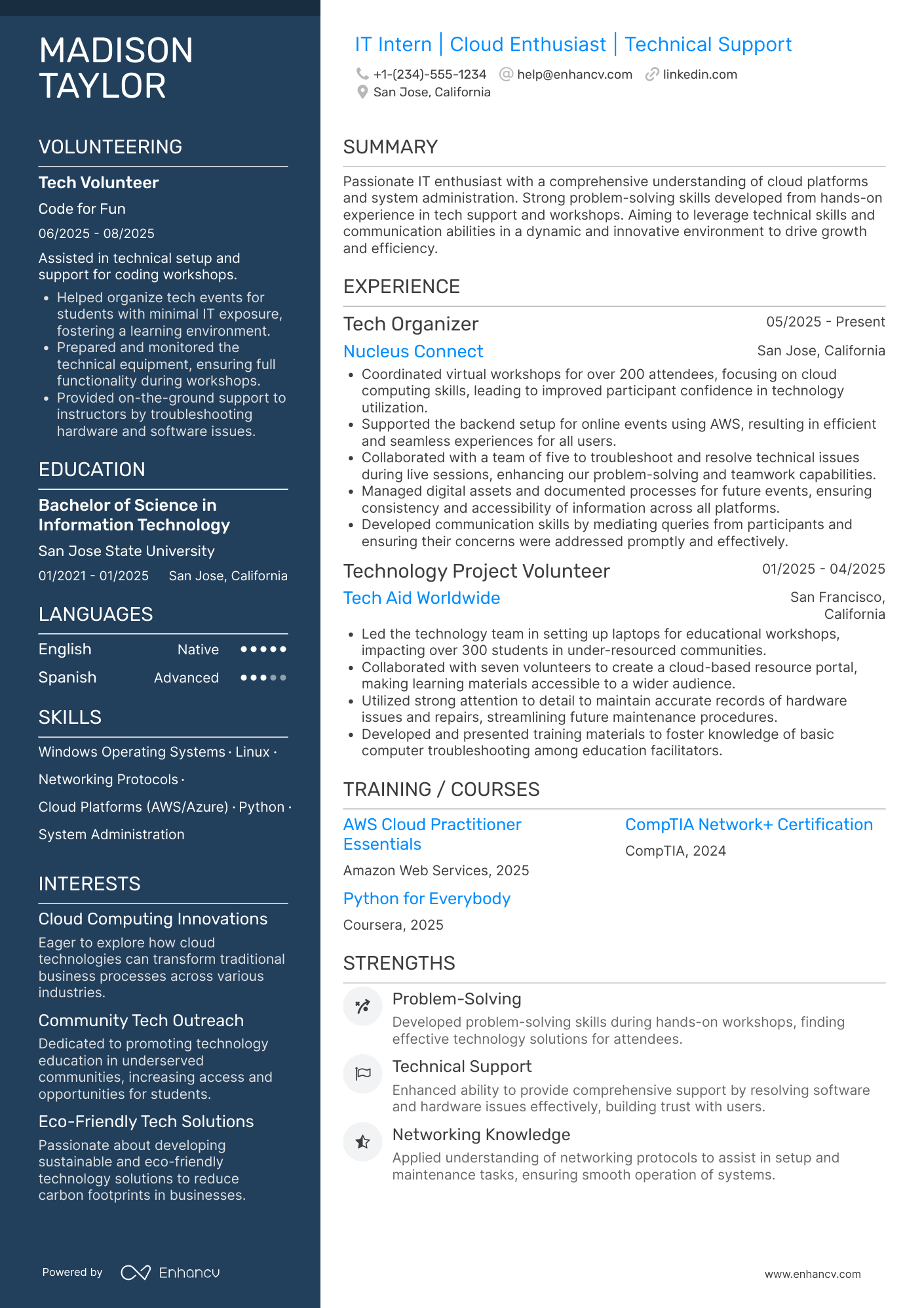
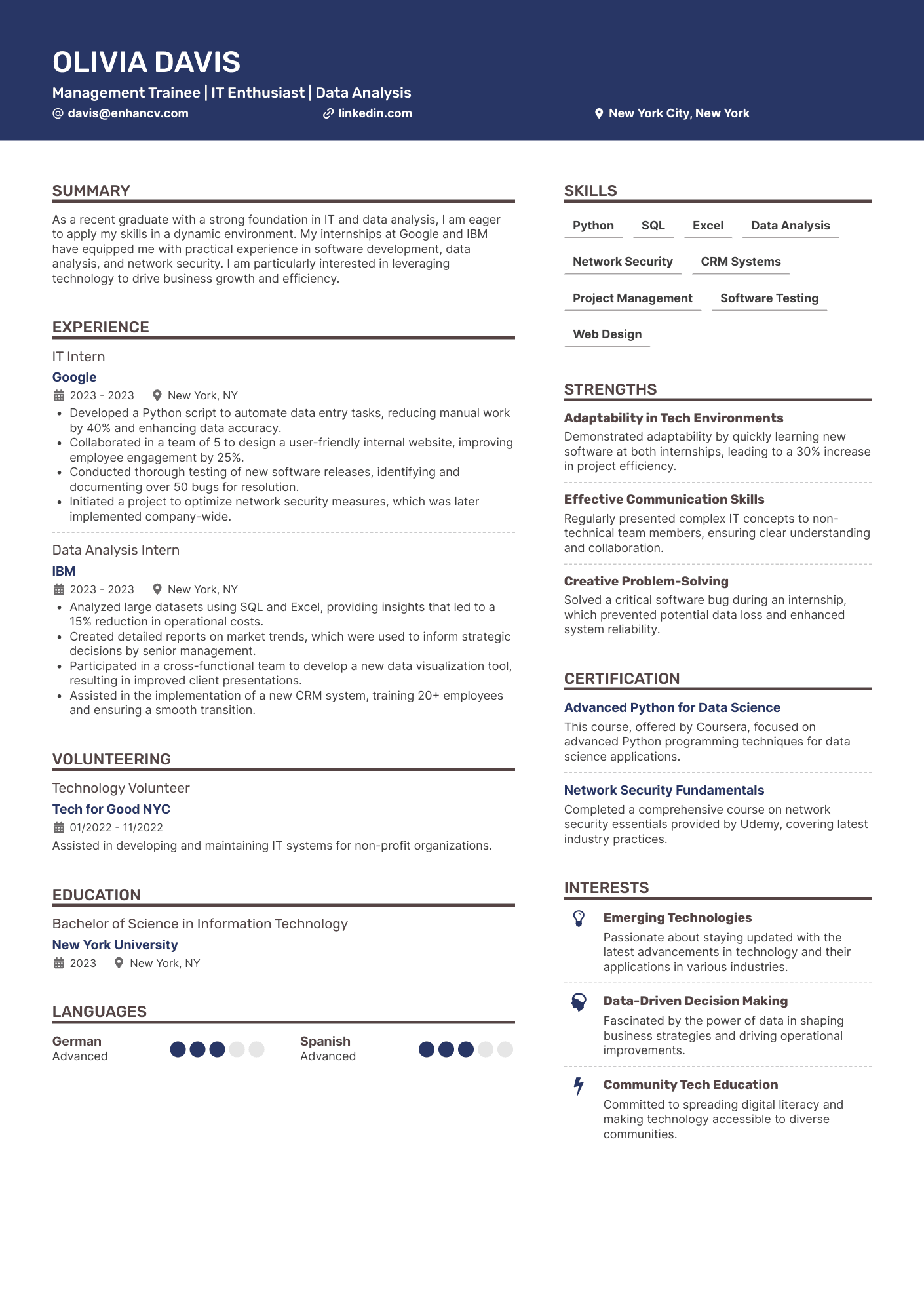
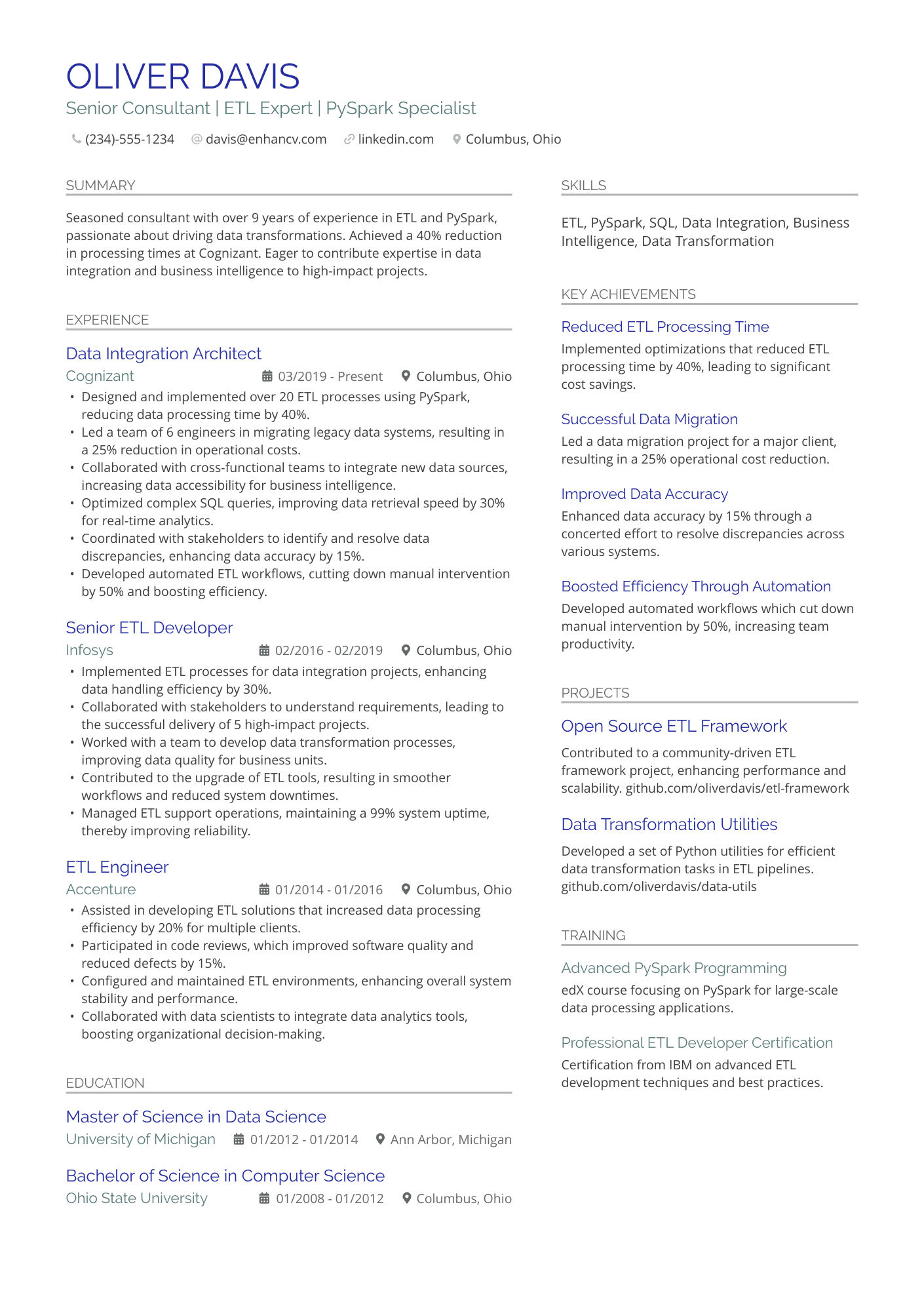
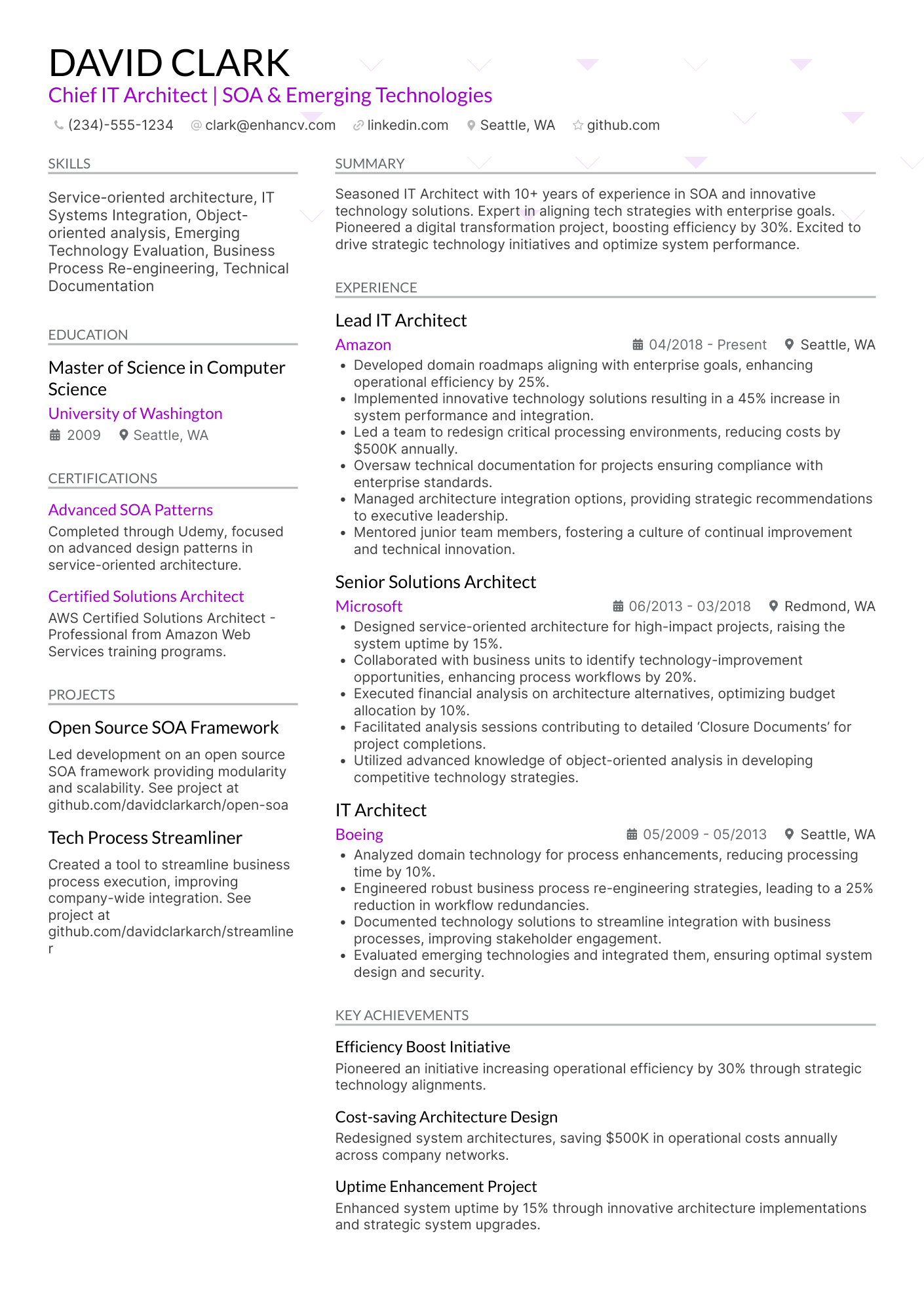
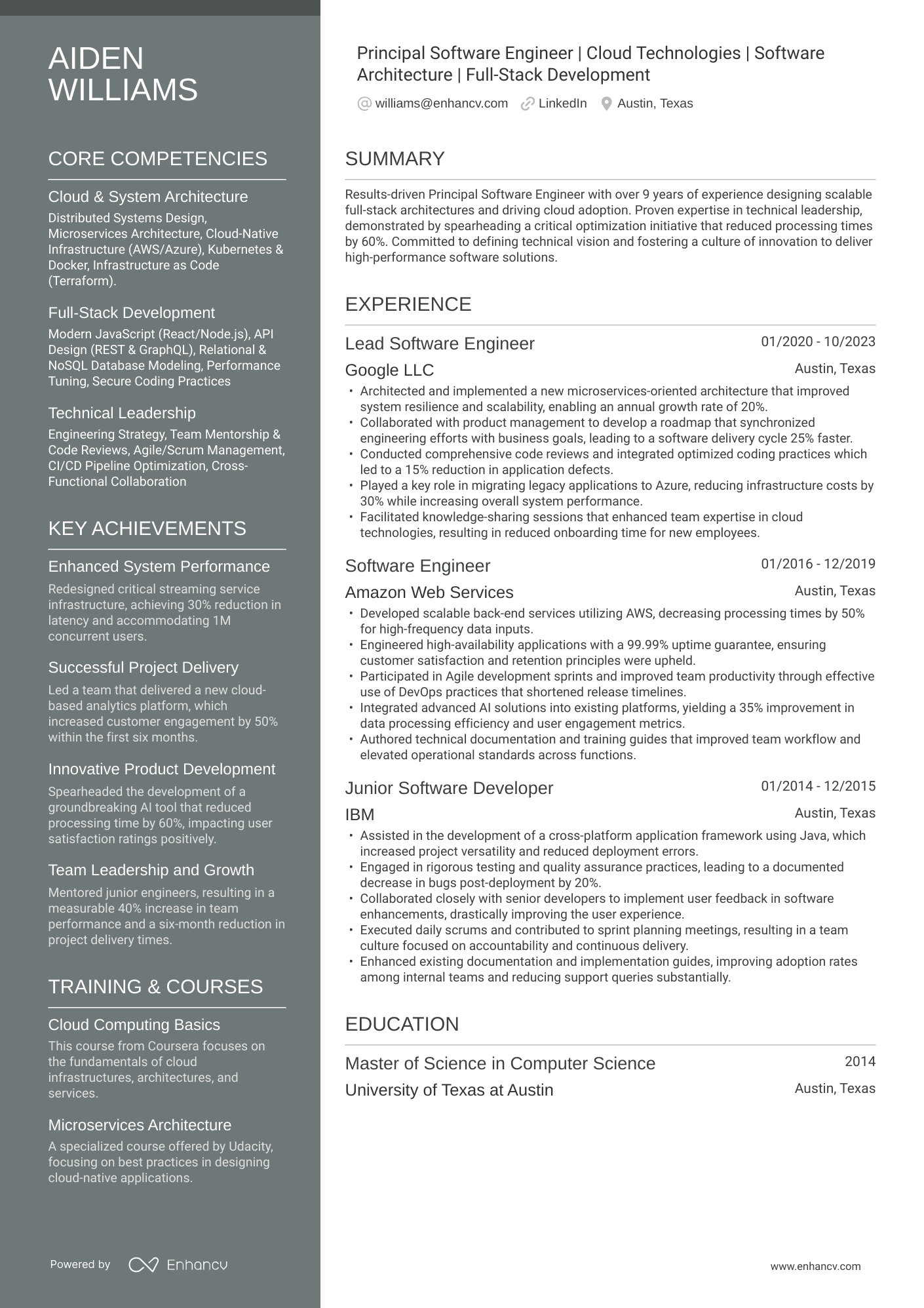
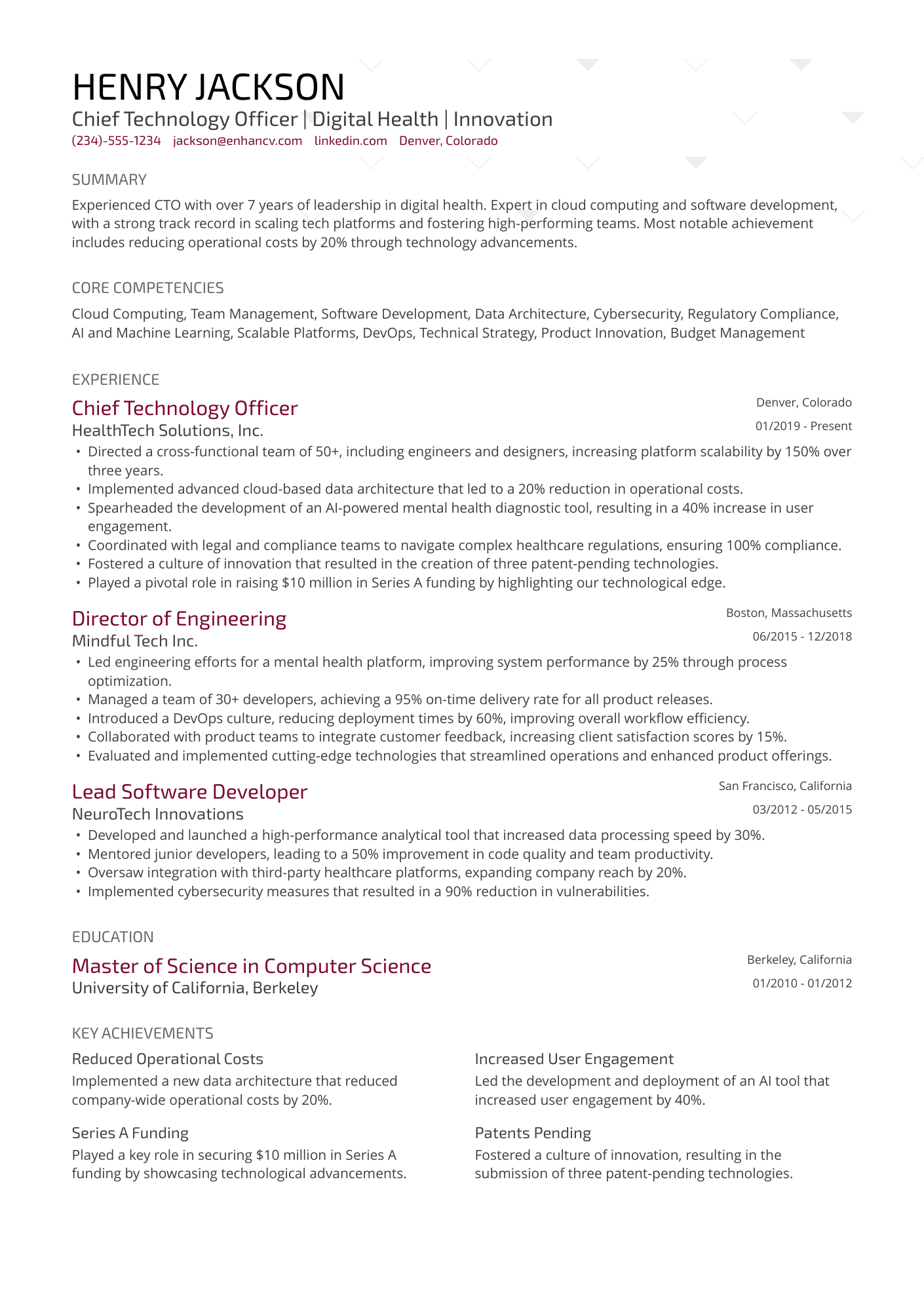
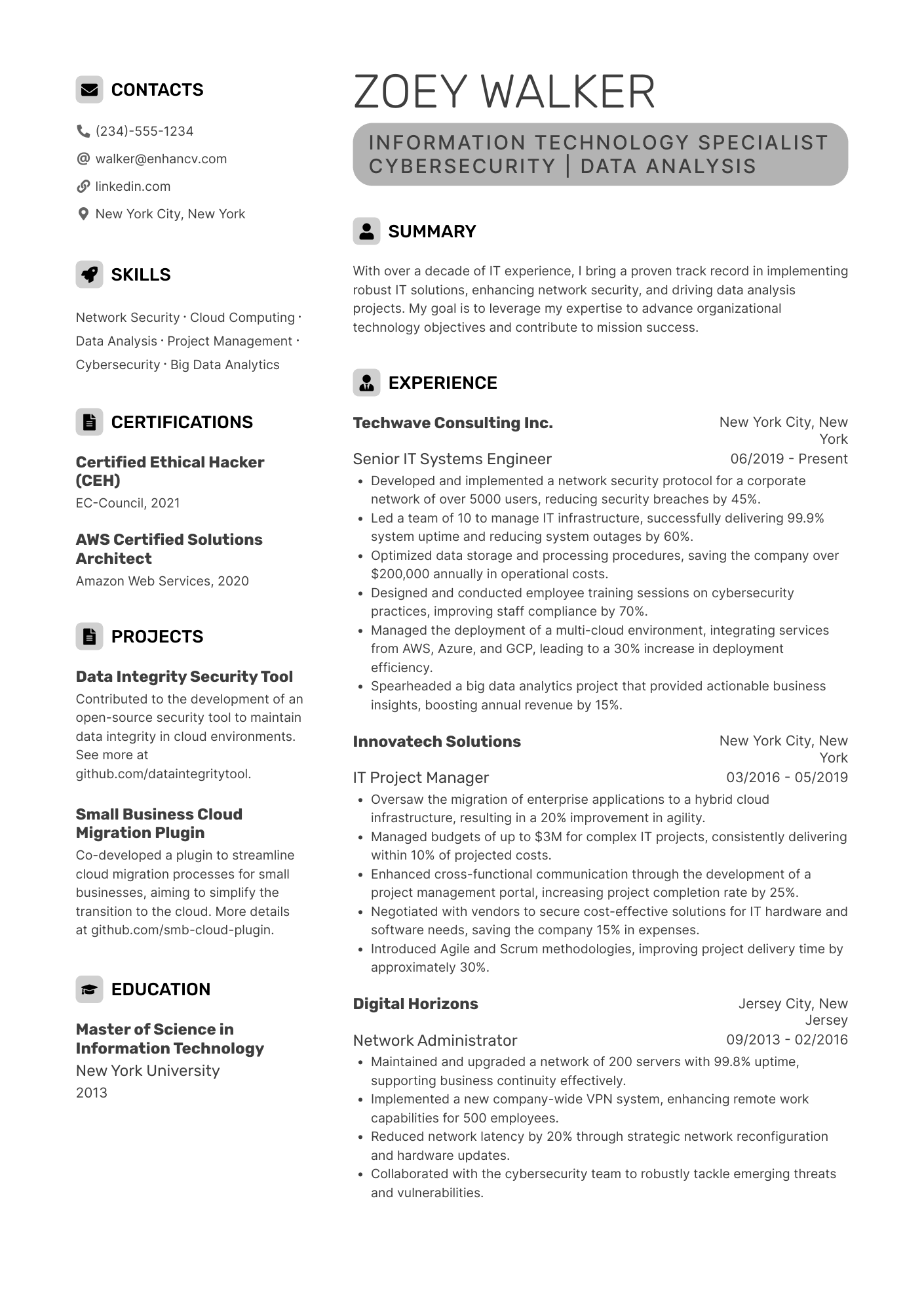
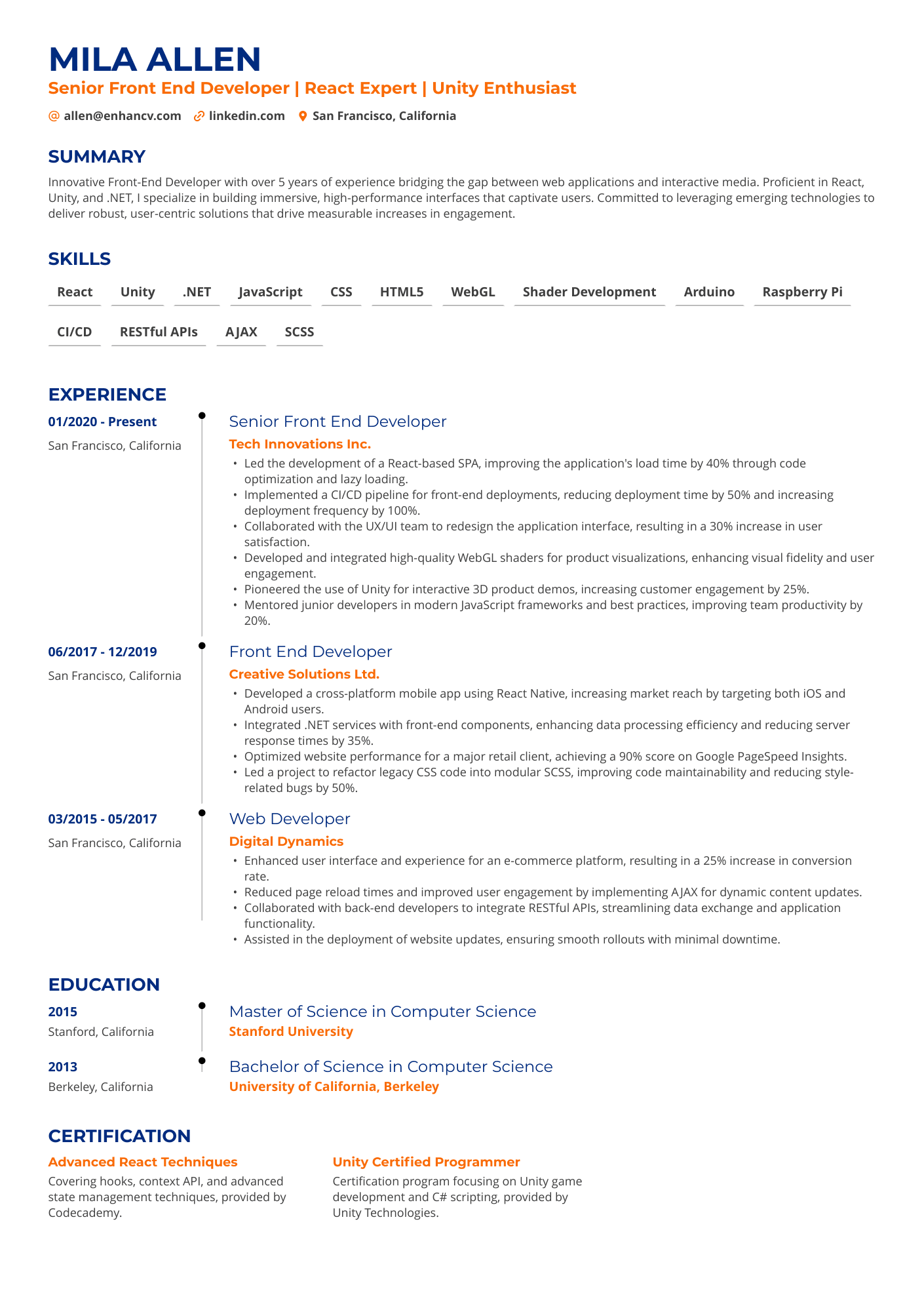
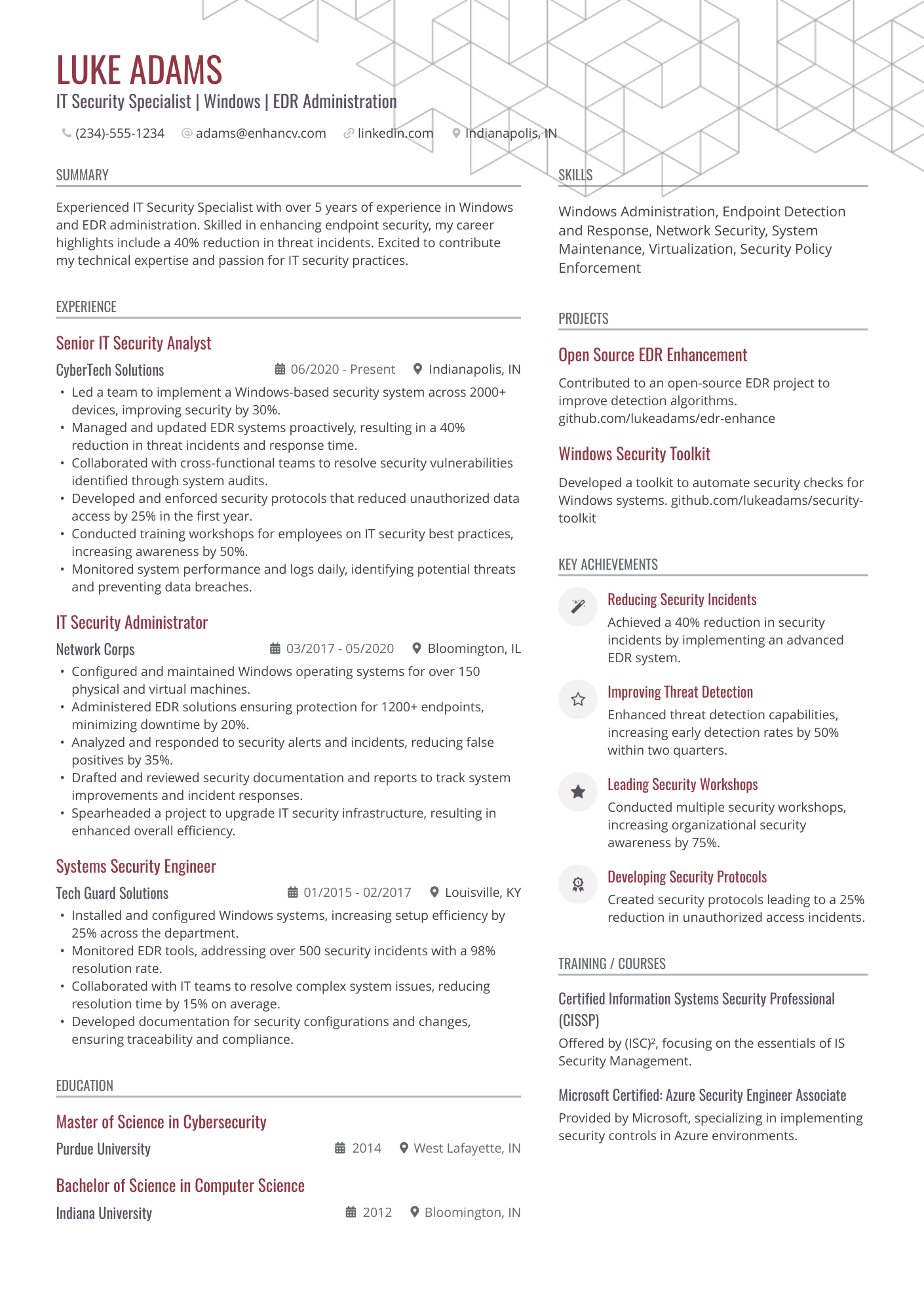
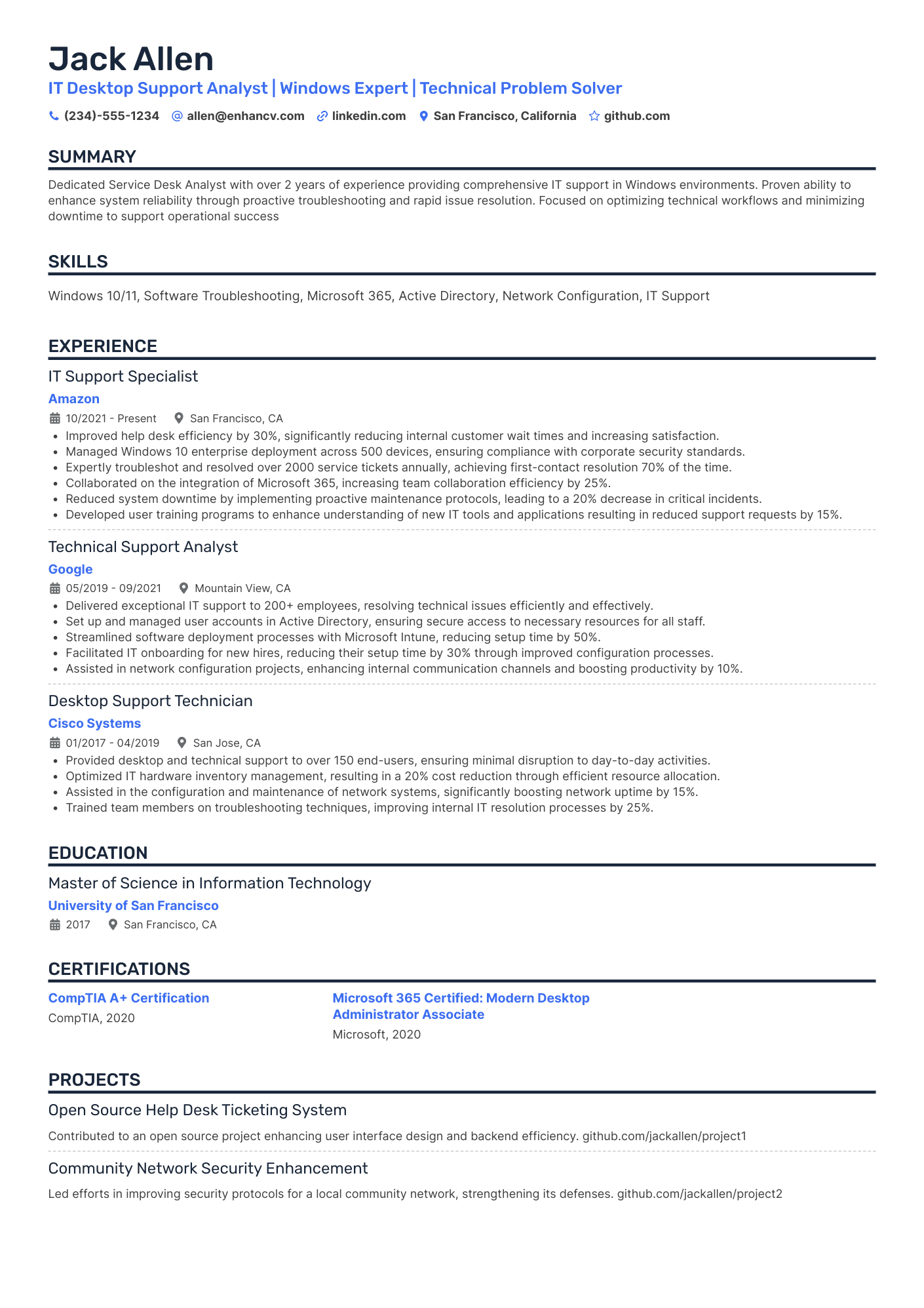
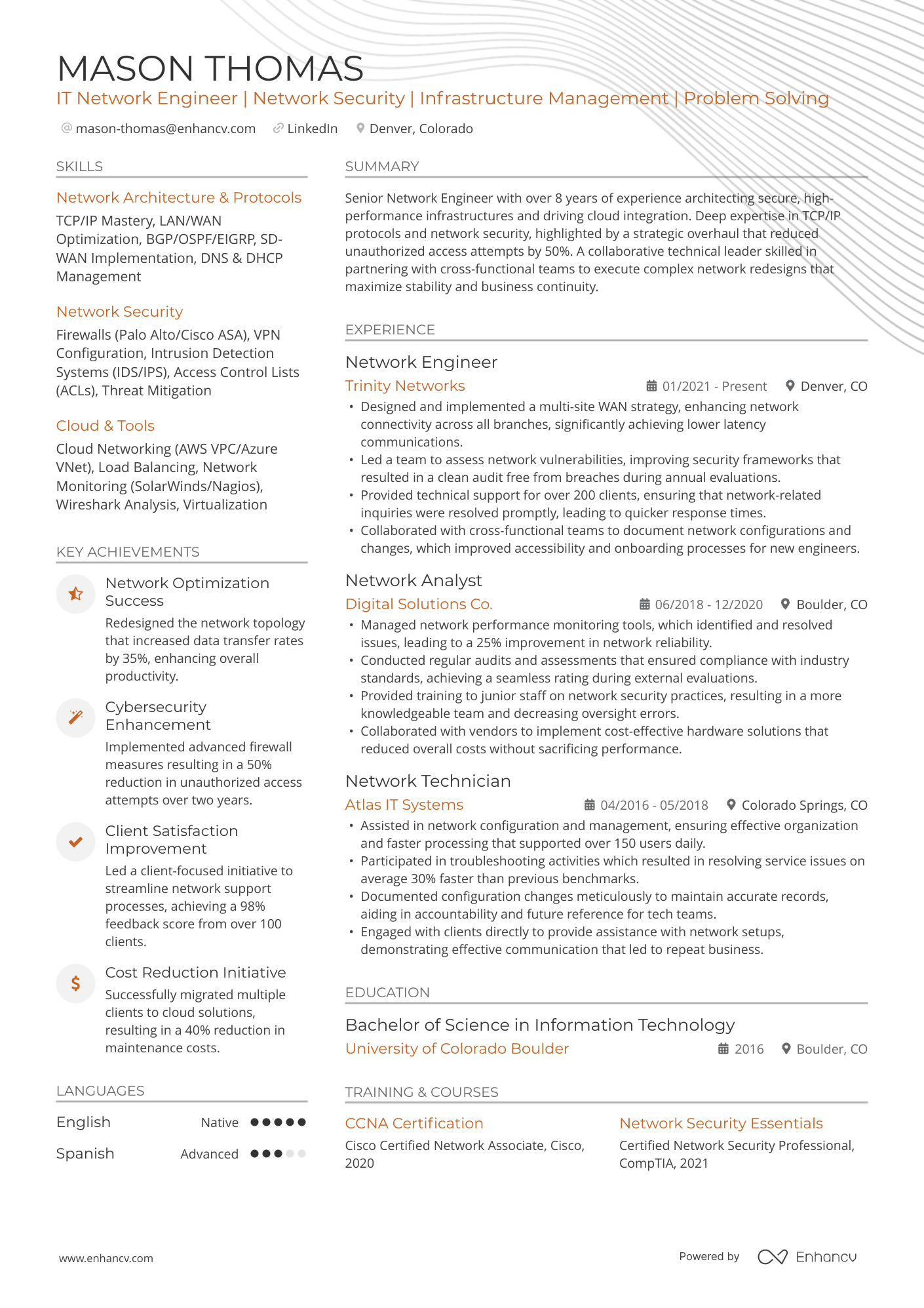
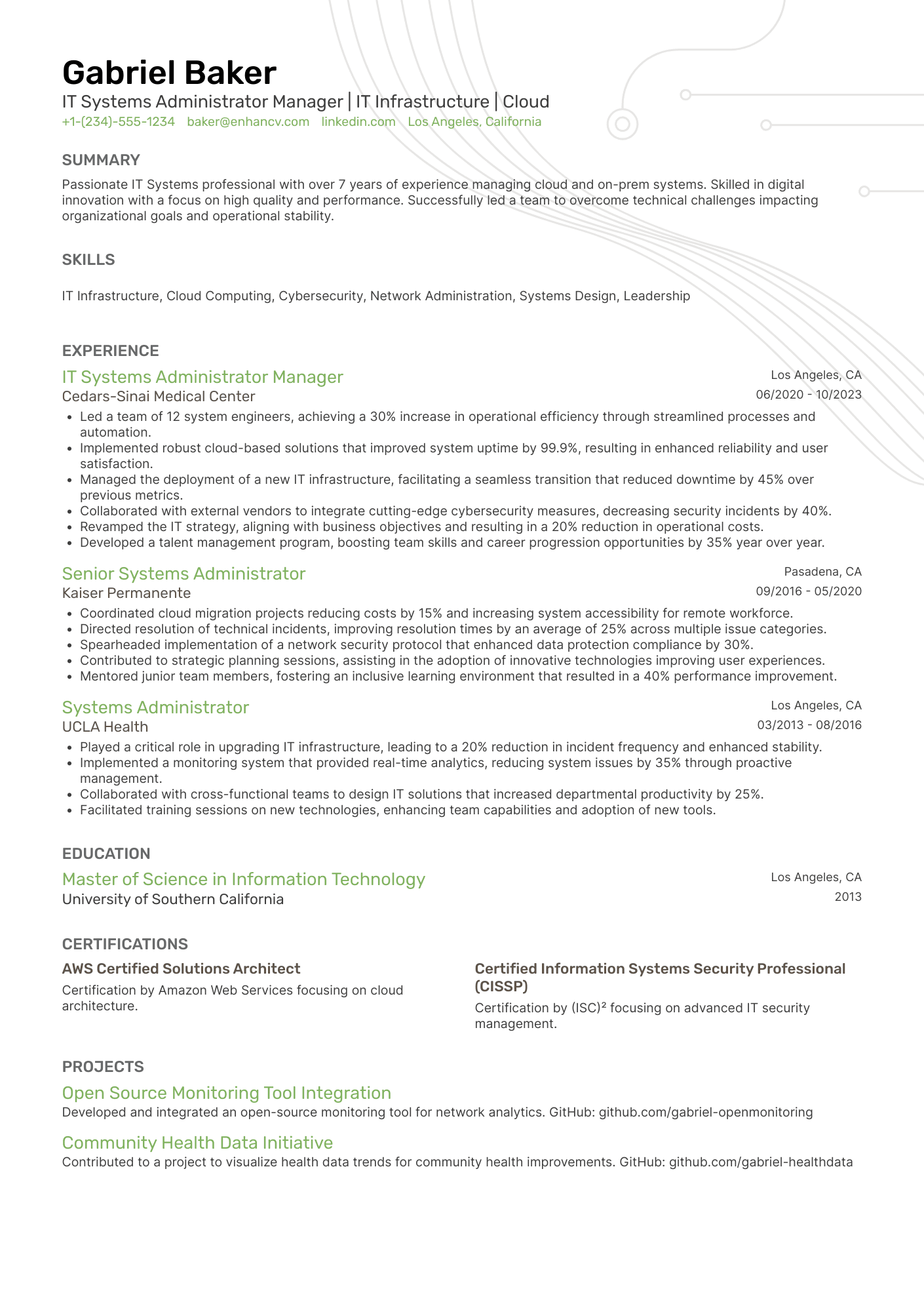
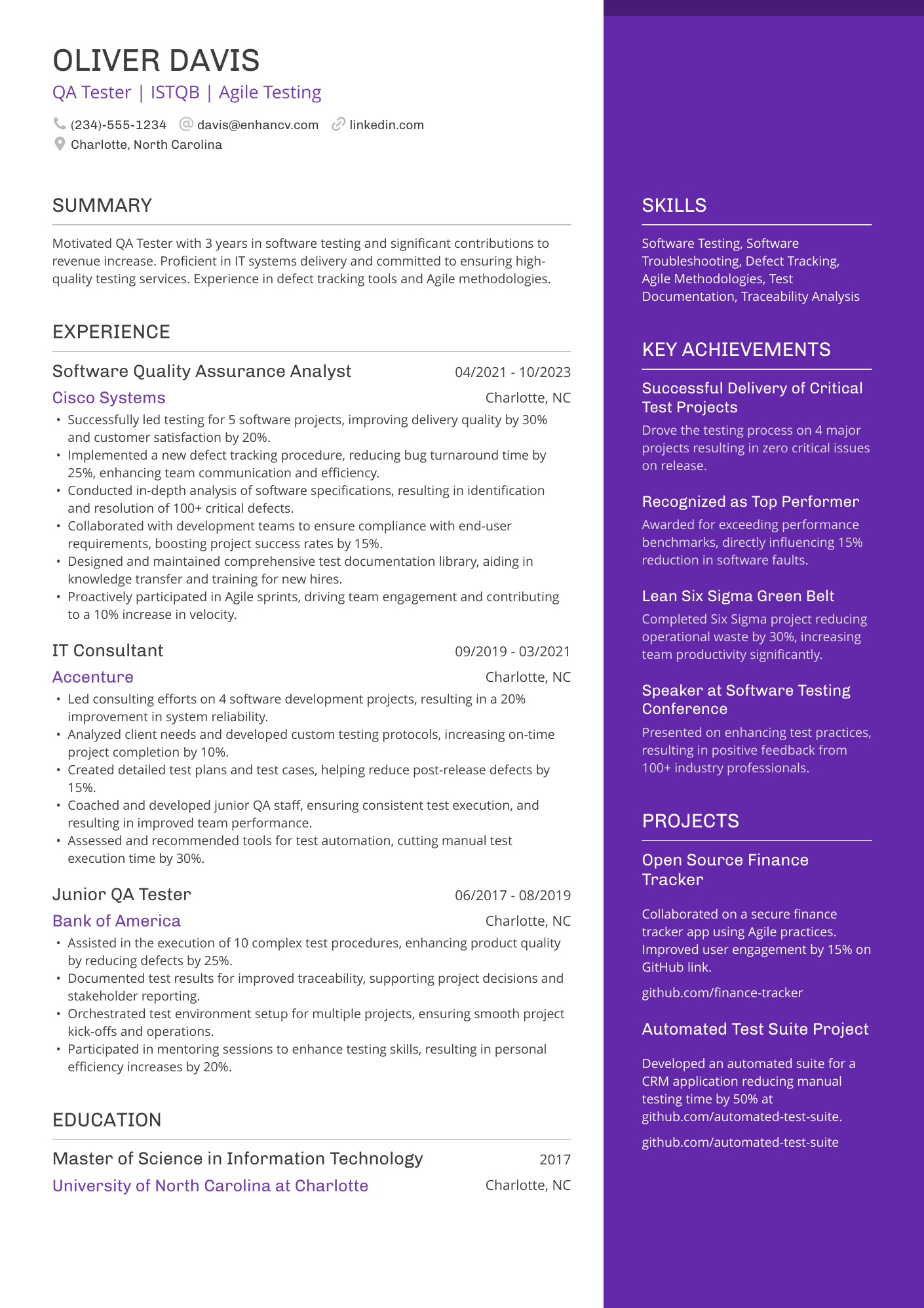
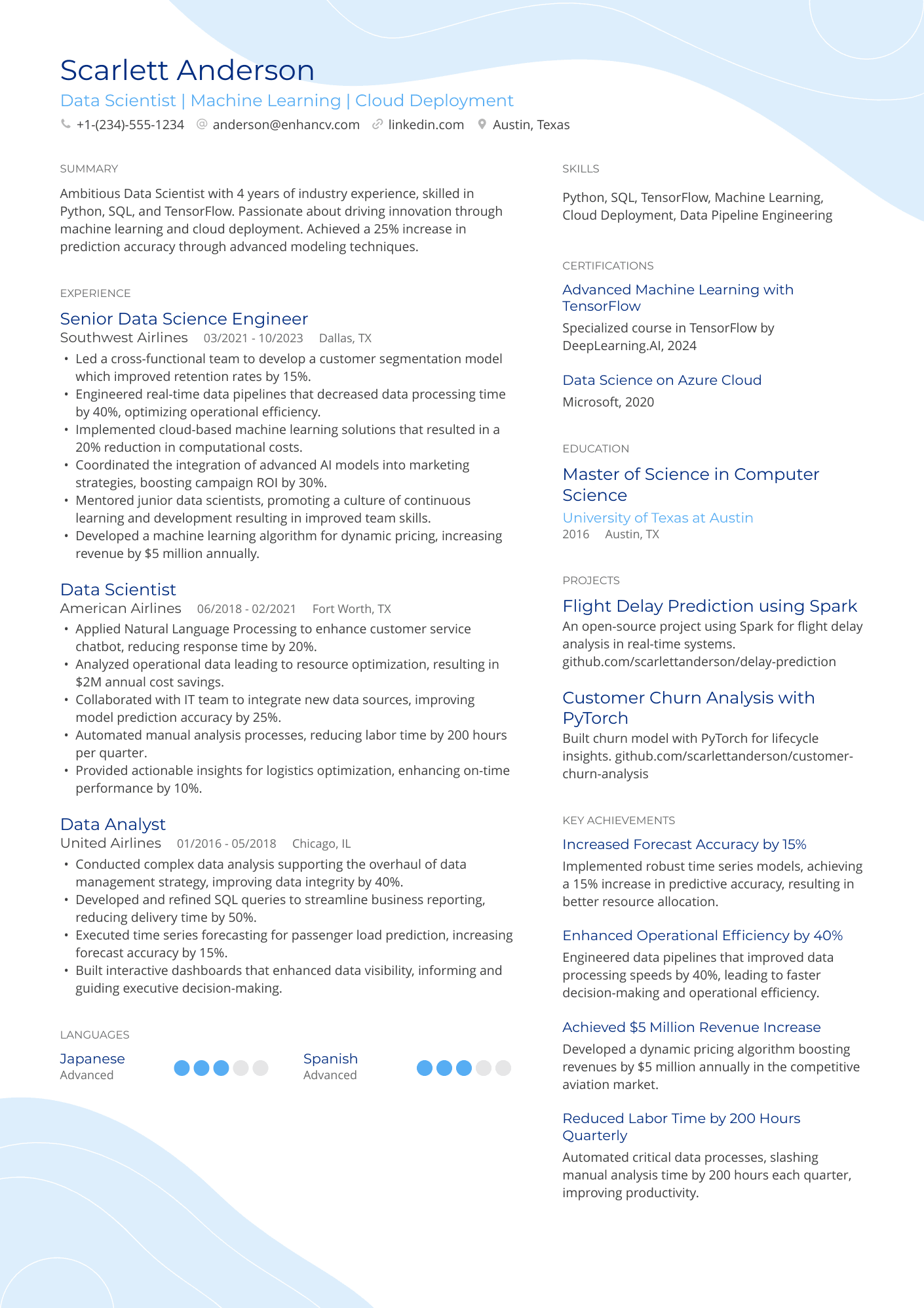
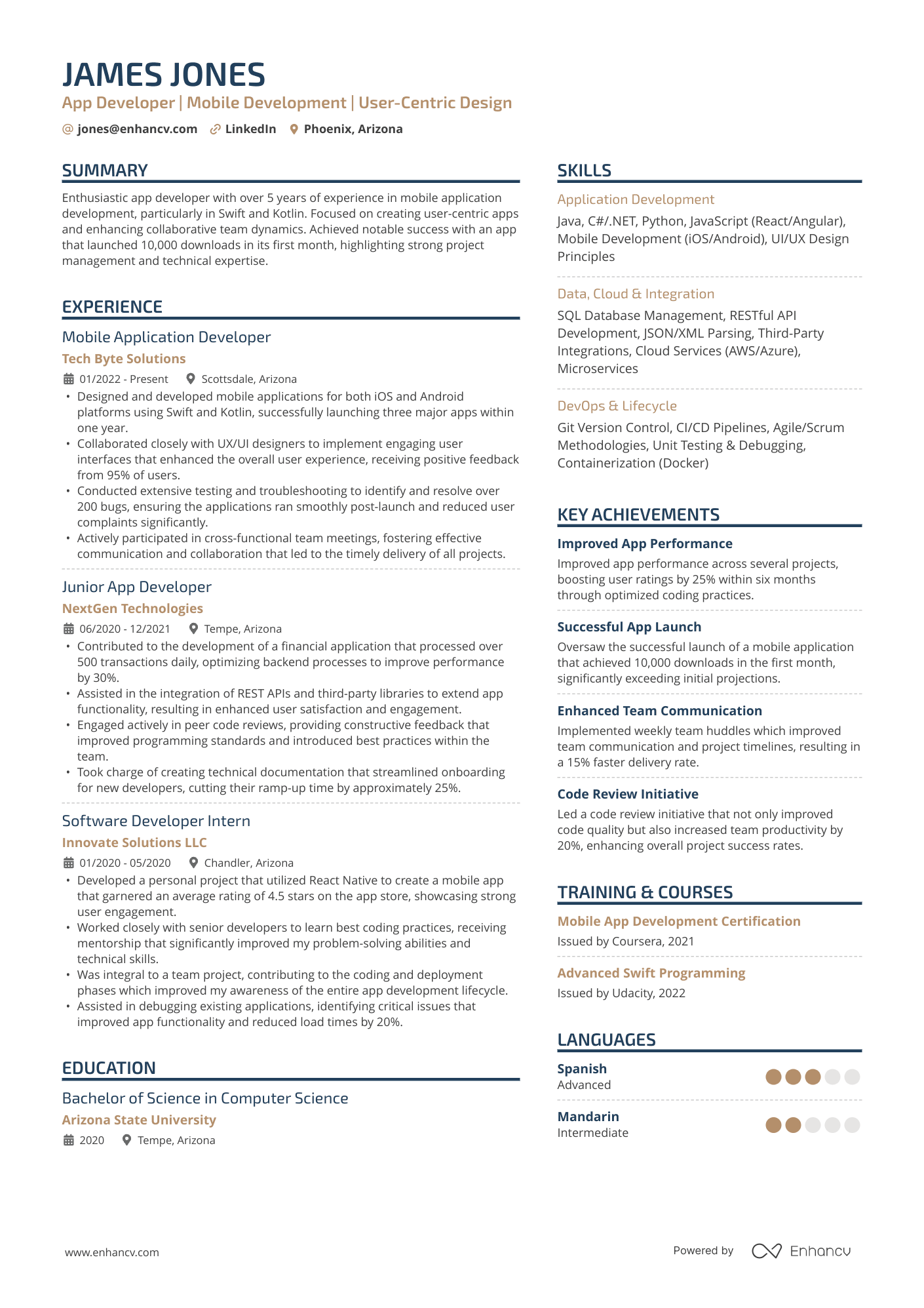
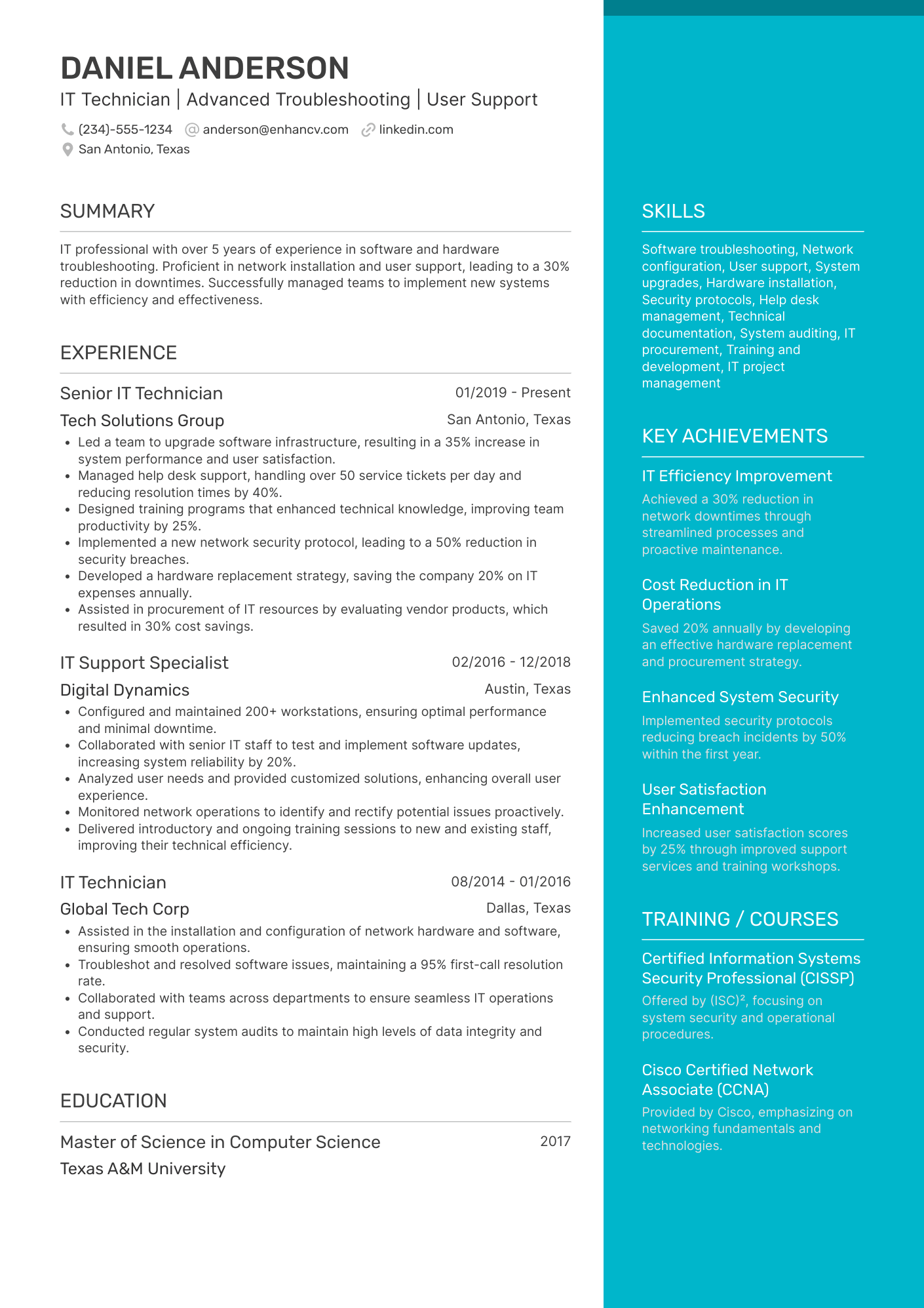
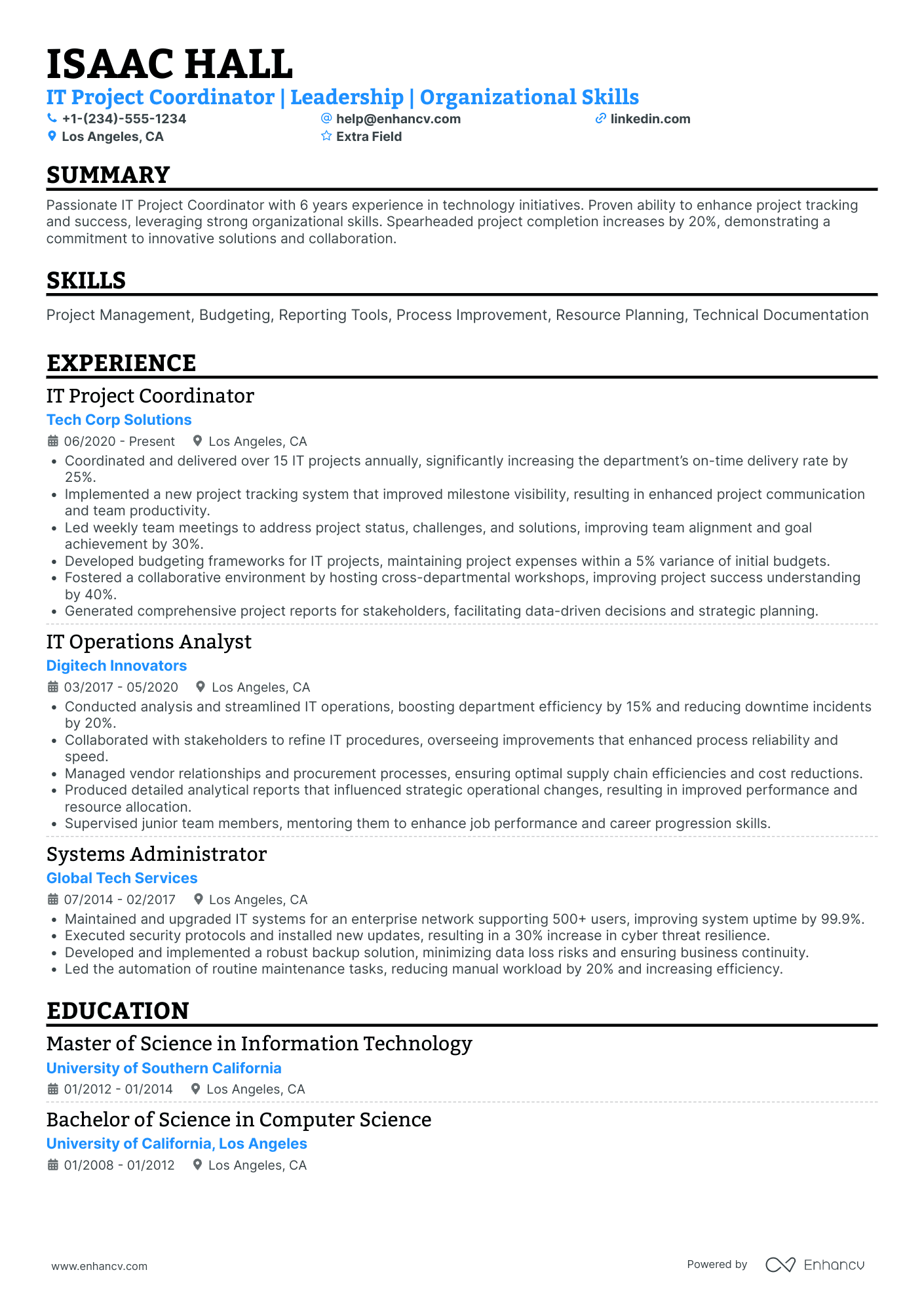
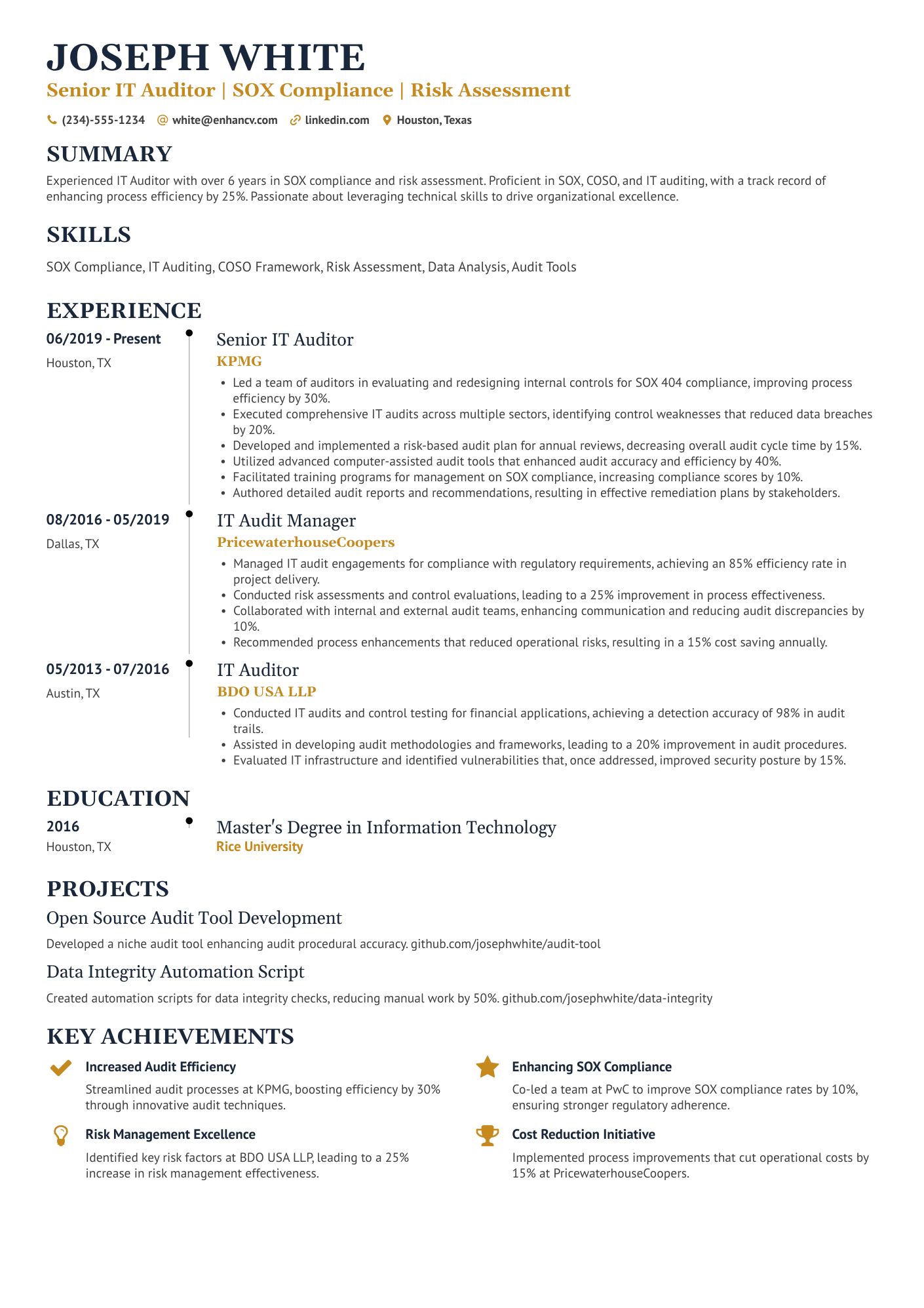
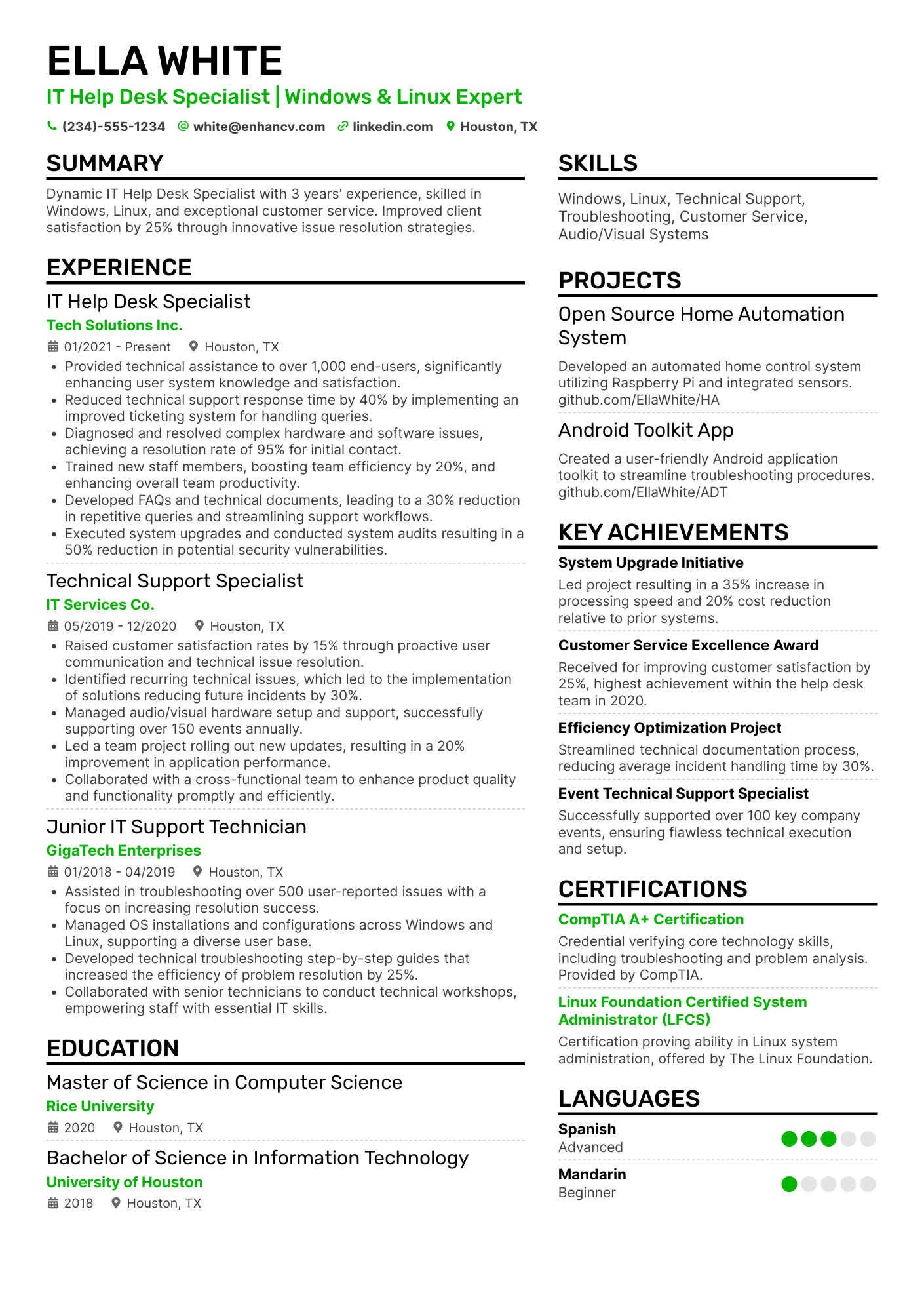
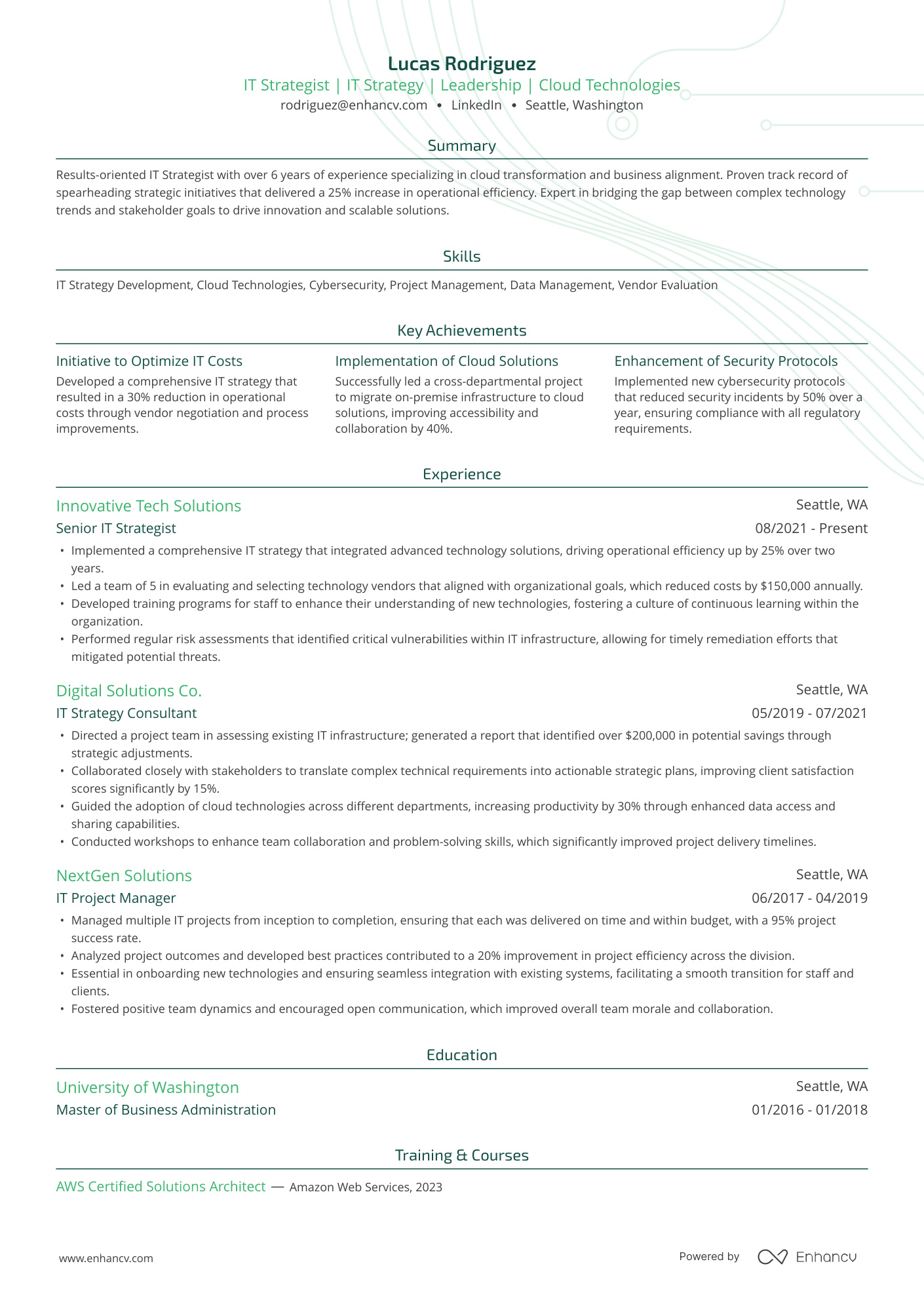
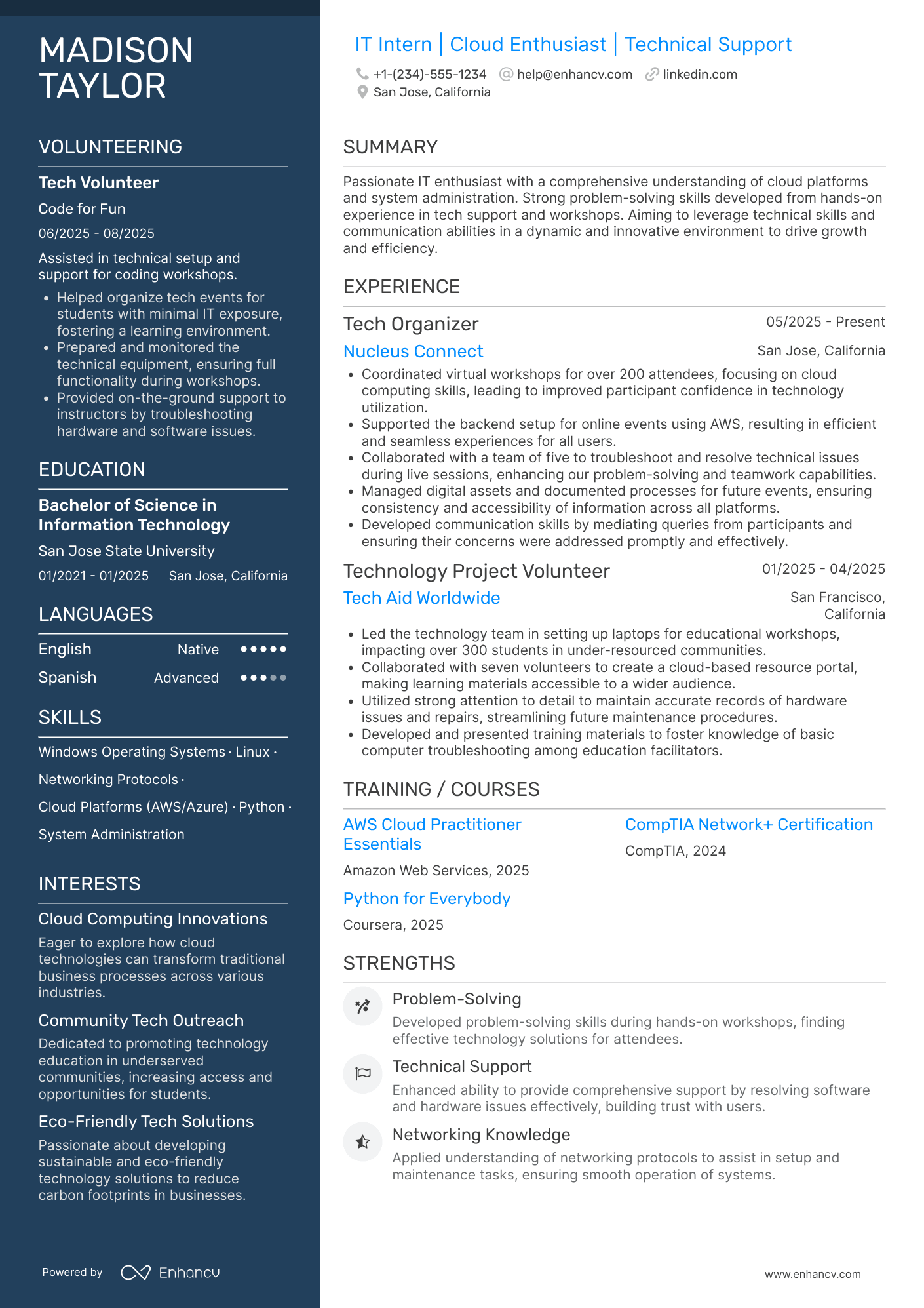
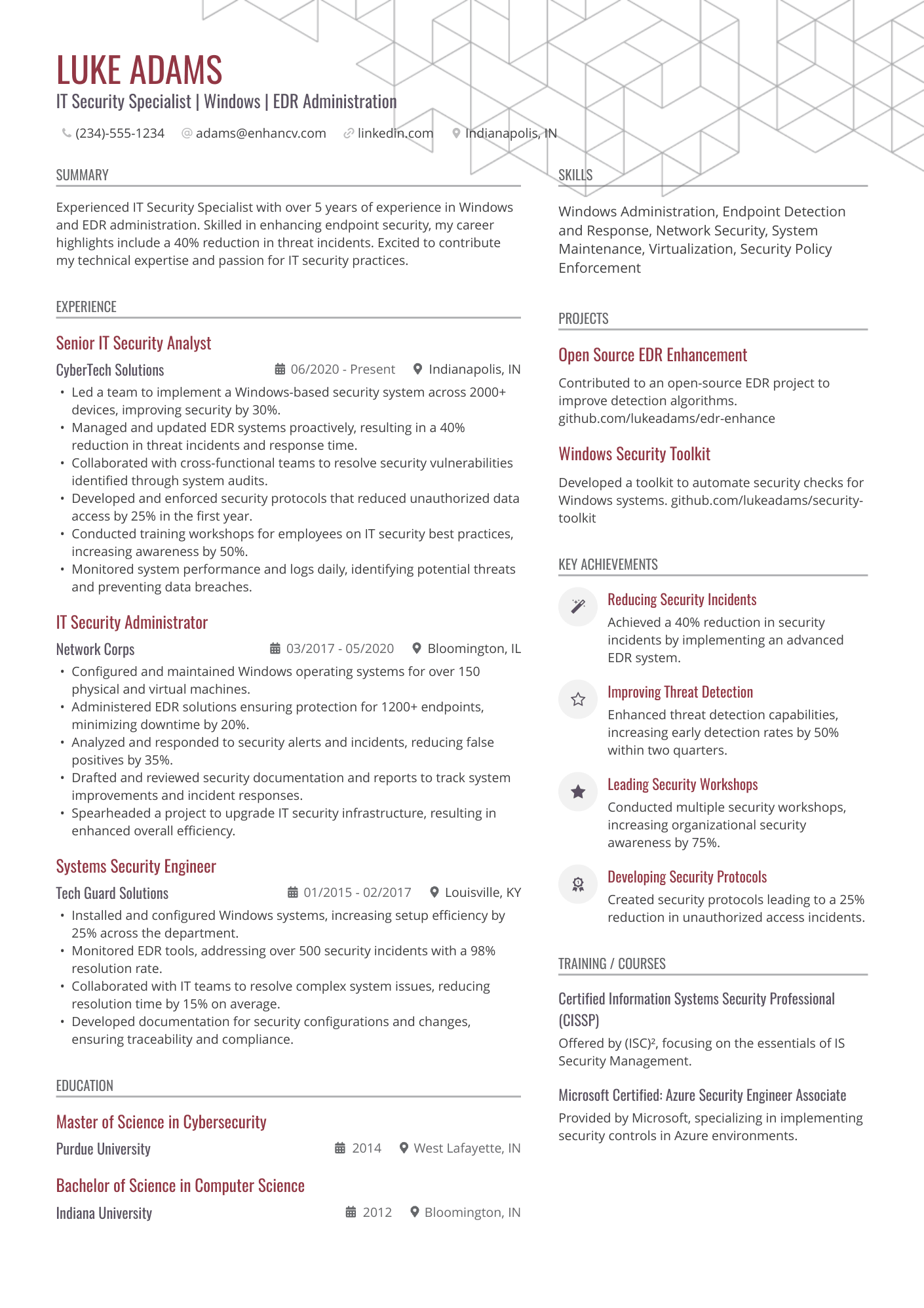
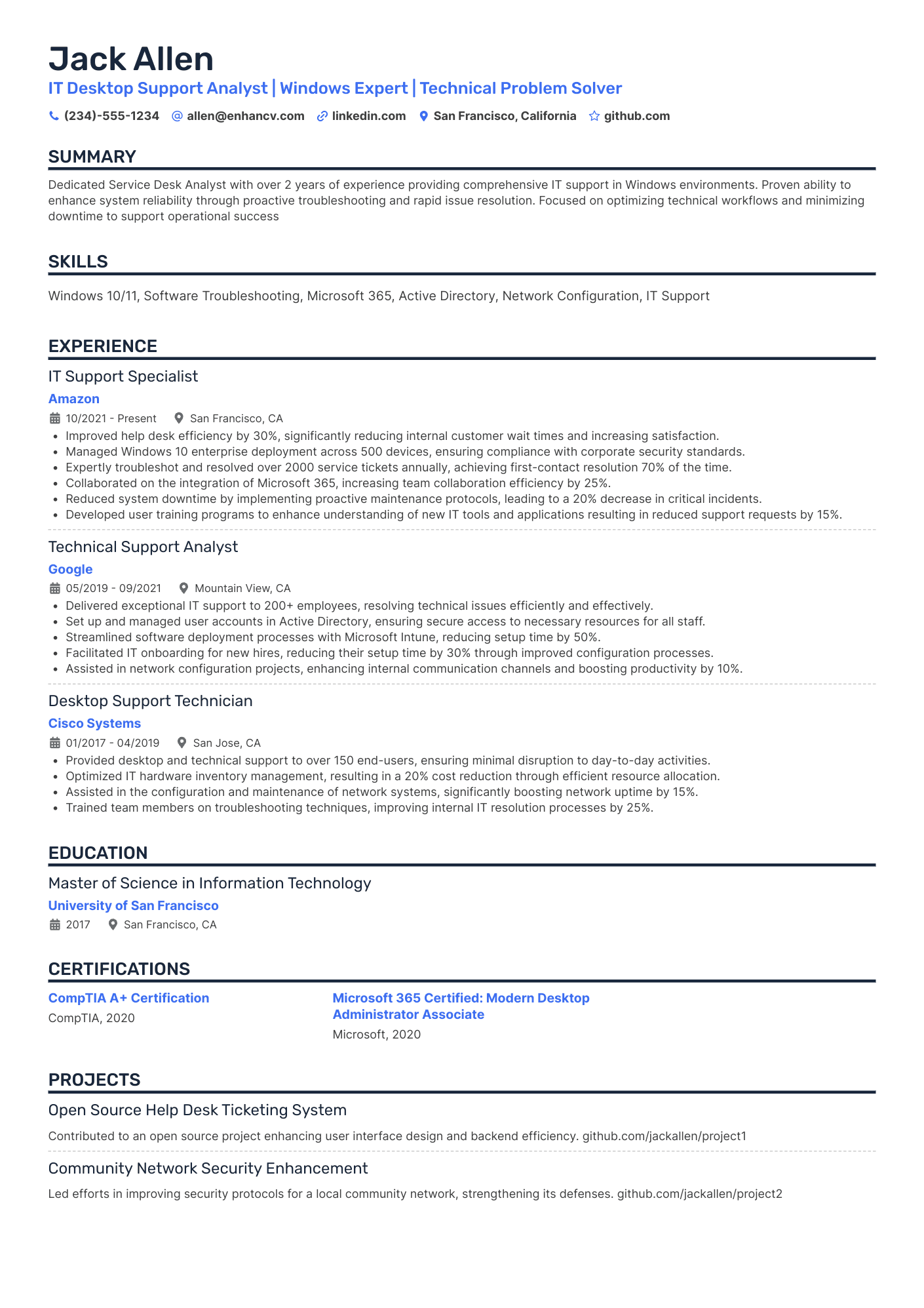
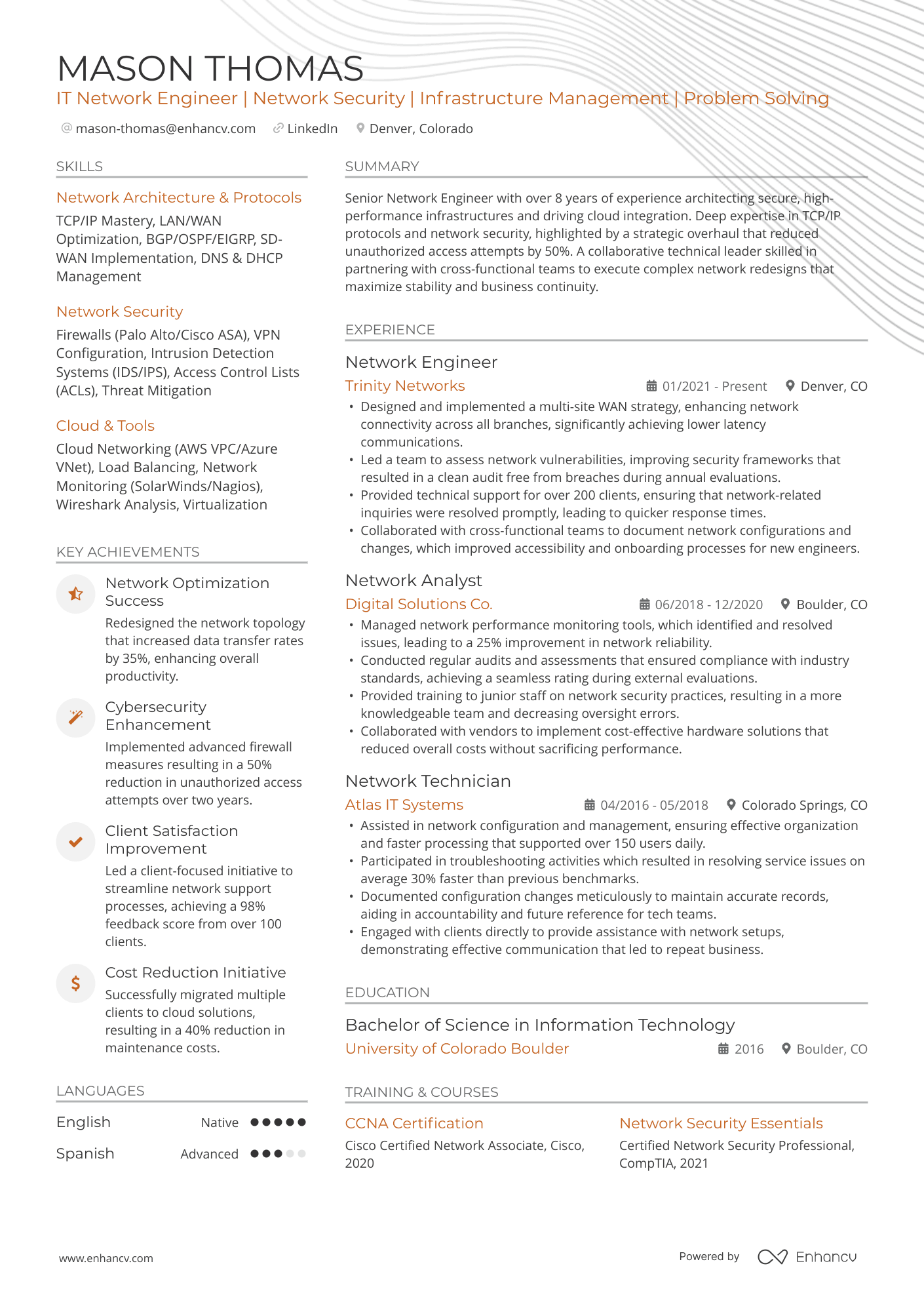
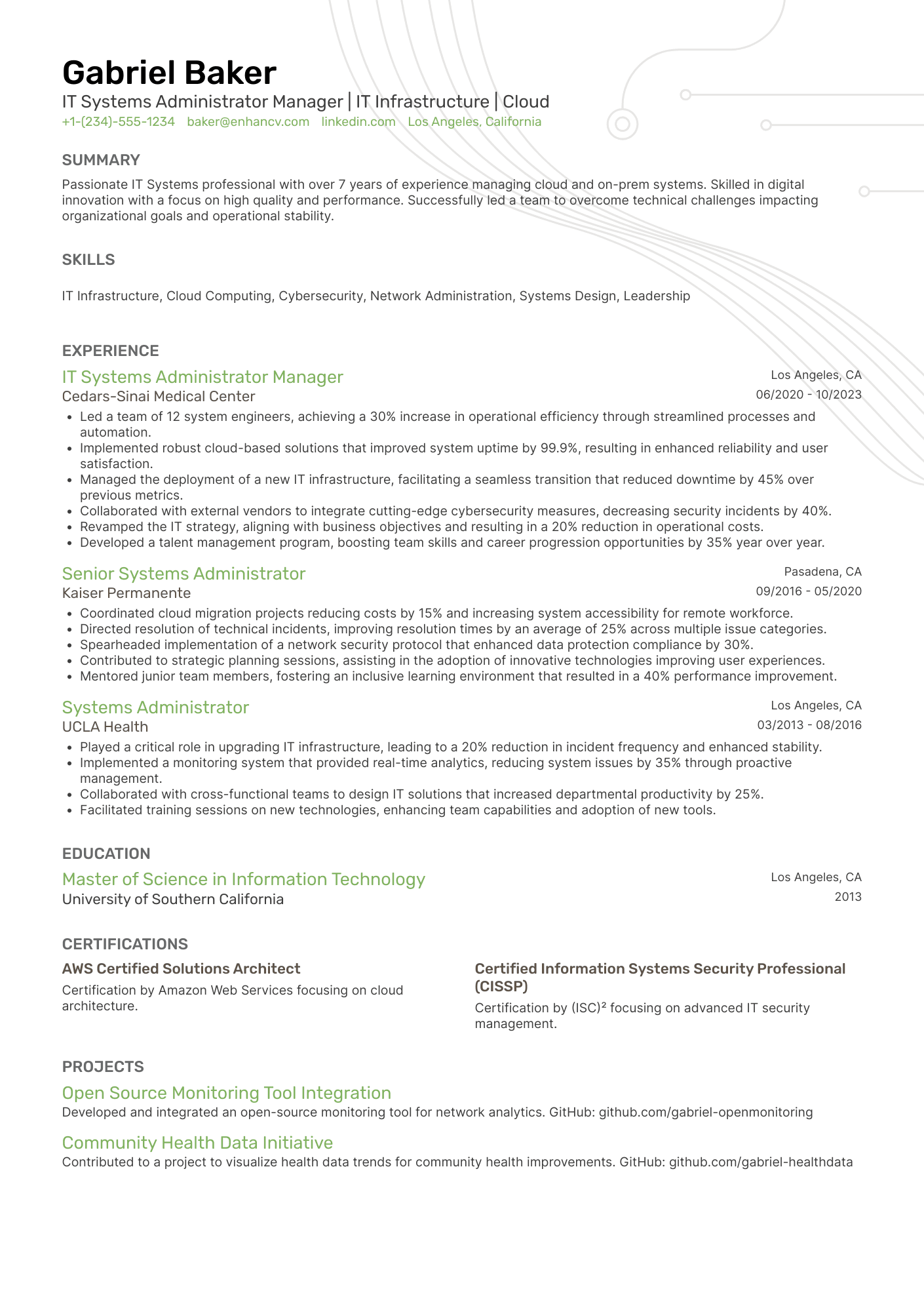
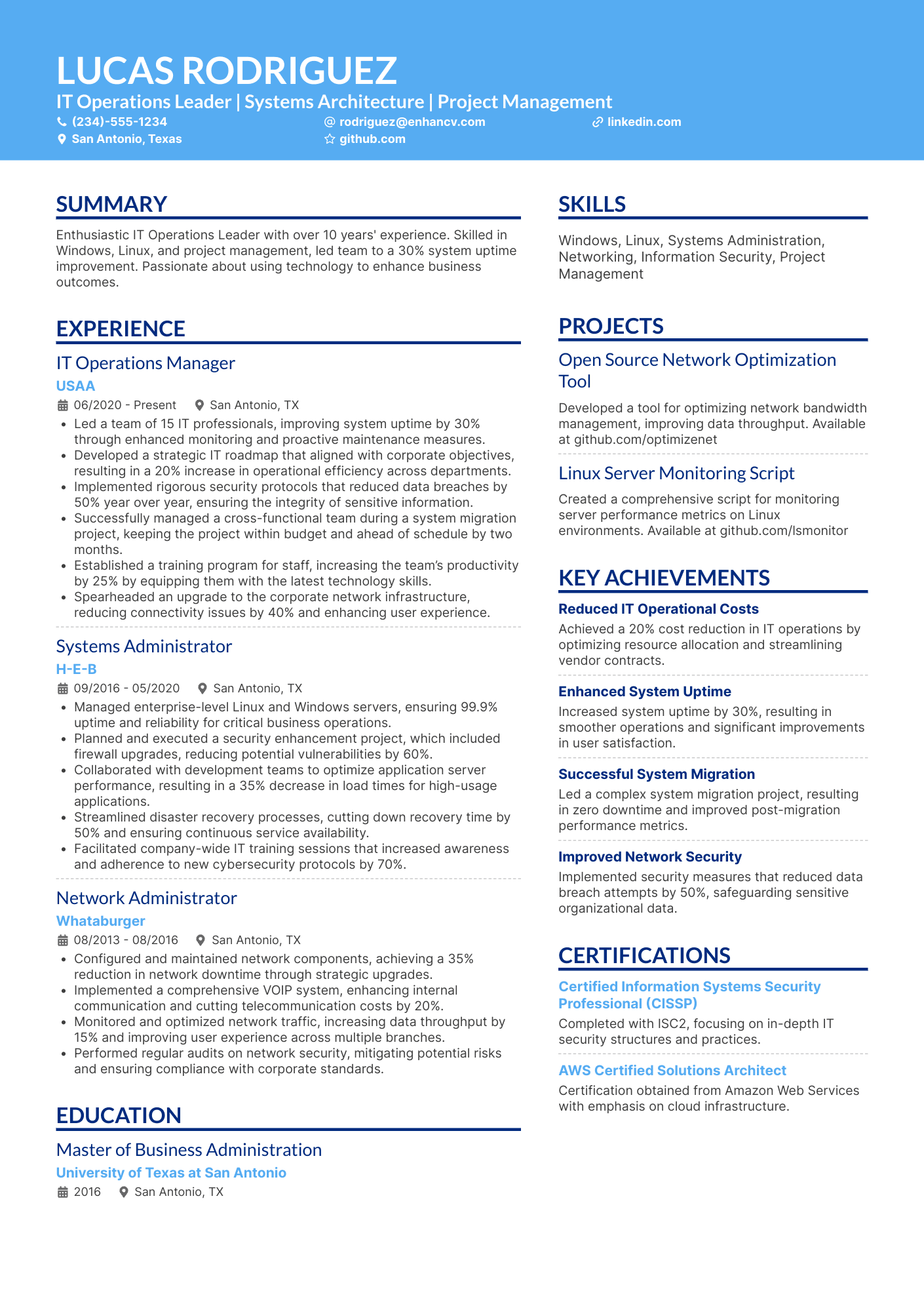
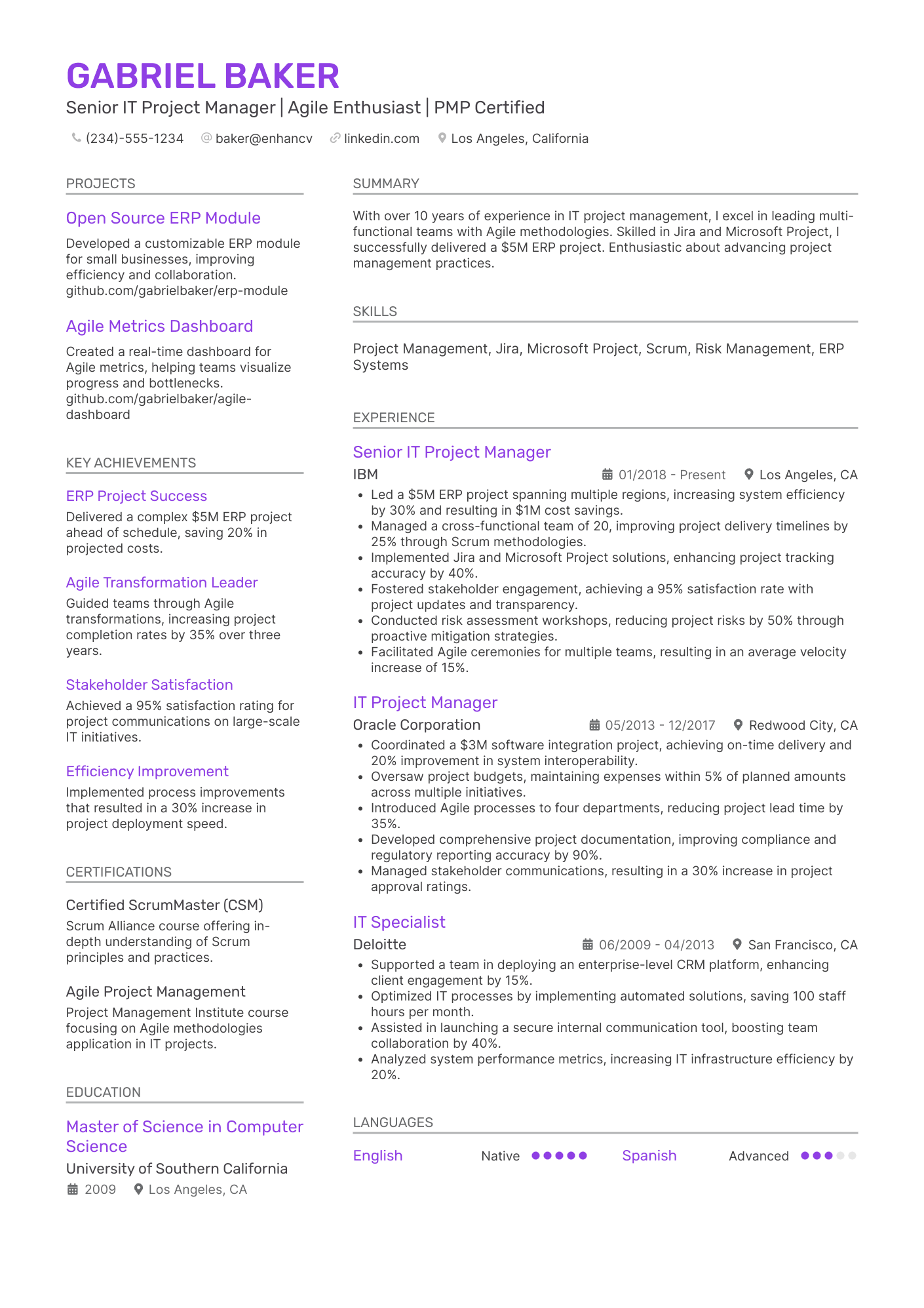
Explore these real-world IT resume examples, categorized by specialization and seniority. Use them to illustrate your technical expertise and operational impact.
20+ IT resume examples
Navigate to your specific IT domain and tailor the template to reflect your unique tech stack.
By Experience
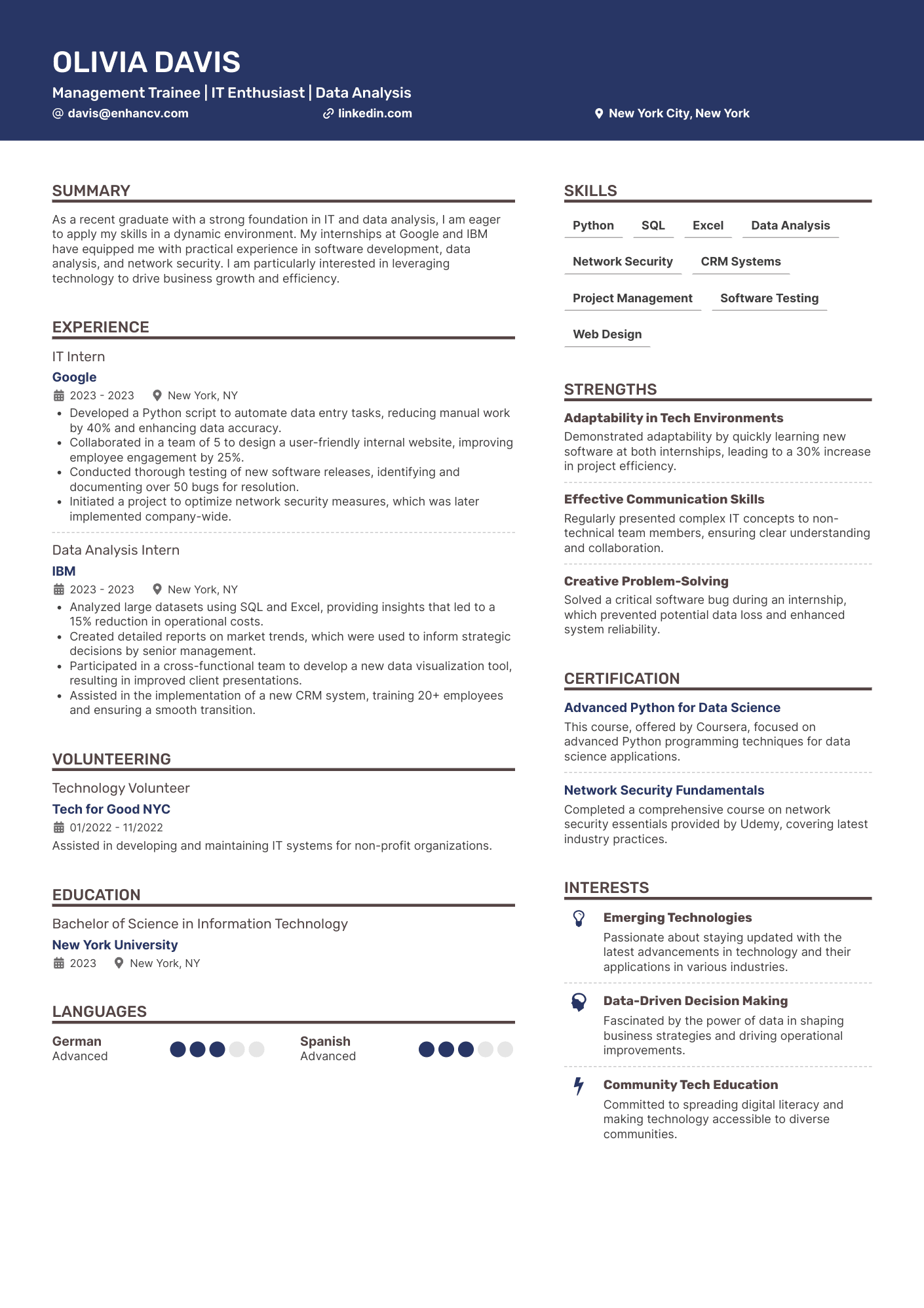
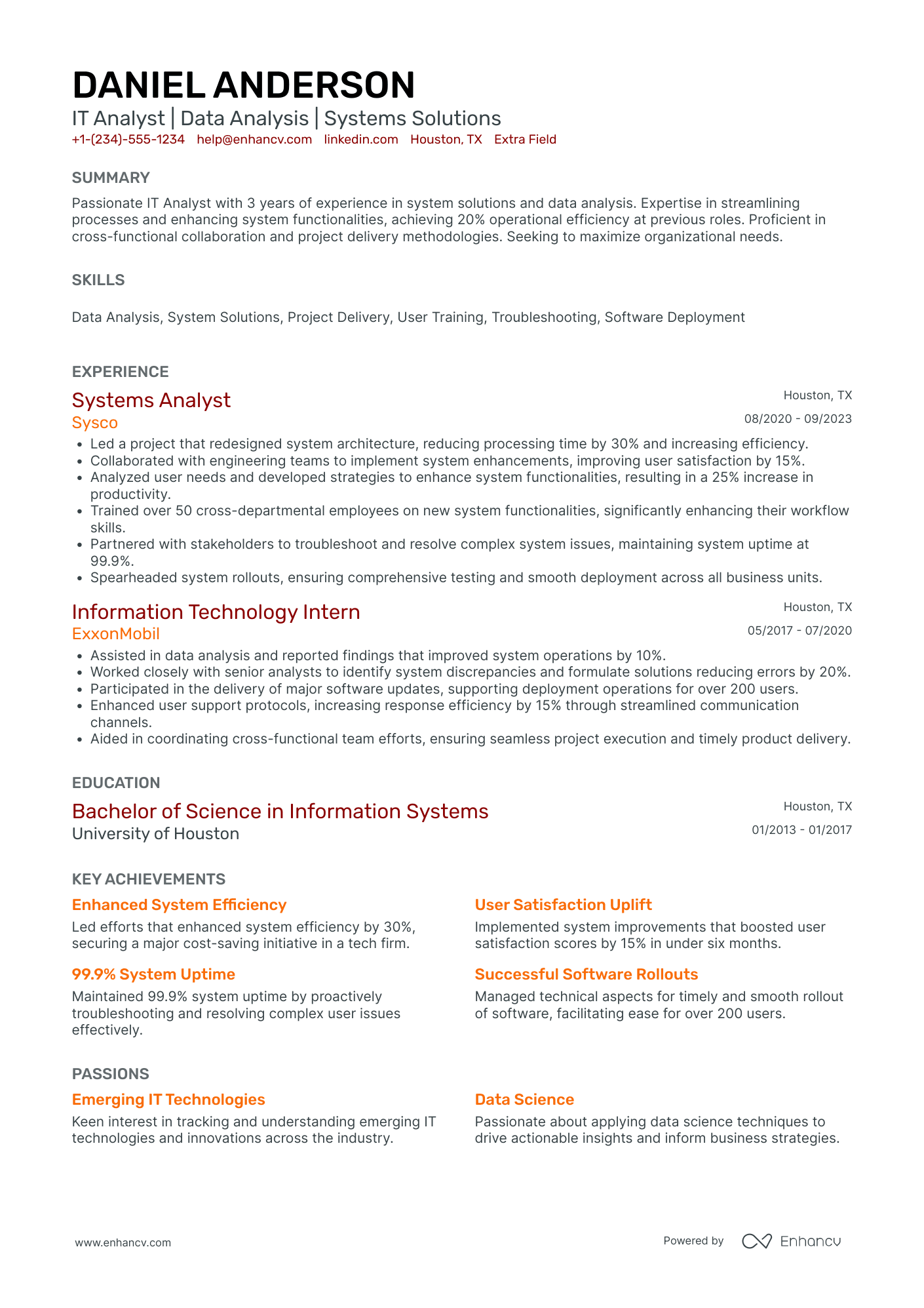
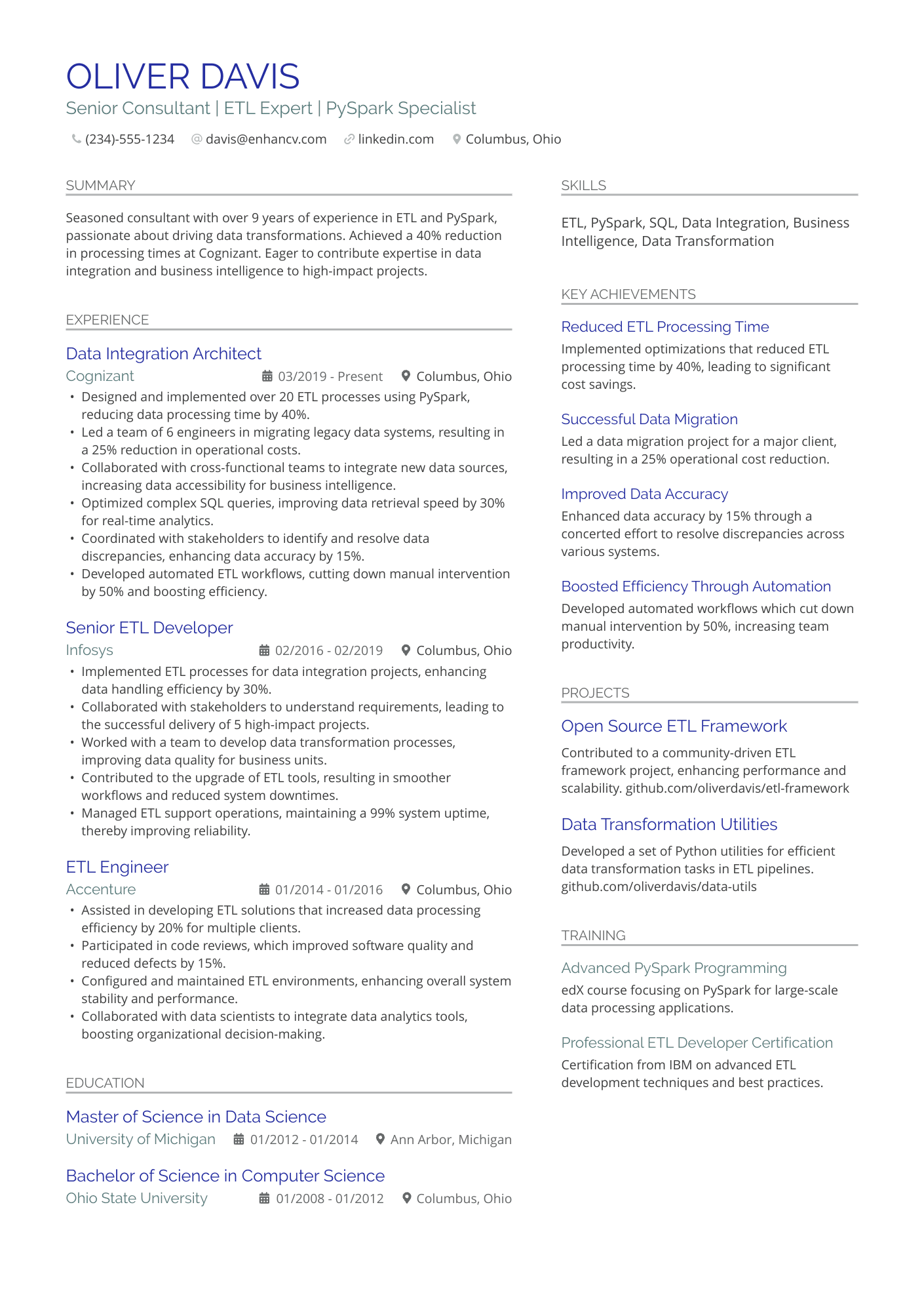
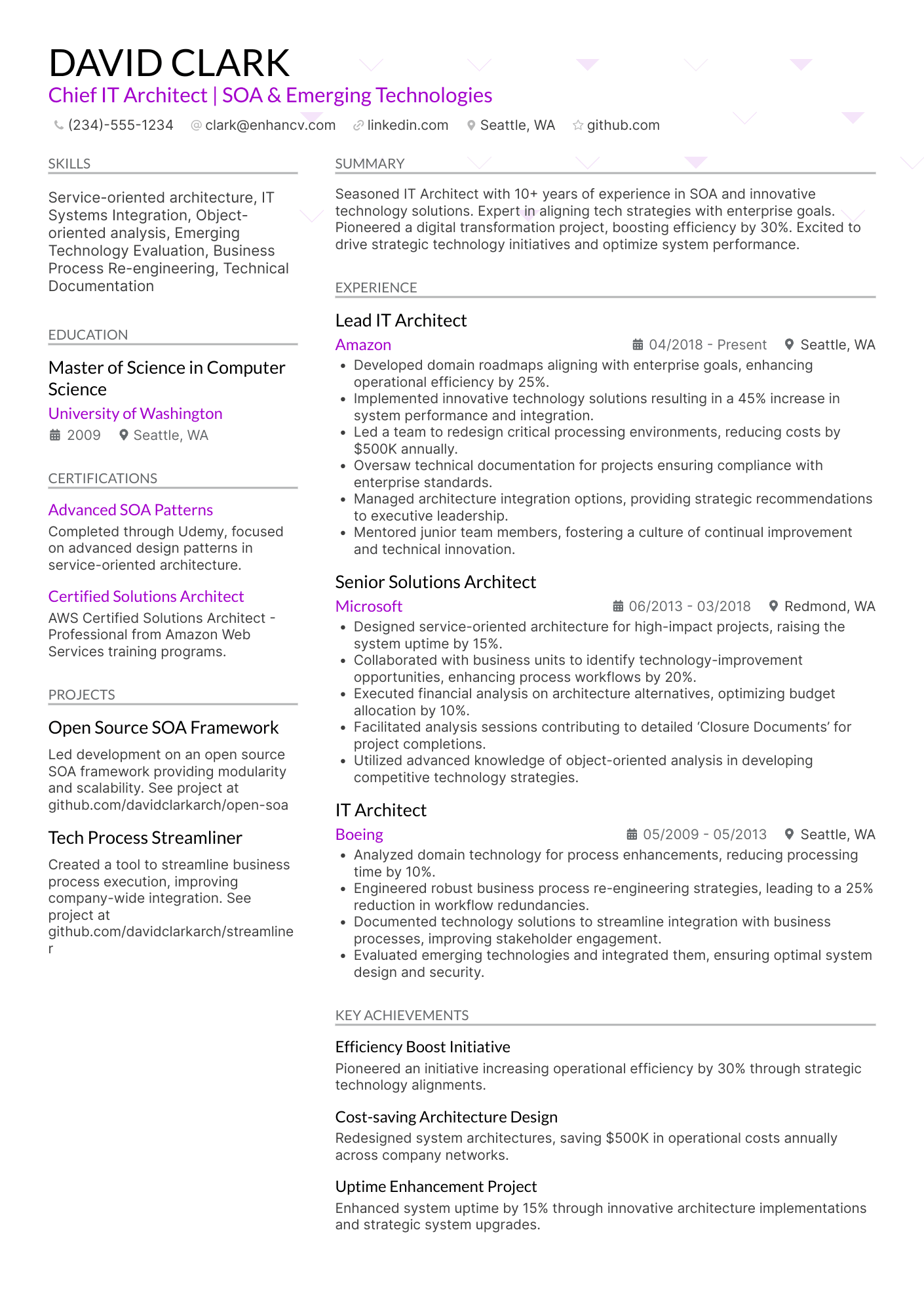
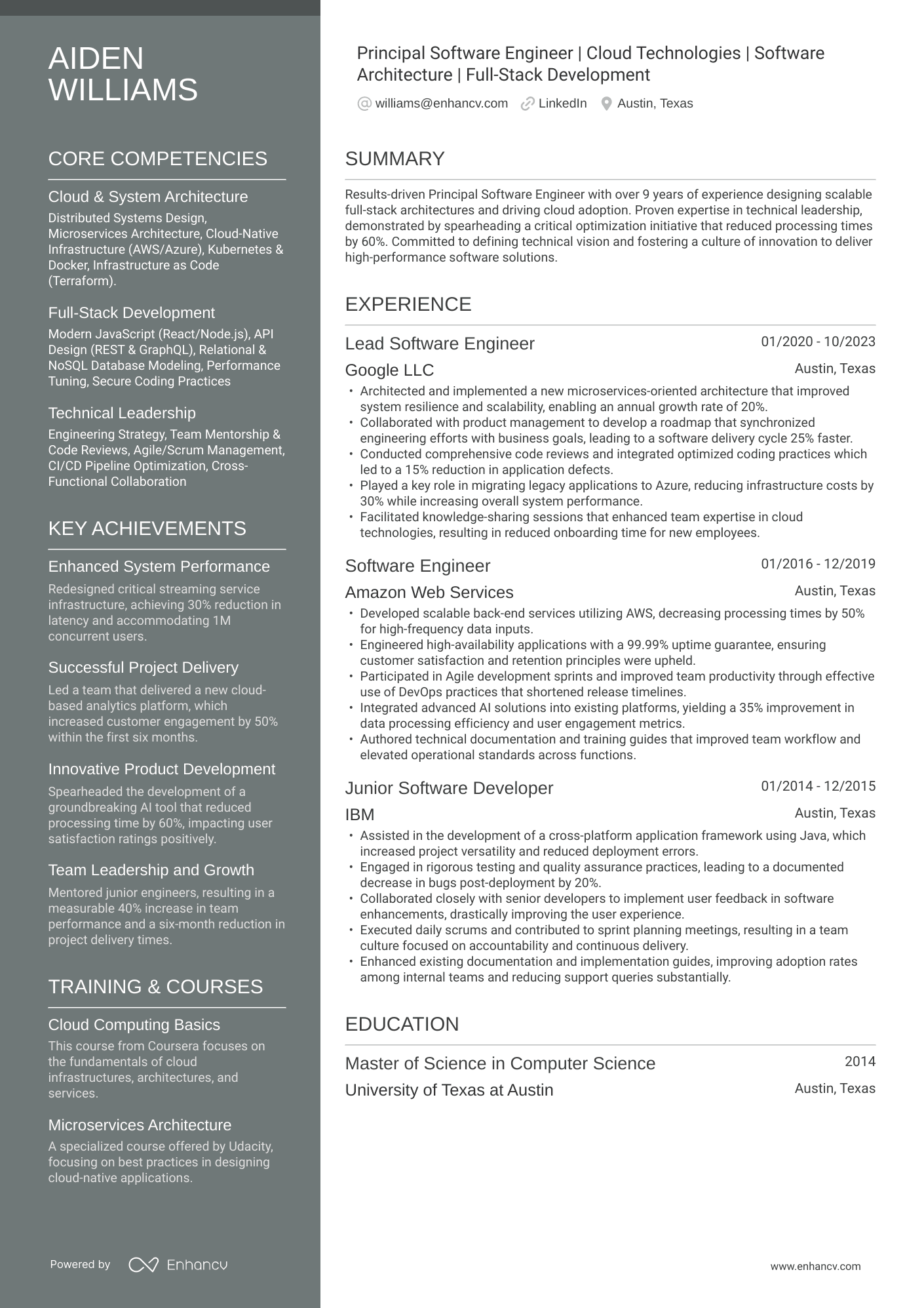
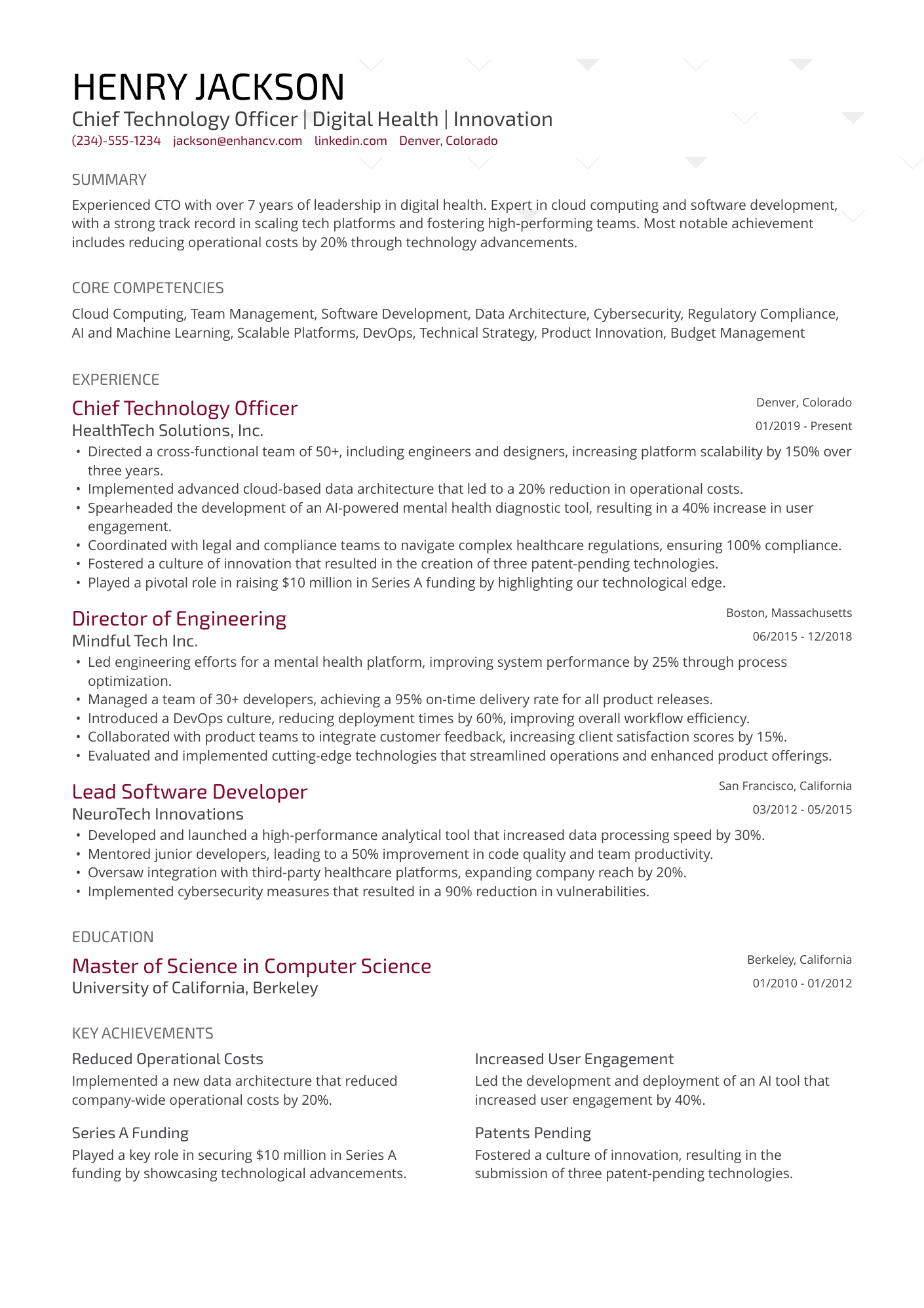
By Role
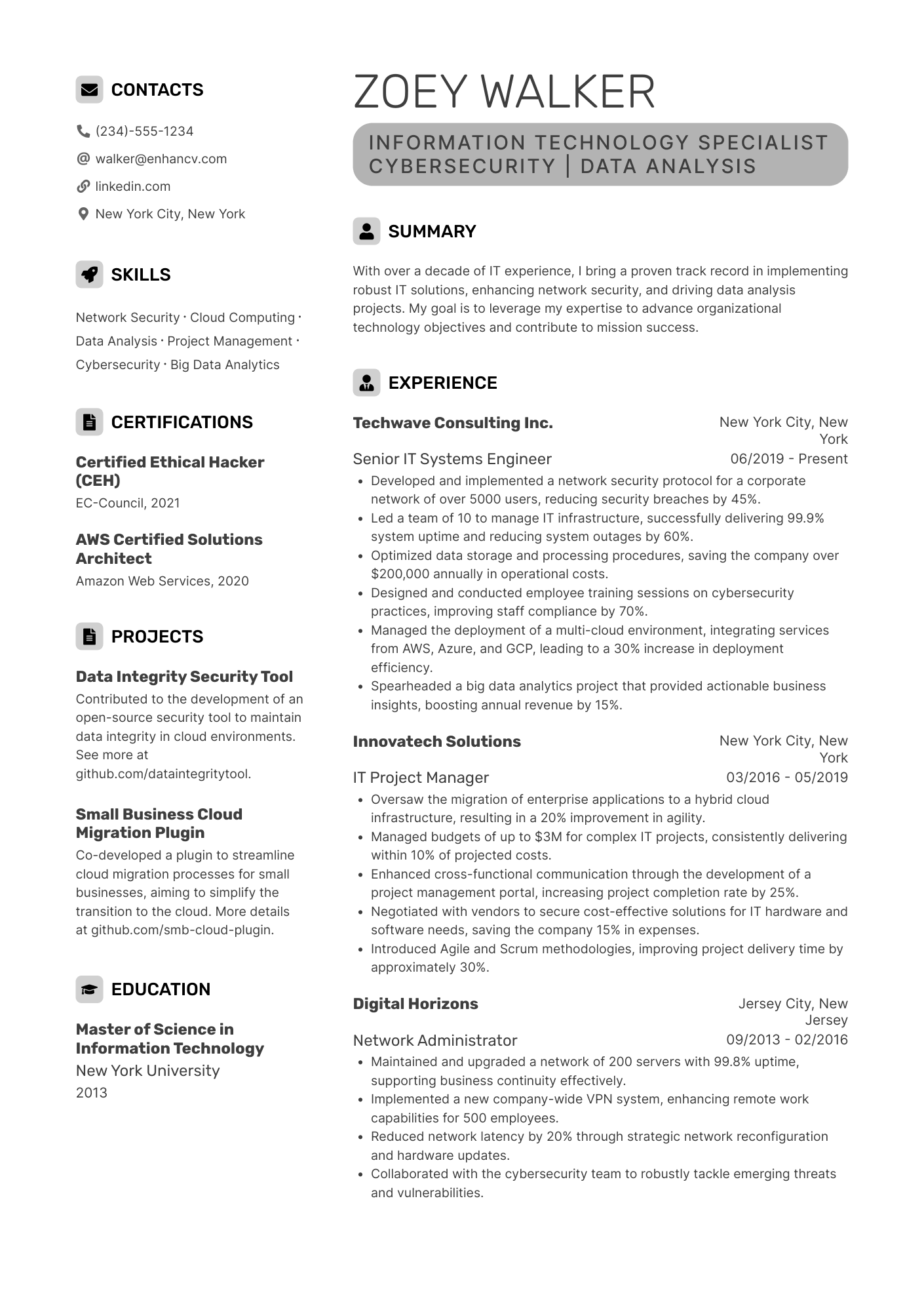
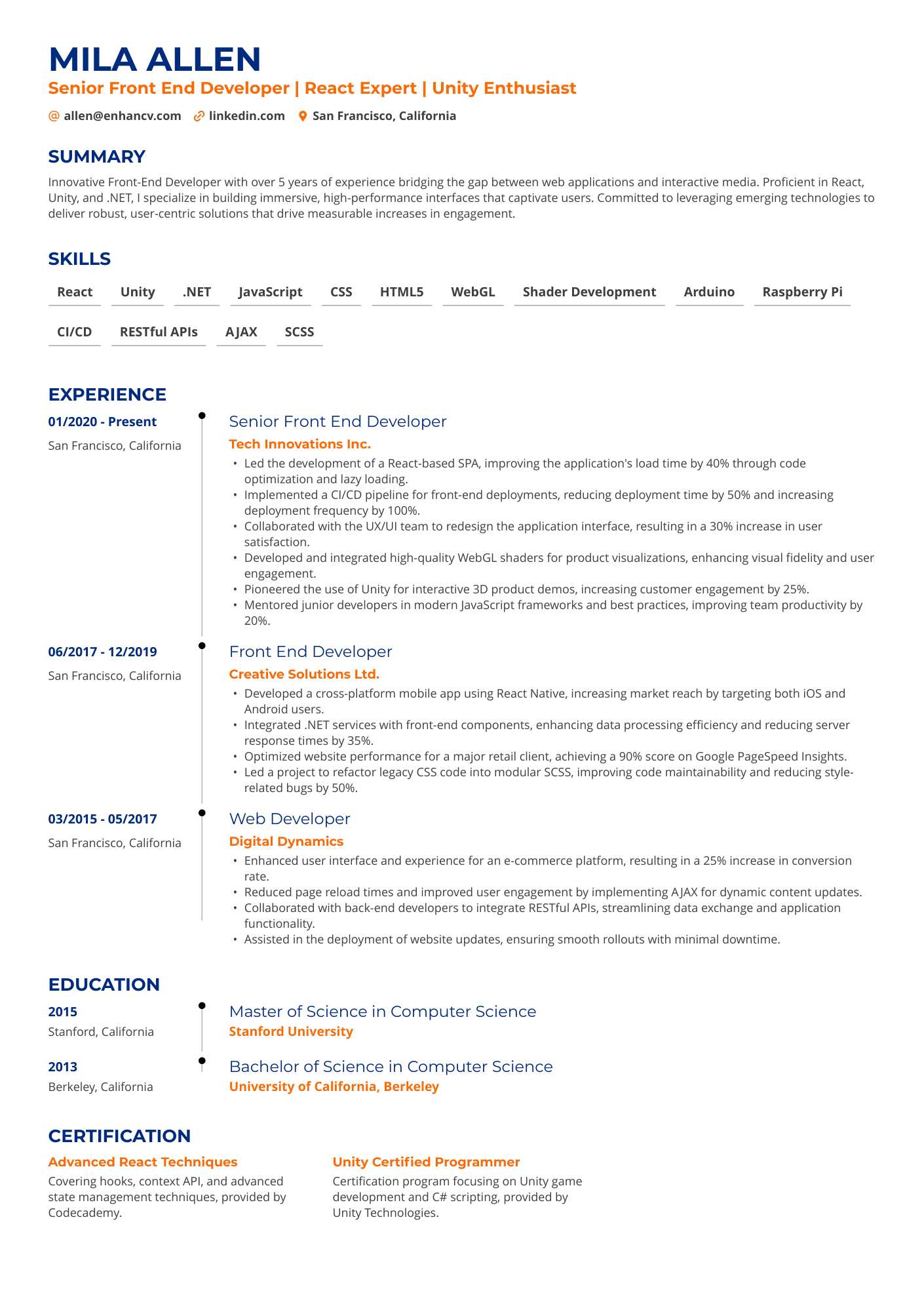
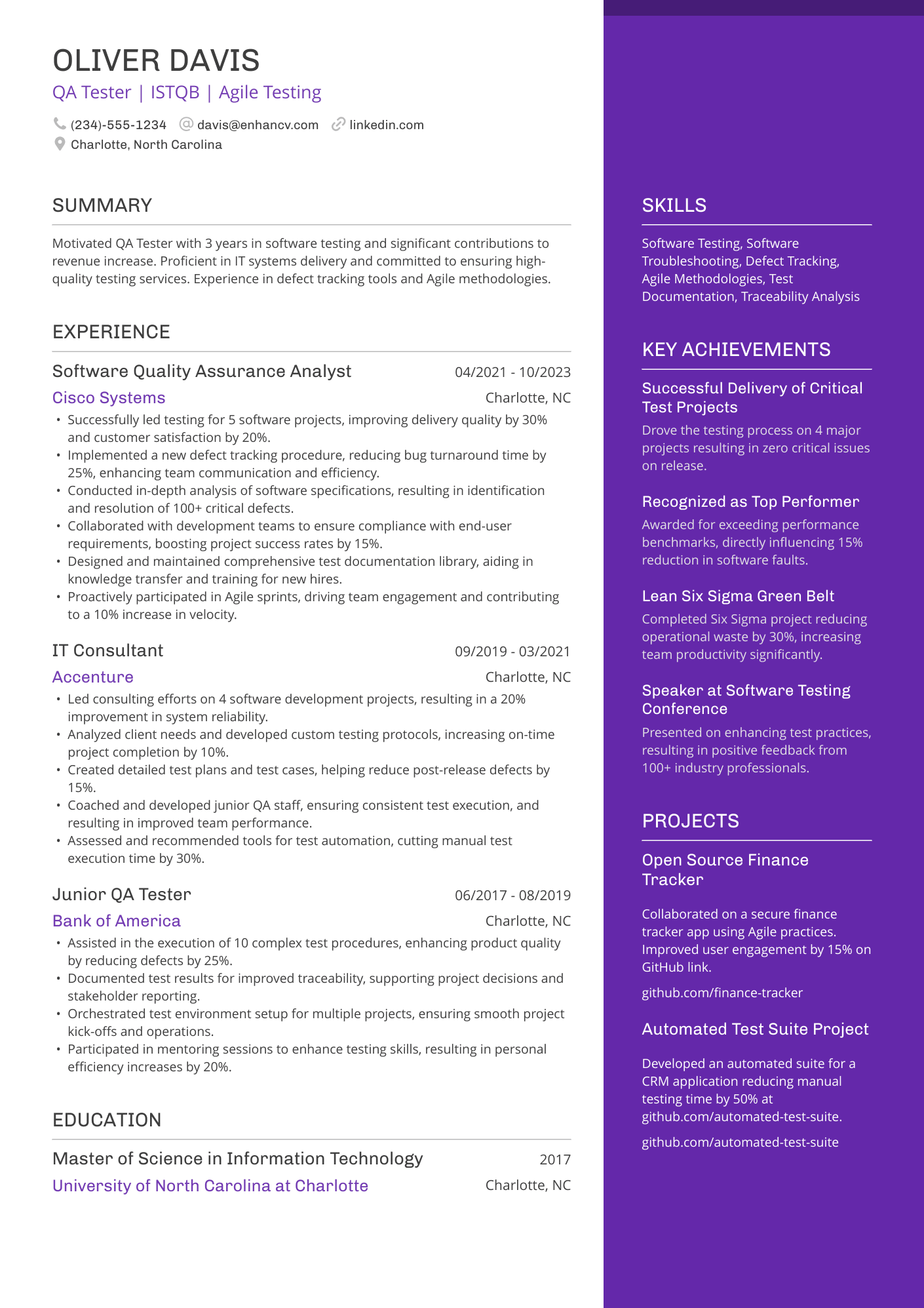
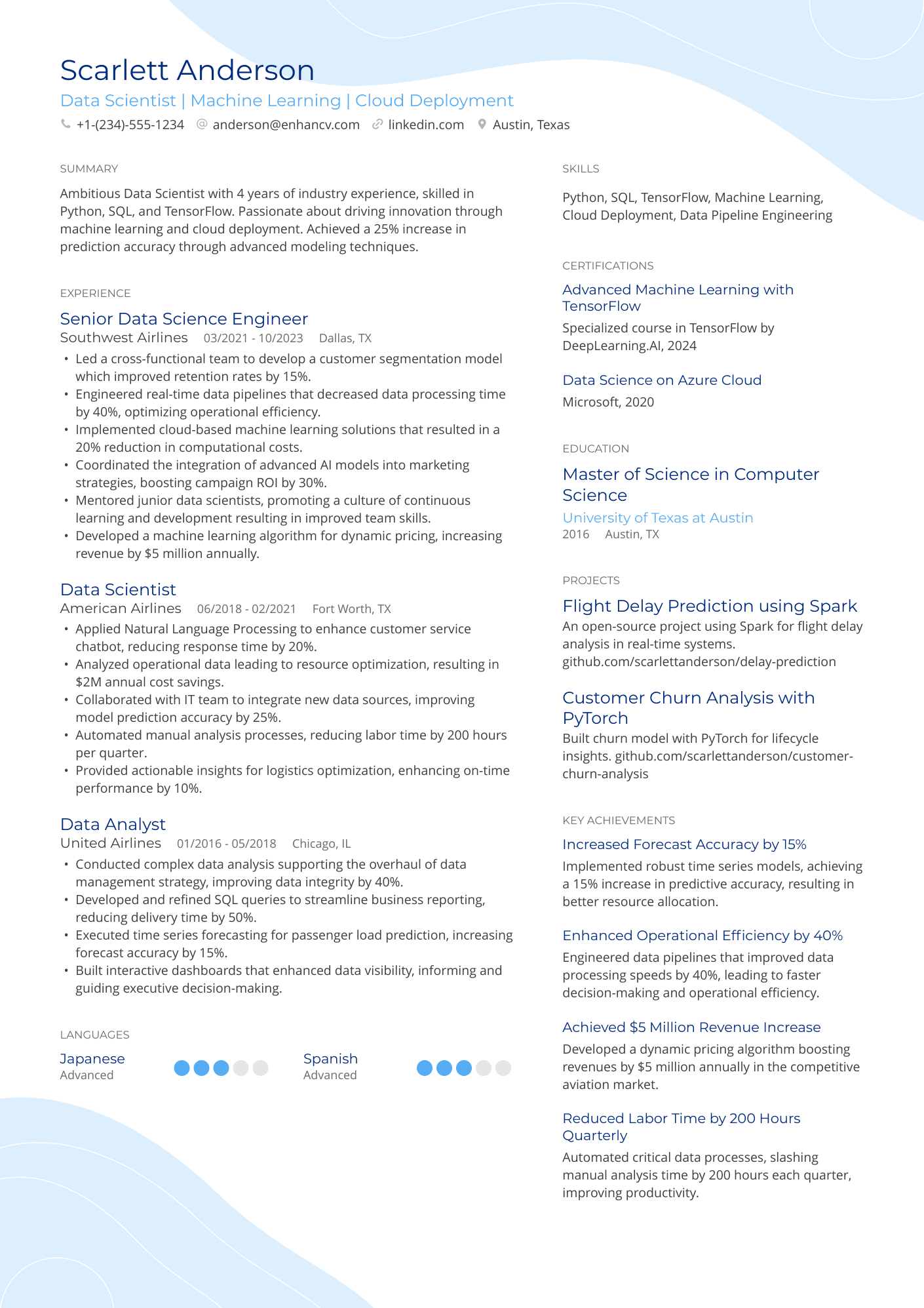
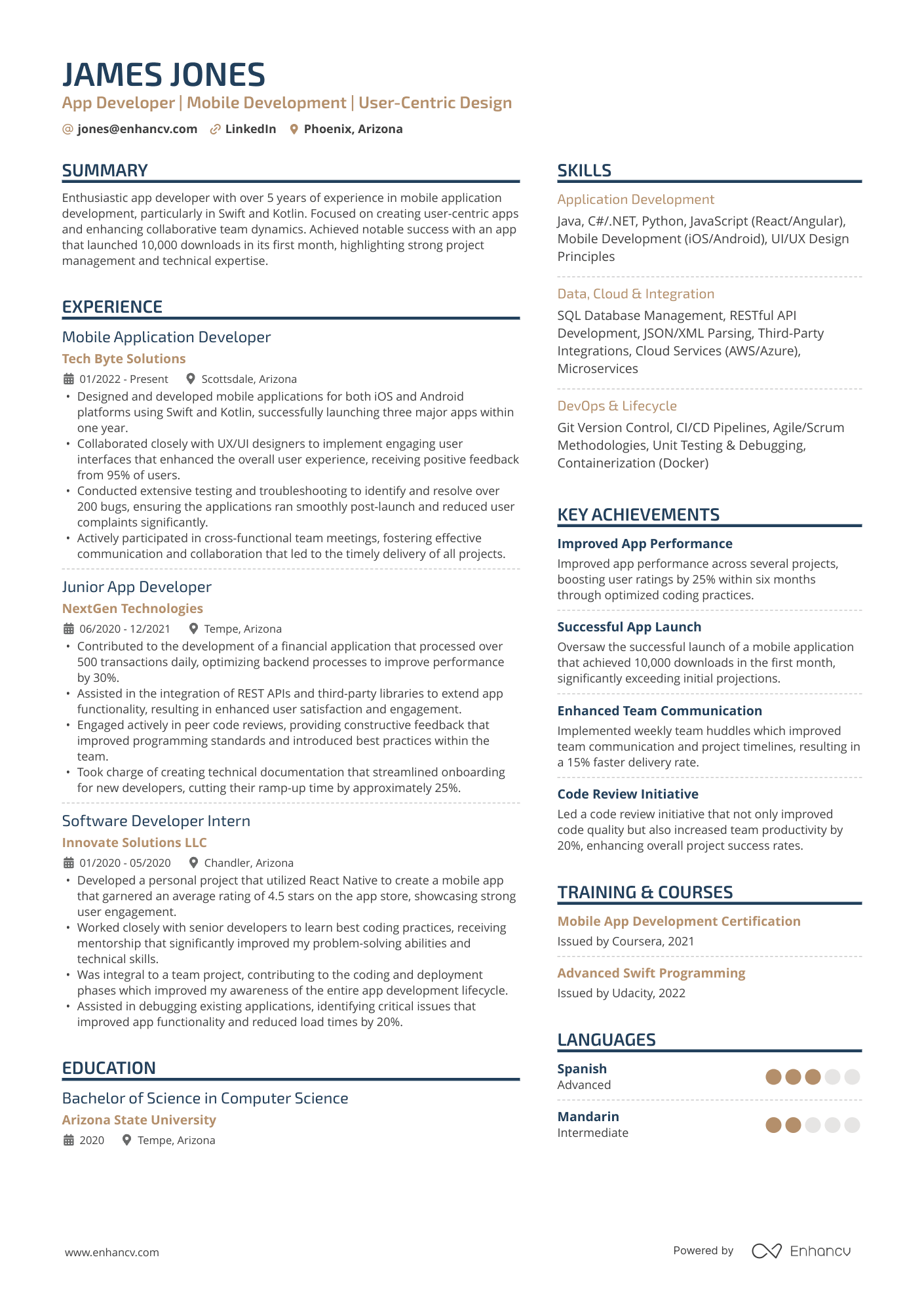
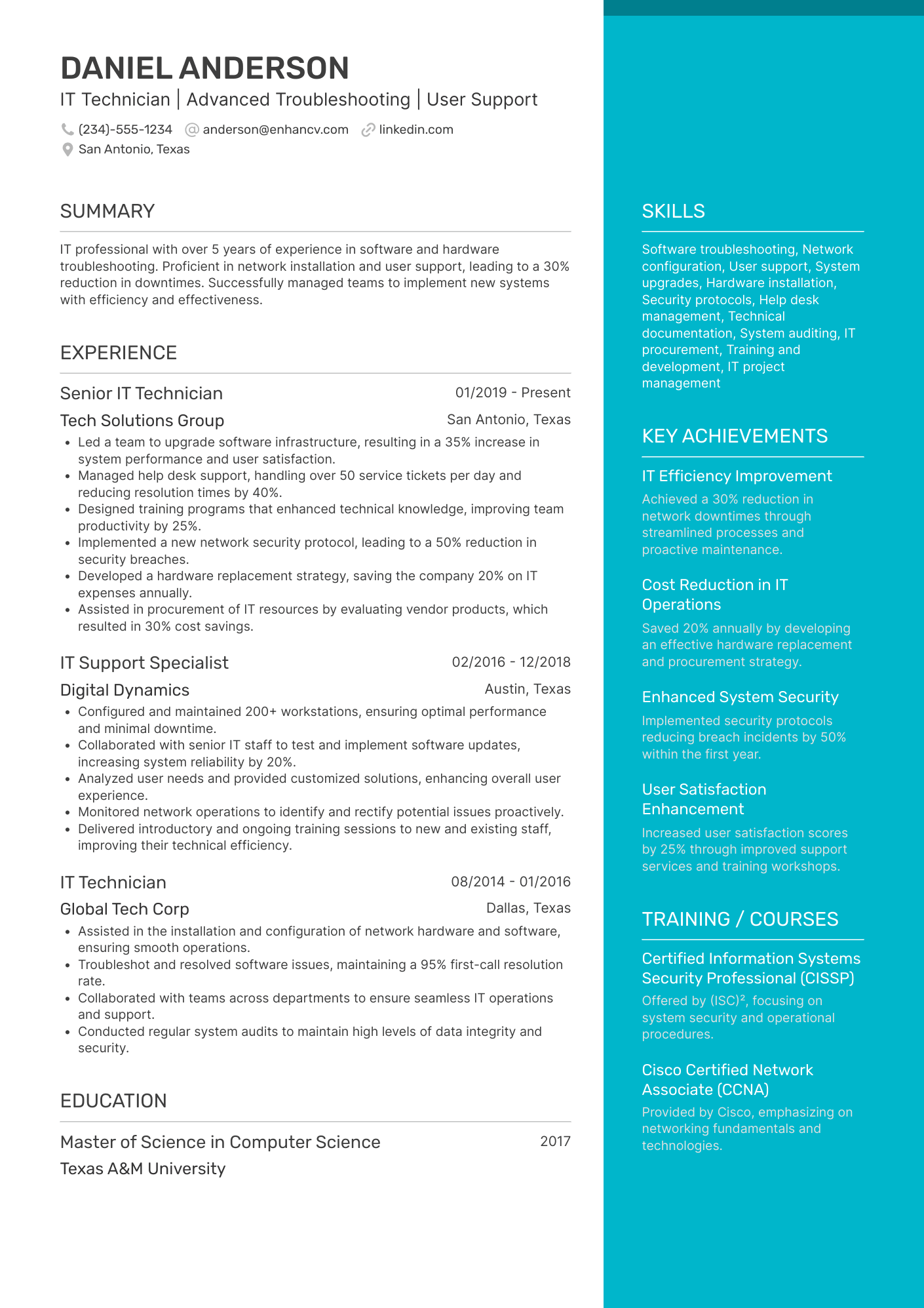
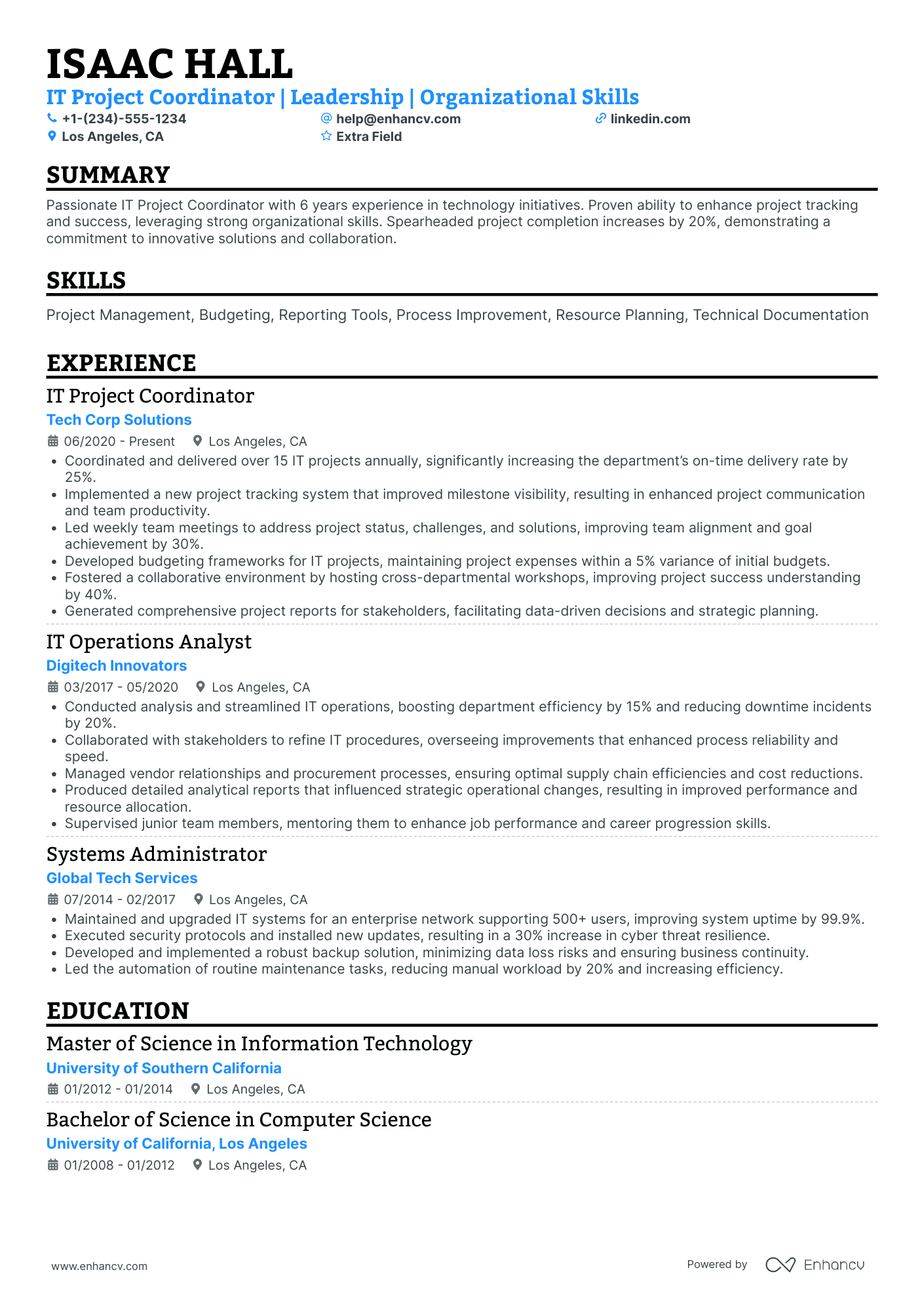
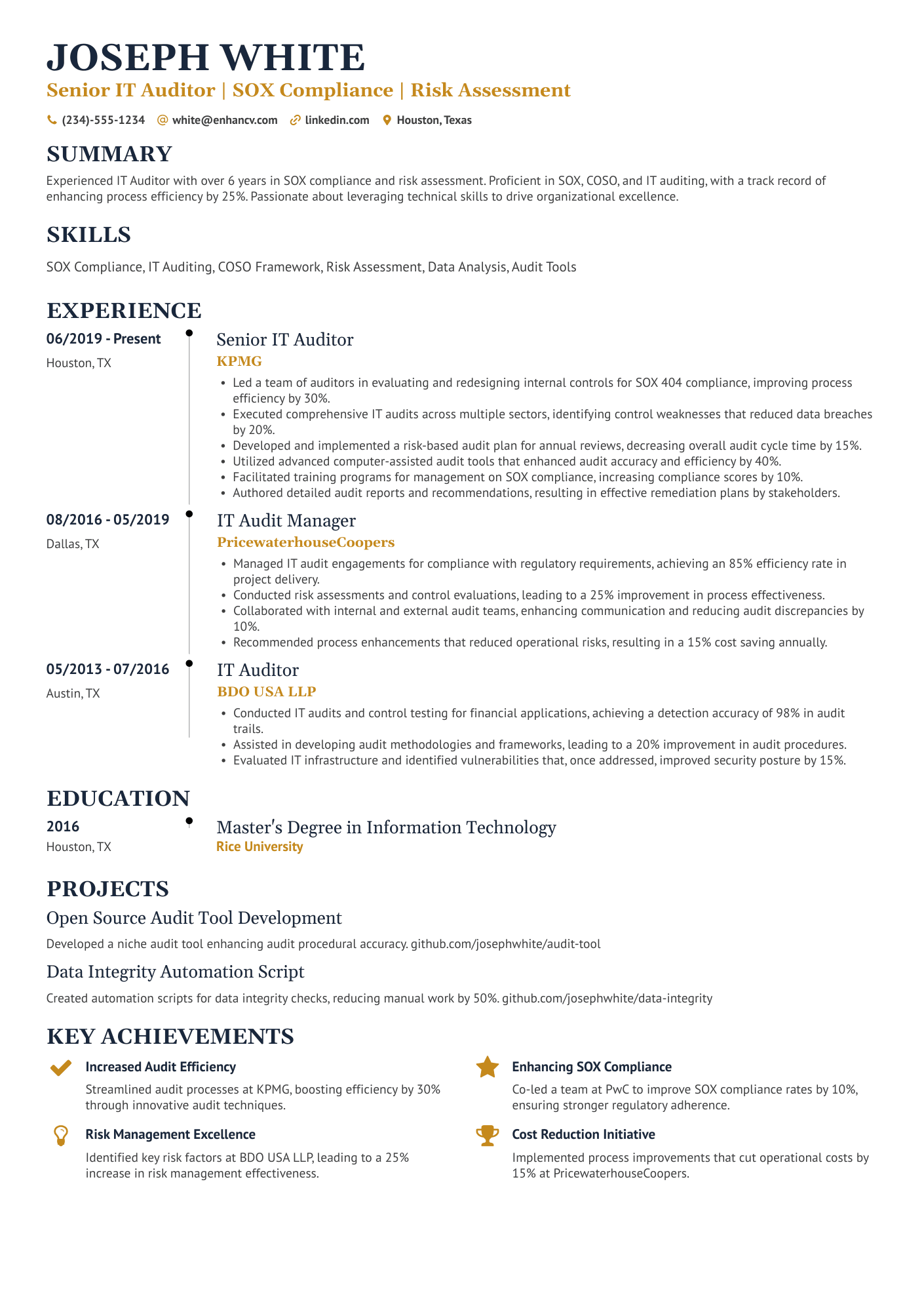
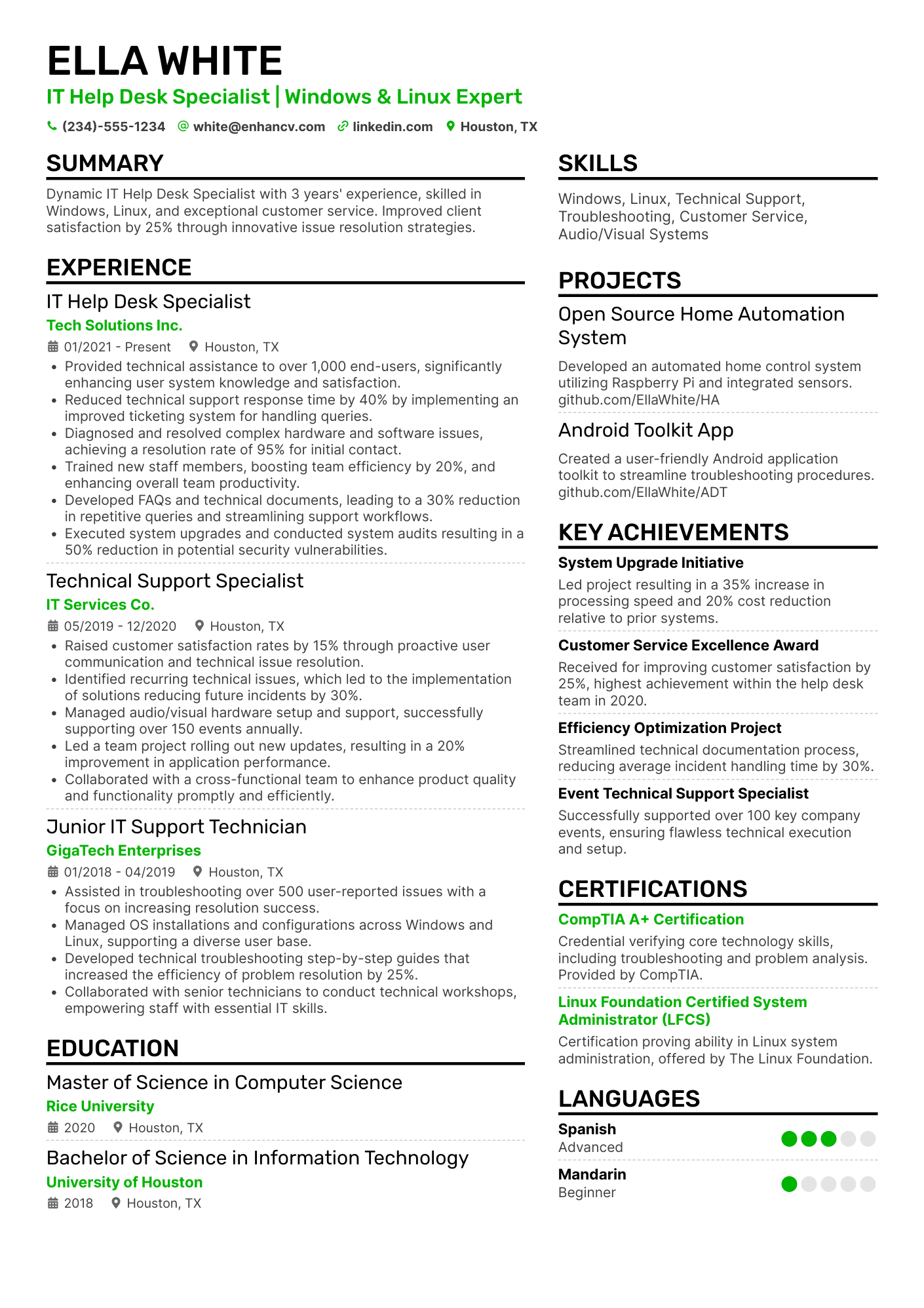
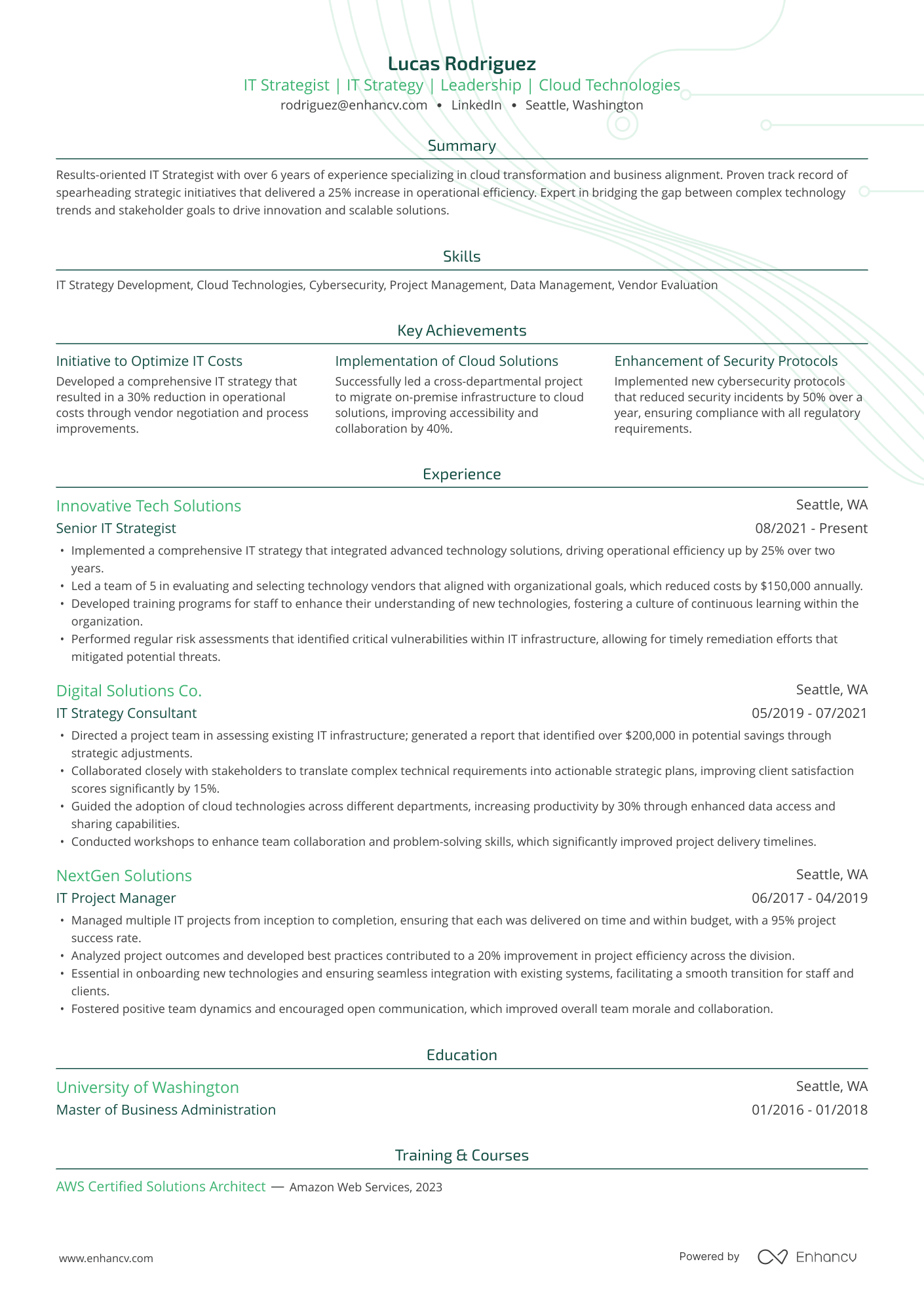
What is the best IT resume format
Most successful IT resumes rely on the combination (hybrid) format.
This approach merges a robust technical skills section at the very top with a strict reverse-chronological work history.
It gives you the best of both worlds. The skills section acts as an immediate snapshot of your capabilities for applicant tracking systems (ATS). Meanwhile, your chronological experience proves those skills are current, applied in production, and battle-tested.
What sections should go on an information technology resume?
The recommended section order prioritizes technical literacy. You must ensure your stack is immediately visible to both the ATS and the IT lead.
Include:
- Header: Name, contact info, and crucial links to your GitHub, portfolio, or LinkedIn profile.
- Resume Summary: A brief, three or four-line pitch defining your seniority, primary tech stack, and key operational impact.
- Technical Skills: Crucial for IT. A categorized list (e.g., Languages, Cloud, DevOps) that acts as your main keyword filter.
- Professional Experience: Demonstrates career progression and translates technical tasks into quantified business stability or efficiency.
- Certifications: Provides formal validation of vendor-specific knowledge (e.g., AWS, Cisco, CompTIA).
- Education: Documents your CS degree or relevant technical bootcamps.
Ready to ensure your IT resume is fully optimized to clear ATS? Upload it to Enhancv’s Resume Checker, which runs 19 scans of your document and gives you a credible AI score.
Is your resume good enough?
Drop your resume here or choose a file. PDF & DOCX only. Max 2MB file size.

AI match score—the filter you must clear
Enhancv’s latest survey with 25 U.S. recruiters reveals what role AI scores play in ATS filters.
Although most recruiters use the AI match score as a sorting signal, a small minority rely on it as a hard filter. When keyword-based auto-rejection is enabled in the ATS, recruiters often set a rule to reject resumes with a match score below roughly 75%.
Meanwhile, IT recruitment is very keyword-focused. This means that missing just a couple of terms can cost you the application.
Enhancv’s Resume Checker can give you a good idea of where your current resume stands before you’ve even applied. Use it to make sure you send a perfectly tailored, flawless resume.
With your format secured, it’s time to fill the core of your document. Your experience section must prove you don't just know the tools—you use them to drive reliability and efficiency.
How to write your IT resume experience
For an IT specialist, the experience section should move beyond listing duties to demonstrating quantified technical impact.
What you must show:
- System stability & uptime: Focus on results that protected the business, such as 99.99% availability, strict SLA adherence, or significant latency reduction.
- Scale and scope: Contextualize your work. Did you manage five servers or 5,000? Did you support a single office or a multi-region cloud architecture?
- Automation and efficiency: Highlight how you eliminated toil. Show time saved through scripting or Infrastructure-as-Code.
- Security and compliance: Emphasize proactive protection, such as patch management benchmarks, vulnerability mitigation, or adherence to frameworks like HIPAA or SOC 2.
- STAR method: The Situation-Task-Action-Result framework is your best bet when writing your bulleted entries.
Here’s how this looks in practice:
Good example of an IT experience section
Senior System Administrator
Rackspace Technology | San Antonio, TX
06/2021 – 10/2025
- Architected and maintained a hybrid cloud environment (AWS/On-Prem) supporting 5,000+ global users, ensuring 99.99% uptime for critical revenue applications.
- Automated server provisioning using Ansible and Terraform, reducing deployment time from 2 days to 45 minutes.
- Led a major migration of 200+ virtual machines from VMware to AWS EC2, cutting monthly infrastructure costs by 20% ($15k/month).
- Resolved 50+ Tier 3 escalations weekly, maintaining a 98% first-touch resolution rate for complex network outages.
How to tailor your IT resume experience
Tailoring is the most important work you must do for every application. As we said, in IT, a mismatch in tech stack often leads to immediate rejection.
Recruiters and the ATS compare your resume's content against the requirements in the job description (JD). If the role demands "Azure" and you only list "Cloud Computing," you may be filtered out.
To effectively translate your technical experience and achieve a high match score, follow these steps for every new application:
- Analyze the JD: Identify the specific stack, hardware, and protocols mentioned (e.g., Linux RHEL, or Python).
- Identify keywords: Look for hard skills and certifications that are listed as "Required" vs. "Preferred."
- Adapt bullet points: Rewrite your experience to incorporate the JD’s specific terminology. Don't say "Scripting"—say "Python automation." Add proof to your claims.
- Leverage AI tailoring tools:Enhancv’s One-Click Tailoring Tool automatically aligns your experience, highlights, and summary with the job requirements.

PRO TIP
While AI saves significant time, it can’t know your specific metrics or personal voice. Always review the output to insert your exact numbers and refine the tone.
Check out some examples of tailored bullet points below:
Resume tailoring examples for an IT technician
| Job description excerpt | Untailored bullet | Tailored bullet |
|---|---|---|
| Experience with Intune Management; update computer images with current revisions | Set up computers and installed software updates. | Managed endpoint deployment via Microsoft Intune, maintaining up-to-date images and security patches for 200+ workstations. |
| Diagnose and resolve network connectivity issues; VPN | Fixed internet problems and helped with VPN connections. | Resolved complex network connectivity and VPN incidents, ensuring secure remote access and stable uptime for business operations. |
| Experience with Microsoft 365; communicate with a variety of personalities | Helped staff use Teams and SharePoint. | Provided Tier 2 support for the Microsoft 365 ecosystem (Teams, SharePoint), translating complex technical issues for non-technical stakeholders. |
How to quantify your experience on an IT resume
Quantification answers the critical question: How did your technical work stabilize or improve the business?
Use numbers, percentages, and currencies to demonstrate reliability, speed, and cost-efficiency.
What can be quantified:
- System health: Uptime percentages (e.g., 99.99%), SLA adherence, latency reduction (milliseconds), and Mean Time to Resolution (MTTR).
- Infrastructure scale: Number of users supported, data volume (TB/PB), number of endpoints managed, or concurrent connections.
- Cost and efficiency: Cloud cost reductions (FinOps), hours saved through automation scripts, or percentage of manual toil eliminated.
For example:
Where to quantify on an IT resume
| Resume section | Focus of quantification |
|---|---|
| Professional Summary | State your total experience or largest scale (e.g., "Supported 10,000+ global users..."). |
| Work Experience | Use hard metrics in nearly every bullet point (uptime, budget, ticket volume). |
| Technical Skills | Mention complexity and volume (e.g., "Migrated 500 TB of data to AWS S3"). |
For super accurate quantification, try Enhancv's Bullet Point Generator that helps you word and measure your successes with:
- Technical action verbs that reflect operational impact (e.g., automated, secured, architected).
- Contextual metrics that align with industry standards like ITIL or DevOps.
- STAR structure to ensure every bullet proves a solved business problem.
How to list skills on an IT resume
“Your skills section is designed to get picked up by resume screening software or to catch a hiring manager’s attention,” writes Baron Fendler, author of How to Write an Amazing IT Resume.
It is arguably the most keyword-dense area of your application, so precision is critical. You can’t simply list everything you know. You must curate a list that directly addresses the employer's pain points.
Depending on your specialization, you should organize this section into distinct categories—moving from high-level core competencies down to niche technical tools.
Here’s how to build this section effectively:
- Group skills by function: Avoid a giant block of text. Instead, create two or three logical sub-groups such as "Core Technical Skills," "AI & Automation," and "Methodologies." This helps both the ATS and the human reader parse your capabilities instantly.
- Prioritize the "hybrid" skill set: Pair your primary hard skills with the tools that modernize them (e.g., instead of just "Python," list "Python for ML & Data Analysis").
- Mirror the JD: Your skills must reflect that exact terminology of the job posting. Move the most relevant abilities to the front of the line to ensure they are the first things a hiring manager sees.
Look at an example from an IT project manager’s resume:
Good example of an IT skills section
- Project Management & Methodologies: Agile (Scrum, Kanban), Waterfall/SDLC, Hybrid Management, Risk Analysis, Change Management, Stakeholder Communication, Sprint Planning, Budgeting & Cost Control.
- Software, AI & Tools: Jira, Confluence, Microsoft Project, Smartsheet, Tableau, Asana, Generative AI (ChatGPT, Microsoft Copilot), Resource Forecasting Tools.
- Technical Concepts: Cloud Fundamentals (AWS/Azure), CI/CD Concepts, API Integrations, Cybersecurity Basics, QA Testing Lifecycles, SaaS Architecture.
Below are some of the most in-demand tech skills and programming languages to put on an IT resume.
Best programming and core technologies for IT resumes
- Python
- Java
- JavaScript/TypeScript
- SQL (PostgreSQL/MySQL)
- C++
- React
- Node.js
- Git/GitHub
- RESTful APIs
- GraphQL
- Data structures and algorithms
Most common cloud and DevOps skills in information technology
- Amazon Web Services (AWS)
- Microsoft Azure
- Google Cloud Platform (GCP)
- Docker
- Kubernetes
- Terraform (IaC)
- CI/CD Pipelines (Jenkins/GitLab)
- Linux Administration
- Microservices Architecture

AI proficiency is a non-negotiable baseline
According to Pluralsight’s 2025 AI skills report, 95% of organizations now view AI skills as a decisive hiring factor for tech roles.
This surge in demand is directly influencing compensation. TechTarget reports that 44% of employers are actively boosting pay for professionals equipped with AI and machine learning (ML) capabilities.
Yet, despite these incentives, the market is facing a critical talent gap. More than 90% of organizations expect IT skills shortages to impact them by 2026—a deficit projected to cost the global economy $5.5 trillion in lost productivity.
Artificial intelligence might be the reason you get the interview. Make sure those skills are impossible to miss.
AI and machine learning
- Large Language Models (LLMs)
- Generative AI
- Natural Language Processing (NLP)
- TensorFlow
- PyTorch
- Computer Vision
- Scikit-learn
- Predictive Modeling
- Prompt Engineering
- RAG (Retrieval-Augmented Generation)
AI proficiency is a non-negotiable baseline
According to Pluralsight’s 2025 AI skills report, 95% of organizations now view AI skills as a decisive hiring factor for tech roles.
This surge in demand is directly influencing compensation. TechTarget reports that 44% of employers are actively boosting pay for professionals equipped with AI and machine learning (ML) capabilities.
Yet, despite these incentives, the market is facing a critical talent gap. More than 90% of organizations expect IT skills shortages to impact them by 2026—a deficit projected to cost the global economy $5.5 trillion in lost productivity.
While listing soft skills in a designated section is helpful for keyword matching, they’re most persuasive when proven in context. You should weave your key soft skills into your professional summary and experience bullets, where you can support them with real evidence.
Look at the table below to see how to translate generic traits into high-impact statements:
Best IT soft skills in action
| Soft skill | How to frame it |
|---|---|
| Communication | "Translated complex technical requirements into actionable roadmaps for non-technical stakeholders, reducing project scope creep by 15%." |
| Problem-solving | "Diagnosed and resolved critical server latency issues during peak traffic, restoring 99.9% uptime within 2 hours." |
| Adaptability | "Pivoted development strategy from Waterfall to Agile mid-project, training 5 junior developers on new workflows without delaying the launch." |
| Collaboration | "Partnered with cross-functional teams (Marketing, Sales, and Product) to integrate user feedback directly into the CI/CD pipeline." |
While soft skills demonstrate how you work and technical skills show what you can do, your credentials provide the official verification that you’re qualified to be in the room.
Education vs. certifications: What matters more?
In the IT world, the debate between education and certifications comes down to one factor—recency.
- Certifications are often more valuable for specialized, fast-moving fields (like cybersecurity, cloud computing, or AI) because they prove your knowledge is current.
- Education (degrees) serves as a powerful baseline filter. A computer science degree is the "gold standard" for engineering roles, but as you gain experience, its placement on the resume matters less than your recent projects or certifications.
The "Relevance Rule" for placement
Don’t default to putting Education at the bottom just because that’s the standard template. Use the logic below to decide what leads:
- Prioritize certifications if: You’re pivoting careers, working in cloud/security (where specific credentials like AWS or CISSP are mandatory), or if your degree is in an unrelated field.
- Prioritize education if: You’re a recent graduate (under three years of experience), you have a specialized Master’s/PhD relevant to the job, or the job listing explicitly demands a degree.
How to list your certifications
Since certifications can expire or become outdated, specificity is key. Avoid vague acronyms if they aren't industry standard.
Format: Certification Name | Issuing Organization | Date Earned (or Expiration)
Example:
- Certified Information Systems Security Professional (CISSP) | (ISC)² | Valid through 2026
- AWS Certified Solutions Architect – Associate | Amazon Web Services | 2024
- Google Data Analytics Professional Certificate | Coursera | 2023
If you’re currently studying for a major certification (like the PMP or CCNA), list it as "In Progress" with an expected completion date. This hits the keyword search despite not being finished.
How to list your education
Keep the education section clean. If you have more than three years of experience, remove your GPA, coursework, and academic honors. They occupy valuable space that should be used for technical skills.
Format:Degree Name | University Name | Location | Graduation Year (or expected graduation)
Example:
Education entry sample
Master of Science in Computer Science
Georgia Institute of Technology | Atlanta, GA
2024
If your skills and certifications are the technical specs, your summary is the executive overview. It’s the first thing a recruiter reads, and it determines whether they care enough to look at the specs.
How to write your IT resume summary
The goal of the summary is not to summarize your entire career—it’s to summarize your value.
For an IT professional, a generic objective statement like "looking for a challenging role" is wasted space. Instead, you need a high-impact narrative that immediately answers three questions:
- Who are you? (Current role + years of experience)
- What can you do? (Key technical achievement or specialization)
- Why do you matter? (The business value you bring, such as saving money, improving speed, or integrating AI).
Here’s a formula you can use:
[Adjective] [Current Role] with [Number] years of experience in [Core Tech Stack]. Proven track record of [Key Achievement with Metric]. Skilled in [Specialty Skill] and committed to [Value Proposition].
Below are three career profile examples you can copy and tailor to your needs:
Senior software engineer summary
Performance-driven software engineer with 7+ years of experience in full-stack development (Python, React). Led the migration of a legacy monolith to a microservices architecture, reducing deployment time by 40%. Passionate about integrating AI-driven code quality tools to streamline team workflows.
Cybersecurity analyst summary
Detail-oriented information security analyst specialized in threat detection and incident response. Managed security protocols for a network of 500+ users, achieving 99.9% system integrity during annual audits. Dedicated to proactive vulnerability assessment and automating defense mechanisms.
IT director summary
Visionary IT director with 12+ years of experience leading digital transformation and enterprise infrastructure strategies. Proven expertise in managing multi-million dollar technology budgets and scaling cross-functional teams of 50+ engineers. Recently orchestrated a global cloud migration that reduced operational costs by 30% while implementing rigorous cybersecurity governance to mitigate corporate risk.
Notice that these examples pivot from simple knowledge to applied impact. They don't just say "I know X technology," they explain how that technology helped the company succeed.
This is also your opportunity to spotlight your defining strengths. Just ensure you anchor them to specific outcomes or metrics so they land as facts, not fluff.
Summarizing your entire career into three punchy sentences is one of the hardest parts of resume writing. Try Enhancv’s Resume Summary Generator. Simply enter your job title, and the AI will generate a tailored, keyword-optimized professional summary for you in seconds. You can then tweak the metrics to match your specific achievements.
Generate a summary that proves you can build, scale, and lead
Drop your resume here or choose a file.
PDF & DOCX only. Max 2MB file size.
How do I write an IT resume with no experience?
Breaking into tech without job experience can feel like a catch-22, but entry-level IT employers often prioritize specialized skills over generalist degrees.
If you’re a recent grad or an IT student, you likely have more relevant "experience" than you realize—you just need to frame it correctly.
The layout specs:
- One page max: Recruiters spend seconds scanning. You don't have a decade of history, so don’t use a second page.
- Structure: Move your Education and Skills to the top. Your degree or bootcamp is your strongest asset right now.
- Columns: Use a two-column layout. This allows you to list your hard skills (languages, tools) on the side while keeping the main body open for describing your projects.
What counts as "Experience"?
When you lack professional tenure, "experience" is anything where you applied technical skills to solve a problem.
Treat the following as job entries:
- Capstone projects: Did you build a full-stack app for a final grade? List it. Describe the tech stack and the outcome.
- Home labs: Did you set up a Raspberry Pi server or configure a home network? This proves passion for the field and practical knowledge.
- Hackathons & coding challenges: Participation in events like Kaggle or GitHub Game Off shows you can work under pressure.
- Volunteer work: Helping a local non-profit set up their Wi-Fi or website is legitimate IT work.
Here are some more аctionable tips for the entry-level candidate:
- Lead with projects: Create a "Key Projects" section that functions like a work history. Use bullet points to describe what you built and the tools you used.
- Show your work: Include links to your GitHub repository, portfolio website, or LinkedIn profile in the header. Code speaks louder than claims.
- Leverage transferable skills: If you worked retail, emphasize "Customer Service" and "Troubleshooting"—these are gold for help desk roles.
Below is a concrete example of how to turn a university assignment into a professional entry.
Projects on an IT resume
KEY PROJECTS
Inventory Management System (Academic Capstone)
Role: Full Stack Developer
01/2025 - 03/2025
Tech Stack: Python, Django, PostgreSQL, Docker
- Designed and built a RESTful API to track inventory levels for a mock retail store, handling 500+ SKU queries per second during stress testing.
- Implemented user authentication (OAuth2) to secure admin routes and sensitive data.
- Containerized the application using Docker to ensure consistent deployment across different development environments.
Home Network Security Lab (Personal Project)
12/2024
Tech Stack: Wireshark, PfSense, Linux (Ubuntu)
- Configured a home server to simulate network traffic and practiced vulnerability scanning using Wireshark.
- Set up a firewall using PfSense to segment IoT devices from the main network, improving understanding of network segmentation and security protocols.
Frequently asked questions about IT resumes and job applications
Stuck on the final details? We’ve rounded up the answers to the most common questions so you can stop second-guessing and start applying.
What are the key design rules for an IT resume?
Keep it clean and functional. Use a simple, sans-serif font (like Roboto or Rubik, 10-12 pt) for high readability. Stick to a standard one-column or two-column layout that ATS scanners can easily parse. Avoid graphics, progress bars for skills (e.g., "70% Java"), or overly complex icons that might garble the text parsing.
Optimize your resume for human readers
According to Enhancv’s study, 92% of recruiters value a clear, skimmable structure above all else—ranking it even higher than specific skills (88%).
What is the best file format and naming convention?
Always save your resume as a PDF to preserve formatting unless the application specifically asks for Word. Name the file professionally so it’s easy for the recruiter to find: Firstname_Lastname_JobTitle_Resume.pdf (e.g., John_Doe_DevOpsEngineer_Resume.pdf).
How do I demonstrate career progression within the same company?
Don’t repeat the company name for every role. List it once, then stack your job titles in reverse chronological order underneath it. This saves space and visually displays your upward mobility (e.g., Junior Dev → Senior Dev → Team Lead).
What’s the most important element of an IT cover letter?
Your cover letter shouldn’t regurgitate your resume. Instead, tell a story about one specific problem you solved that is relevant to the company you are applying to. Connect your technical skills to a business outcome (e.g., "I used Python to automate X, which saved the team Y hours"). Show you understand their product and stack.
Drop your resume here or choose a file.
PDF & DOCX only. Max 2MB file size.
Can you give me an AI prompt to tailor my resume?
Use this prompt with ChatGPT or another LLM:
"Act as a Senior Technical Recruiter. Compare my current resume (pasted below) against this job description (pasted below). Identify the top 5 missing keywords or technical skills I should add, and suggest 3 bullet points I can rewrite to better align with their requirements."
What are the most common mistakes to avoid in an IT resume?
- Walls of text: Writing dense paragraphs instead of bullet points makes your resume impossible to scan quickly.
- Typos in tech stacks: Writing "Java Script" instead of "JavaScript" undermines your credibility.
- Listing obvious skills: Remove "Microsoft Office" or "Email"—these are assumed.
- Vague statements: Avoid bullet points like "Improved performance." Use "Reduced load times by 20%."
- Including outdated tech: Remove legacy skills (like Flash or Windows 98) unless the specific job requires maintaining a legacy system.
Final thoughts
The modern IT landscape demands more than just technical literacy. It requires proof of operational impact.
Focus your resume on stability, efficiency, and scalability instead of just tools, and you position yourself as a solution to today’s skills shortage.
Don't let a generic document hold you back—tailor your tech stack, quantify your wins, and build a resume that proves you are the talent companies are desperate to find.