You've found a role worth going after. The next move is getting your resume in shape. These days, that's more than just adding your latest experience. In an Enhancv survey of 1,066 candidates, half were rejected without a word and most were never told AI was in the loop. Your resume has to pass applicant tracking systems (ATS) and match the job ad while still sounding like you. Doing that by hand, for every role, is slow and easy to get wrong.
That's where a resume builder comes in. But with so many on the market, which one do you choose?
For senior professionals, the answer is Enhancv. It's built for the way executives actually update a resume: no fluff, no filler, just 20 years of work turned into impact instead of a task list. Here's where it fits, where it doesn't, and how we know.
Who is Enhancv for?
Enhancv is built for senior professionals, whatever their careers look like. Most fall into one of these five situations.
- The senior individual contributor (staff, principal): You carry deep expertise but no management title, so your resume has to make individual work read at a leadership level without claiming people you don't manage.
- The manager moving to director: You're proving you can scale past a single team. The challenge is showing function-level scope, cross-team results, and budget, not just that you ran a group.
- The VP or C-suite leader: Recruiters and boards scan for scope and P&L in seconds. Your resume has to surface headcount, revenue, and outcomes fast and read as senior while it does.
- The senior career-changer: You have a long record in one lane and need it to read for another. The work is repositioning experience you already have, not inventing new material.
- The fractional, portfolio, or board professional: You've built a portfolio of concurrent engagements—board roles, fractional work, advisory. The challenge is presenting that clearly without forcing it into a standard chronology.
What a senior resume needs to show
At a senior level, that bar is higher than it looks. You're competing against other executives who all have plenty to show.
What separates you is how you present your experience. You have to turn scope into results a recruiter scans quickly: leadership, metrics, and large-scale impact. Presenting your work path can be done on one or two pages—but every line earns its place.
Most builders are made for the entry-level candidate who sends one generic resume to as many openings as they can. Enhancv can do that too, but it's at its strongest for candidates in leadership positions.

Here’s what a senior resume builder has to do
- Pass the ATS without going generic: Senior roles draw hundreds of applicants, and the screener filters first. When Enhancv asked 25 recruiters, 92% said the ATS doesn't auto-reject resumes at all—people do. The real bottleneck is volume, so your resume has to parse cleanly and read well for the VP or board member who picks it up next.
- Look senior: A template that signals "first job" undercuts 20 years of authority before anyone reads a word. The layout has to carry weight without tipping into overdesign that buries the content.
- Lead with impact, not tasks: Recruiters at this level aren't reading job descriptions back to themselves. They want scope and outcomes: P&L, headcount, the size of what you ran.
- Tailor fast: Senior searches are targeted, not high-volume, and for good reason. Enhancv found 47% of job seekers ran into ghost jobs in 2026, so mass-applying often means chasing roles that don't exist. You're going after a handful of real ones, and each needs its own version.
How Enhancv handles a senior resume
Enhancv covers every base in one place. Here's how, step by step.
1. Start with a recruiter-tested layout
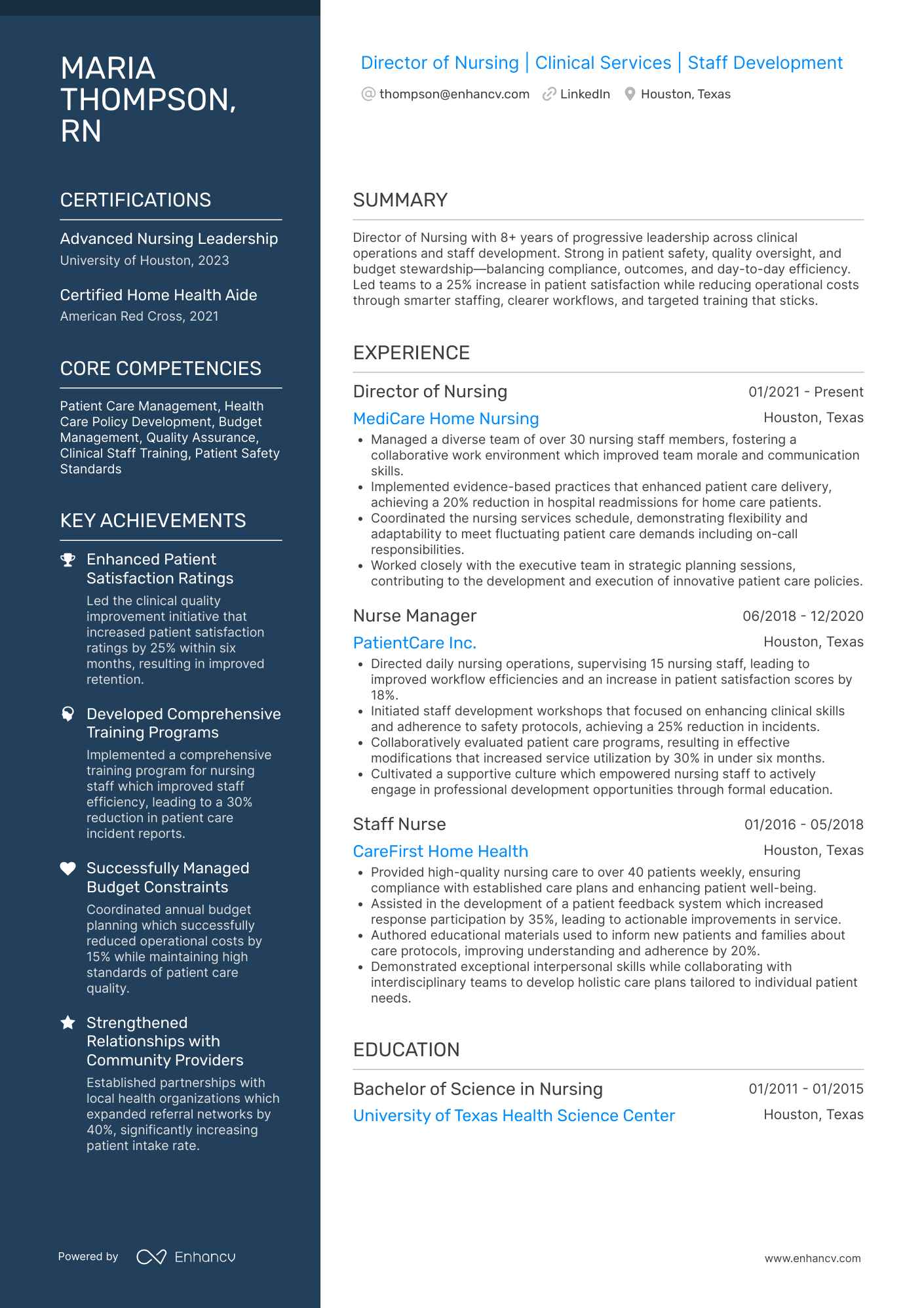
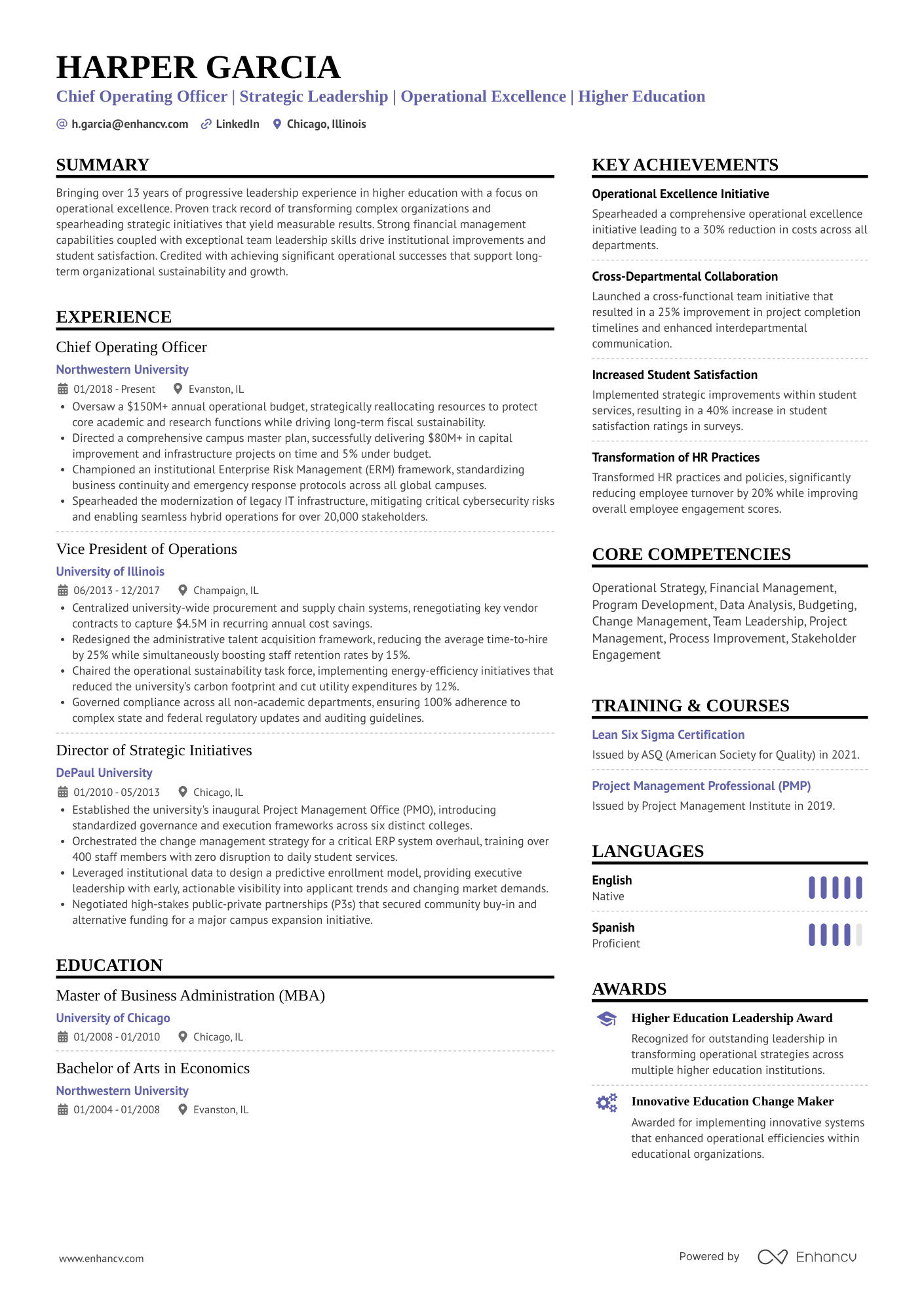
Pick a structure built for a full career, like the Double Column or Ivy League, with room for 10+ years of success. It reads as senior at a glance,and keeps a long track record from looking like clutter.
2. Turn duties into results
Recruiters want to see your achievements through specific examples and data. Add your experience, and then you can use Enhancv’s AI to reword different parts with active language and quantifiable results. You bring the facts while the AI sharpens the framing.
Before
Responsible for managing the sales team and hitting targets.
After
Led a 12-person sales team to 128% of quota, adding $3.4M in new revenue over two years.
The second version hands a recruiter the scope and the outcome in one read.
3. Tailor it to the role
Enhancv's AI Resume Tailoring analyzes any job ad and customizes your resume to match it—keywords, skills, and accomplishments included. You tune one strong resume to each role you want in minutes.
4. Check it against the ATS before you send
Enhancv’s ATS Resume Checker runs 27+ checks across content, layout, and formatting, then gives you a tailoring score that guides you on what you need to improve. It flags the keywords the job ad wants that your draft is missing, so you close the gap before you apply.
In the Enhancv AI Resume Builder, you can also see what the ATS reads versus what a recruiter sees, so nothing gets stripped out before a recruiter sees it.
Is your resume good enough?
Drop your resume here or choose a file. PDF & DOCX only. Max 2MB file size.
The writing, tailoring, and ATS feedback all happen in the builder, so your time goes to the judgment calls a senior search turns on.
What does a senior resume look like in Enhancv?
You start from a recruiter-tested layout, then the AI builder fills it with content that lands interviews. The result reads senior, whichever starting point you pick. These are judged on whether they get read and get you shortlisted, not on how they look.
Every one of these resumes was built in the Enhancv builder to win interviews.
Double-column: Surfaces the operations you've run and the results behind them, so a board sees your scope and impact in seconds.
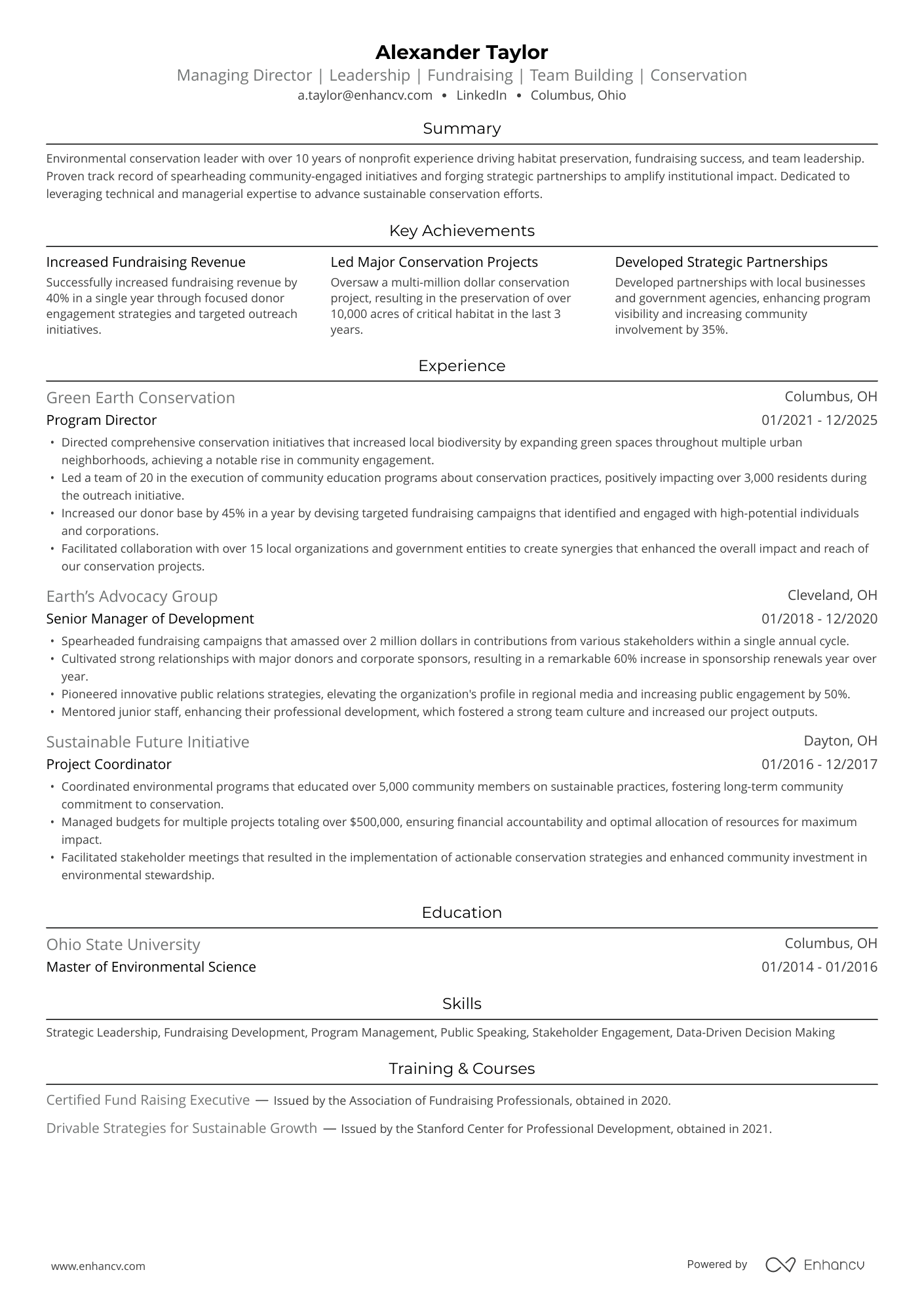
Ivy League: Puts a long, senior track record first, in a format that recruiters favor.
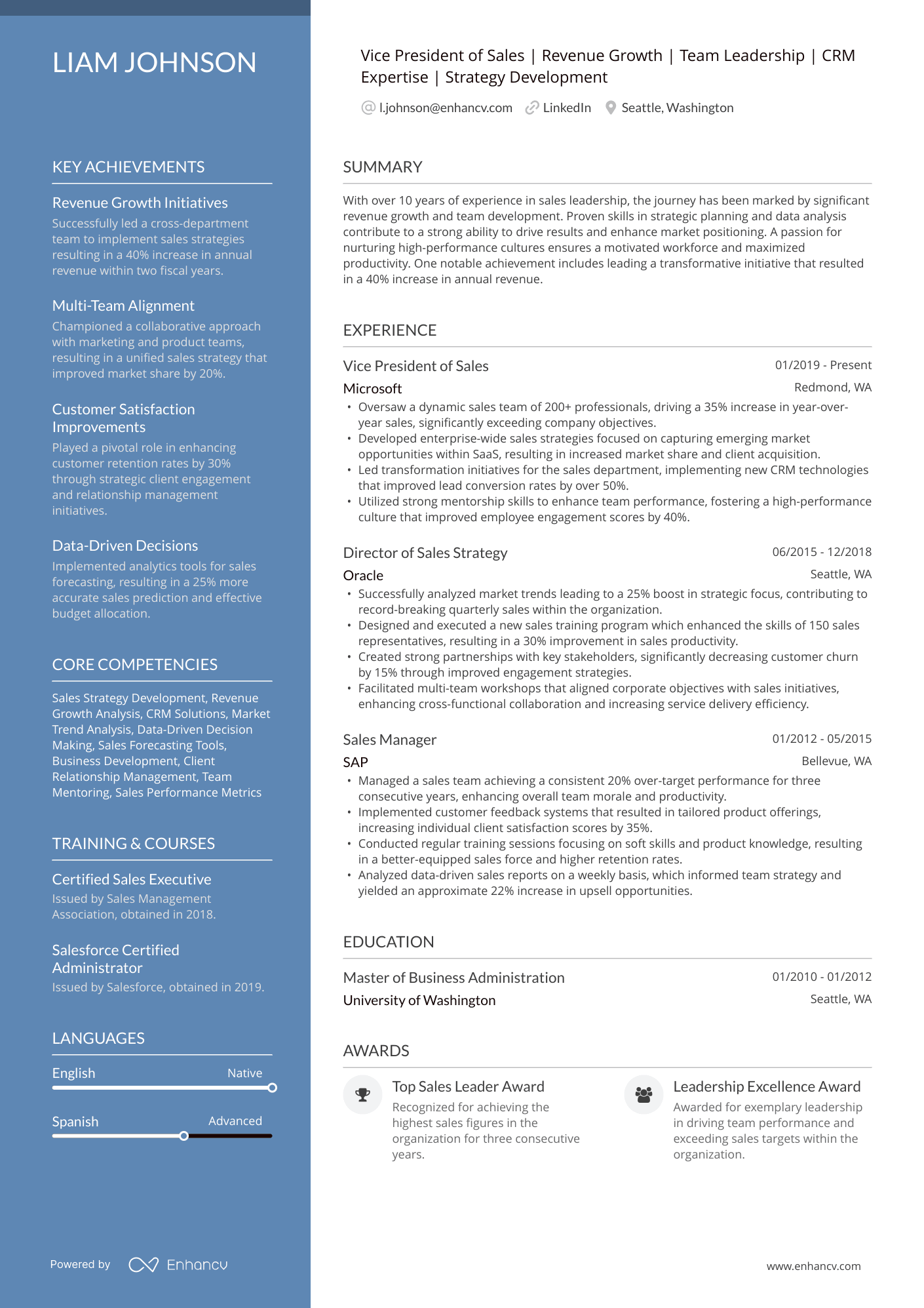
Polished: Leads with quota, revenue, and growth—the numbers a sales leader gets judged on.
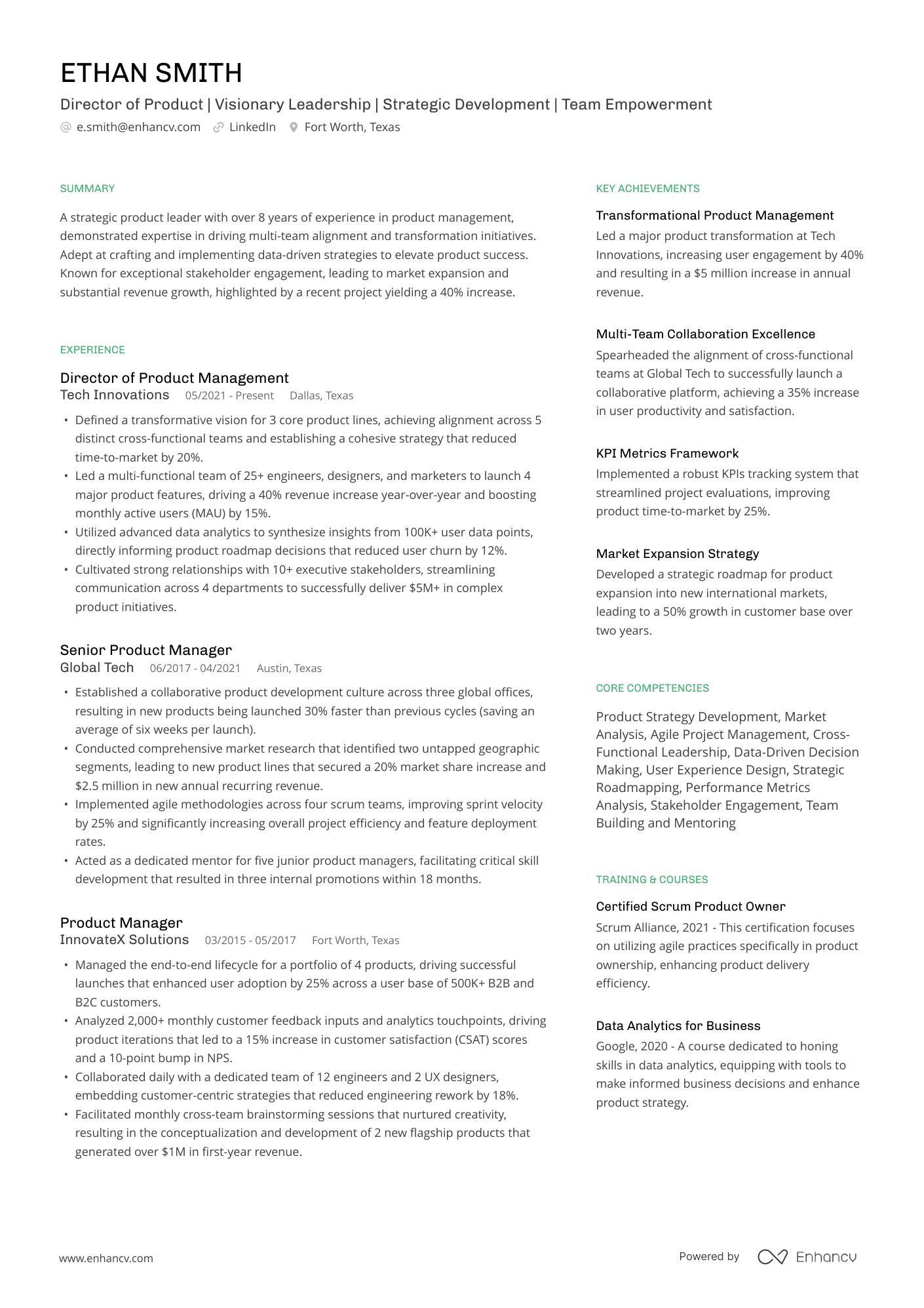
Modern: Foregrounds the products you've shipped and the outcomes they drove.
Every template here is tested with all major ATS software. They all export to PDF, and the built-in checker confirms your resume parses before you send it.
Enhancv is the right choice for senior professionals
We put Enhancv head-to-head against the major resume builders and let senior professionals decide.
For each study, an independent recruiter interviewed 30 senior-level respondents—managers, directors, VPs, and C-suite leaders, median age 40, most earning six figures.
Each participant tested their resume in both Enhancv and a competitor, then gave a final verdict.
Across four studies, Enhancv won every time and the margins kept growing:
- Enhancv vs. Zety (Enhancv won with 17 votes out of 30)
- Enhancv vs. MyPerfectResume (Enhancv won with 19 votes out of 30)
- Enhancv vs. ResumeGenius (Enhancv won with 21 votes out of 30)
- Enhancv vs. TealHQ (Enhancv won with 24 votes out of 30)
What the votes came down to
Across the four studies, the same things decided it. Senior professionals were weighing whether a tool passes the ATS, whether its AI does the writing or leaves it to them, how easy it is to use, and how well it tailors across roles. Enhancv came out ahead on each.
- The ATS check: Pasting a job ad and getting a match score with the missing keywords flagged was the feature people brought up most.
- The AI did the work: The builder rewrote bullets instead of handing the task back. As one participant, an HR manager with two decades of experience, summed it up: "Enhancv's AI did the writing for me." The competing tool left it to her.
- Ease of use: The tool was voted easier to work with, compared to competitors.
- Tailoring across roles: Testers could run several job descriptions in sequence and see exactly where each version stood.

A note on templates
There's an assumption that resume builders are aimed at entry-level applicants and that using a template will make senior experience look junior or unprofessional. So plenty of senior professionals play it safe and build their resumes in plain Word or Google Docs. Some templates do look junior, true. The fix is a template built to carry weight, not a bare document.
In a Q1 2026 controlled Enhancv study, U.S. recruiters made 250 selection decisions between matched candidate pairs (125 each). Every pair was identical except for the template: a standard Word layout versus Enhancv.
The Enhancv version was picked 12% more often than the identical Word one. A Word document isn't the safe bet it feels like.
Templates for every career path
We study how hiring actually works across different companies and fields, which is why the library runs from Ivy League and minimalist layouts for conservative roles to bolder, portfolio-ready designs for creative ones. Same builder, same ATS-friendly foundation, whichever end you need.
This article focuses mainly on senior professionals, but Enhancv's range doesn't end there.
We are also suitable for:
First-time job seekers
Entry-level examples, functional formats that lead with ability over experience, and built-in scoring give you a strong foundation from day one. Even without full-time experience. Custom sections let you add projects, volunteering, and coursework, and the AI builder helps you draft the content as you go.
- Templates to use: Single Column, Ivy League, Contemporary, Classic
- Suitable for: Summer job applicants, recent graduates, students entering the workforce
Professionals who want structure and ATS-friendly resumes
Clean templates that tailor to the job ahead, not just the roles behind you, surfacing transferable skills and measurable results. Run the Resume Checker for an ATS score and targeted fixes, then let our AI Resume Tailoring match your resume to each posting.
- Templates to use: All of Enhancv’s templates are ATS-friendly
- Suitable for: Career switchers, tech and product professionals, freelancers
Traditional and conservative industries
Formal, recruiter-favored layouts for fields where convention matters: law, finance, government, academia, healthcare. The in-app ATS check shows what the system reads versus what a recruiter sees, so a conservative resume still parses cleanly and holds up under panel review..
- Templates to use: Ivy League, Elegant, Classic, Timeline, and the Traditional Collection
- Suitable for: Lawyers, accountants, civil servants, academics, clinicians
Creative professionals
For fields where a portfolio is part of the pitch. Get full control over fonts, colors, and layout with custom sections for side projects and an ATS-friendly foundation underneath.
- Templates to use: Creative, Contemporary, templates with logos
- Suitable for: Marketers, designers, freelancers, artists
When Enhancv isn't the move
No builder is perfect for everyone.
Here's where Enhancv asks something of you and what you get for it.
- It's a premium builder: Enhancv isn't the cheapest option, and it doesn't try to be. The price covers the ATS match scoring, the AI that rewrites to the role, and templates built to recruiter standards. For a targeted senior search, where a single offer can reshape your year, it tends to pay for itself fast.
- It's built for desktop: There's no app in the App Store or Google Play, and the experience is strongest on a larger screen, where the full editor, drag-and-drop layout, and ATS checks have room to work. There's a mobile version if you need to make a quick edit, but if you're doing the real work of a senior search, you'll want a desktop.
- It hands you the controls, not a wizard: Instead of a rigid step-by-step flow, you get real control over content and layout. It takes a moment to see how the pieces fit, and in return, you're not boxed into a locked form. Most people prefer that trade once they're in.
- The layout adjusts to your career length: Enhancv's layouts are content-rich, built to show a full career well. If you're worried about looking sparse, the sections, columns, and spacing all adjust, so the same template holds up whether you're filling two pages or one.
None of these are dealbreakers for the reader Enhancv is built for: a senior professional at a desk with a career worth laying out well. They're the trade-offs that come with a tool that does more than fill in a form.
Frequently asked questions
If you're still weighing it, here are the answers that tend to decide it.
Who is Enhancv for?
Enhancv is the best overall resume builder for experienced professionals and executives. It gives leadership, numbers, and achievements a structured, one-to-two-page format, with AI tailoring and ATS compatibility in one tool.
Is Enhancv good for senior professionals and executives?
Yes. In four head-to-head studies, senior professionals (managers, directors, VPs, and C-suite) chose Enhancv over the major resume builders. The most-cited reason was its ATS feedback.
Does Enhancv pass ATS?
Every template is tested with all major ATS software, and the built-in checker confirms your own resume parses before you send it. It also flags the keywords a job ad wants that your draft is missing.
Can Enhancv help career changers?
Yes. If you’re switching careers, the AI rewrites your experience around transferable results instead of past titles, so a long record in one field reads clearly for a role in another.
Is Enhancv a good choice for entry-level candidates?
Enhancv is built for experienced professionals, so entry-level isn't its main focus. The content-rich layouts are at their best when you have a full career to fill them. With less to show, you can adjust the spacing and sections to keep the layout looking full, or start from a simpler template like Single Column.
Is Enhancv worth it for a senior search?
Enhancv is a premium tool, not the cheapest option. For a targeted senior search where one offer can reshape your year, the comprehensible options of the builder tend to earn back the cost fast.
Final verdict: So, who's Enhancv for?
Enhancv is built for senior professionals with real scope to show—who need it to land with the ATS and the person reading next. If that's you, Enhancv turns a long career into a resume that gets shortlisted, with AI support, ATS scoring, and job tailoring in one place.
Start from a recruiter-tested template and build your senior resume in minutes—available with a seven-day trial.
Make one that's truly you.