In a 2026 job market where standing out is often confused with "looking flashy," many professionals turn to Canva. It’s built a massive reputation as an accessible, design-forward platform for everything from presentations to portfolios—including resumes.
But here’s the critical distinction: Canva is a design platform that includes resume templates. It’s not a career-focused resume optimization tool. Its layouts lack the built-in career architecture—like ATS validation, content scoring, and content-first structure—that dedicated resume builders provide.
As a CPRW, I tested Canva to evaluate the resume-building experience—where it offers flexibility, where it creates friction, and what tradeoffs job seekers should expect.

Canva’s key features for resumes
- Access to thousands of community-madelayouts that prioritize visual storytelling and high-end aesthetics over traditional formatting.
- Job and Resume AI App that generates tailored summaries and bullet points by analyzing your experience against a specific job description.
- A general-purpose AI assistant that can instantly rewrite, summarize, or expand your resume sections to overcome writer's block.
- Complete creative freedom to move every icon, text box, and margin, allowing you to create a custom professional brand.
- Options to download your resume as a PDF, JPG, or PNG, or even publish it as a live, interactive resume website.
Canva onboarding
Canva offers two major ways to build your resume. Which one you choose determines whether you’re treated as a designer or a job candidate.
Website entry
When you sign up and search "Resume" on the homepage, you’re entering a digital art studio. You’re presented with thousands of resume templates within a platform that offers millions of designs overall.
The onboarding here focuses on colors, fonts, and looks, offering no guidance on career strategy or applicant tracking system (ATS) logic.
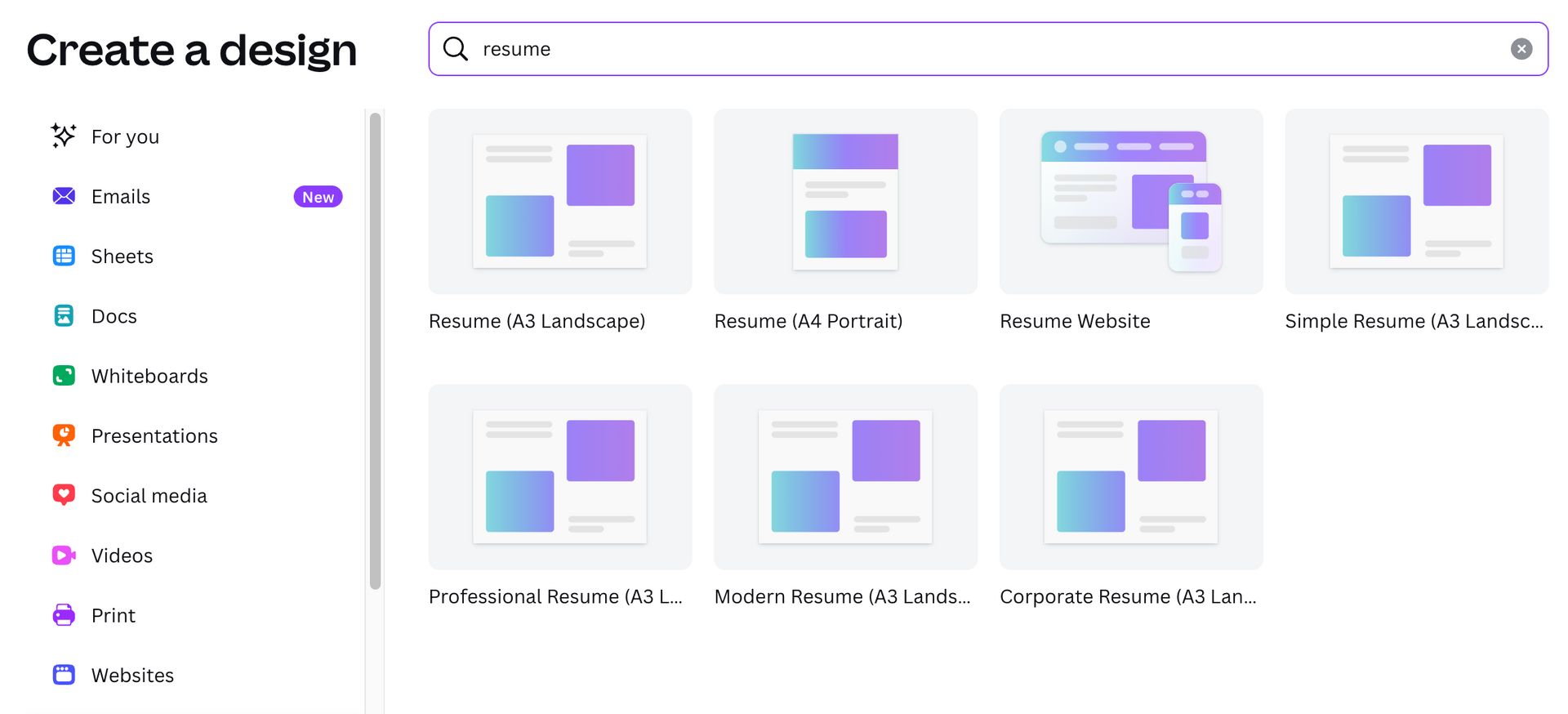
By offering options like "A3 Landscape" or "Resume Website," the platform encourages you to choose a layout based on artistic boldness rather than recruiter expectations. In the industry, however, every resume must be modern and professional by default. This path encourages choosing a template based on aesthetic preference rather than recruiter-informed structure.
AI builder entry
If you enter through the Job and Resume AI (JARA) app, the experience shifts from design to data. However, users should be wary: this is a third-party application. By using it, you’re bypassing Canva’s native resume-building experience in favor of an external developer's tool.
Things to be careful about:
- You’re prompted to paste your existing resume and a target job description. Before you click "Generate," remember that you’re sharing your personal data with an external entity.
- Because JARA is not proprietary, it doesn't always have "permission" to automatically format your resume. It provides the "ingredients" (summaries and bullets), but it can’t cook the meal. You still have to manually align that text with a template.
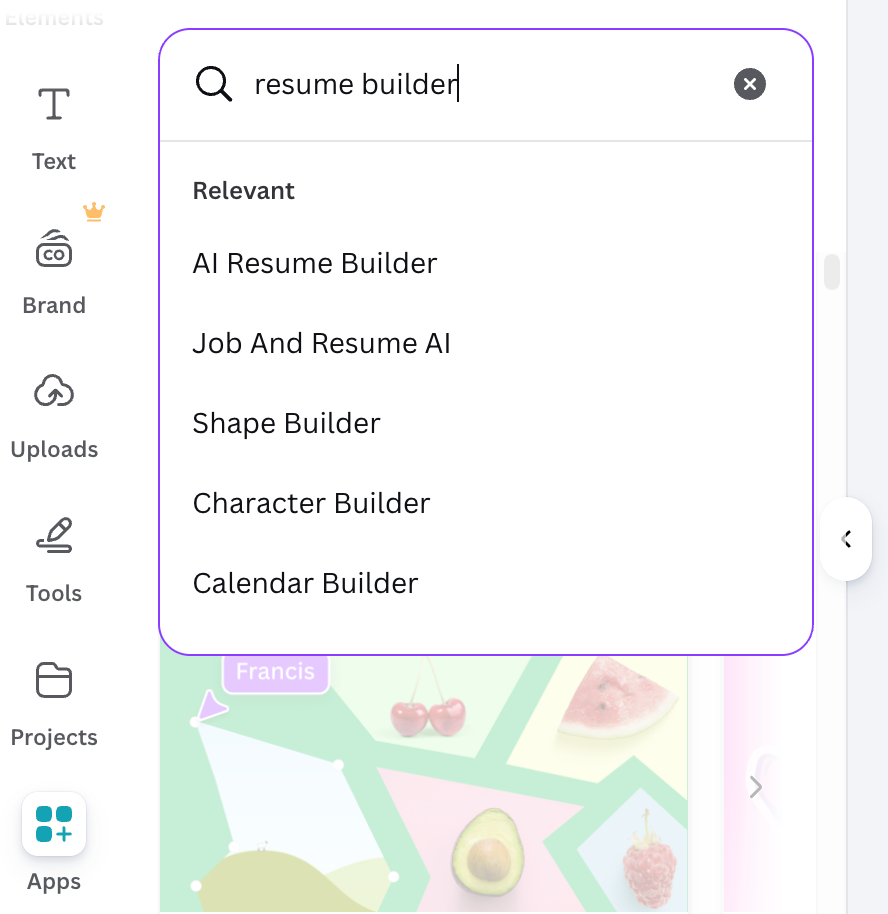
The fact that Canva relies on a third-party app for its specialized resume logic is a big red flag for high-level candidates. In a senior search, your data is your most valuable asset.
Dedicated builders keep everything in-house, ensuring your data is protected by a single, professional-grade security standard.
Author’s take
Canva templates
Canva’s primary draw is its sheer volume of design options—thousands of templates that feel light-years ahead of a standard Word document. However, your ability to access these templates depends on how you enter the tool. Because Canva hasn't fully merged its design engine with the AI app, users often find themselves in a template gap.
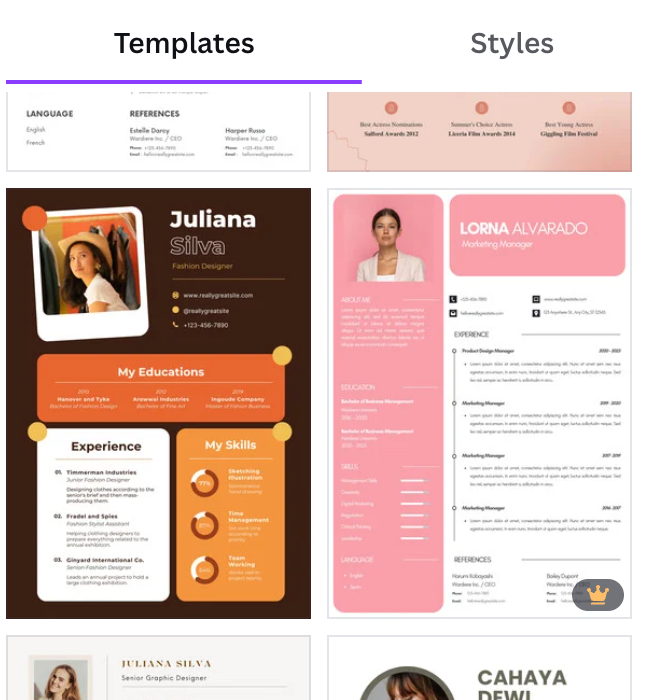
Design-first path (homepage search)
If you search for "Resume" on the Canva homepage, you get the classic experience: a wall of stunning, designer-made layouts.
- Benefit: You have total control over limitless color palettes and modern font pairings.
- Problem: You’re choosing a layout before you’ve written a word. Because these are static designs created by artists, not recruiters, they often feature complex grids and progress bars that are notoriously difficult for ATS software to parse.
These templates are often incredibly difficult to edit for non-designers. Since they rely on manually placed, often "grouped" text boxes, adding even one new line of experience can break the entire alignment.
Unlike a dedicated career tool that expands as you type, Canva templates are static. If your AI-generated experience is longer than the placeholder box, the text won't "flow" to the next page. You must manually shrink your font or move every other element on the page to make it fit, often destroying the professional alignment you chose the template for in the first place.
AI-first path (third-party resume-building app)
If you start from the Job and Resume AI app, the experience becomes content-first.
- Benefit: You get a structured workflow where you paste your experience and optionally a job description to generate tailored bullet points, summaries, and resume-ready phrasing quickly.
- Problem: Because you’re entering through the AI tool, you either begin with an existing layout or a blank page. Templates aren’t removed, but they’re not the focus upfront. You’ll need to manually adjust the design to make the content look professionally formatted.
In practice, this can lead to more time spent tweaking text boxes and layout details than refining your actual career story—especially for users who aren’t comfortable with design tools.
Canva resume editing
Canva is usually marketed as a design tool first, and that shapes how its resume experience feels in practice. For writers and job seekers alike, that’s both an advantage and a constraint, especially when you compare it to dedicated resume-writing platforms.
No centralized content database
One of the most significant hidden costs of using Canva is its lack of a centralized content database.
In a dedicated resume builder, your experience, skills, and achievements are stored independently of the design—usually, in a master resume. If you want to preview a different layout, the platform simply repopulates that template with your saved data.
Canva does not work this way.
Your content lives inside individual text boxes. If you want to try a new template, you may need to manually adjust formatting—or rebuild sections entirely. Over time, this turns what should be a strategic update into a formatting exercise.
Customization
When you start a resume in Canva, you’re immediately in a visual editor. You select a layout, then drag, drop, and type. The experience feels like graphic design software that has resume templates built in, rather than a resume writer’s toolkit.
What this means in practice:
- You have full control over layout, colors, fonts, spacing, icons, and sections. That’s great for creative or branding-focused resumes.
- You can create layouts that look fantastic, but often at the expense of clarity and hierarchy that hiring managers and ATS systems favor.
From a CPRW perspective, beautiful design is not the same as an effective resume. Recruiters prioritize clarity, hierarchy, and scannability. Canva gives you the freedom to achieve that—but it doesn’t enforce it.
Without guardrails, design flexibility can quietly undermine readability.
Author’s take
ATS compatibility
In 2026, hitting "submit" without an ATS-friendly resume can be career suicide. Most companies use this software to parse your document into searchable fields like "Job Title" and "Skills". The problem is that these systems are built to read text-based logic, not graphic-based layers.
Here’s what happens:
- An ATS reads a document from left to right, top to bottom. Because Canva uses floating text boxes, the software often sees your content as a jumbled mess. Complex layouts can disrupt parsing, potentially misplacing sections or reducing keyword recognition.
- If a template uses graphics to show skill levels (like progress bars or "4 out of 5 stars"), the ATS sees a blank space. You could be the perfect candidate, but if the machine can't extract the text, you simply don't exist in the recruiter's database.
- In some export settings, design-heavy PDFs may reduce text accessibility or complicate parsing.
So, if you ever wonder if the ATS rejects your resume, the answer is—it can.
I've seen a lot of people making resumes in Canva with pictures and interesting fonts, but traditional is best. It’s clean and allows us to scan quickly. There are times when Canva resumes—especially those with many pictures—cause our ATS to fail or say 'file not found.' You could be a phenomenal candidate, but if the system won't understand the file, we can't find you.
Gabriella Castro, talent acquisition specialist
Downloads and formatting limitations
Canva offers unmatched visual flexibility—but fewer professional safeguards.
A few issues:
- No native Word (.docx) or plain text export: Many recruiters and older ATS systems still prefer editable Word files.
- Manual page breaks: If your resume extends beyond one page, you must manually create and align a second page.
- Static layout structure: Content doesn’t automatically reflow across structured resume sections the way database-driven builders do.
For experienced designers, this is manageable. For the average job seeker, it can become time-consuming.
Cover letters
Canva offers thousands of professionally designed cover letter templates. However, they exist independently from your resume.
There’s no automatic “Matching Cover Letter” button tied to your chosen resume layout. If you want visual consistency, you must:
- Select a separate cover letter template.
- Manually match fonts, spacing, and color schemes.
- Ensure the branding aligns with your resume design.
On the content side, Canva’s community-built Job & Resume AI app can generate a draft cover letter based on your experience and a specific job description. That’s helpful for getting started.
However, the AI doesn’t automatically sync with your resume’s structured content, nor does it validate whether the letter strategically reinforces your positioning. You still need to review and refine it to ensure alignment, tone, and persuasive flow.
In other words, Canva can help you draft a cover letter quickly—but it won’t automatically integrate it into a cohesive career narrative.
Drop your resume here or choose a file.
PDF & DOCX only. Max 2MB file size.
AI writing
Canva’s AI capabilities come in two forms:
- Magic Write, its general-purpose writing assistant,
- And the external Job and Resume AI app, which is more explicitly designed for career documents.
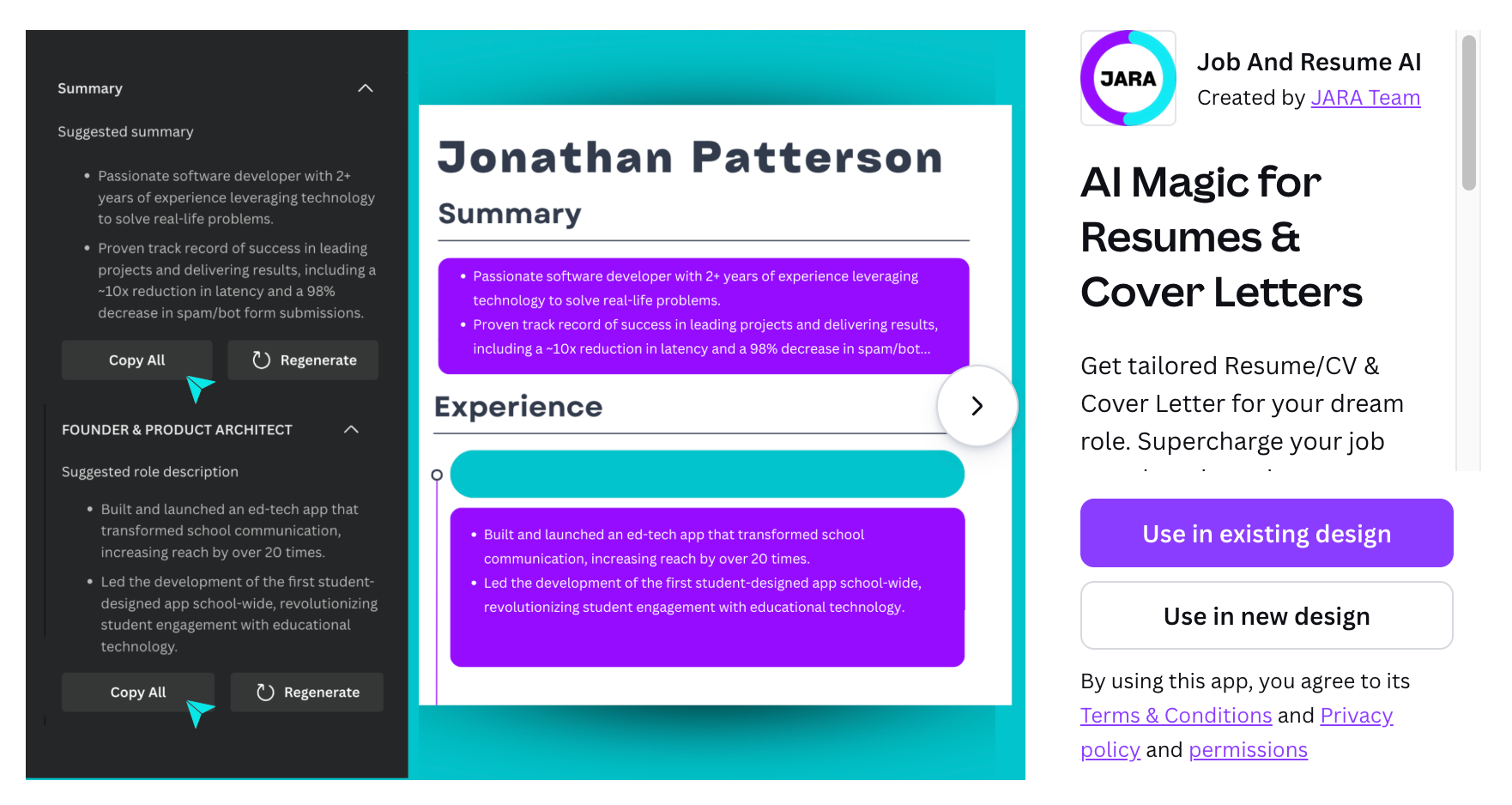
Both can help generate resume text quickly, and the resume app can even produce content based on a job description, including tailored bullet points and draft cover letters.
That said, the AI that Canva utilizes in its specialized apps still operates more like a writing accelerator than a career strategist.
For resumes, it can:
- Rewrite bullet points
- Summarize experience
- Generate draft content or cover letter language tied to a role
But it lacks the deeper resume-specific logic that experienced professionals typically need.
Here’s why that matters:
- It doesn’t consistently push for quantified impact.
- It doesn’t flag weak or duty-only bullet points.
- It doesn’t validate ATS keyword alignment beyond surface-level rewrites.
- It won’t tell you whether your narrative is truly competitive for your target level.
During my testing, the blurred lines between Canva’s native tools and these community apps forced me to rewrite my content several times—not because I lacked the words, but because I simply couldn't understand what was going on.
I found myself stuck in a loop, trying to figure out the 'best' way to build a resume in a system that doesn't really have one. Is it really a unified AI resume builder? Not quite.
I was shocked to realize that by using these external apps, you often step outside Canva’s privacy umbrella. Your sensitive career history and personal data may be handled by a third-party developer with their own rules. For a senior professional, that lack of transparency and the time wasted redoing work is a high price to pay for a few 'free' bullet points.
Author’s take
Magic Write and the AI resume builder are useful for getting words on the page fast—but they don’t replace the strategic guidance, content scoring, or career coaching built into dedicated resume platforms.

PRO TIP
Canva emphasizes that its AI includes safeguards to prevent harmful or inappropriate outputs. These protections are important from a platform safety standpoint, but they relate to content moderation, not resume quality.
The AI will stop you from generating prohibited material. It won’t stop you from submitting a weak, inflated, or strategically misaligned resume.
For job seekers, that distinction matters.
ATS checker and content improvement
This represents the most critical gap for serious applicants: Canva offers no active resume-specific protection or validation. To be fair, it never claims to—the platform is built to perfect a design’s aesthetic, not a candidate’s professional competitiveness.
Canva does include AI safety moderation to prevent harmful or inappropriate content, but it doesn’t provide the career-focused guardrails found in dedicated resume builders.
Specialized platforms flag weak bullet points, missing metrics, typos, or unexplained employment gaps, while Canva treats a visually complete document as “finished,” even if the content is strategically incomplete.
There’s also no integrated ATS checker to warn you if your resume becomes unreadable to parsing software. You’re essentially flying blind—hoping your design choices haven’t accidentally scrambled your data and disqualified you before a recruiter ever sees it.
Is your resume good enough?
Drop your resume here or choose a file. PDF & DOCX only. Max 2MB file size.
Canva user reviews
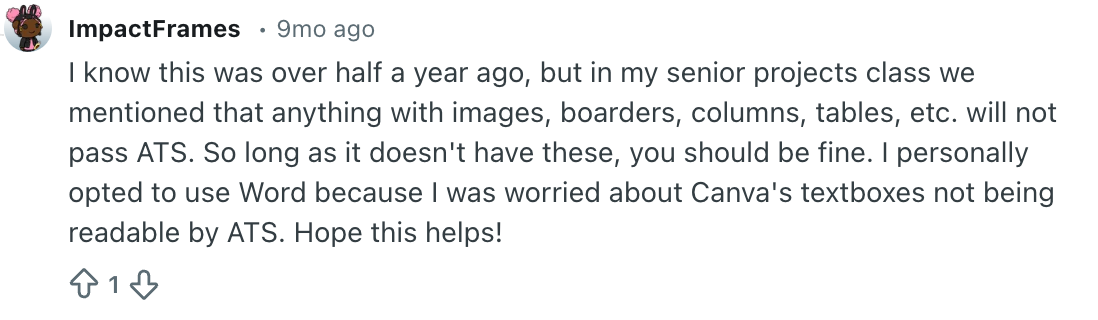
If you search for Canva resumes on Reddit or LinkedIn, you’ll find a noticeable divide.
On one hand, some recruiters and career professionals caution against heavily designed resumes for online applications, especially when submitted through applicant tracking systems.
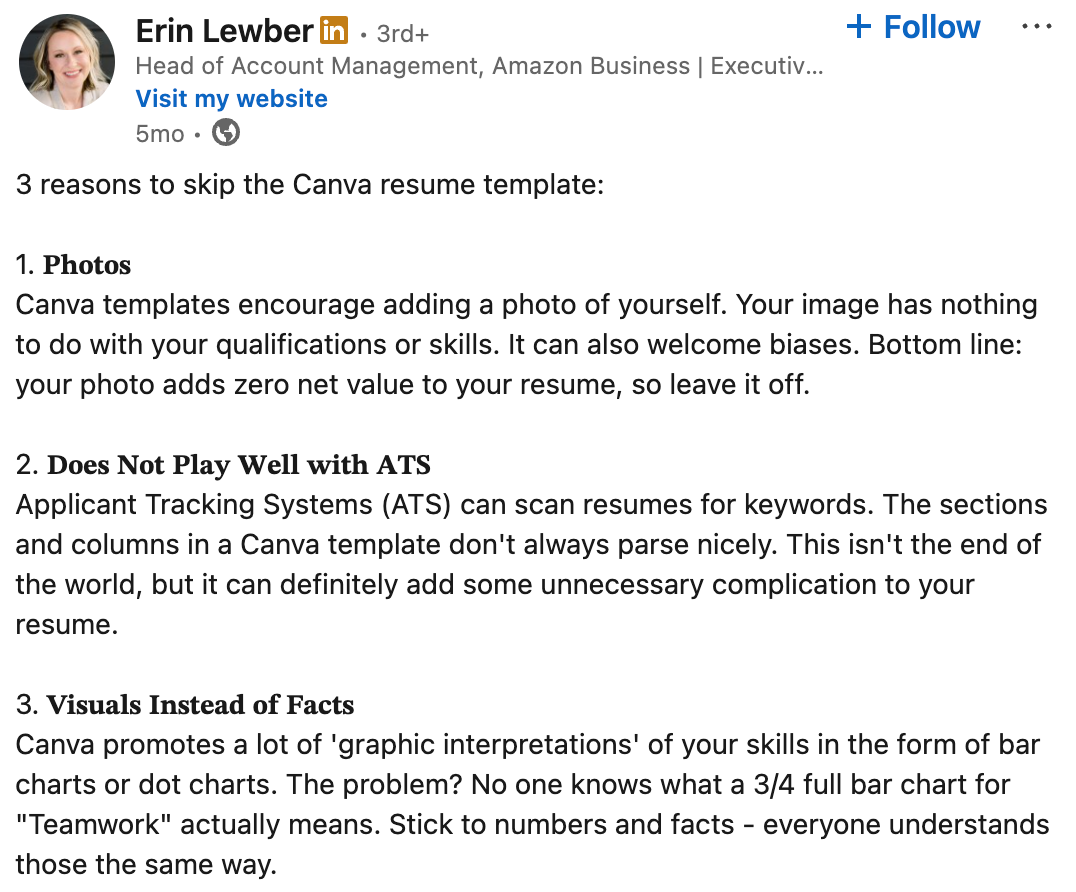
On the other hand, many blogs and “best resume tools” lists rank Canva highly for its ease of use, visual polish, and accessibility.
This contradiction exists because Canva performs very well at one part of the process: design.
In Reddit communities like r/resumes, concerns about Canva typically center around formatting and ATS readability. Some users report improved response rates after switching from multi-column Canva templates to simpler, single-column formats.
It’s difficult to attribute interview outcomes to design alone, but the pattern reflects a broader industry preference—structured, text-first resumes tend to parse more reliably than visually layered ones.
Canva pricing
Canva is free to start, which is a major reason it remains so popular among students and first-time job applicants. The free plan includes access to many resume templates and basic editing tools.
However, some of Canva’s most polished design elements—such as premium templates, fonts, and export options—are locked behind Canva Pro, which is billed as a subscription. You can try it and cancel free of charge before the 30-day trial period expires.
Canva Pro individual pricing as of February 2026:
- Monthly subscription:$12.99 per month (billed monthly).
- Annual subscription:$119.99 per year, which breaks down to about $9.99 per month when paid upfront.
For job seekers, the key pricing nuance is this: Canva charges for design upgrades, not career outcomes. You’re paying for aesthetic flexibility, not ATS validation, resume scoring, or structured career guidance.
In other words, Canva can be a budget-friendly way to create a visually strong resume—but it’s not a full replacement for a dedicated resume platform.
Who is Canva best for?
Canva is best suited for candidates who prioritize visual impact and design flexibility over specialized career tooling. It’s a "storytelling" platform first and a resume builder second.
Canva works particularly well for:
- Creative professionals: Those in design, marketing, or photography, where the resume acts as a mini-portfolio of aesthetic intuition.
- Direct-to-human applications: Candidates applying to small businesses, startups, or through networking, where the document goes straight to an inbox rather than an ATS.
- Early-career experimentation: Students or entry-level applicants who need a clean, one-page look without the cost of premium builders.
- In-person networking: Job seekers attending career fairs or interviews where a high-quality print layout creates a strong physical impression.
Canva is a less ideal fit for:
- Senior executives: Professionals with 10+ years of experience whose complex histories won't fit into Canva's rigid, static text boxes without becoming unreadable.
- Corporate applications: Anyone applying to large companies through online portals where ATS-heavy pipelines will likely scramble design-heavy layouts.
- Strategic job seekers: Users who need more than just "pretty" text and require built-in keyword checking, content scoring, or active recruiter feedback.
Ultimately, Canva is a powerful design platform that can produce beautiful resumes—but the user is responsible for the heavy lifting. While the AI can help you write, you alone are the architect ensuring the final document is machine-readable and strategically competitive.
Canva vs. Enhancv
Canva is an incredible playground for visual storytellers and those in creative niches who want to make a bold first impression. It democratizes design, allowing you to build a resume that looks more like a high-end portfolio than a document.
However, if you’re an experienced professional who found resume formatting in Canva frustrating, you need a tool built for career logic, not graphic design.
Unlike Canva, Enhancv is an intelligent resume builder designed to handle the weight of a long career history without the formatting headache.
Why Enhancv is the choice for seasoned professionals:
- Automation over manual labor: Enhancv’s content-aware editor does the work for you. As you type, the layout shifts and adjusts margins automatically, keeping your formatting perfect and your time focused on your story.
- Architecture built for the machine: Enhancv uses a verified, machine-readable structure. You get the visual "pop" of a modern design with the peace of mind that every keyword is being indexed correctly by recruitment software.
- Master resume: Enhancv stores your data independently. You can swap between a dozen professional templates in one click without ever having to copy-paste your experience again.
- Strategic content guardrails: Enhancv’s AI and content analyzer act as a digital career coach. It flags weak bullet points, identifies missing industry keywords, and ensures your senior-level achievements are quantified for maximum impact.
- Built-in ATS Checker: Beyond just "looking" safe, Enhancv includes a real-time ATS score. It mimics how an AI-based scanner reads your document, flagging keyword gaps and formatting issues before you hit "submit" so you can fix them directly in the builder.
Conclusion
Ultimately, your choice of tool depends on your career stage and where your resume is headed. Canva’s design-first flexibility is an unmatched asset for storytelling. However, for 90% of senior-level applications in 2026, the risk of technical rejection or manual formatting fatigue is too high.
A resume's primary job is to land you an interview call. You have to make sure it’s searchable and structured. If the design prevents a recruiter from finding your impact, the resume has failed its purpose. For those with a complex history and no time to waste on manual editing, choosing a specialized builder is the safest way to ensure your story gets read.
Make one that's truly you.