


ATS-Friendly Resume Templates
ATS-friendly resume templates aren’t about beating the system. Most ATS don’t reject resumes—what matters is how clearly you present your experience.


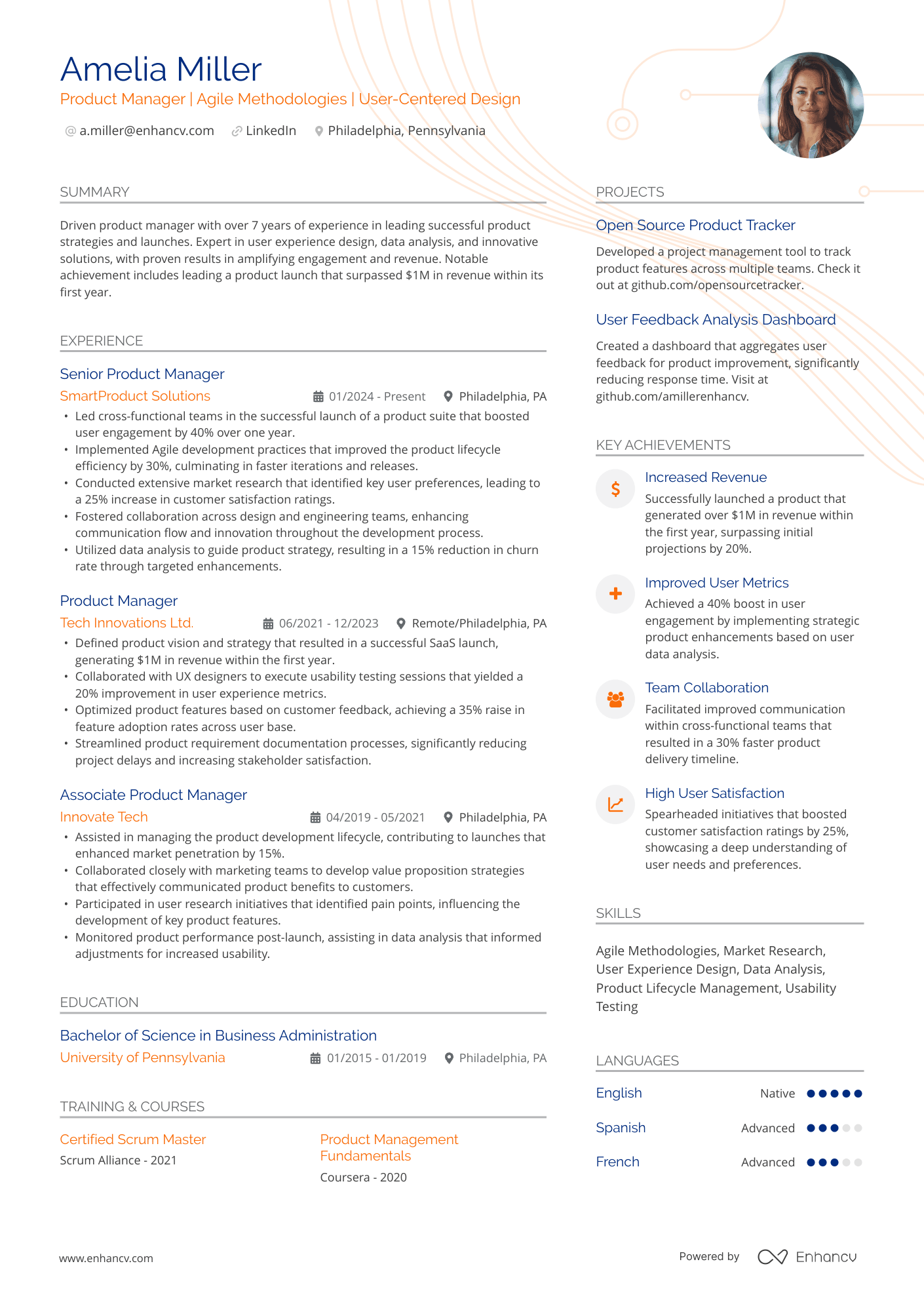
Modern
A clean and structured template that fits detailed experience on a single page while remaining easy to read—making it a strong, ATS-friendly choice for many roles.
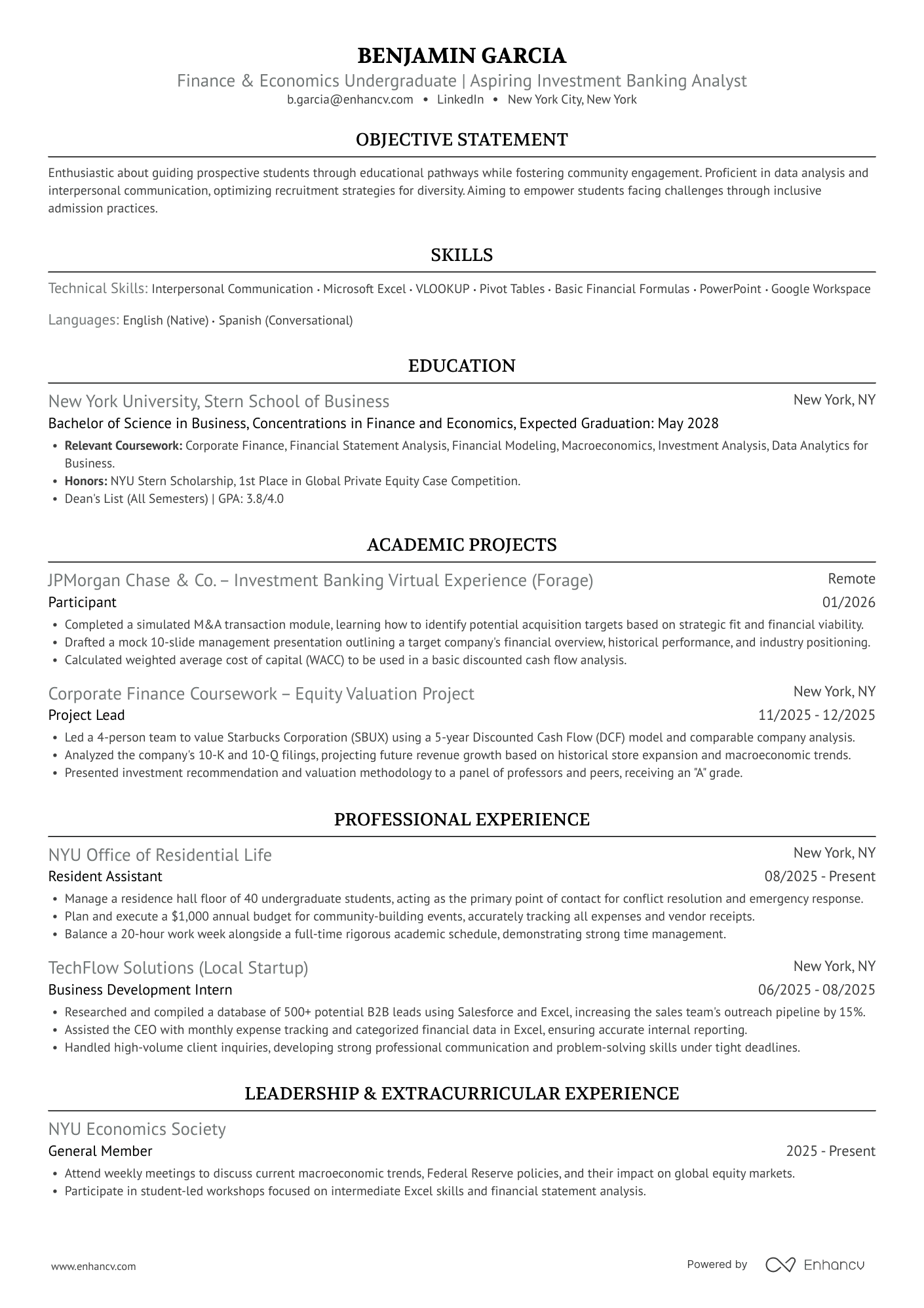
Ivy League
A modernized Harvard template featuring a stand-out design and a sophisticated feel. Compact enough to fit a stand-out section like a tailored summary and a strengths section, yet features enough white space.
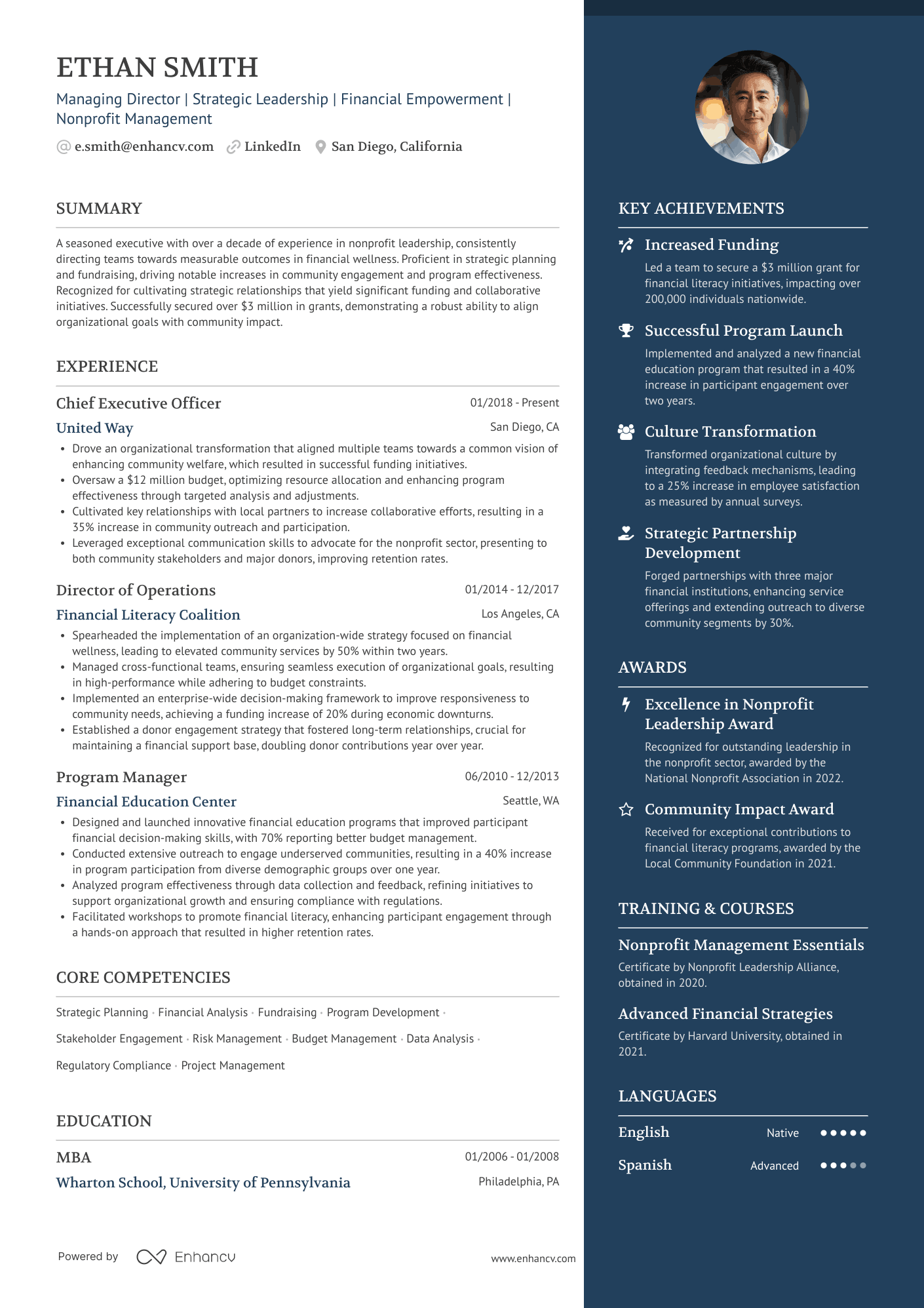
Elegant
A beautiful template that highlights the strengths & uniqueness of the applicant in a dedicated column, while leaving most of the space for the employment history & education.
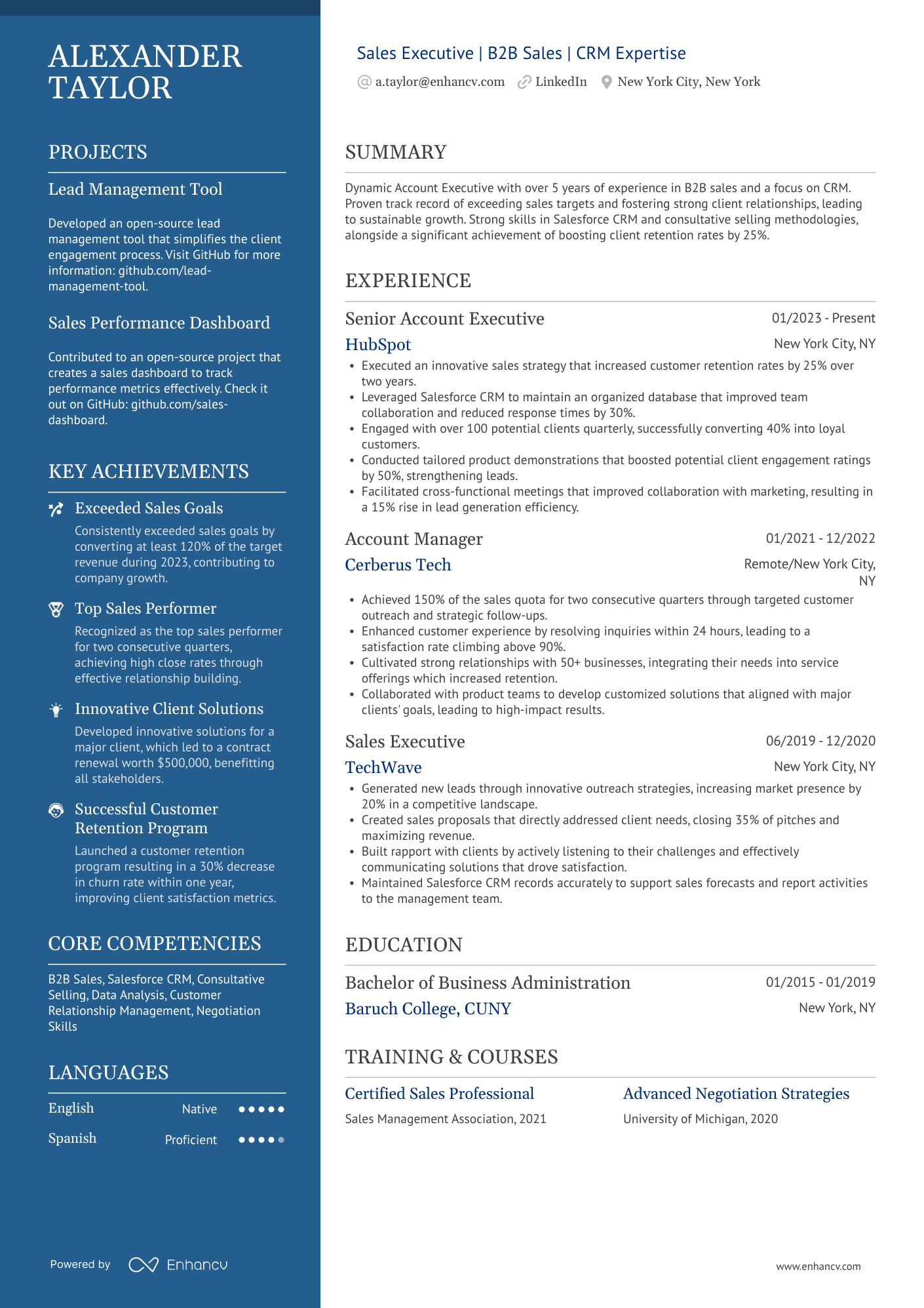
Polished
A stand-out design that looks professional, but also invites the recruiter to spend more time on the resume.
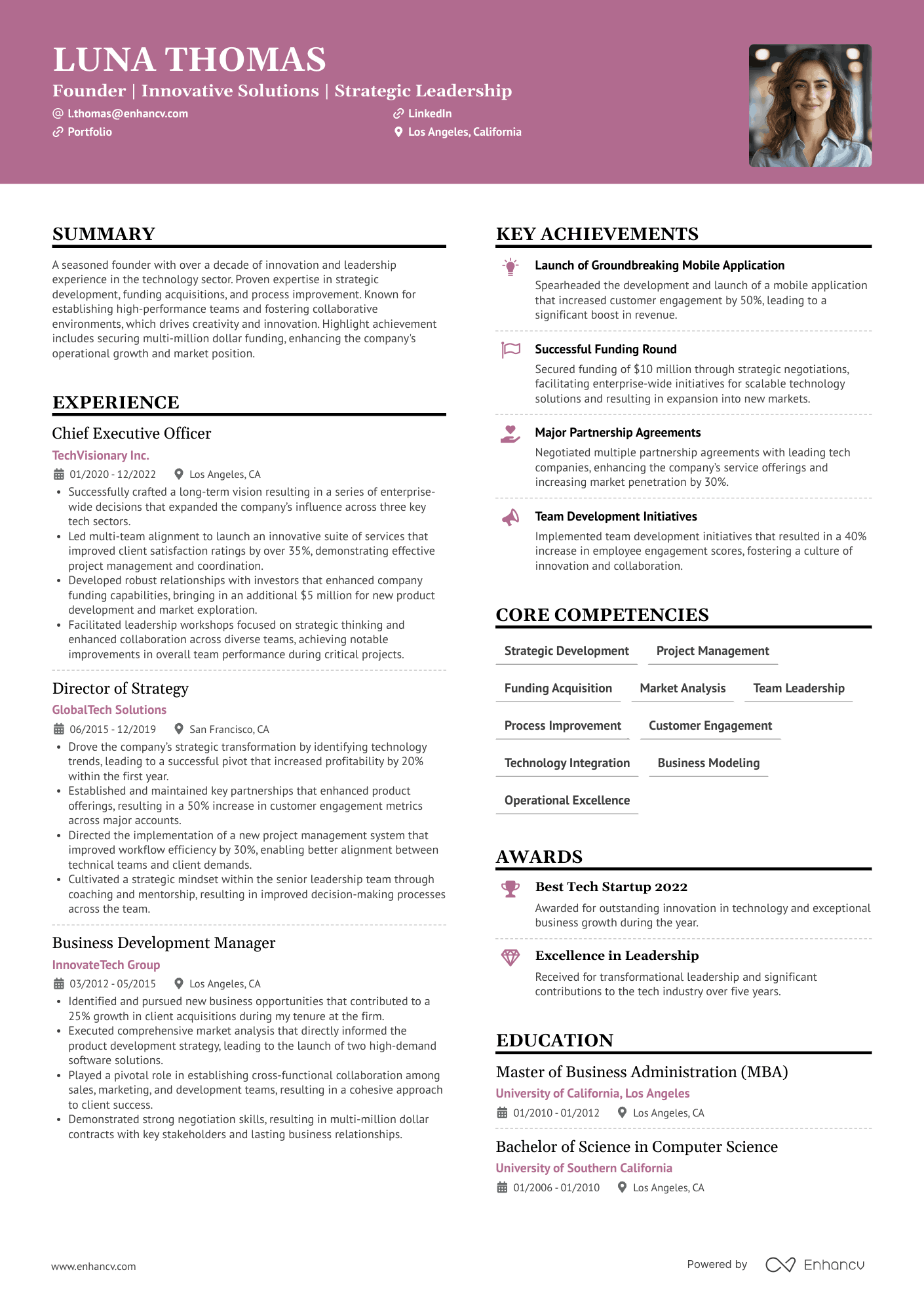
Creative
This design accentuates your header in a way that captures recruiters' attention, encouraging them to explore further. Versatile and adaptable, it's suitable for a broad range of industries.
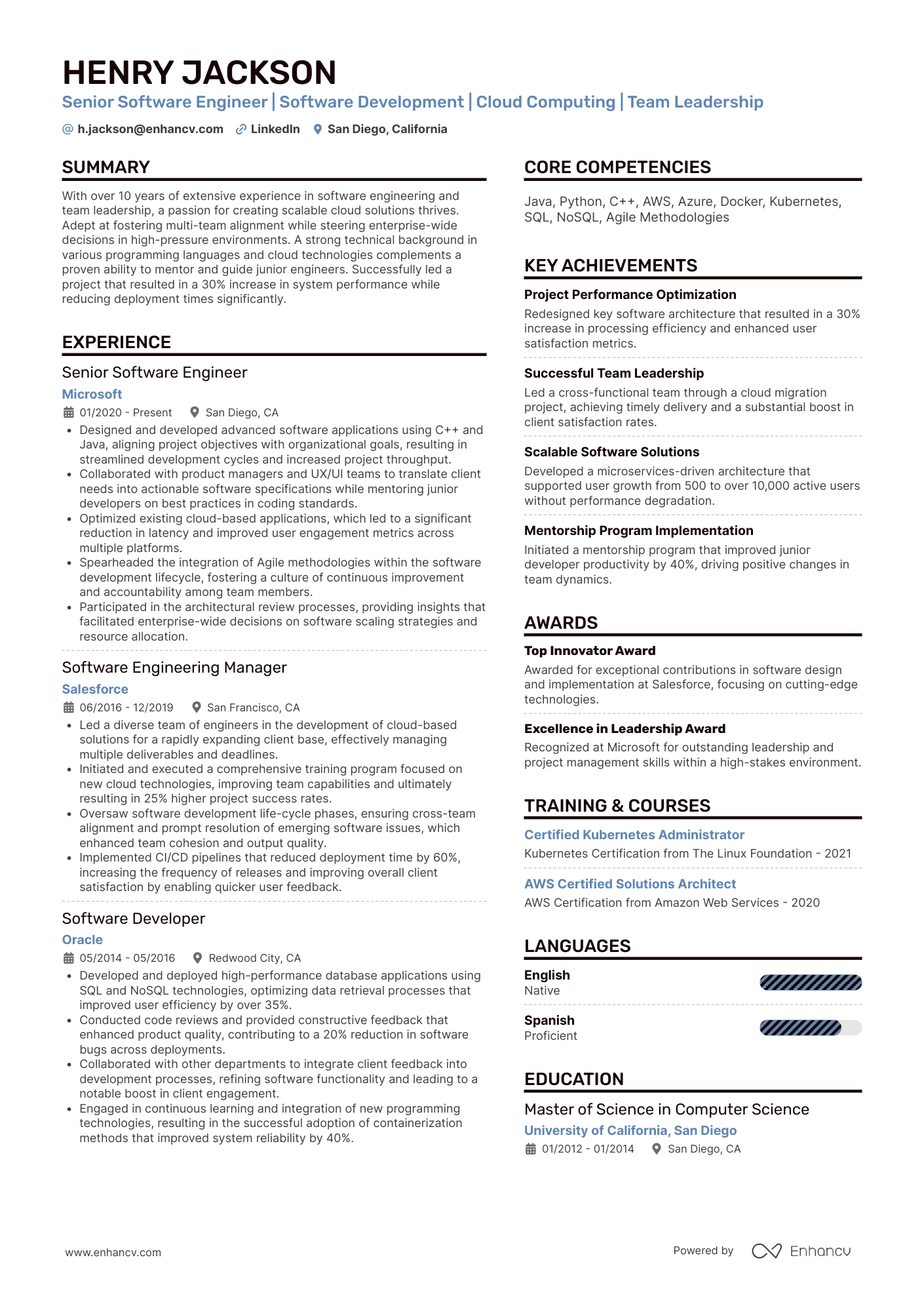
Double Column
The structure and layout of this template are easy to follow, ensuring your application will get more attention than the 20 other resumes waiting for the recruiter to check.
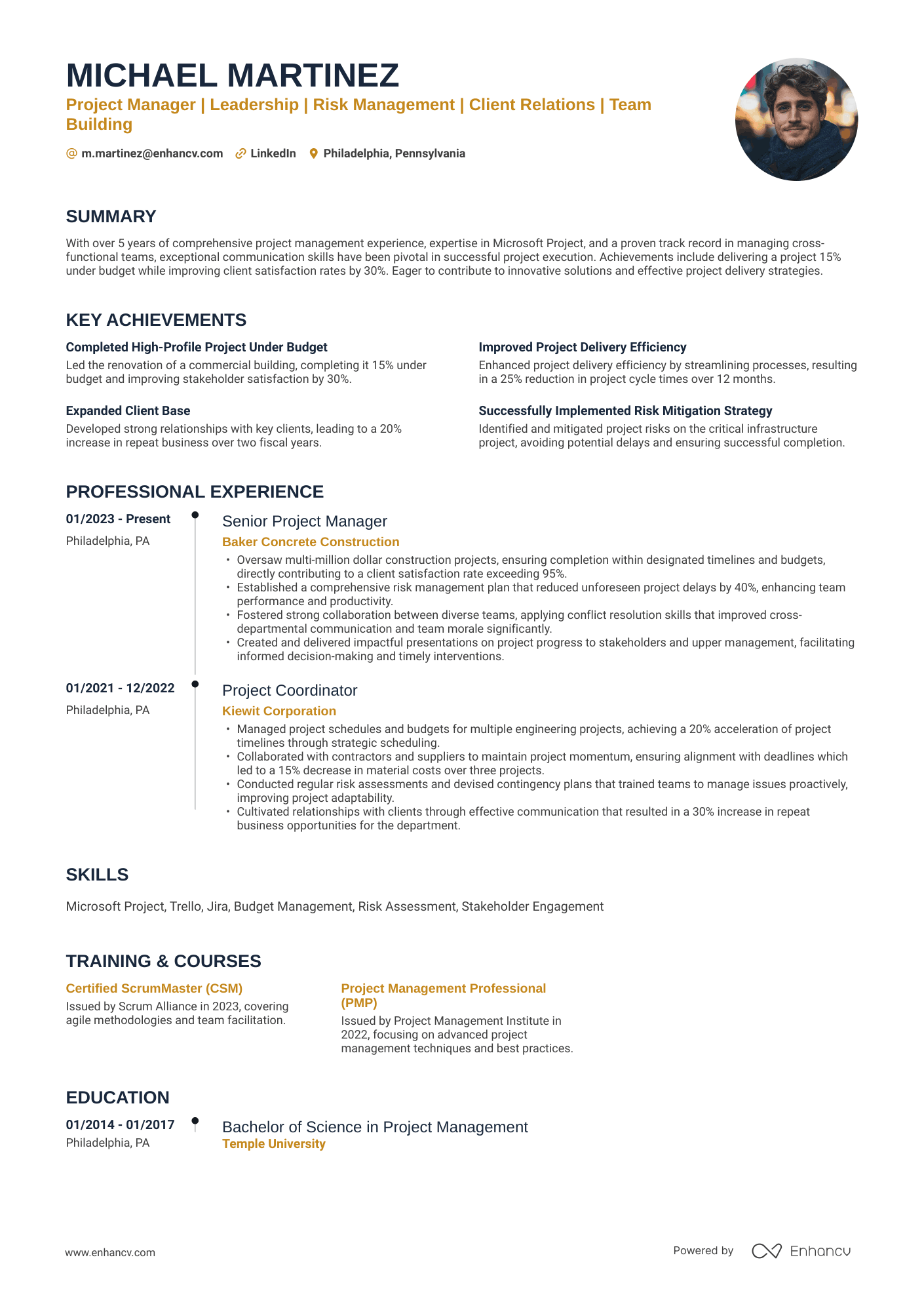
Timeline
This Enhancv template features our signature timeline design, effectively highlighting your career progression and development. It's an excellent choice for professionals at any stage, from entry to senior level. It's particularly well-suited for fields like operations, business, and logistics.
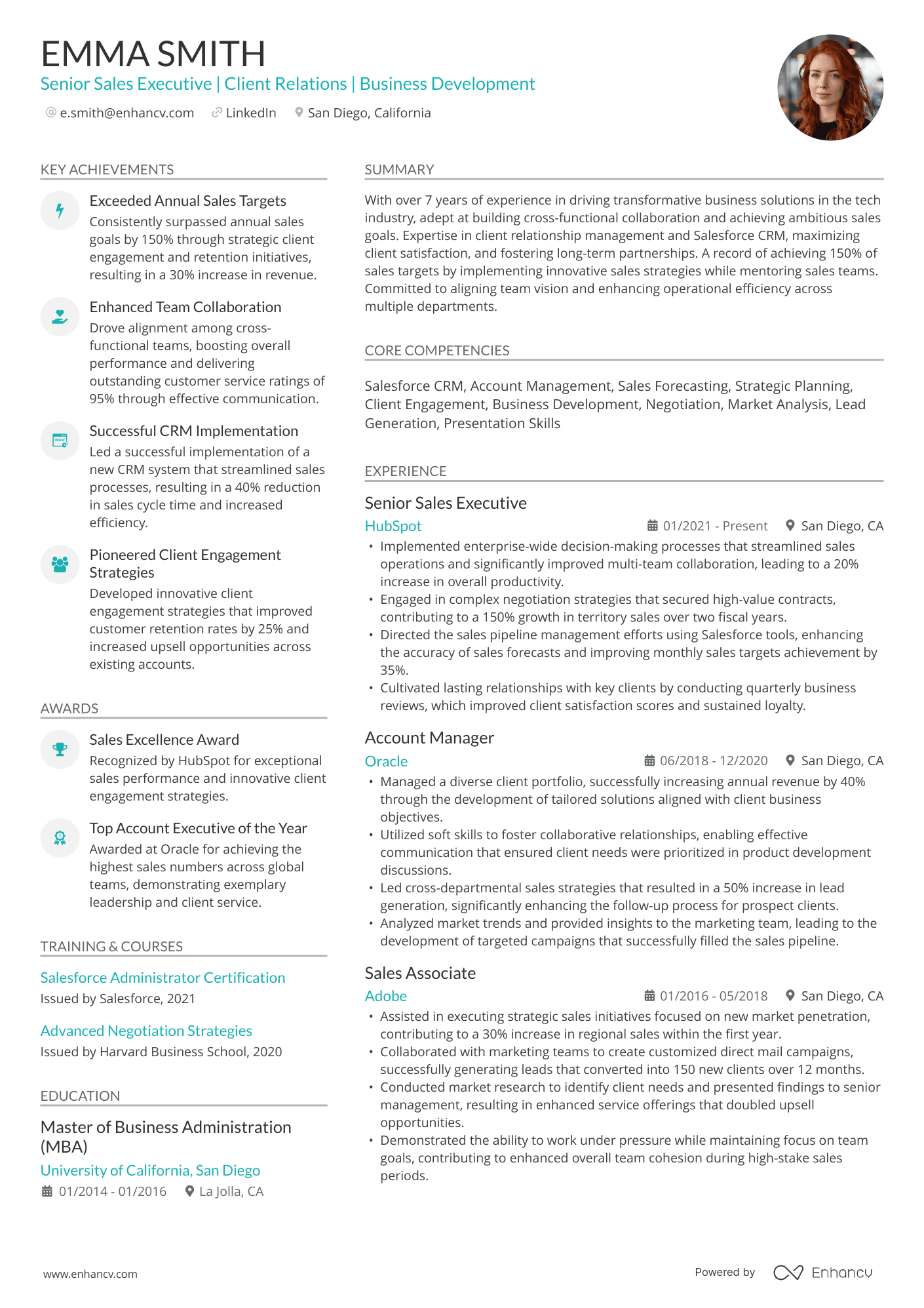
Stylish
Designed to transform a typically lengthy 2- or 3-page resume into a concise, single-page document. The recruiters will thank you for saving their time.
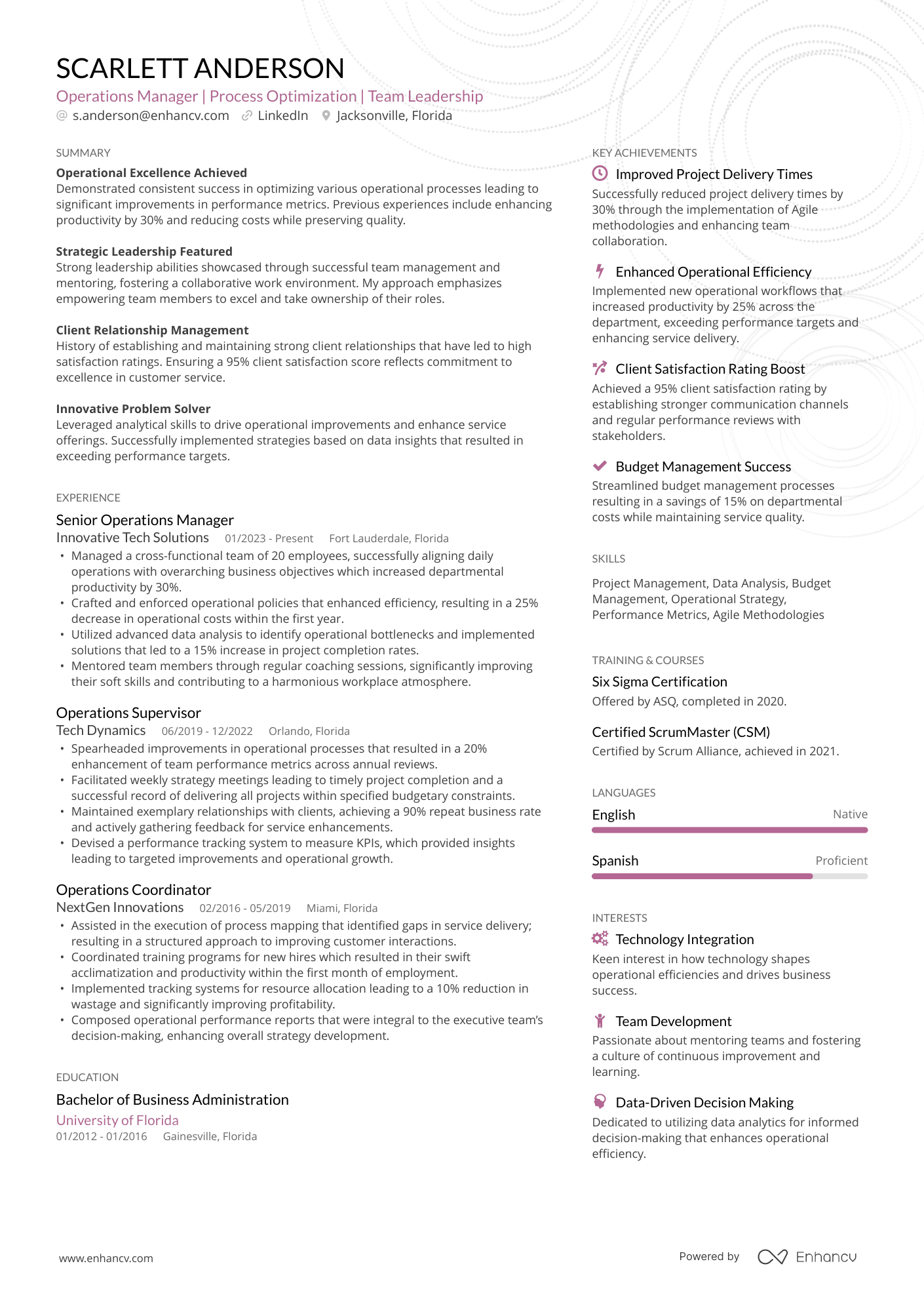
Compact
Maximizes space to fit more than 90% template, offering an efficient yet comprehensive layout. If you have 15 years of experience or more and have had many different roles, this is a perfect fit for you.
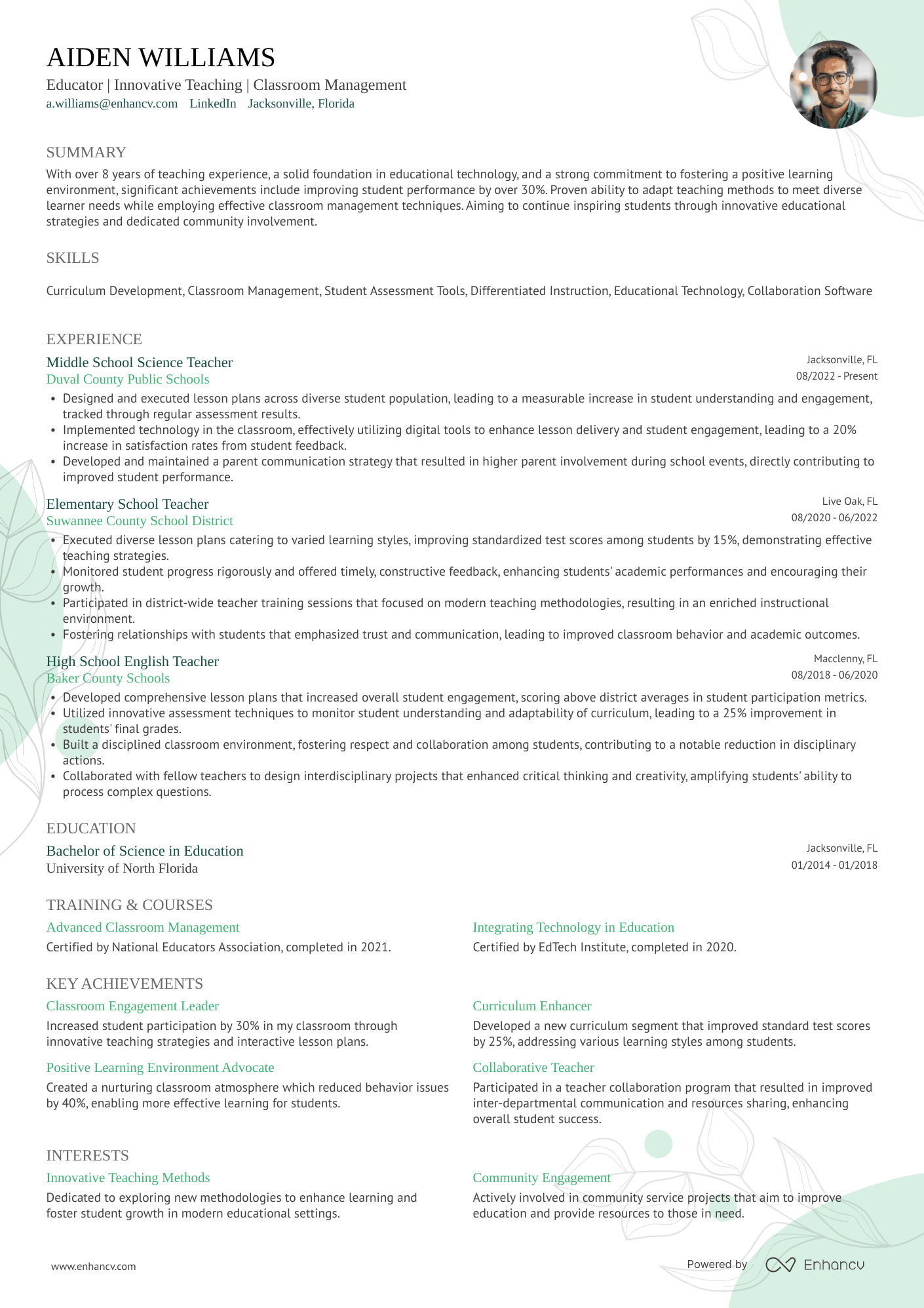
Classic
Traditional resume with a modern touch. This timeless design appeals to conservative industries, offering a sleek, professional appearance that aligns with the standards of traditional sectors.
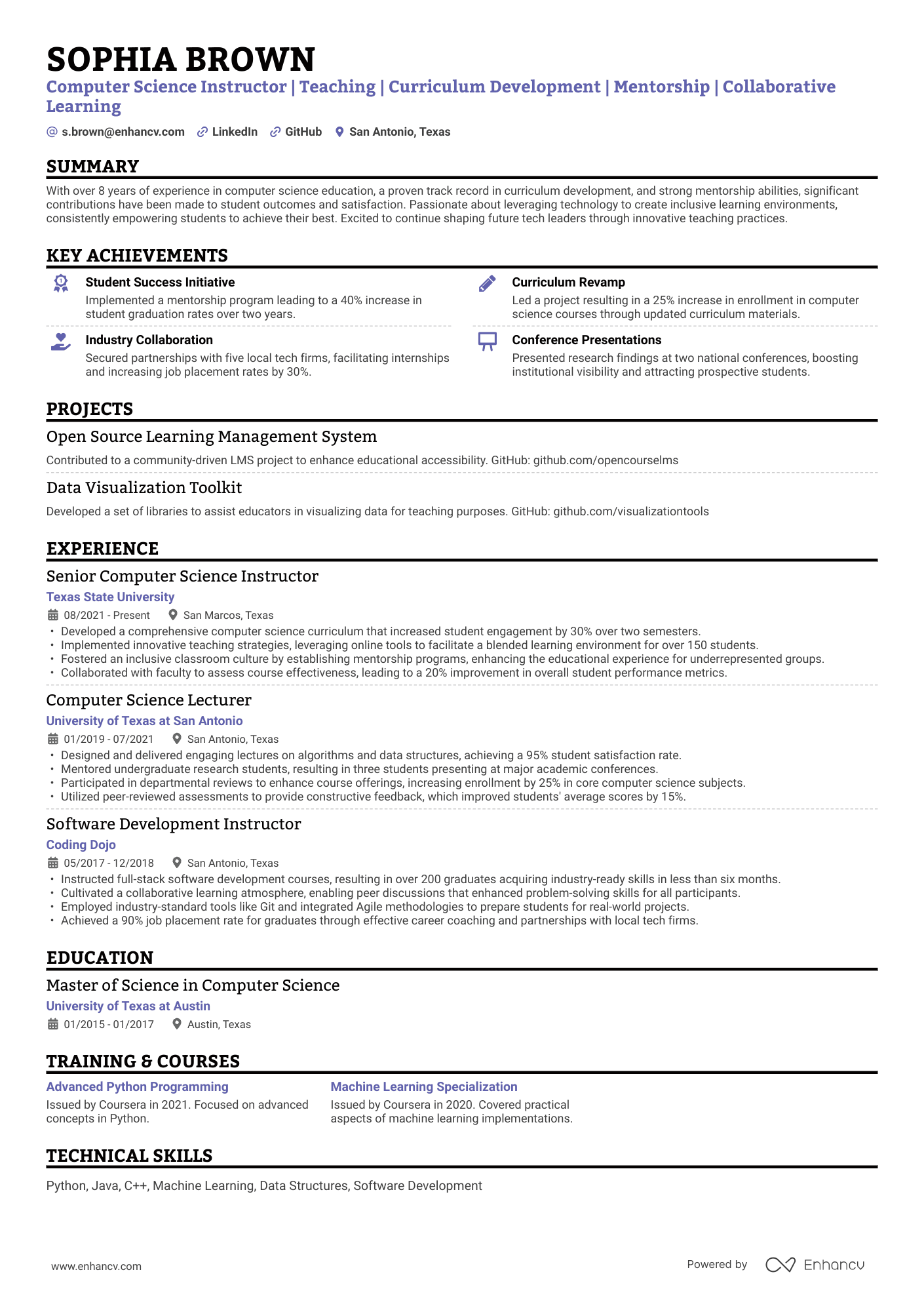
Single Column
A classic design enhanced to stand out subtly. Highlighted headings improve readability, allowing recruiters to quickly grasp your application and see how you fit the role.
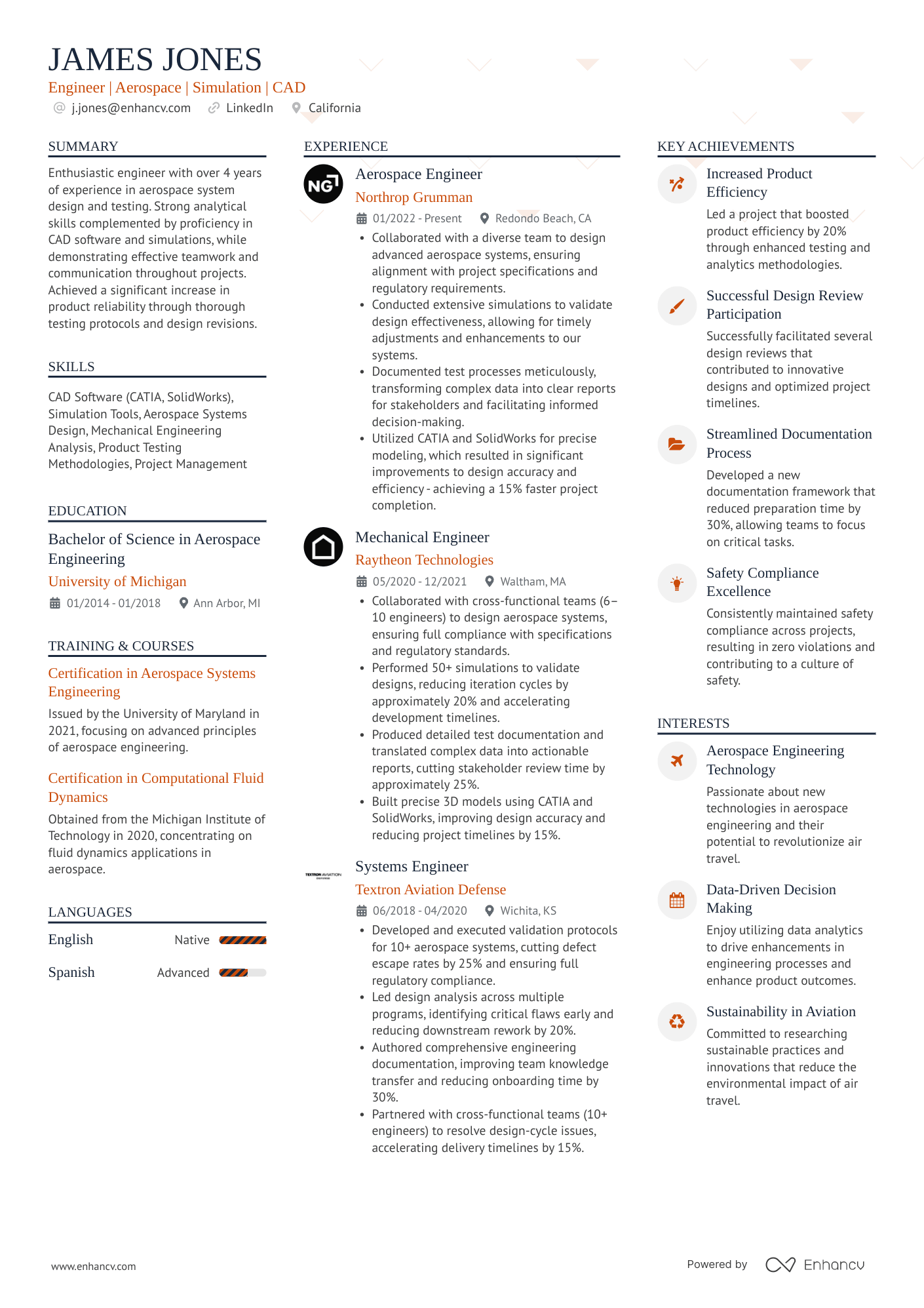
Multicolumn
The ATS-friendly multicolumn template is perfect for candidates with extensive experience who want to put more on their resume and still fit into one page. It's also a good choice for the ones who would like to present their information more uniquely.
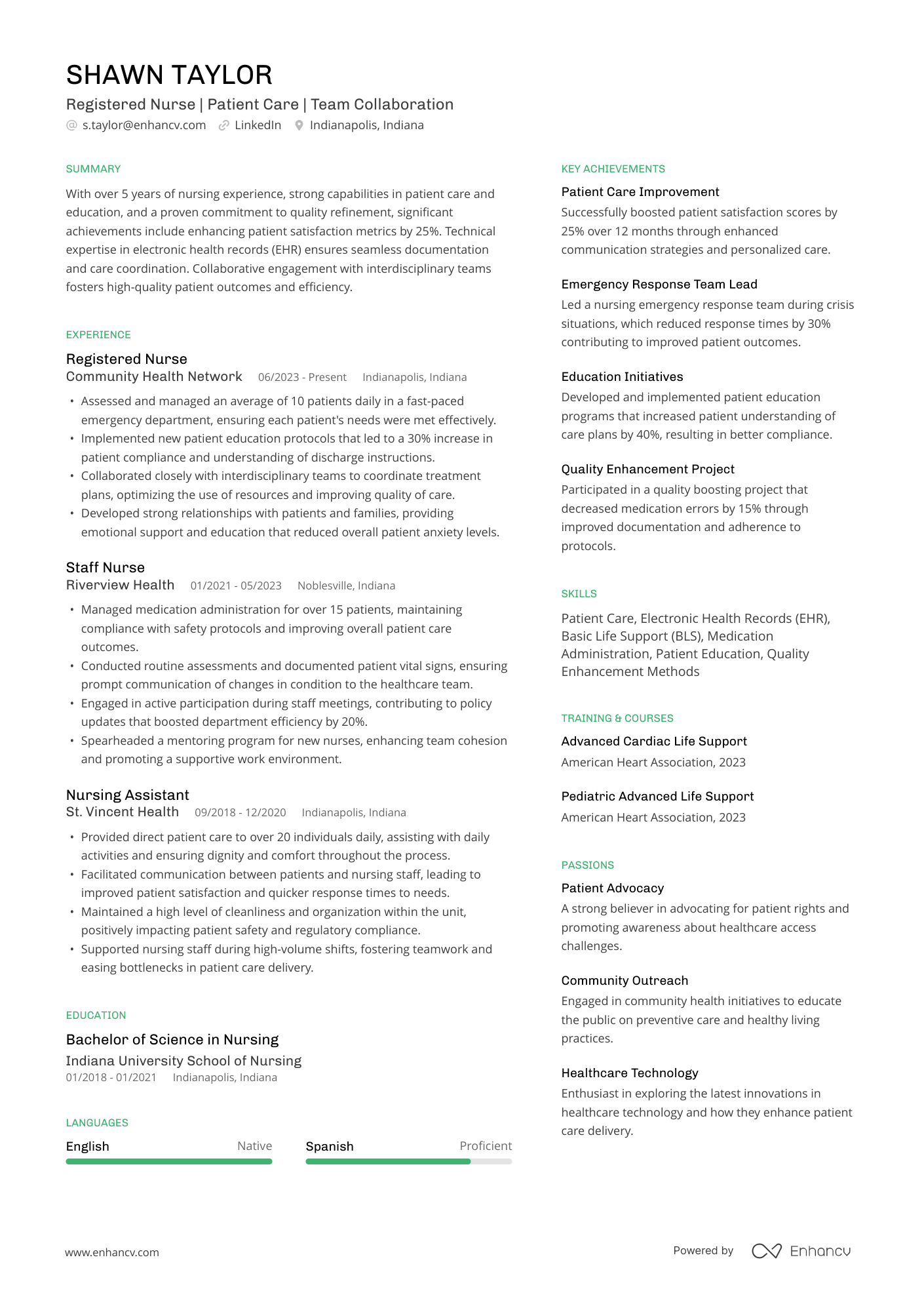
Minimal
The minimal template is ideal for those who want to blend whitespace and content, without clutter.
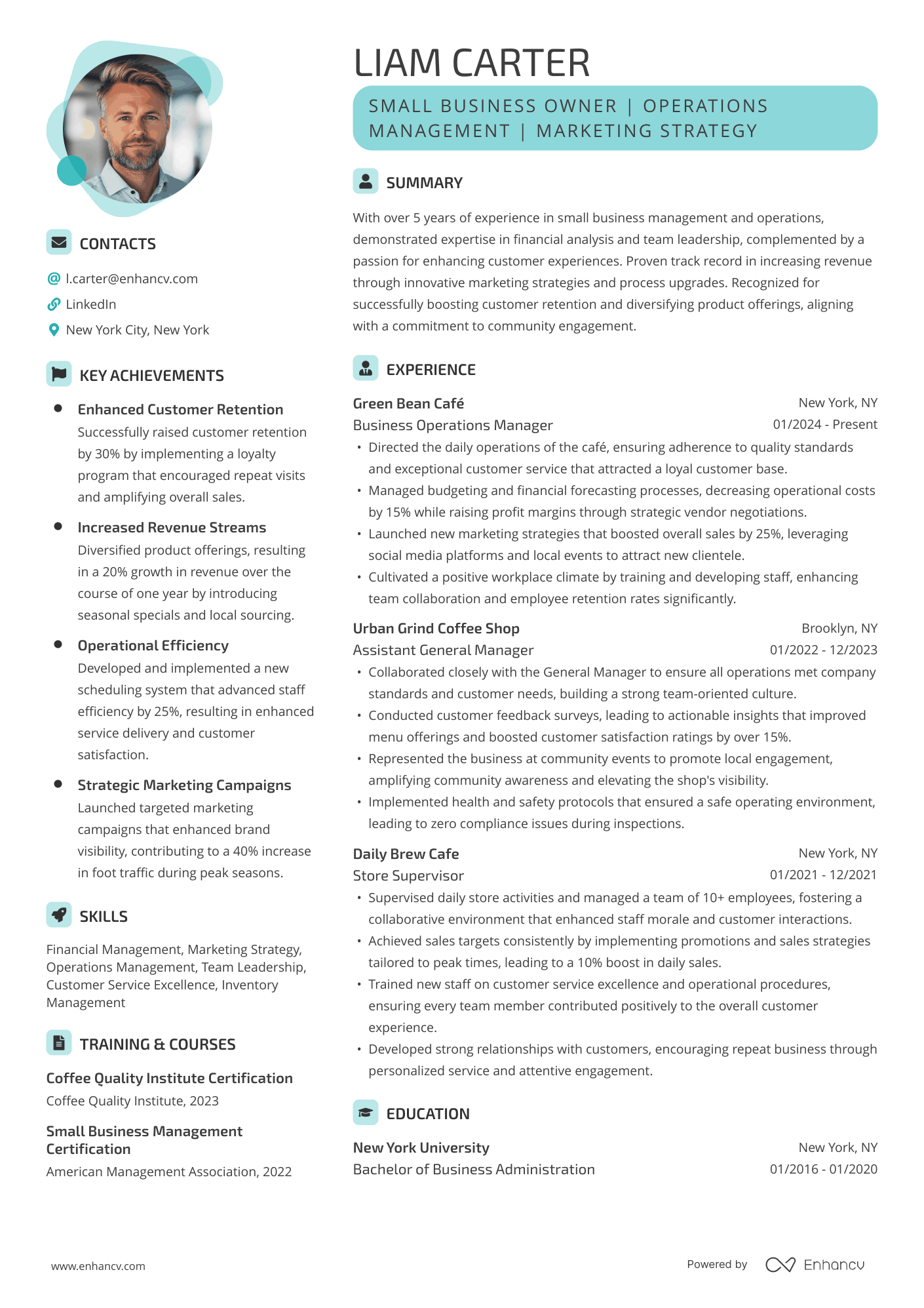
Contemporary
Our most modern template combines bold design with a clean, professional flow. Ideal for dynamic roles or industries that value innovation and confident presentation—such as startups, creative fields, or forward-thinking leadership positions.
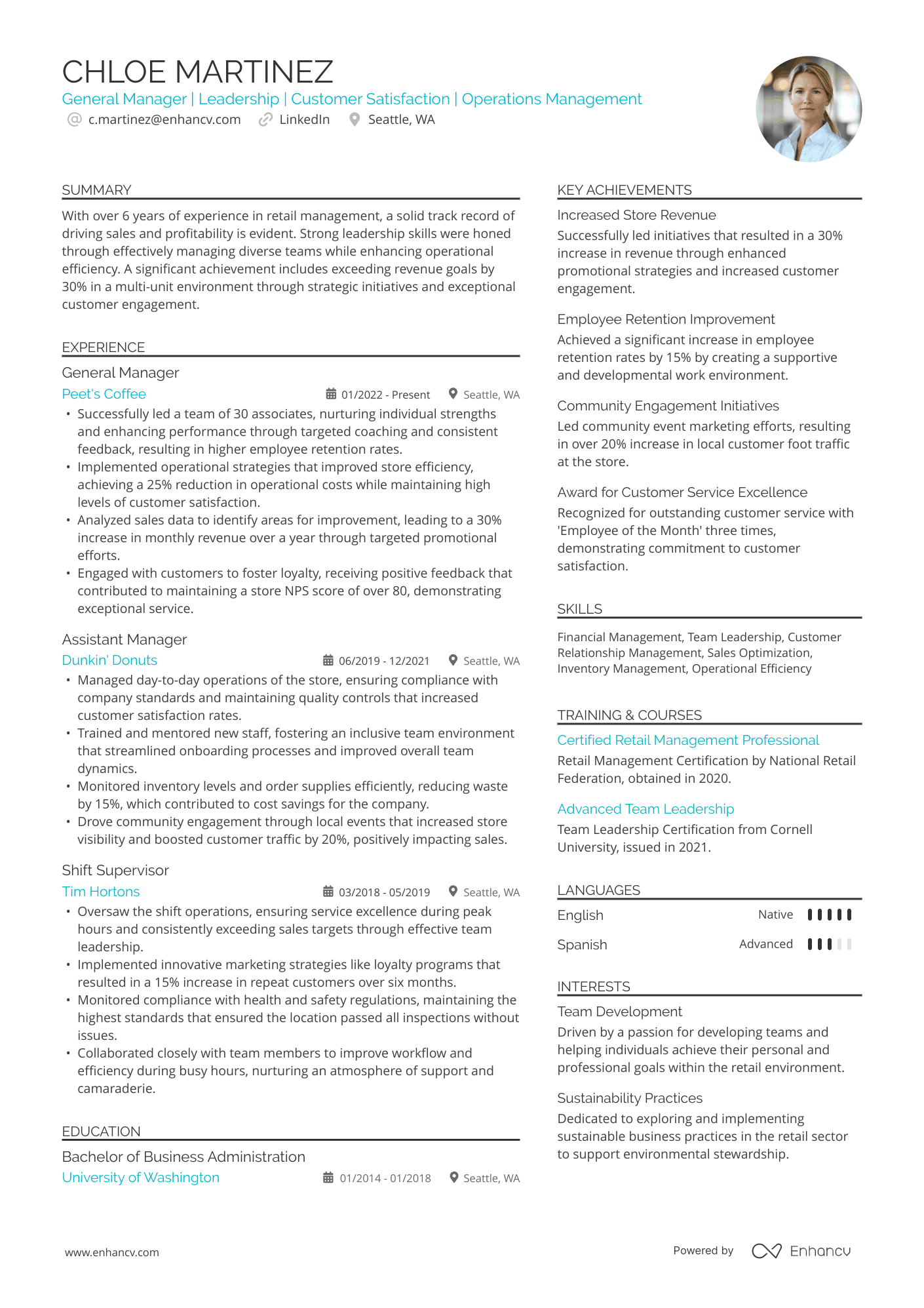
High Performer
A data-driven resume template, perfect for project and product managers, or anyone who wants to display achievements through visual elements, like tables—fully ATS-compatible.



What is an ATS-friendly resume template?
Applicant tracking systems (ATS) have long been painted as the bad guys in hiring, often blamed for rejecting qualified candidates. That’s also why terms like “ATS resume template” have become so popular.
But the idea that “ATS rejects 70% of resumes” is nothing more than a myth. The statistic traces back to a 2012 sales pitch from a now-defunct company, with no credible data to support it.
So before worrying about whether your resume is “ATS-friendly,” it’s worth asking: how do these systems actually work—and do they really reject resumes in the first place?

Key takeaways
- ATS systems don’t automatically reject resumes—most are designed to organize and rank candidates, not eliminate them based on formatting.
- Formatting elements like fonts, colors, and columns rarely cause issues, as long as your content is clearly structured and text-based.
- Knockout questions are the real gatekeepers, filtering candidates based on minimum requirements before resumes are even reviewed.
- Keywords help your resume get discovered and ranked, but they’re not the main reason candidates are rejected.
- Visual design still matters—for humans—so your resume should be easy to scan and highlight key achievements quickly.
- The best ATS resume templates focus on clear structure and relevant content, not stripping away all design.
Common ATS resume myths
There’s a lot of advice online about “beating the ATS”—most of it outdated or simply incorrect. Based on our own ATS testing and industry insights, here’s what actually holds up:
Myth #1: You need special fonts for ATS-friendly resume templates
All standard fonts—including modern ones like Rubik—work perfectly fine with ATS systems. There’s no technical reason a commonly used font would be misinterpreted.
The only real risk comes from highly decorative or cursive fonts, which aren’t typical for professional resumes anyway.
Myth #2: Colors, photos, and graphics break ATS
Visual elements don’t directly interfere with ATS parsing. The real issue is where your content lives.
If important information is embedded inside an image or graphic, some ATS systems won’t be able to read it—especially if they rely on OCR (optical character recognition), a technology that converts images into text and isn’t always perfectly accurate.
So, as a rule of thumb, keep your key content as text. It’s not outdated—it’s classic.
Myth #3: ATS can’t read columns
Modern ATS systems can handle multi-column resumes without issues. A well-structured two-column layout won’t prevent your resume from being parsed correctly. In fact, it can even save space and organize your information more neatly.
Keep in mind, more conservative industries and academic fields might prefer the single-column template.
Myth #4: Longer resumes perform worse in ATS
ATS doesn’t care about resume length. It parses content regardless of whether your resume is one page or three.
That said, overly long resumes can still hurt you—but for a different reason: recruiters prefer to quickly see your most relevant achievements. Two pages are generally acceptable, but three is often pushing it.
ATS doesn’t automatically reject resumes
The idea that ATS automatically rejects resumes because of formatting is one of the most persistent—and misleading—beliefs in hiring.
But when you look at real data, the story changes.
ATS systems are designed to organize and rank applications, not discard them over visual choices. Formatting elements like fonts, colors, and columns have little impact on how modern systems process resumes.
What actually determines whether your resume gets seen is far more practical: how well your experience matches the role and whether you meet the basic requirements.
And often, the real constraint isn’t the ATS—it’s volume. When a single role receives hundreds or even thousands of applications, not every resume gets reviewed.
Which brings us back to the key point: formatting doesn’t get you rejected—relevance does.
How ATS actually filters candidates
If ATS doesn’t automatically reject resumes for formatting, what actually determines whether a candidate moves forward?
In practice, ATS filtering comes down to three things:
- Eligibility checks
- Keyword matching
- Content clarity
Knockout questions (the real gatekeepers)
The biggest filter really happens before your resume is even reviewed. But it doesn’t mean outright rejection.
All the recruiters we interviewed for our research use knockout questions—basic eligibility checks that determine whether a candidate meets the minimum requirements for a role.
If the position requires a bachelor's degree, we’ll say, ‘Do you have a bachelor's degree?’ If they don’t, then they would be automatically knocked out of the process because they don’t meet the minimum qualifications for the position.
That means that if you don’t meet the minimum requirements, even a perfectly crafted resume won’t move you forward.
Keywords help—but don’t decide everything
If knockout questions are that important, does that mean you should pack your resume with keywords? Not quite. Keywords are still relevant—but mostly to ranking, not rejecting.
ATS systems use keywords to understand how closely your experience matches a job description. And while knockout questions might seem similar to keyword filters, they work very differently.
Keywords help match and rank your resume, while knockout questions are strict yes-or-no requirements—if you don’t meet them, you’re filtered out regardless of everything else.
Formatting matters—for humans
Although ATS does the heavy lifting in the early stages, resumes ultimately reach human recruiters.
Formatting plays a huge role in ensuring that once a recruiter opens a resume, the information is easy to digest. A visually appealing, well-organized resume makes it easier to skim and quickly identify key qualifications.
Research shows that recruiters process resumes visually, often scanning in patterns like the F-shape—which is why well-structured layouts, including two-column resumes, can actually make key information easier to spot.
Tailor your resume to the job description
ATS scan for keywords to see if your resume is relevant to the role. Instead of manually tweaking your document for every role, you can use tools that map your experience directly to job requirements.
Enhancv’s AI Resume Tailoring helps align your achievements with the role—so your resume clearly shows why you’re a fit.
How decorative elements affect ATS resume parsing
Resume templates often include visual elements—but these rarely cause issues on their own. What matters is how they’re used.
Here’s how ATS systems handle them:
- Plain text conversion ignores most visuals: When a resume is converted to text, decorative elements like background shapes or colors are usually ignored, allowing the system to focus on the content itself.
- Structure matters more than design: As long as text is clearly separated and not embedded within graphics, elements like columns or icons won’t disrupt parsing. Modern ATS systems are built to handle structured layouts.
- Document structure remains key: ATS parsers rely on headings, spacing, and formatting cues to identify sections like Experience and Skills. Well-designed templates preserve this structure, even with visual enhancements.
- Text layers take priority over visuals: ATS systems read the primary text layer and typically ignore background elements or design layers behind it.
- Images and embedded content can cause issues: If important information is placed inside images, ATS may rely on OCR (text recognition), which is less reliable than standard text extraction.
A word of caution
Just because an element is parsable doesn’t mean it’s professional. Overly complex designs or excessive visuals may make your resume seem cluttered or just messy, which doesn’t bode well with recruiters.
How to check if your resume is ATS-friendly
By now, it should be clear that most resumes don’t fail because of formatting—but small issues can still affect how your information is parsed and understood.
If you want to be sure your resume is working as intended, it’s worth running it through an ATS checker.
Tools like Enhancv’s Resume Checker analyze your resume and highlight:
- Missing or unclear sections (like Experience or Skills)
- Formatting issues that could affect parsing
- Keyword alignment with your target role
- Readability and overall structure
This gives you a quick way to spot potential issues—before a recruiter ever sees your resume.
Is your resume good enough?
Drop your resume here or choose a file. PDF & DOCX only. Max 2MB file size.
ATS-friendly resume templates (Word, Google Docs, and more)
If you’re looking for an ATS-friendly resume template, you have several options depending on the tool you prefer:
- Word resume templates: Widely used and compatible with most ATS systems.
- Google Docs resume templates: Easy to edit and share, with simple, structured layouts.
- Resume builders (like Enhancv): Designed to balance visual appeal with ATS compatibility.
- Free ATS resume templates: Available online, created with different tools or platforms. Quality and formatting may vary.
Keep in mind that while Word and Google Docs templates can be optimized for applicant tracking systems, not all of them are. Their rigid formatting can make them harder to customize—and easier to break—especially when you start editing layout or structure.

PRO TIP
Resume builders like Enhancv are designed to handle structure and formatting for you, so you don’t have to worry about ATS compatibility.
Whether you’re using a Word file, a Google Docs layout, or a downloadable ATS resume template, any ATS-friendly resume template will follow the same core principles: clear structure and readable content.
Focus on what truly matters
It’s time to stop overemphasizing the idea of “beating” the ATS and focus on what truly matters—matching the job description, avoiding common pitfalls like employment gaps, and ensuring your resume is skimmable for human eyes.
ATS doesn’t automatically reject candidates—it helps streamline the process by sorting through applications. But eventually, it’s your qualifications and how well they’re presented that'll make the difference, so always opt for a well-written resume.
When you also make it visually appealing, your document will catch the eye of the recruiter from a pile of candidates.